

TL;DR
The best email marketing tool for a small business depends on your contact list size, how often you send emails, your automation needs, your business type, and your budget. Compare each platform on pricing, ease of use, automation, deliverability, analytics, integrations, and scalability. A simple newsletter business may need a different tool than an online store or a company with complex customer journeys.
Introduction
Small businesses do not need the most powerful email marketing platform on the market. They need the right tool for their contact list, budget, and goals, without extra cost or confusing features. Finding the best email marketing tools for small business owners can feel hard with so many options.
This guide compares top platforms side by side. You will see pricing, key features, and who each tool fits best. We also point out weak spots, so you know what to expect. Whether you run a newsletter, an online store, or a service business, you will find a clear path to the right choice for your needs.
Which email marketing tools are best for small businesses?
The best email marketing tools for small businesses combine fair pricing, easy campaign creation, reliable delivery, useful automation, clear reporting, and room to grow. The right pick depends on your contact list size, how often you send email, your business type, and how much automation your team needs. Some brands only need simple newsletters. Others need advanced automation for complex customer journeys.
Below is a side by side comparison table. It shows starting price, free plan access, automation strength, and the best business type for each tool.
| Tool | Best for | Starting price | Free plan | Automation | Best business type |
| MailerLite | Simplicity | $12/mo | Yes | Good | Small teams |
| Brevo | Budget + multichannel | $9/mo | Yes | Good | SMBs |
| Mailchimp | Beginners/integrations | $13/mo | Yes | Good | General SMB |
| Constant Contact | Local businesses | $12/mo | Trial only | Good | Local/service |
| HubSpot | CRM + marketing | $15/mo/seat | Yes | Advanced | B2B |
| GetResponse | Funnels | $19/mo | Yes | Advanced | Growth businesses |
| ActiveCampaign | Automation | $15/mo | No (trial) | Advanced | Complex journeys |
| AWeber | Support | $12.50/mo | Yes | Good | Small teams |
| Kit | Creators | $39/mo | Yes (up to 10K subs) | Good | Creators |
| Klaviyo/Omnisend | Ecommerce | $16-20/mo | Yes | Advanced | Online stores |
A few quick notes to help you read the table:
- MailerLite, Brevo, Mailchimp, and AWeber are the easiest starting points for small teams with tight budgets. They offer solid deliverability, clean reporting, and simple campaign builders.
- Constant Contact fits local and service based businesses that want event tools and guided support, though it has no true free plan.
- HubSpot suits B2B companies that want email marketing tied to a full CRM and sales pipeline, but the jump from Starter to Professional pricing is steep.
- GetResponse and ActiveCampaign are built for advanced automation and sales funnels, which fits growth stage businesses and companies managing complex customer journeys.
- Kit is built for creators, bloggers, and course sellers who want a generous free plan and simple subscriber tools.
- Klaviyo and Omnisend are the top picks for ecommerce and online stores, since both connect directly to Shopify and other store platforms and support advanced segmentation.
How should you choose an email marketing tool for a small business?
Start with five questions. How many contacts do you have? How often will you send emails? What automations do you need? Do you sell online? And how much can you spend each month? These answers narrow your shortlist faster than comparing every feature one by one.
Here is a simple checklist to walk through each question.
1. How many subscribers do you have?
Your contact list size drives your monthly cost on most platforms, since pricing tiers scale with subscriber count.
- Under 500 subscribers: a free plan from MailerLite, Brevo, Mailchimp, AWeber, or Klaviyo will likely cover you.
- 500 to 5,000 subscribers: expect to move into an entry paid tier on most tools.
- Over 10,000 subscribers: check Kit’s free plan first, since it covers up to 10,000 subscribers at no cost.
- Growing fast: pick a tool with a clear pricing table, so you are not surprised by a big jump at the next tier.
2. How often will you send emails?
Some tools price by contact count. Others, like Brevo, price by how many emails you send each month. Your sending frequency decides which pricing model saves you money.
- Send once or twice a month: a contact based plan (MailerLite, Mailchimp, AWeber) usually costs less.
- Send daily or run frequent campaigns: check email volume caps before you commit, since some plans limit sends per month.
- Mix a large list with light sending: an emails sent model like Brevo may cost less than a contact based plan.
- Not sure yet: start with a free plan and track your actual sending habits for a month.
3. Do you need automation?
Automation covers welcome sequences, abandoned cart reminders, drip campaigns, and behavior based triggers. Not every small business needs advanced automation on day one.
- Basic autoresponders only: MailerLite, Brevo, or Mailchimp will handle simple welcome emails and follow ups.
- Multi step workflows with branching logic: look at GetResponse or ActiveCampaign, since both offer advanced automation builders.
- Behavior triggered emails based on clicks or purchases: ActiveCampaign and Klaviyo both support this well.
- Just getting started: skip advanced automation for now and add it once you understand your customer journey better.
4. Do you need ecommerce features?
Ecommerce features include product recommendations, abandoned cart flows, purchase triggered emails, and direct store integrations.
- You run an online store: Klaviyo and Omnisend are built specifically for ecommerce and connect directly to platforms like Shopify.
- You sell a few digital products: Kit or GetResponse can handle light ecommerce needs without a dedicated ecommerce platform.
- You do not sell online: skip ecommerce focused tools and pick a general purpose platform like Mailchimp or Brevo instead.
- You plan to sell online later: choose a tool that offers ecommerce features as an upgrade path, so you do not need to switch platforms later.
5. Do you need CRM integration?
CRM integration connects your email marketing tool to your sales pipeline, contact records, and customer data.
- You run a B2B business with a sales team: HubSpot combines CRM and email marketing in one platform.
- You already use a separate CRM: check that your email marketing tool has a direct integration, so contact data stays in sync.
- You are a solo business owner or small team: a built in CRM is likely unnecessary, and a simpler tool will save you money.
- You want everything in one dashboard: prioritize platforms with native CRM features over add on integrations.
What are the top email marketing tools for small business?
Here is a closer look at each tool. Every profile follows the same format, so you can compare pricing, features, and fit at a glance.
1. MailerLite
2. Brevo
3. Mailchimp
4. Constant Contact
5. HubSpot
6. GetResponse
7. ActiveCampaign
8. AWeber
9. Kit
10. Klaviyo or Omnisend
1. MailerLite
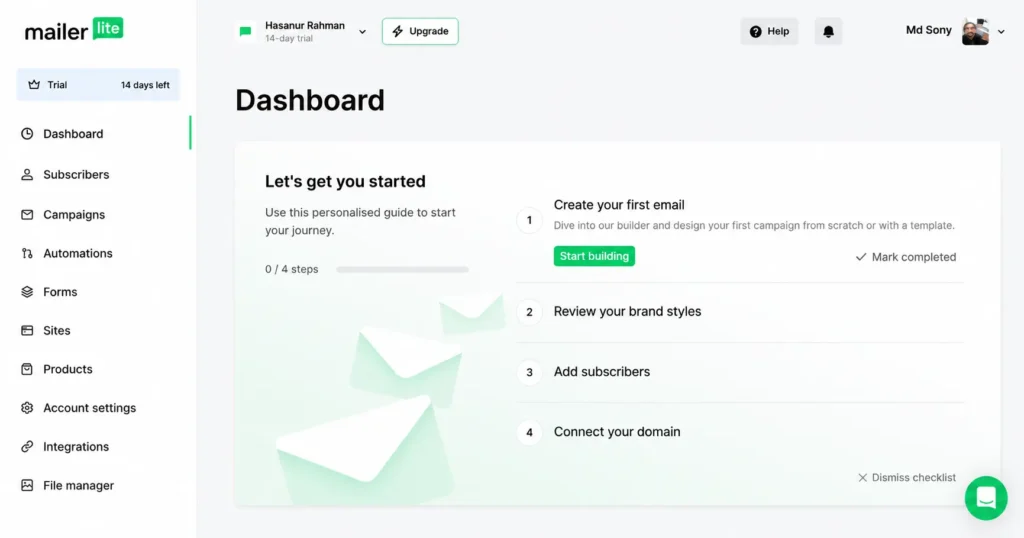
MailerLite is one of the simplest email marketing tools on the market, and it delivers strong value for the price. It fits small businesses that want an easy learning curve, solid deliverability, and a clean set of core features without extra complexity.
- Best for: Simplicity and value
- Starting price: $12/month for the Comfort plan (500 subscribers), or $25/month for the Power plan
- Free plan: Yes. The free plan covers up to 250 subscribers and 2,500 emails a month, with 2 user seats included
- Key features: Drag and drop email editor, landing pages, pop up sign up forms, subscriber segmentation, an AI writing assistant, dynamic content, and marketing automation workflows
- Main advantage: MailerLite keeps its interface clean and easy to learn, so small business owners can build a campaign, set up automation, and launch a newsletter without a steep setup process. Pricing also scales with your subscriber count, so you only pay more as your contact list grows.
- Main limitation: The Comfort plan applies sending limits tied to your subscriber count, so high volume senders may need the Power plan sooner than expected. Transactional email also runs through a separate product, MailerSend, which adds a second subscription if you need both marketing and transactional sends.
- Best business type: Small teams, solopreneurs, and growing businesses that want an easy to use platform with room to add automation later
- Verdict: MailerLite earns its reputation as a budget friendly, easy to use email marketing tool. The Power plan is the standout upgrade, since it unlocks unlimited monthly emails, unlimited user seats, and unlimited landing pages, making it a strong pick once your sending volume grows past the Comfort plan’s limits.
2. Brevo
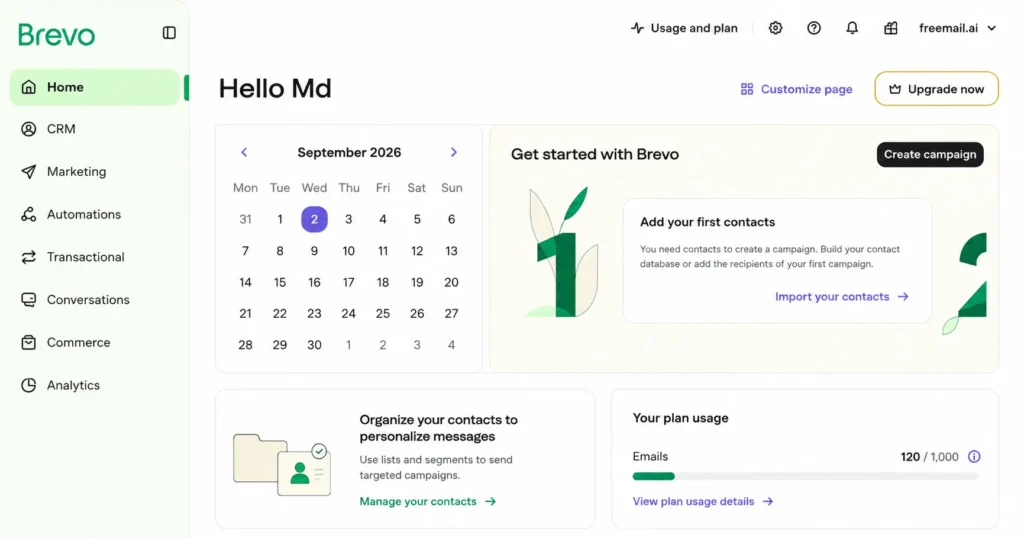
Brevo stands out as a budget friendly, multichannel marketing tool. It fits small businesses that want email marketing, SMS marketing, and a built in CRM in one dashboard, without paying premium prices.
- Best for: Budget conscious businesses and combined email plus SMS marketing
- Starting price: $9/month for the Starter plan
- Free plan: Yes. The free plan includes 300 emails a day with unlimited contacts
- Key features: Email marketing, SMS marketing, WhatsApp campaigns, marketing automation, built in CRM, transactional email, and basic landing pages on higher tiers
- Main advantage: Brevo prices by emails sent each month instead of contact list size. That makes it a smart choice for businesses with a large subscriber list but a lower sending frequency, since your bill will not climb just because your list grows.
- Main limitation: The Starter plan keeps Brevo branding in your email footer unless you pay extra for a removal add on. Landing pages and advanced reporting also stay locked behind the Standard plan.
- Best business type: Small and midsize businesses (SMBs) that want email, SMS, and chat tools bundled into one affordable platform
- Verdict: Brevo delivers strong value for cost conscious small businesses, especially those that want multichannel marketing without juggling separate tools for email and SMS.
3. Mailchimp
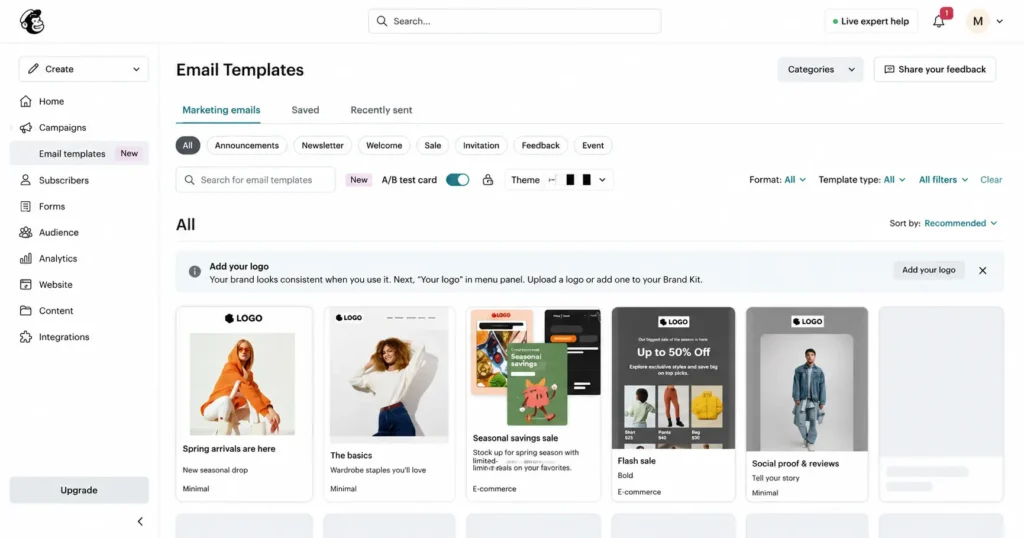
Mailchimp is one of the most recognized names in email marketing. It fits beginners who want a well-documented platform, plus small businesses that need wide integration support across their existing tech stack.
- Best for: Beginners and broad integrations
- Starting price: $13/month for the Essentials plan
- Free plan: Yes. The free plan covers up to 250 contacts and 500 sends a month
- Key features: Drag and drop campaign builder, A/B testing, audience segmentation, a customer journey builder, detailed analytics, and integrations with hundreds of apps and ecommerce platforms
- Main advantage: Mailchimp connects to almost every website builder, CRM, and ecommerce platform on the market. That makes it easy to plug into an existing tech stack without custom development work.
- Main limitation: The free plan has shrunk in recent years, and pricing rises quickly as your contact list grows. Some key features, like multi step automations and dynamic content, stay locked behind higher tiers.
- Best business type: General small businesses that want a familiar, beginner friendly platform with strong integration support
- Verdict: Mailchimp remains a safe, well rounded choice for small businesses new to email marketing, though it is not the cheapest option once your subscriber list grows past the entry level tier.
4. Constant Contact
Constant Contact is built for local businesses that mix email marketing with event promotion and hands on support. It fits service based companies and community organizations that want guided help along the way.
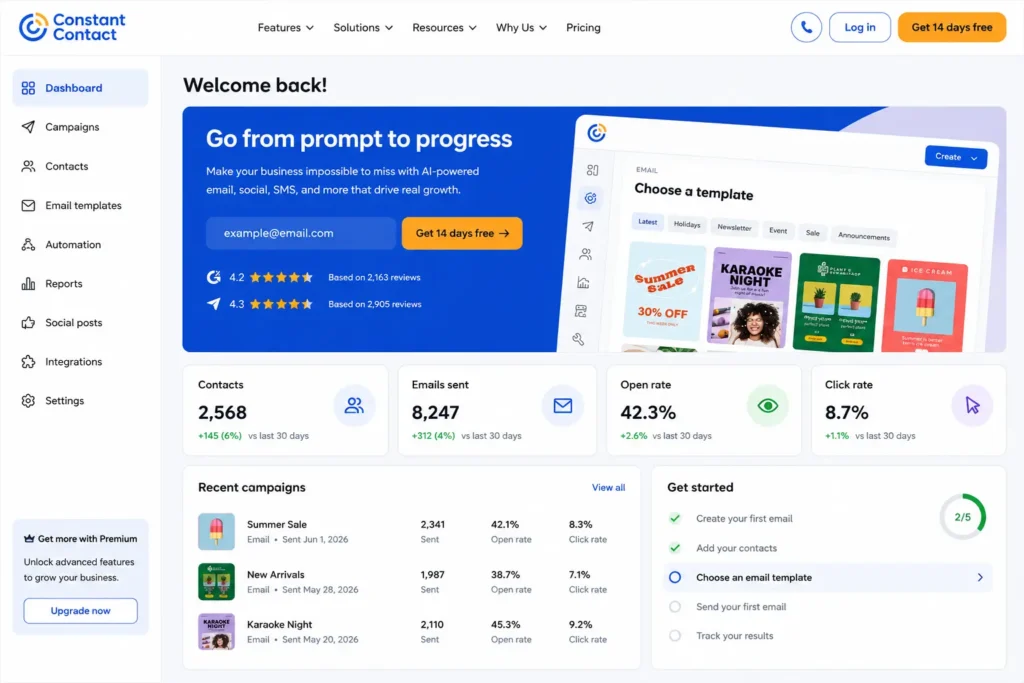
- Best for: Local businesses, events, and users who want strong support
- Starting price: $12/month for the Lite plan
- Free plan: No permanent free plan, but a free trial is available
- Key features: Event marketing tools, social media posting, simple automation, survey creation, a large template library, and integrations with tools like Shopify and Eventbrite
- Main advantage: Constant Contact is built with local businesses in mind, offering event promotion, RSVP tracking, and guided customer support that many competitors skip. Its three plans, Lite, Standard, and Premium, give you a clear upgrade path as your needs grow.
- Main limitation: There is no permanent free plan, and pricing depends on both your contact count and your monthly email sends. Costs climb steeply once your subscriber list passes a few thousand contacts, and each plan ties its send limit to a multiple of your contact count.
- Best business type: Local shops, service providers, and community organizations that run events alongside regular email campaigns
- Verdict: Constant Contact is a solid fit for local and service based businesses that value support and event tools, but budget conscious teams may prefer a platform with a true free plan.
5. HubSpot
HubSpot fits small businesses that expect to grow and want their email marketing tied directly to a CRM and sales pipeline. It works best for teams that plan to scale beyond simple newsletters into full lead generation and customer relationship management.
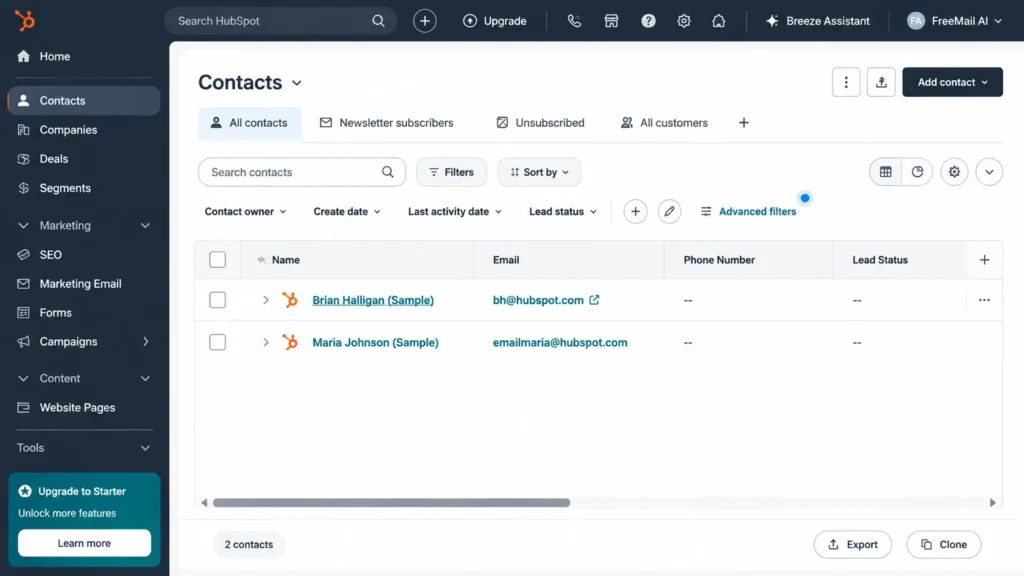
- Best for: CRM focused small businesses that expect to grow
- Starting price: $15/month per seat for the Starter plan, plus a free CRM tier
- Free plan: Yes, with limited email sends and basic marketing tools
- Key features: Built in CRM, lead scoring, landing pages, workflow automation, contact tracking, detailed analytics, and sales pipeline tools
- Main advantage: HubSpot connects email marketing directly to your CRM and customer data, so your contact records, sales pipeline, and campaign history all live in one place. This makes it easier to track leads from first contact to closed deal.
- Main limitation: HubSpot is not the budget option in this category. Costs jump sharply once you move past the Starter plan, and the Professional tier adds a required onboarding fee on top of the monthly price. Small businesses with simple newsletter needs will likely pay more here than with a dedicated email marketing tool.
- Best business type: B2B companies with a sales team that needs marketing and CRM data working together
- Verdict: HubSpot is worth the investment for small businesses planning to scale into full CRM territory, but it is a heavier and pricier platform than tools built purely for email marketing.
6. GetResponse
GetResponse fits small businesses that want sales funnels, marketing automation, and webinar hosting bundled into one platform. It works well for growth stage companies that need more than a basic newsletter tool.
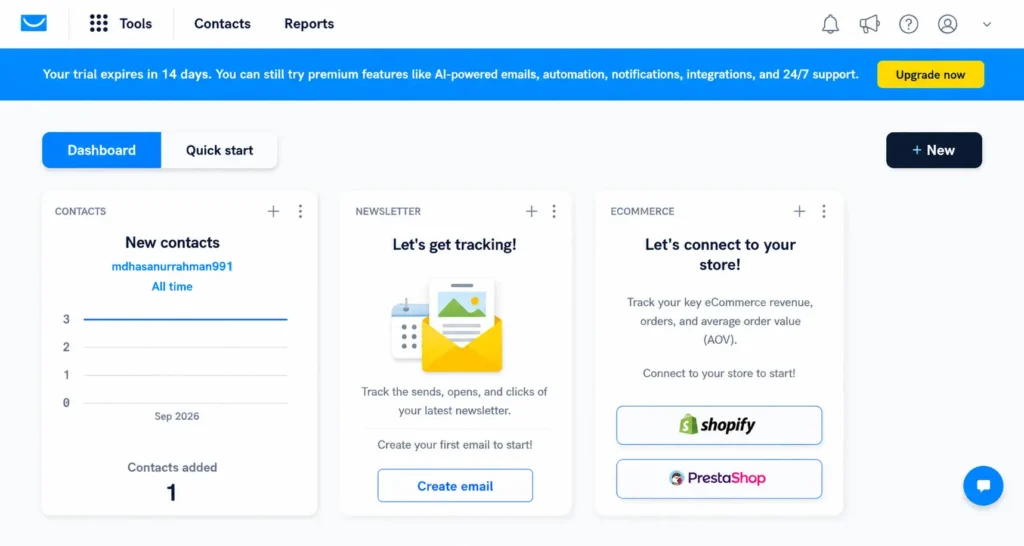
- Best for: Funnels, automation, and webinars
- Starting price: $19/month for the Starter plan (billed monthly)
- Free plan: Yes, up to 500 contacts
- Key features: Funnel builder, landing pages, webinar hosting, marketing automation, lead generation tools, autoresponders, and ecommerce features
- Main advantage: GetResponse bundles funnel building and webinar hosting into its plans, which most competitors charge extra for. Every paid plan also includes unlimited monthly email sends, so you never worry about hitting a send cap as your list grows.
- Main limitation: The entry level Starter plan lacks full marketing automation workflows, so many small businesses end up upgrading to the Marketer plan sooner than expected to unlock advanced automation.
- Best business type: Growth stage businesses building sales funnels, running webinars, or scaling lead generation alongside email campaigns
- Verdict: GetResponse is a strong pick for small businesses that want funnels, webinars, and automation working together, backed by unlimited sending on every paid plan.
7. ActiveCampaign
ActiveCampaign is built for advanced marketing automation, but it can be overkill for small businesses that only need simple newsletters.
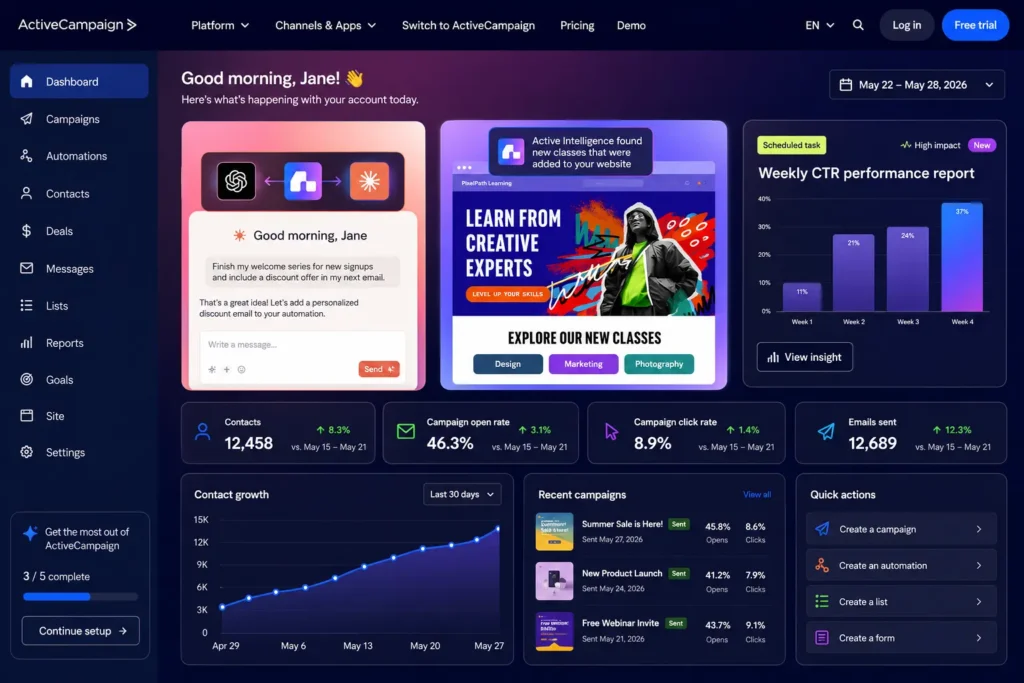
- Best for: Advanced automation
- Starting price: $15/month for the Starter plan
- Free plan: No free plan, but a 14 day free trial is offered
- Key features: Behavior triggered automation, CRM and sales pipeline tools, dynamic content, and split testing
- Main advantage: ActiveCampaign offers some of the deepest automation and customer journey mapping in email marketing, ideal for complex, triggered workflows.
- Main limitation: No free plan, and pricing jumps sharply from Starter to Plus. The learning curve is steeper than simpler tools like MailerLite or Mailchimp.
- Best business type: Businesses with complex customer journeys that rely on triggered, behavior based emails
- Verdict: A powerful choice for automation heavy teams, but many small businesses will find it more advanced, and pricier, than they actually need.
8. AWeber
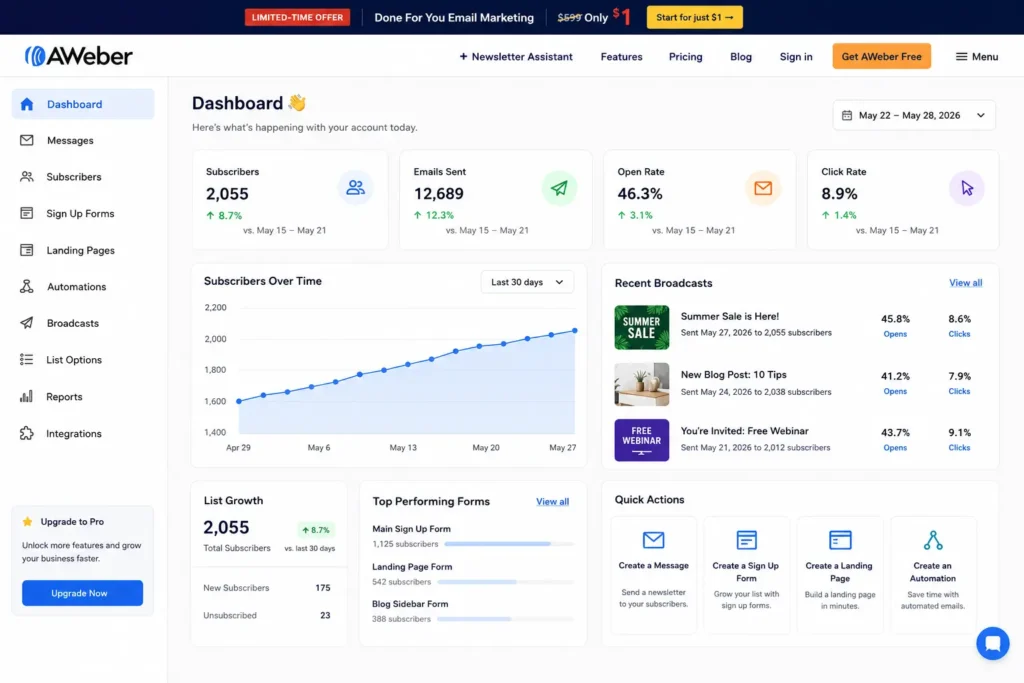
AWeber is a straightforward email marketing platform built for small teams that want reliable, human support alongside simple tools. It positions itself as an all around small business choice, with 24/7 support built into its plans.
- Best for: Small teams wanting support and a straightforward platform
- Starting price: $12.50/month for the Lite plan (billed annually)
- Free plan: Yes, up to 500 subscribers
- Key features: Autoresponders, landing pages, an AI email writing assistant, sign up forms, web push notifications, and a large template library
- Main advantage: AWeber offers 24/7 human support, including phone support on paid plans, which sets it apart from many competitors that limit help to email or chat only.
- Main limitation: The interface feels a bit dated next to newer platforms, and automation tools are more basic than what you get with GetResponse or ActiveCampaign.
- Best business type: Small teams and small businesses that value hands on support over advanced automation features
- Verdict: AWeber is a dependable, support friendly pick for small businesses that want a simple platform and real people to call when something goes wrong.
9. Kit
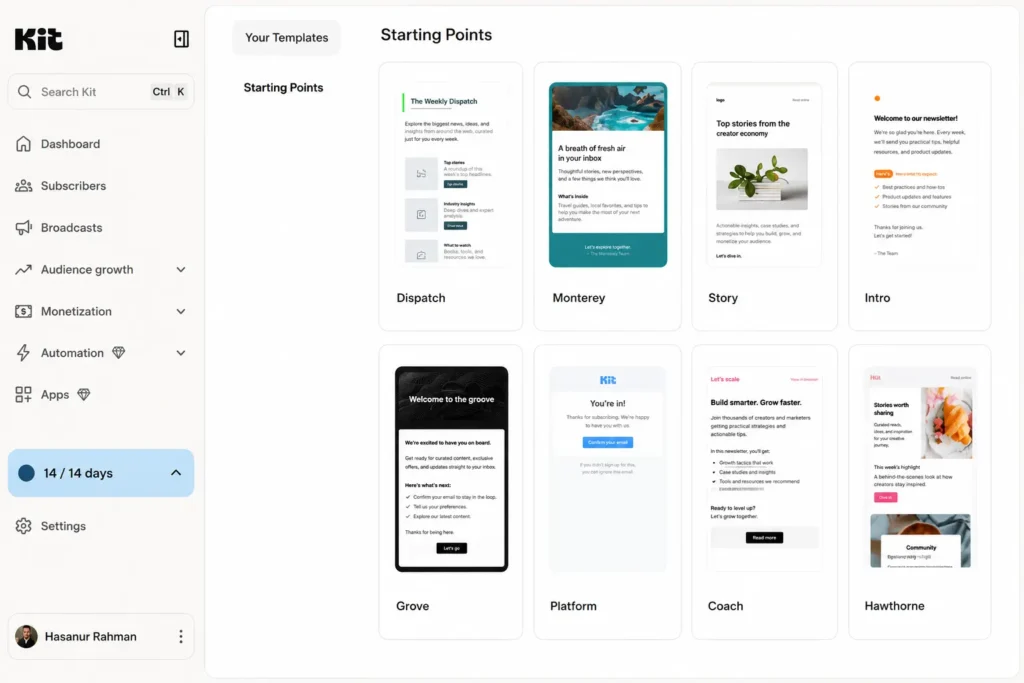
Kit, formerly known as ConvertKit, is built for creators and newsletter focused businesses. It fits bloggers, podcasters, and course sellers who want to grow a subscriber list without paying for features they will never use.
- Best for: Creators and newsletter focused businesses
- Starting price: $33/month for the Creator plan (1,000 subscribers, billed annually)
- Free plan: Yes, up to 10,000 subscribers
- Key features: Visual automation builder, landing pages, paid newsletter tools, subscriber tagging, creator focused templates, and simple email sequences
- Main advantage: Kit’s free plan covers up to 10,000 subscribers, making it one of the most generous free tiers in email marketing. That gives creators plenty of room to grow a list before paying a cent.
- Main limitation: Paid plans price by total subscriber count, so costs rise quickly once your list grows past the free tier, even if you rarely email everyone on it.
- Best business type: Independent creators, bloggers, podcasters, and digital product sellers focused on newsletter growth
- Verdict: Kit is hard to beat for creators on a budget, thanks to its generous free plan and tools built specifically for newsletter driven businesses.
10. Klaviyo or Omnisend
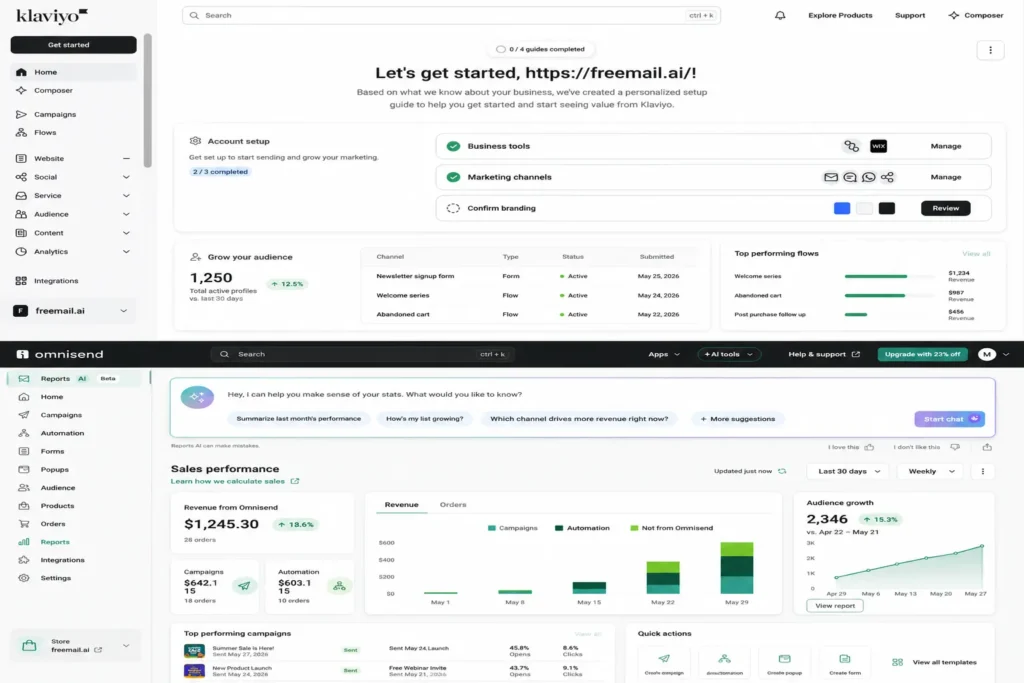
Klaviyo and Omnisend are built for ecommerce, not general purpose email marketing. If you run an online store on Shopify or WooCommerce, these tools use your product data and purchase behavior to build smarter, automated campaigns. If you do not sell online, skip this pair and pick a general purpose platform instead.
- Best for: Ecommerce stores selling through Shopify, WooCommerce, or similar platforms
- Starting price: $20/month for Klaviyo’s Email plan, or $16/month for Omnisend’s Standard plan
- Free plan: Yes on both. Klaviyo’s free plan covers up to 250 profiles, and Omnisend’s free plan covers up to 250 contacts and 500 emails a month
- Key features: Deep Shopify and WooCommerce integrations, product recommendations, abandoned cart flows, purchase triggered automation, predictive analytics, and combined email and SMS marketing
- Main advantage: Both tools pull directly from your store’s product data and customer purchase behavior. That lets you build automated abandoned cart emails, post purchase follow ups, and personalized product recommendations without manual work.
- Main limitation: Neither tool is a good fit for a business that does not sell products online. Pricing also scales with your subscriber or contact count, and Klaviyo in particular gets expensive as an online store’s customer list grows.
- Best business type: Online stores and ecommerce businesses that want automation tied directly to purchase behavior and product data
- Verdict: Klaviyo and Omnisend are the top picks for ecommerce automation, but they should stay off the shortlist for service businesses, local shops without online sales, or general newsletter driven brands.
Which email marketing tool is cheapest for a small business?
The cheapest option depends on how you are charged. Some platforms price by contact list size, while others charge based on email volume, or how many emails you send each month. A low monthly starting price can turn into a bigger bill once your subscriber list grows, so compare the total cost at your expected contact count and sending frequency, not just the sticker price.
Use this cost scenario table to guide your comparison:
| Business size | Monthly sends | What to compare |
| 500 contacts | 2,000 | Free tiers and entry plans |
| 1,000 contacts | 5,000 | Contact based vs send based pricing |
| 5,000 contacts | 20,000 | Automation and scaling costs |
| 10,000 contacts | 50,000 | Total monthly cost |
Here is how to think through each row.
500 contacts, 2,000 monthly sends. At this size, free tiers do most of the work. AWeber, Kit, and GetResponse all offer a free plan that covers 500 contacts, and Brevo’s free plan allows 300 emails a day, more than enough for 2,000 sends a month. Compare the free plan limits closely, since some cap automation, branding removal, or landing pages even when the price is $0.
1,000 contacts, 5,000 monthly sends. This is where contact based pricing and send based pricing start to diverge. A contact based tool like MailerLite or Mailchimp charges by your list size, while Brevo charges by the number of emails you send. If your sending frequency stays low relative to your list size, a send based model can cost less. If you send often, a contact based plan may be more predictable.
5,000 contacts, 20,000 monthly sends. At this stage, automation and scaling costs start to matter more than the entry price. Tools like GetResponse and ActiveCampaign add real value here if you rely on multi step workflows, but their monthly cost climbs with both contact count and feature tier. This is a good point to ask whether you actually need advanced automation, or whether a simpler, cheaper platform still covers your needs.
10,000 contacts, 50,000 monthly sends. Total monthly cost is the number that matters most here, not the advertised starting price. Run the math on your specific contact count and sending frequency across two or three shortlisted tools, since pricing tiers, overage fees, and feature gates can shift the real cost significantly between platforms at this scale.
Do not pick based on the lowest starting price alone. Match the pricing model, contact based or send based, to your actual list size and sending habits, and recheck the total cost every time your subscriber list grows into a new tier.
Which email marketing tool is easiest for beginners?
Beginners should prioritize a simple editor, ready to use templates, clear campaign reporting, easy list management, and straightforward automation. A platform with fewer advanced features can be a better choice if it lets your team launch a campaign faster and manage the account without technical help.
Here is how the most beginner friendly tools compare across the factors that matter most when you are just starting out.
| Tool | Ease of setup | Editor | Templates | Automation | Learning curve | Support |
| MailerLite | Very easy | Drag and drop | Clean, simple library | Basic, easy to build | Short | Email and live chat |
| Mailchimp | Easy | Drag and drop | Large library | Moderate depth | Short to medium | Email, chat, help center |
| Brevo | Easy | Drag and drop | Solid, growing library | Basic to moderate | Short | Email, chat on paid plans |
| AWeber | Easy | Drag and drop | Large, creator focused | Basic autoresponders | Short | Phone, email, live chat |
| Constant Contact | Easy, guided setup | Drag and drop | Large, event focused | Basic | Short to medium | Phone, chat, live coaching |
A few things to keep in mind as you compare:
Ease of setup. MailerLite and Brevo tend to get new users sending their first campaign the fastest, since both walk you through list building, sign up forms, and campaign creation with minimal steps. Constant Contact adds guided setup and coaching calls, which helps beginners who want more hand holding.
Editor. All five tools use a drag and drop email editor, so you do not need coding or design skills to build a professional looking campaign. Look for one with a live preview and mobile responsive templates, since most subscribers open email on a phone.
Templates. Mailchimp and AWeber offer the largest template libraries, useful if you want variety for newsletters, promotions, and welcome series. MailerLite keeps its library smaller but cleaner, which can actually help beginners avoid decision fatigue.
Automation. Beginners rarely need advanced, multi step automation on day one. A simple autoresponder or welcome sequence, which all five tools support, is usually enough. Save deeper automation, like behavior triggered emails, for later once you understand your subscriber engagement and customer journey better.
Learning curve. MailerLite and Brevo have the shortest learning curve, since their dashboards stay uncluttered and focus on core email marketing tasks. Mailchimp and Constant Contact take slightly longer to learn, mostly because they offer more menus and features up front.
Support. If you want to talk to a real person while you learn, AWeber and Constant Contact both offer phone support, which is rare in this category. MailerLite and Brevo lean on email and live chat, which still works well for most beginner questions about deliverability, list management, and campaign setup.
For most first time users, MailerLite offers the smoothest beginner experience, while AWeber and Constant Contact are strong picks if you want direct, human support as you learn the platform.
What features should a small business look for?
Look past pricing and check that a tool covers these core features before you commit.
- Email builder. A drag and drop editor lets you design campaigns without writing code, so anyone on your team can build a newsletter or promotion.
- Templates. Ready made templates save time and keep your emails looking professional, even if you have no design experience.
- Automation. Welcome sequences, follow ups, and triggered emails run in the background, so you stay in touch with subscribers without manual work.
- Segmentation. Splitting your contact list by interest, location, or purchase history helps you send more relevant emails instead of one message to everyone.
- Personalization. Merge tags, dynamic content, and behavior based fields let you tailor each email to the subscriber reading it, which improves engagement.
- Analytics. Clear reporting on open rates, click rates, and conversions shows what is working, so you can adjust future campaigns.
- A/B testing. Testing subject lines, send times, or content variations helps you improve results over time using real data instead of guesswork.
- Integrations. Your email marketing tool should connect to your website, CRM, ecommerce platform, and other apps already in your tech stack.
- Deliverability. Strong sender reputation and inbox placement matter more than any feature list, since even the best campaign fails if it lands in spam.
- Signup forms. Easy to build forms and pop ups help you grow your contact list directly from your website or landing pages.
- Landing pages. Built in landing page tools let you capture leads and run promotions without needing a separate website builder.
- Ecommerce integration. If you sell online, look for direct connections to Shopify, WooCommerce, or similar platforms, so product data and purchase behavior can power automation.
- CRM. A built in or connected CRM keeps contact records, customer data, and sales pipeline information in sync with your email marketing activity.
Not every small business needs all thirteen features on day one. Match this list against your contact list size, sending frequency, business type, and budget, then prioritize the features that support your actual customer journey.
How important is email deliverability when choosing a platform?
Deliverability matters because a well designed campaign is useless if your messages never reach the inbox. Small businesses should look for authentication support, list management tools, unsubscribe controls, reputation monitoring, and clear guidance for SPF, DKIM, and DMARC.
Google’s current sender requirements make authentication and unsubscribe handling especially important. Bulk senders sending around 5,000 or more messages a day to personal Gmail accounts must meet extra requirements, including SPF, DKIM, DMARC, and one click unsubscribe for marketing messages. Even small businesses well under that threshold benefit from following the same rules, since strong authentication improves inbox placement and protects your sender reputation either way.
Here is what to check before you commit to a platform.
- Authentication support. A good email marketing tool should walk you through setting up SPF, DKIM, and DMARC records for your sending domain. This proves to inbox providers like Gmail, Yahoo, and Outlook that your emails are really coming from you, not a spoofed sender.
- List management tools. Clean list management keeps your contact list free of bounced, inactive, or unengaged subscribers. A bloated list drags down your sender reputation and hurts deliverability for everyone on your account.
- Unsubscribe controls. One click unsubscribe is no longer optional for bulk senders. Look for a platform that adds this automatically to every campaign, so you stay compliant without extra setup work.
- Reputation monitoring. Your sender score and spam complaint rate directly affect whether your emails land in the inbox or the spam folder. Tools with built in reputation monitoring flag problems early, before they affect your whole sending domain.
- Clear technical guidance. SPF, DKIM, and DMARC setup can feel technical for a small business owner. A platform with clear, step by step documentation makes authentication far less intimidating, especially if you do not have an IT team on staff.
Pricing, templates, and automation matter, but none of it counts if your emails do not reach the inbox. Prioritize a platform that treats authentication, list hygiene, and unsubscribe handling as built in features, not an afterthought.
What email marketing metrics should small businesses track?
Small businesses should track click rate, conversion rate, revenue per email, unsubscribe rate, bounce rate, and deliverability, plus open rate with a privacy caveat in mind. Together, these metrics show whether your campaigns are actually driving engagement and sales, not just landing in the inbox.
Here is what each metric tells you, and why it matters.
- Click rate. This shows the percentage of subscribers who clicked a link in your email. It is one of the clearest signs of real engagement, since it means someone read your subject line, opened the message, and took action. According to MailerLite’s 2025 dataset of 3.6 million campaigns, the median click rate across small business senders sits at 2.09%.
- Conversion rate. This tracks how many subscribers completed a goal after clicking, like making a purchase, signing up, or booking a call. Conversion rate ties your email marketing directly to business results, not just inbox activity.
- Revenue per email. This metric divides total revenue from a campaign by the number of emails sent. It helps you compare campaigns on a level playing field and see which subject lines, offers, or segments actually drive sales.
- Unsubscribe rate. This shows the percentage of subscribers who opted out after a campaign. A small amount of churn is normal, but a rising unsubscribe rate often signals that your content, sending frequency, or segmentation needs adjustment. MailerLite’s dataset puts the median unsubscribe rate at 0.22% across campaigns.
- Bounce rate. This tracks emails that failed to deliver, either because the address does not exist (a hard bounce) or a temporary issue blocked delivery (a soft bounce). A high bounce rate hurts your sender reputation and can push future emails into spam folders.
- Deliverability. This is the broader measure of how many emails actually reach the inbox instead of getting filtered to spam or blocked outright. Strong deliverability depends on authentication, clean list management, and low spam complaint rates, and it affects every other metric on this list.
- Open rate, with a privacy caveat. Open rate shows how many subscribers opened your email, and MailerLite’s data puts the median at 43.46%, with a click-to-open rate of 6.81%. But open rate has become less reliable since Apple introduced Mail Privacy Protection. This feature automatically loads a tracking pixel for many Apple Mail users, whether they actually opened the email or not. That inflates open rate numbers and makes them harder to trust as a standalone metric.
Because of Apple’s privacy changes, click rate and conversion rate deserve more of your attention than open rate alone. Clicks and conversions require a subscriber to take a real action, which makes them a more accurate signal of engagement and campaign performance. Use open rate as a rough trend indicator, but lean on click-through data and revenue per email when you decide what is actually working.
Which email marketing tool is best for different types of small businesses?
Your business type is the fastest way to narrow your shortlist. Use this table as a decision shortcut, then check pricing and features against your contact list size and budget.
| Business type | Recommended direction |
| Solo service business | Simple platform |
| Local business | Constant Contact style feature set |
| Freelancer | Low cost, simple platform |
| SaaS startup | CRM plus automation |
| Ecommerce store | Ecommerce focused platform |
| Creator or newsletter | Kit style platform |
| Growing B2B company | HubSpot or ActiveCampaign style platform |
| High volume sender | Send volume pricing model |
Here is why each recommendation fits.
Solo service business. A simple platform like MailerLite or Brevo covers everything a solo owner needs: a clean editor, basic automation, and easy list management, without paying for features you will never touch.
Local business. A Constant Contact style feature set works well here, since it bundles event marketing, social media posting, and guided support alongside standard email marketing tools. This fits shops, restaurants, and service providers that run promotions tied to real world events.
Freelancer. A low cost, simple platform keeps your monthly bill small while your subscriber list is still growing. Look for a generous free plan, since many freelancers stay under a few hundred contacts for a long time.
SaaS startup. A platform that combines CRM and automation, like HubSpot or ActiveCampaign, helps you manage complex customer journeys, from free trial signup through onboarding and renewal. SaaS businesses usually need behavior triggered emails tied to product usage, not just newsletters.
Ecommerce store. An ecommerce focused platform like Klaviyo or Omnisend connects directly to Shopify or WooCommerce, using product data and purchase behavior to power abandoned cart flows and personalized recommendations. General purpose tools rarely match this level of ecommerce automation.
Creator or newsletter. A Kit style platform fits creators, bloggers, and course sellers who care most about growing a subscriber list and sending regular newsletters. Kit’s generous free plan and creator focused templates make it a strong starting point.
Growing B2B company. A HubSpot or ActiveCampaign style platform supports advanced automation, lead scoring, and CRM integration, which matters once your sales pipeline gets more complex than a simple email list.
High volume sender. A send volume pricing model, like Brevo’s, charges based on how many emails you send each month instead of your total contact list size. This fits businesses with a large subscriber list but a lower sending frequency, since your cost stays tied to actual usage.
Match your business type to the recommended direction first, then compare two or three tools within that category on pricing, automation depth, and ease of use before you commit.
What are the biggest mistakes small businesses make when choosing email software?
Picking the wrong email marketing tool can cost you money, time, and subscriber trust. Here are the most common mistakes small businesses make, and how to avoid each one.
- Choosing based only on the free plan. A generous free plan feels like a safe starting point, but free tiers often limit automation, branding removal, and reporting. Check what the platform looks like once you upgrade, not just what it offers at $0, since you will likely outgrow the free plan within a year.
- Ignoring contact growth pricing. Many platforms price by contact list size, so your monthly bill climbs automatically as your subscriber count grows. Run the numbers at your expected list size, not just your current one, so you are not surprised by a steep price jump six months in.
- Buying advanced automation they never use. Multi step workflows and behavior triggered automation sound impressive, but many small businesses never build past a basic welcome sequence. Paying for ActiveCampaign level automation when you only send a monthly newsletter wastes budget better spent elsewhere.
- Ignoring deliverability. A beautiful email template means nothing if it lands in the spam folder. Skipping SPF, DKIM, and DMARC setup, or picking a platform with weak sender reputation tools, quietly kills your open rate and click rate before a campaign even has a chance.
- Choosing a platform that does not integrate with their website or store. Your email marketing tool should connect directly to your website builder, CRM, or ecommerce platform. Picking a tool without the right integrations means manual data entry, disconnected customer records, and missed automation opportunities like abandoned cart flows.
- Buying based only on brand recognition. A well known name does not always mean the best fit. Mailchimp and HubSpot are popular for good reason, but a lesser known platform like Brevo or MailerLite may match your contact list size, budget, and feature needs far better.
- Not checking migration or export options. Before you commit, confirm you can export your contact list, campaign history, and automation workflows if you ever switch platforms. Some tools make data export difficult on purpose, which locks you in and makes future migration painful.
Slow down before you sign up. Match the platform to your actual contact list size, sending frequency, business type, and budget, and confirm deliverability, integrations, and export options before you commit long term.
How much does email marketing software cost for a small business?
Cost depends heavily on your pricing model, contact list size, and feature needs, so there is no single number that fits every small business. Here is what shapes your actual bill.
- Free tiers. Most major platforms, including MailerLite, Brevo, Mailchimp, AWeber, GetResponse, Klaviyo, and Kit, offer a free plan. Limits vary widely, from 250 contacts on Mailchimp’s free plan to 10,000 subscribers on Kit’s free plan, so check the exact contact and send limits before you assume free will cover your needs.
- Entry plans. Paid plans typically start between $9 and $20 a month for a small contact list, though the exact starting price and included subscriber count differ by platform.
- Contact based pricing. Tools like MailerLite, Mailchimp, and AWeber price by how many contacts are on your list, regardless of how often you email them. Your bill rises automatically as your subscriber count grows, even if your sending frequency stays the same.
- Send based pricing. Brevo prices by how many emails you send each month instead of your total contact count. This model can cost less if you have a large list but send infrequently.
- Automation upgrades. Basic autoresponders are usually included on entry plans, but advanced, multi step automation and behavior triggered workflows often require a mid tier or higher plan, adding to your monthly cost.
- Add-ons. Some platforms charge extra for features like branding removal, dedicated sending IPs, or advanced reporting. These add-ons are easy to overlook when comparing headline prices, so check the full feature list before you commit to a plan.
- SMS costs. Platforms that support SMS marketing, like Brevo, Klaviyo, and Omnisend, usually bill SMS separately from email, often per message and by country. Budget for SMS as its own line item if you plan to use it.
- Ecommerce features. Ecommerce focused tools like Klaviyo and Omnisend price by contact count as well, but their plans bundle in product recommendations, abandoned cart automation, and store integrations that general purpose platforms do not include at the same price point.
Total cost depends on your contact list size, sending frequency, automation needs, and whether you need SMS or ecommerce features. Compare the full picture, not just the starting price, before you choose a platform.
FAQ
1. What is the best email marketing tool for a small business?
There is no single best tool for every small business. The right platform depends on your contact list size, sending frequency, automation needs, ecommerce requirements, integrations, and budget. A simple service business may need far fewer features than an ecommerce store or a growing B2B company.
2. What is the cheapest email marketing software for small businesses?
The cheapest option depends on how the platform calculates cost. Some tools charge mainly by contact count, while others price by email volume, or how many emails you send each month. Compare the total cost at your expected subscriber count and monthly send volume, rather than relying only on the advertised starting price.
3. Is Mailchimp still good for small businesses?
Mailchimp can still suit small businesses that value familiarity, a wide template library, strong integrations, and a broad marketing ecosystem. That said, its current free plan is smaller than older versions, covering just 250 contacts and 500 sends a month. Compare its paid pricing and contact limits against alternatives before you choose it.
4. Is Brevo good for small businesses?
Brevo can be a strong choice for small businesses that want email marketing alongside SMS and other communication channels. Its current free plan includes 300 daily email sends with unlimited contacts, while paid plans start at $9 a month.
5. How many subscribers do I need before paying for email marketing software?
There is no fixed subscriber number that triggers an upgrade. Consider paying once free plan limits, automation needs, branding restrictions, reporting requirements, or sending volume start holding back your campaigns. The right upgrade point depends on the value your email marketing is already generating for your business.
6. What should I compare before choosing an email marketing platform?
Compare total cost, contact limits, email volume, automation, segmentation, templates, analytics, integrations, deliverability features, support, and scalability. Your business model matters too, since ecommerce stores, creators, SaaS companies, and local businesses often need different features from the same platform.
Compare your contact list size, monthly sending volume, automation needs, and budget before choosing a platform. Start with two or three tools that fit your business model, then test the one that best matches your workflow.