
 FreeMail AI
Free Mail: Create a Temporary Email in 1 Click
Generate a free mail address instantly with a single click. Use our temporary email for any sign-up to protect your real inbox from spam. No registration needed. It's fast, private, and 100% free.
Your inbox is empty
Waiting for incoming emails... Send any email to your address above to see it arrive in real-time!
Generate a disposable mail address instantly to receive verification emails, access gated content, and protect your primary inbox from spam. This temporary inbox works without registration and deletes messages automatically.
What Is Disposable Mail?
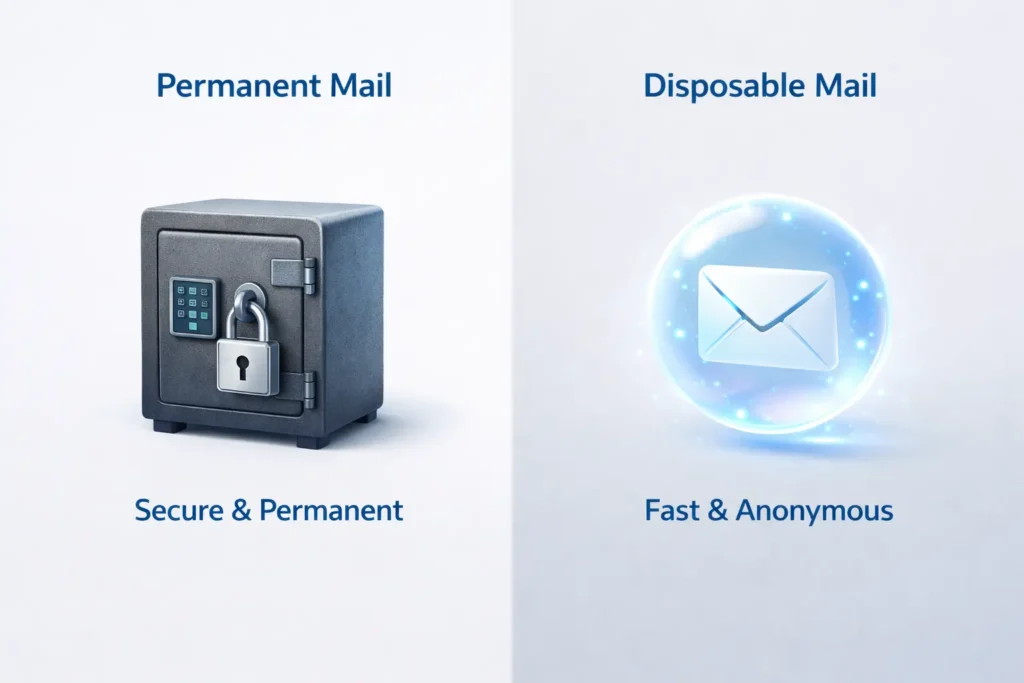
Disposable mail is a temporary, short-lived email service that allows you to receive messages at a unique address that expires after a set period. Unlike permanent email accounts (like Gmail or Outlook), these inboxes require no personal information, passwords, or registration.
Think of it as a “burner phone” for the digital world. While your permanent account is for friends, family, and work, disposable mail is for those one-time interactions where you don’t want to leave a digital footprint.
Pro Tip: If you need a short-lived inbox for quick verification, you can also try our 10 minute mail tool.
How Disposable Mail Works
The magic of a disposable inbox happens behind the scenes using a combination of server-side automation and temporary storage.
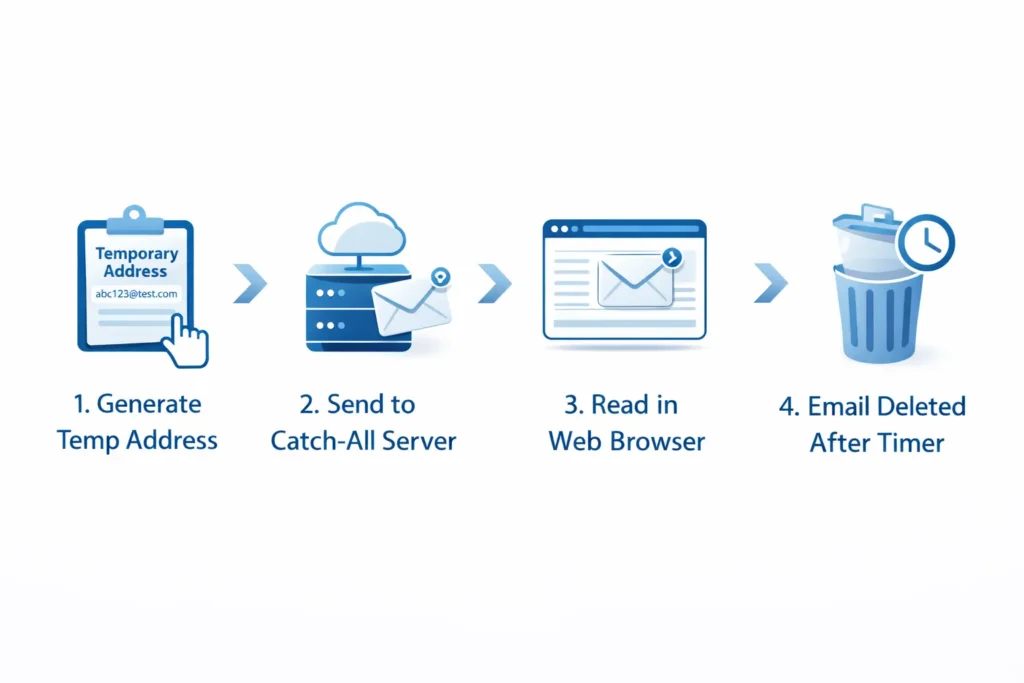
Domain Pool and Catch-All Mail Servers
The service maintains a “pool” of various domain names (e.g., @fastmail.info, @tempinbox.net). These domains are connected to a catch-all mail server, which is configured to accept any email sent to that domain, regardless of the prefix used before the “@” symbol.
Automatic Inbox Creation
When you visit the site, the system randomly generates a unique string (like user789_xyz). Because the server is “catch-all,” it doesn’t need to “create” the account in a traditional database; it simply waits for an email to arrive for that specific string and displays it to you in real-time.
Temporary Message Storage and Deletion
Unlike standard providers that store your emails indefinitely, disposable mail servers are programmed to purge data. Once a message is received, it is held in a temporary cache. After a pre-determined time—or once you close your browser session—the message and the inbox are permanently deleted from the server.
Disposable Mail vs. Fake Email Generator
While they sound similar, they serve very different purposes. A “fake” email is often just a text string for testing, while a “disposable” email is a functional, live inbox.
| Feature | Disposable Mail | Fake Email |
| Inbox | Yes | No |
| Receive Emails | Yes | No |
| Use Case | Verification | Testing |
For developers who just need a placeholder address for mockups, check out our fake email generator.
Why People Use Disposable Mail
There are several strategic reasons to keep a temporary inbox in your digital toolkit:
Account Verification
Most websites require email verification to activate an account. If you only plan to use the service once, a disposable email lets you get that “Verification Link” without linking your real identity.
Avoiding Spam
Once you give your real email to a marketing site, it’s often sold to third parties. Using a temporary address ensures that the inevitable flood of newsletters and “special offers” ends up in a deleted inbox rather than yours.
Testing Signup Forms
Developers and QA testers use disposable mail to ensure their website’s signup flow and automated “Welcome” emails are working correctly without cluttering their own professional accounts.
Accessing Gated Content
Want to download a “Free E-book” or a PDF guide but don’t want to join a mailing list? Use a temporary address to grab the download link and move on.
Related Tool: If you prefer an address that looks more official, try our Temp Gmail service.
When Should You Use Disposable Mail?
You’ll find a temporary inbox useful in these common scenarios:
- Downloading Files: Accessing whitepapers or software drivers that require an email.
- Accessing Wi-Fi Portals: Connecting to public Wi-Fi in airports or cafes that ask for an email login.
- Testing Apps: Signing up for a “Free Trial” of a new app to see if it’s worth your time.
- Quick Account Verification: For forums or one-off coupon codes.
How Disposable Mail Protects Your Privacy
Every time you use your real email, you provide a “key” that data brokers use to link your activities across different websites. Disposable mail breaks this chain. By using a randomized address, you hide your IP address, your identity, and your online behavior from tracking scripts.
If you want to maintain a consistent persona without revealing your primary address, you can also use our email alias creator.
Limitations of Disposable Mail
While powerful, these tools aren’t for every situation. You should be aware of the following risks:
- Inbox Deletion: Once the timer runs out, the email is gone forever. Never use disposable mail for banking or important long-term accounts.
- Blocked Domains: Some high-security websites maintain “blocklists” of known disposable email domains. Use our disposable email checker to see if a domain is flagged.
- No Account Recovery: If you forget your password for a site signed up with temporary mail, you cannot reset it because the inbox no longer exists.
How Websites Detect Disposable Email Addresses
Many platforms try to prevent the use of temporary mail to ensure they only have “high-quality” leads. They do this through:
- Domain Blocklists: Comparing your email domain against a database of known temporary providers.
- MX Record Checks: Verifying if the domain has a valid mail server setup or if it’s a known “catch-all.”
- Pattern Detection: Looking for randomized strings of characters that don’t look like human names.
To see how your own domain or service stacks up, try our email reputation checker.
Frequently Asked Questions
1. Is it safe to use disposable mail for sensitive accounts?
No, you should never use a temporary email for banking, social media, or government services. Since these inboxes are public and often expire after a short duration, you will lose the ability to recover your account or reset your password. Use disposable mail only for one-time verifications and non-essential signups.
2. Can websites detect if I am using a temporary email address?
Yes, many advanced platforms use Real-time API checks and Domain Blocklists to detect disposable email providers. They look for specific MX record patterns or “catch-all” server configurations. If a site rejects your address, it is likely because the domain is flagged in their database of temporary mail services.
3. Are messages received in a disposable inbox private?
While you don’t provide personal data to use the service, most disposable inboxes are technically “public” or “semi-private.” If someone else happens to generate the same address prefix at the same time, they might see your incoming emails. Additionally, these messages are stored temporarily on the provider’s server before being purged.
4. How long does a temporary email address last?
The lifespan varies by provider. Some services, like 10 Minute Mail, expire in exactly ten minutes, while others may last for several hours or until you close your browser tab. Always check the countdown timer on the provider’s page to ensure you have enough time to complete your verification process.
5. Can I reply to emails using a disposable mail service?
Generally, no. Most free disposable mail tools are “receive-only” to prevent the platform from being used by spammers to send outgoing junk mail. If you need to send an email while maintaining privacy, you should look for an Email Alias service rather than a basic temporary inbox.
6. Does using disposable mail help with SEO and site testing?
Absolutely. For SEO professionals and developers, disposable mail is an essential tool for QA testing. It allows you to test automated “Welcome” email sequences, check if signup forms are firing correctly, and verify that your transactional emails aren’t landing in spam folders—all without cluttering your professional inbox.
← Back to FreeMail.ai Homepage