

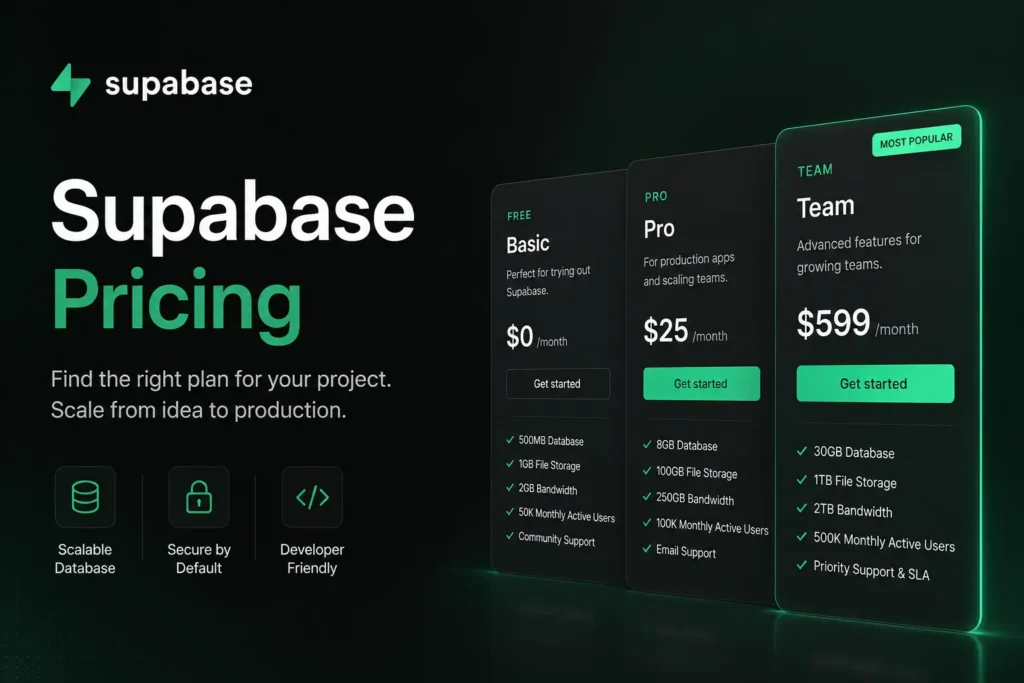
Supabase offers four pricing tiers: Free ($0), Pro ($25/month), Team ($599/month), and Enterprise (custom pricing). The Free plan works for prototyping but pauses inactive projects after one week. Pro covers most startups through 100,000 monthly active users with predictable overages. Bandwidth and compute scaling are the main hidden cost drivers. Most production SaaS products belong on the Pro plan to start.
If you have looked at the Supabase pricing page and still feel confused about what you will actually pay, you are not alone. The plan table shows clean numbers, but the real bill depends on bandwidth, compute, monthly active users, and add-ons. This guide breaks down every Supabase pricing tier with exact numbers, real monthly bill estimates at four growth stages, and the hidden costs that surprise most developers. By the end, you will know exactly which plan fits your project and what to budget.
Supabase Pricing Plans at a Glance
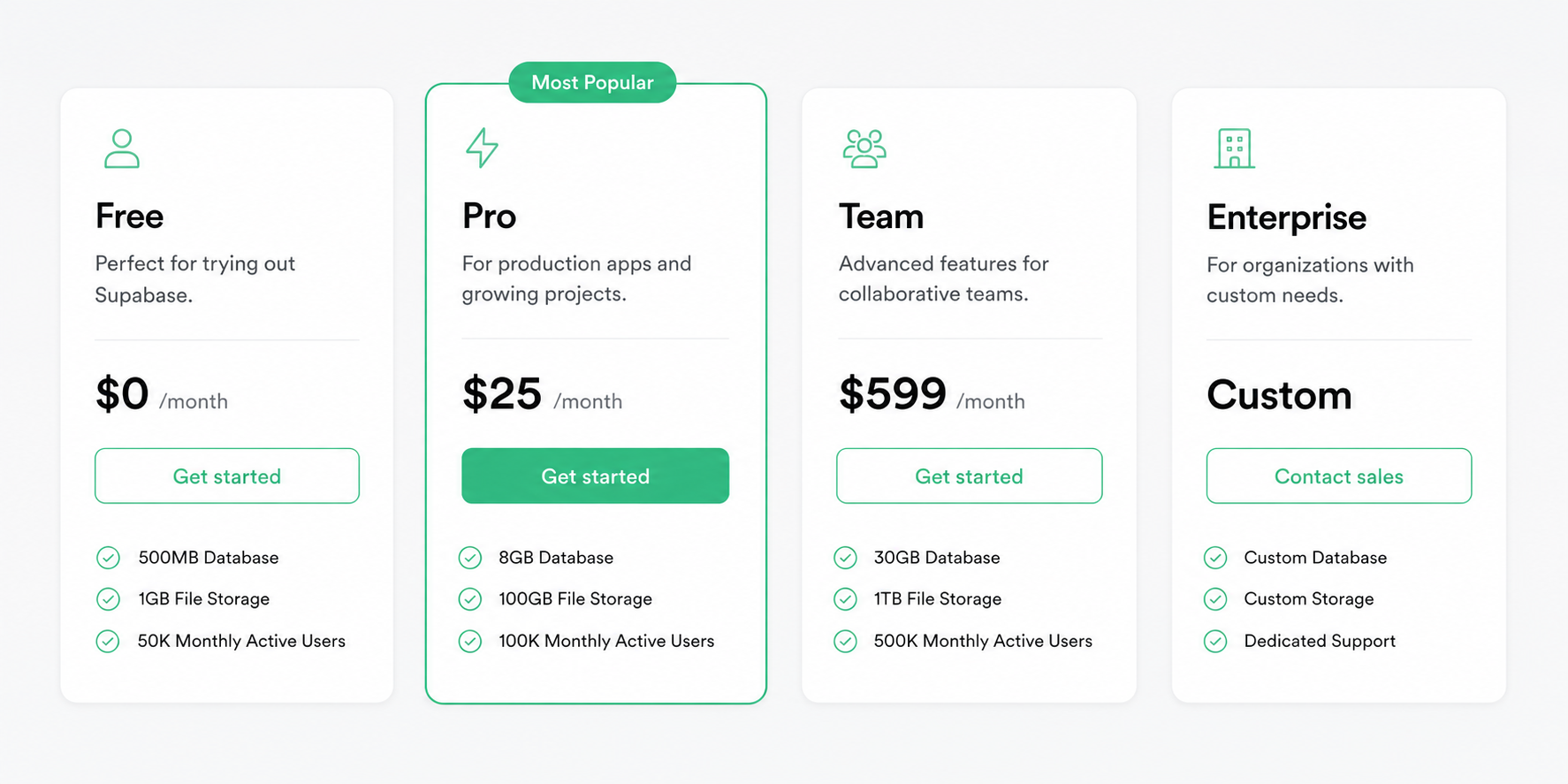
Supabase uses a hybrid pricing model. You pay a fixed monthly base fee, then pay usage-based overages when you cross certain limits. There are four main tiers.
| Plan | Monthly Price | Best For | Key Limits |
| Free | $0 | Prototyping, MVPs, learning | 500 MB database, 50K MAUs, 5 GB bandwidth, projects pause after 1 week |
| Pro | $25/project | Production apps, startups | 8 GB database, 100K MAUs, 250 GB bandwidth, daily backups |
| Team | $599 | Compliance, enterprise sales, scaling teams | 2 TB bandwidth, 500K MAUs, SSO/SAML, SOC 2, ISO 27001 |
| Enterprise | Custom | Large orgs, regulated industries | 99.99% SLA, HIPAA, VPC peering, dedicated support |
The Pro plan includes a $10 monthly compute credit that covers one Micro instance. So the first compute tier costs you nothing extra on top of the $25 base.
Is the Supabase Free Plan Good Enough?
The Supabase free tier is solid for learning, prototyping, and MVPs under 1,000 users. It gives you a full backend stack at zero cost, including PostgreSQL, authentication, realtime subscriptions, row-level security, and edge functions. But it has hard limits that make it unreliable for any live product.
Free plan exact limits:
- 500 MB database storage (shared CPU, 500 MB RAM)
- 1 GB file storage
- 5 GB bandwidth per month
- 50,000 monthly active users (MAUs)
- 500,000 edge function invocations
- 200 concurrent realtime connections
- 2 active projects maximum
- No daily backups
- No SLA or email support
When the Free Tier Breaks
The most critical issue is automatic project pausing. Free projects go offline after one week of no activity. Your data stays safe, but users cannot access the app until you manually resume it.
The free tier also fails when:
- Your database hits 500 MB (most apps reach this within a few months of real user activity)
- You need more than 200 concurrent connections (common with realtime features)
- Bandwidth exceeds 5 GB per month (an image-heavy app can blow through this in days)
- You need guaranteed uptime for paying customers
For any product you plan to charge money for, the Pro plan at $25 per month is the minimum viable option. One paused project during a user demo costs more in trust than the monthly subscription.
Supabase Pro Plan: What Does $25/Month Actually Get You?
The Pro plan at $25 per month removes every critical limitation of the free tier. It is the right starting point for production apps, indie developers shipping real products, and early-stage SaaS startups.
Everything included in the Pro plan:
- 8 GB database per project (scales with compute add-ons)
- 100 GB file storage
- 250 GB bandwidth
- 100,000 monthly active users
- 1 million edge function invocations
- $10 monthly compute credit (covers one Micro instance)
- Daily backups with 7-day retention
- Email support
- Spend cap enabled by default (your bill will not exceed $25 unless you turn it off)
Supabase Pro Overage Rates: Full Breakdown
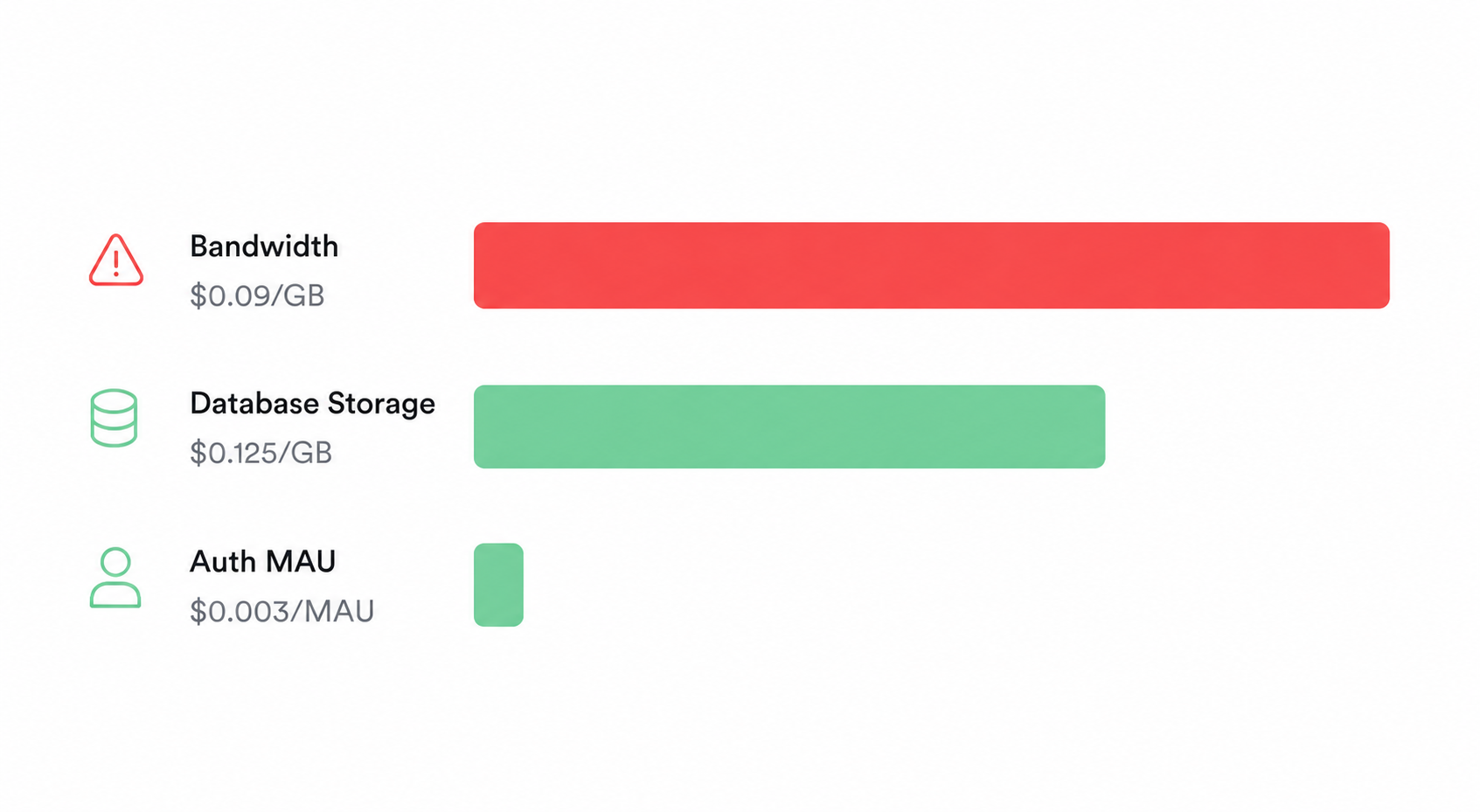
When you go beyond the included limits, these are the exact usage-based charges:
| Resource | Included | Overage Rate |
| Database storage | 8 GB | $0.125/GB per month |
| File storage | 100 GB | $0.021/GB per month |
| Bandwidth (egress) | 250 GB | $0.09/GB |
| Auth MAUs | 100,000 | $0.003375/MAU |
| Edge Function calls | 1 million/month | $2.50/million |
| Realtime connections | 500 concurrent | $0.015/1,000 peak |
Bandwidth at $0.09/GB is the most common surprise on Pro bills. An app serving images, audio, or large API payloads burns through 250 GB faster than you expect.
What Does a Real Pro Plan Bill Look Like?
Here are three honest monthly bill estimates based on real app profiles:
Small SaaS, 10K MAUs, 5 GB database, 150 GB bandwidth:
- Plan: $25
- All usage within included limits
- Total: $25/month
Growing SaaS, 50K MAUs, 20 GB database, 500 GB bandwidth, dedicated compute:
- Plan: $25
- Compute upgrade: $50 (after $10 credit)
- Database overage (12 GB extra): $1.50
- Bandwidth overage (250 GB extra): $22.50
- Edge Functions (2M extra): $5
- Total: ~$104/month
High-traffic SaaS, 100K MAUs, 200 GB database, 5 TB bandwidth:
- Plan: $25 + large compute
- Bandwidth alone: ~$432 in overages
- Total: ~$630/month (Team plan becomes cheaper here)
Supabase Team Plan: What Does $599/Month Include?
The Team plan at $599 per month is a compliance and scale tier, not just a bigger Pro plan. The price jump is significant, so it is worth knowing exactly when it makes financial and operational sense.
What Team adds over Pro:
| Feature | Pro | Team |
| Bandwidth included | 250 GB | 2 TB |
| Auth MAUs included | 100,000 | 500,000 |
| Log retention | 1 day | 28 days |
| SSO/SAML | Not available | Included |
| SOC 2 compliance | Not available | Included |
| ISO 27001 | Not available | Included |
| AWS PrivateLink | Not available | Included |
| Support | Priority | |
| Custom roles | Not available | Included |
When Does the Team Plan Actually Save You Money?
The break-even point comes faster than most people expect. At 500,000 MAUs on Pro, you would pay $1,350 in auth MAU overages alone (400,000 extra MAUs x $0.003375). The Team plan covers 500,000 MAUs for $599.
Upgrade to Team when any of these are true:
- Your Pro bandwidth overages regularly exceed $400/month
- Auth MAUs consistently pass 100,000
- Enterprise customers require SSO/SAML login
- Your team needs SOC 2 or ISO 27001 for compliance sales
- Bandwidth regularly exceeds 1 TB per month (2 TB is included in Team vs. 250 GB in Pro)
If none of these apply, stay on Pro. The $574 monthly difference is better spent on product development.
Supabase Enterprise Plan: Who Needs It?
The Enterprise plan targets regulated industries, large-scale commercial apps, and organizations with specific legal and operational requirements. Pricing is negotiated directly with Supabase.
Enterprise adds everything in Team plus:
- 99.99% uptime SLA backed by service credits
- HIPAA compliance for healthcare applications
- VPC peering for network isolation
- Point-in-time recovery (PITR) for database backups
- BYO cloud (deploy in your own AWS or GCP account)
- Dedicated support engineer with custom response times
- Custom contracts and invoicing
If your app handles sensitive data in healthcare, finance, or other regulated sectors, Enterprise is not optional. It typically starts in the thousands per month and is scoped to your workload.
Supabase Compute Pricing: The Add-On Cost Most Developers Miss
Every Pro project starts on a Micro compute instance, and the $10 monthly compute credit covers it entirely. Problems start when you need more RAM or CPU for heavier database queries.
Compute tiers and monthly prices:
| Tier | RAM | CPU | Monthly Price |
| Micro | 1 GB | Shared | $10 (covered by credit) |
| Small | 2 GB | Shared | $15 |
| Medium | 4 GB | 2-core ARM | $60 |
| Large | 8 GB | Dedicated | $110 |
| XL | 16 GB | Dedicated | $210 |
| 2XL | 32 GB | Dedicated | $410 |
| 16XL | 256 GB | 64-core | $3,730 |
Most early-stage SaaS apps run fine on the Micro instance. When your database starts running complex queries, handling many concurrent connections, or processing large data exports, you will notice slower response times that signal a compute upgrade.
Compute is billed per project. If you run three separate Pro projects, each on a Medium instance, that adds $150/month on top of your plan fees before any overages kick in.
What Are the Hidden Costs of Supabase?
Supabase pricing is honest, but there are four areas where bills grow faster than developers expect. Knowing these upfront saves real money.
Bandwidth: The Biggest Surprise on Supabase Bills
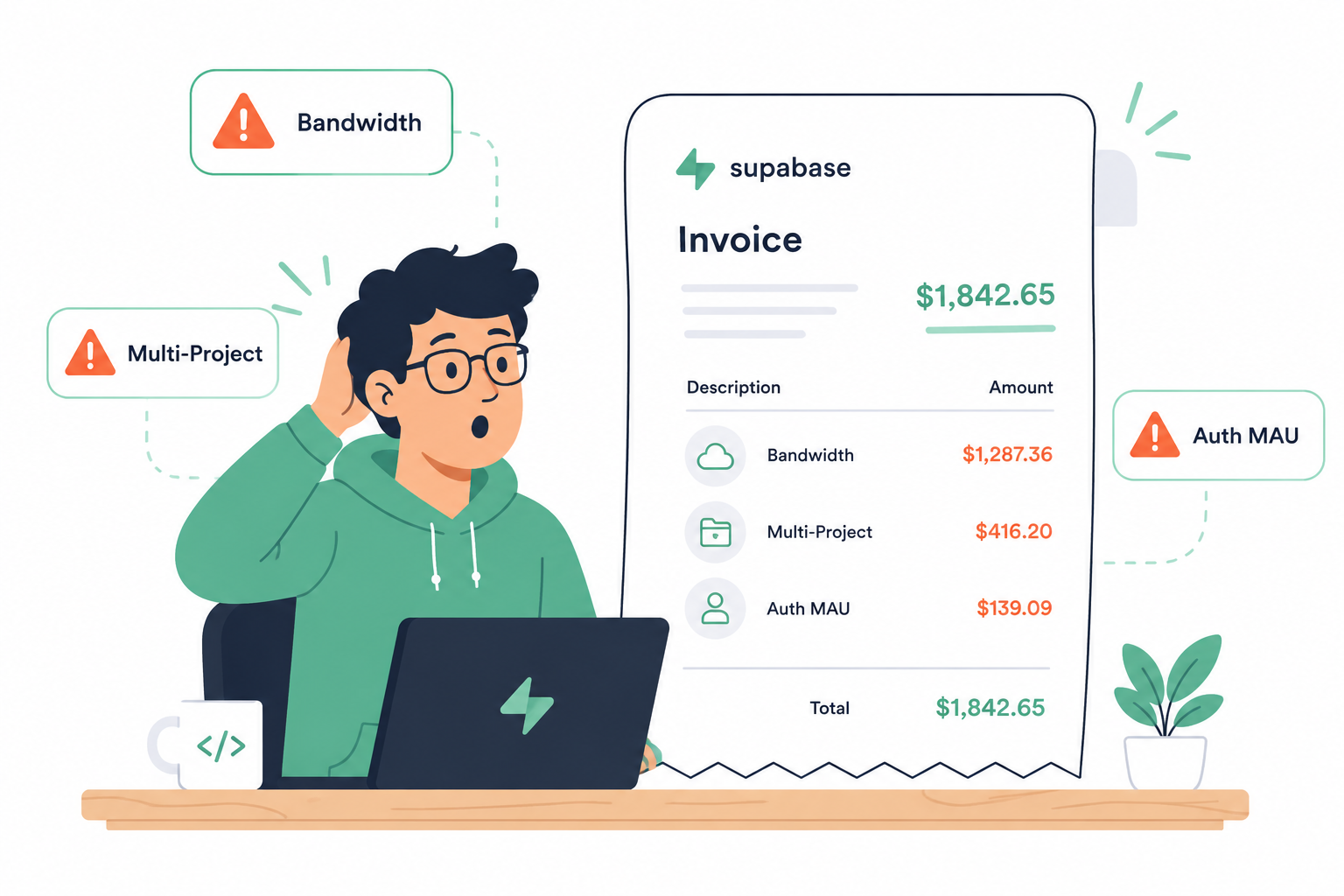
Bandwidth at $0.09/GB after the included limit is the number one source of unexpected charges. Applications that serve images, documents, or large API payloads push through 250 GB faster than text-based apps.
A marketplace app with 100,000 monthly visitors each loading 3 MB of product images uses 300 GB of bandwidth. That is 50 GB over the Pro limit, adding $4.50/month. Scale that to 500,000 visitors and the overage reaches $112.50.
Fix: Put a CDN in front of your Supabase storage. Cloudflare’s free tier caches static assets and eliminates most egress costs. Use Supabase’s built-in image transformation API to serve resized images instead of full-size originals.
Multi-Project Sprawl: The $25-Per-Project Trap
Each Supabase project on the Pro plan carries a $25 minimum. Development, staging, and production environments for three separate products means a $75/month floor before any overages.
Fix: Use Supabase database branching for development environments instead of creating separate projects. Branch pricing is $0.01344 per branch per hour, which is much cheaper than a full project for non-production work.
Auth MAU Inflation: When Your User Count Lies
Supabase counts auth MAUs based on sign-in events, not unique humans. Bot traffic hitting your signup endpoint, automated testing scripts, and users signing in from multiple devices all inflate the count.
A product with 40,000 real users can show 90,000 MAUs if bots and testing inflate the number. At $0.003375 per MAU over 100,000, even moderate inflation adds real cost.
Fix: Add CAPTCHA to signup flows, set rate limiting on auth endpoints, and compare your MAU count to your actual user base monthly.
Add-Ons That Quietly Stack Up
Several Supabase add-ons are useful but easy to forget when budgeting:
- Point-in-time recovery (PITR): $100/month per 7 days of retention
- Custom domain: $10/month per project
- Advanced MFA (phone): $75/month for the first project
- Log Drains: $60/drain/month plus egress charges
- SAML/SSO Auth (if not on Team): $0.015/MAU over 50 included
Supabase vs Firebase vs Neon: Pricing Compared
Supabase pricing looks more competitive when you compare total backend cost rather than just database cost. Here is how the platforms compare for a typical SaaS at 50,000 users, 20 GB database, and 500 GB bandwidth:
| Provider | Est. Monthly Cost | Database | Auth Included | Storage Included | Best For |
| Supabase Pro | ~$100 | PostgreSQL (relational) | Yes (100K MAUs) | Yes (100 GB) | Full-stack SaaS, SQL-first teams |
| Firebase Blaze | ~$150-$250 | Firestore (NoSQL) | Yes | Yes (5 GB free) | Mobile apps, simple read-heavy backends |
| Neon Scale | ~$70-$150 | PostgreSQL (serverless) | No | No | Postgres-only, scale-to-zero use cases |
| Self-hosted (Railway) | ~$40-$80 | Any | No | No | Full control, custom extensions |
Supabase is 30 to 50% cheaper than Firebase for mid-scale SaaS applications because it bundles authentication, storage, realtime subscriptions, and serverless functions into one price. Buying those services separately from standalone providers would cost significantly more.
Neon and self-hosted options are cheaper if you only need a database. Once you add auth (standalone auth services charge $50 to $100/month at 50,000 MAUs), the total cost comparison shifts in Supabase’s favor.
How to Reduce Your Supabase Bill
These practical steps lower your Supabase pricing without changing plans or reducing performance.
- Use a CDN for all static assets. Cloudflare’s free tier removes most bandwidth costs for images, videos, and files stored in Supabase Storage.
- Enable the spend cap. On Pro, the default spend cap prevents overages. Confirm it is on in your billing settings.
- Use image transformation. Supabase’s built-in image API resizes on the fly. Serving a 200 KB thumbnail instead of a 2 MB original cuts bandwidth by 90%.
- Paginate API responses aggressively. Return 20 records per page instead of 100. Smaller responses mean less egress and faster load times.
- Audit your auth MAU count monthly. Compare it to your real user count. If there is a big gap, you likely have bot traffic inflating the number.
- Use database branching for dev environments. Avoid spinning up full Pro projects for staging and testing. Branching is far cheaper.
- Archive old data. Move historical records, old sessions, and expired tokens out of the active database. This keeps you under the 8 GB database limit longer.
Which Supabase Plan Is Right for You?
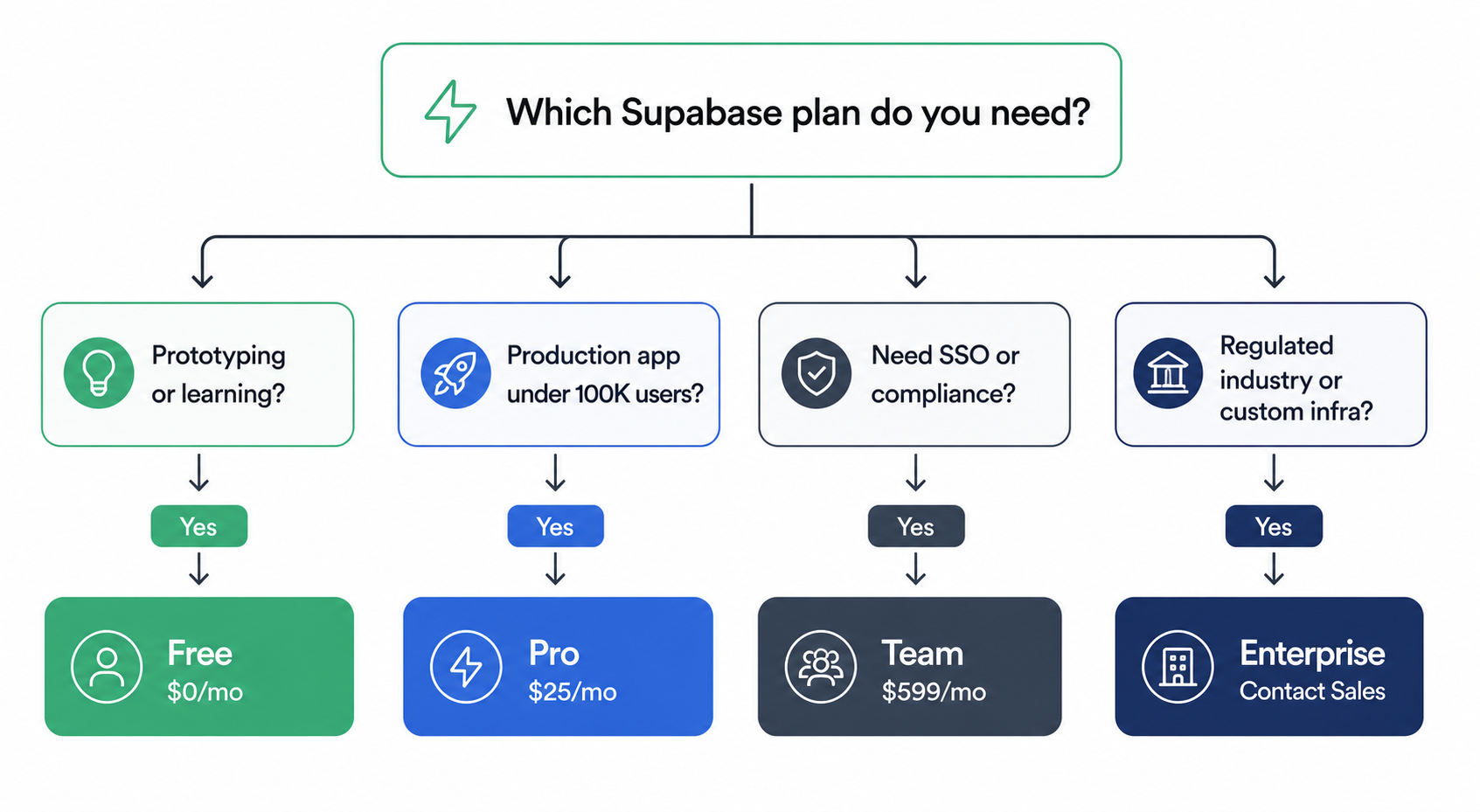
This decision guide matches your stage to the right plan based on real usage signals, not just user counts.
Choose Free if:
- You are learning Supabase, prototyping, or running a hackathon project
- Your app has fewer than 1,000 users
- Downtime from pausing is acceptable (personal tools, experiments)
- You do not need backups or support
Choose Pro ($25/month) if:
- You have real users and cannot tolerate downtime
- Your user base is between 1,000 and 100,000 MAUs
- You need daily backups and a reliable backend
- You are an indie developer or early-stage startup shipping a real product
Choose Team ($599/month) if:
- Auth MAUs consistently exceed 100,000
- Enterprise customers require SSO/SAML login
- Bandwidth regularly exceeds 1 TB per month
- You need SOC 2 or ISO 27001 for compliance sales
- Your Pro overages regularly exceed $400/month
Choose Enterprise if:
- Your industry has HIPAA, FedRAMP, or similar compliance requirements
- You need a 99.99% SLA with service credits
- Custom infrastructure (BYO cloud, VPC peering) is required by your security team
For most SaaS startups, the answer is Pro from the moment you ship to real users. The $25 base is a small cost compared to the trust you can lose from a single paused free-tier project during onboarding.
Final Thoughts
Supabase pricing in 2026 rewards developers who start lean and scale gradually. The free tier is a genuinely useful onboarding tool. The Pro plan at $25/month covers most production apps from launch through their first 100,000 users. The Team plan at $599/month makes financial sense when your overages would exceed it or when compliance is non-negotiable.
The three areas to monitor on any paid plan are bandwidth, compute scaling, and auth MAU count. Put a CDN in front of your storage, enable your spend cap, and check your usage dashboard weekly. Those three habits prevent 90% of surprise bills.
If you are already using tools like Cursor AI for development, Supabase fits naturally as the backend layer for apps built with AI coding tools. The two platforms together cover your development environment and your production infrastructure at a cost that makes sense for bootstrapped and funded teams alike.
Start on Free. Move to Pro before your first paying customer. Scale to Team when enterprise features become a sales requirement, not before. That is the Supabase pricing path that keeps your infrastructure costs aligned with your revenue growth.