

YTMP3 is not a classic computer virus, but it is not fully safe to use either. The real danger comes from the ads around the site: fake download buttons, redirect links, and pop ups asking for notification permission. These can lead to adware or other unwanted programs on your device. Just opening the site is low risk. Clicking through ads or extra downloads is not. Use an ad blocker, skip any extra install prompts, and think about licensed options like YouTube Premium when you can.
Is YTMP3 safe? That is the question people ask right after they use the site, or right before they try it for the first time. Maybe your browser started showing strange pop ups. Maybe a friend warned you to stay away. Either way, you want a clear answer.
The short version is that YTMP3 will not infect your computer just by loading the page. But the ads and download buttons around it can cause real trouble if you are not careful. This guide covers what YTMP3 actually is, what can go wrong, whether using it breaks any rules, and what to do if you think something already happened.
So, Is YTMP3 Safe? The Short Answer
No, not fully. YTMP3 itself is not built to spread like a virus. But the ad network around most YTMP3 sites, and copycat versions of the site, often shows fake download buttons, redirect links, and notification pop ups. Those can lead to adware or other unwanted programs on your device. Treat the site as low trust, not danger free.
If you search for is ytmp3.cc safe or any other version of the name, you will find the same answer almost everywhere. The tool itself just turns a video link into an MP3 file. That part does not have to be harmful. The problem sits in the business model behind it. Free sites like this often make money from ads, and some of those ads are not honest about what they will do once you click them.
What Exactly Is YTMP3?
YTMP3 is a free website that turns YouTube videos into MP3 audio files. You paste a video link into a box, pick MP3 as the format, and the site gives you a file to download. No account or sign up is needed.
The name YTMP3 is not tied to one single company. Several sites and copycat domains use the same name or one very close to it. Some of these copies push harder on ads than others. That is part of why the safety of YTMP3 can feel confusing. You might visit one version of the site and have no trouble at all. Then you visit a different YTMP3 style domain and get hit with pop ups right away.
Why Do People Call It the “YTMP3 Virus”?
It is not a virus in the technical sense, since it does not copy itself or spread on its own. People use the term “YTMP3 virus” as a loose label for the adware, browser hijacking, and unwanted programs that can show up after you click a fake download button or allow notifications on the site.
A few terms come up a lot in this space:
- Adware. Software that fills your screen with extra ads, even when you are not on the site anymore.
- Browser hijacking. Something changes your homepage, your default search engine, or your new tab page without you asking for it.
- Potentially unwanted program (PUP). A program that gets installed alongside something else you downloaded, usually without a clear yes from you.
This kind of ad based attack is not rare or small scale. In 2025, Microsoft Threat Intelligence tracked one malvertising campaign that reached close to one million devices around the world. YTMP3 style sites use the same kind of ad tricks, just on a much smaller stage.
What Are the Real Risks of Using YTMP3?
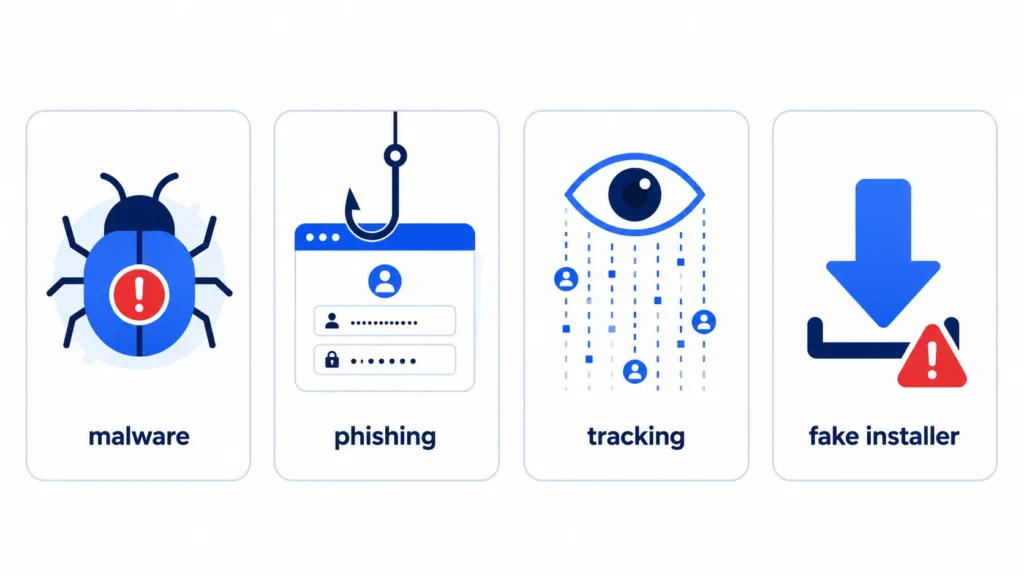
The main risks are malware that installs itself through fake download buttons, phishing pages made to look like real login screens, background tracking through ad scripts, and fake installers that pretend to be a codec or a cleanup tool. None of this needs YTMP3’s own code to be harmful. The ad network wrapped around it is the real source of the danger. Searches for ytmp3 malware usually lead back to these same ad based tricks.
To see how big this problem is across the whole internet, look at Google Safe Browsing. This system scans billions of web pages every day. It has flagged as many as 10,000 harmful pages daily, protecting close to a billion people who use Chrome, Firefox, and other browsers. YTMP3 style sites are one small piece of a much bigger pattern.
Malware Infection
Some pop ups and fake buttons on YTMP3 style sites can trigger downloads of harmful software. This can include adware that floods your screen with ads, spyware that quietly records what you type, trojans that give someone else a way into your device, and ransomware that locks your files until you pay to get them back. You do not need to click a real download button to run into these. A fake one placed right next to the real one often does the job.
Phishing Scams
Some ads and pop ups on these sites lead to pages built to look like your bank, a social media login, or another site you trust. If you type your username and password into one of these fake pages, that information goes straight to whoever built the trap. This is called phishing, and it is one of the oldest tricks in online scams. It still works because the fake pages can look like near exact copies of the real thing.
Data Tracking
Does YTMP3 steal your data? There is no clear proof that the core tool grabs your personal files. But the ad scripts and trackers running on the page can watch your IP address, your browsing habits, and other details about your device. That information can get sold or shared with other companies. Over time, this kind of tracking can build a fairly detailed picture of who you are and what you do online, even if no single piece of data feels sensitive by itself.
Fake Software Installers
Some pop ups on YTMP3 style sites offer a browser extension, a system cleaner, or a video codec you supposedly need to finish your download. These are often just a way to get unwanted software onto your device. Once installed, that software can change your browser settings, slow down your device, or give someone remote access to it. If a site ever tells you that you must install something extra just to save an MP3 file, that is a strong sign to close the tab.
These risks are not just talk. Security researchers have put real numbers behind them. Kaspersky found that adware makes up about 62 percent of all malware found on mobile phones. SonicWall tracked more than 210,000 brand new malware types in a single year. One report also found that malvertising campaigns in the United States jumped 42 percent in a single year. None of this is unique to YTMP3, but it shows how common ad based attacks like this have become across the whole web.
Is YTMP3 Legal to Use?
Using it to download YouTube audio breaks YouTube’s Terms of Service, which only allows you to reach content through YouTube’s own player or other methods YouTube has clearly approved. That is a contract issue, not automatically a crime. But downloading and sharing copyrighted material without permission can also raise separate copyright infringement concerns, depending on your country and how you use the file.
YouTube’s Terms of Service state that you cannot access content through any method other than YouTube’s own playback pages, its embeddable player, or other ways YouTube has approved. Third party tools like YTMP3 fall outside of that rule. Breaking these terms can lead to account penalties on YouTube’s side. In the United States, sharing copyrighted files without permission can also lead to a DMCA takedown notice or worse.
Downloading a video for pure personal use, without sharing it further, sits closer to a gray area sometimes discussed under fair use. But fair use rules are complex and change from country to country. This article is not legal advice. If you need a clear answer for your own situation, a lawyer in your country is the right person to ask.
Signs You May Have Picked Up Something From a Converter Site
If you already used YTMP3 or a site like it, here are signs that something extra came along with your download.
- Pop up ads appear even when your browser is closed or you are on a site that normally has none.
- Your homepage, default search engine, or new tab page changed without you doing it.
- You see a browser extension or toolbar you do not remember installing.
- Your browser keeps asking you to allow notifications from sites you never agreed to.
- Your device runs slower than normal, or your antivirus software flags a new program you do not recognize.
Real user reviews back this up. On Trustpilot, several people who used ytmp3.cc reported being sent through repeat redirects and forced ad clicks before they could even download their file. Some said they believed their data had been shared without their say so.
How to Protect Yourself
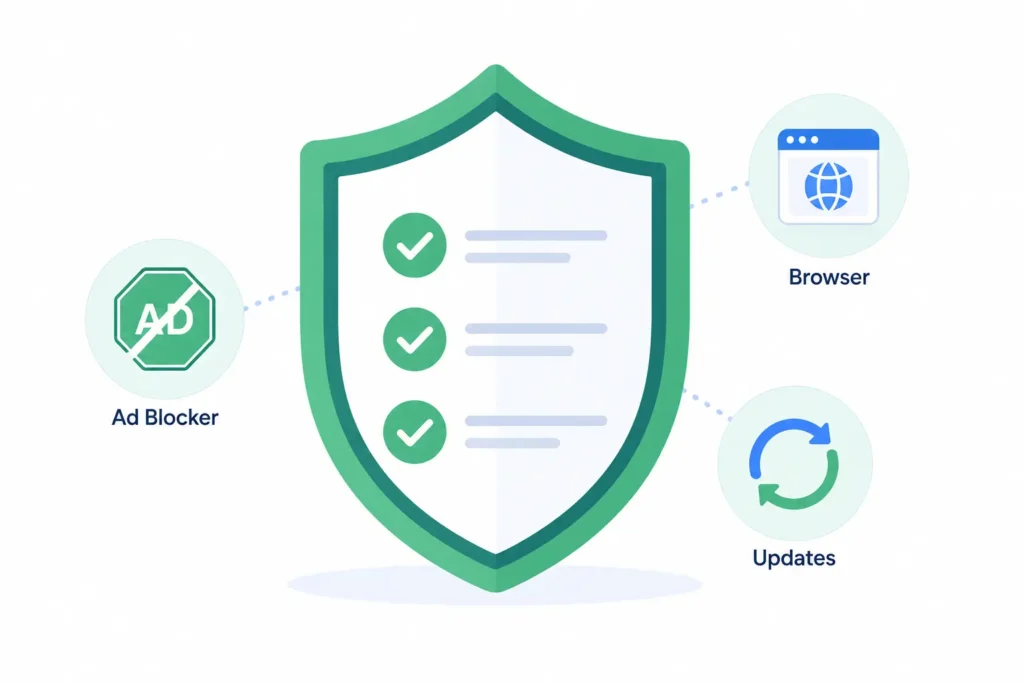
This section covers how to remove a YTMP3 virus and stop it from coming back, plus how to avoid one in the first place.
- Turn on an ad blocker before you visit the site. This stops many fake buttons and pop ups before they ever load.
- Never click “Allow” when a site asks for notification permission. That one click is how a lot of ongoing notification spam gets started.
- Skip any prompt to install a browser extension, cleanup tool, or codec. A real MP3 download does not need extra software.
- Keep your browser and operating system updated. Updates often close the exact security gaps that malware relies on.
- Run a scan with a trusted antivirus program if you notice new pop ups, a changed homepage, or programs you do not remember installing.
- Check your browser’s extension list and remove anything unfamiliar. Also reset your notification permissions in your browser settings.
- Avoid entering login details or payment information on any page you get redirected to from a converter site, even if it looks familiar.
These steps work whether you use Chrome, Firefox, Edge, or Safari, and they apply on Windows, macOS, Android, and iOS. The exact menu names may differ from device to device, but the idea stays the same. Block the bad stuff before it loads, and clean up with care if it already got through.
Are There Safer Alternatives?
Yes, there are options with far less risk. YouTube Premium lets you save videos for offline playback right inside the official app, with no third party site involved. YouTube Music offers licensed audio you can save the same way. Both cost a monthly fee, but you skip the ad based risk entirely.
If you still want to use a free third party converter, keep in mind that the safety concerns tied to YTMP3 are not unique to that one name. Most ad supported YouTube to MP3 tools work the same way, and most carry a similar level of risk. There is no single ytmp3 alternative that is guaranteed to be safe just because it uses a different name or domain. Look for tools that do not ask you to install anything, do not ask for notification permission, and do not bury the real download button under two or three fake ones.
One Thing Worth Watching: What You Type Into These Sites
Free converter sites like YTMP3 often try to get something from you besides ad clicks. Some versions ask for an email address before they let you download, promising a faster link or a bigger file size limit. This is worth a second thought. You do not know who runs the site, and you do not know what they will do with your email once they have it.
If a site like this asks for your email just to unlock a download, there is no reason to hand over your real inbox. A free temporary email address works just as well for a one time request like this, and it keeps spam and any follow up messages away from your main account. Freemail.ai lets you generate one in a single click with no sign up needed, which is exactly the kind of low trust moment these throwaway addresses were built for. You can even run a suspicious address through a disposable email checker if you want to see whether an email you received came from a temp mail service in the first place.
Frequently Asked Questions
Is ytmp3.cc the same as YTMP3?
YTMP3 is not one single company. Ytmp3.cc and a few other similar domains use the same or a very close name. They tend to carry the same kind of ad based risk, so it makes sense to treat any version of the site with the same care.
Does YTMP3 steal your data?
There is no clear proof that the tool itself grabs personal files. But the ad scripts and trackers running on the page can collect your IP address and browsing habits, which is its own kind of privacy risk.
Can you get infected just by visiting the site?
Simply loading the page is low risk. The danger comes from clicking ads, fake download buttons, or agreeing to let the site send you notifications.
Is it illegal to use YTMP3?
Using it breaks YouTube’s Terms of Service. Downloading and sharing copyrighted material without permission can also raise copyright infringement concerns, depending on where you live and how you use the file. This is not legal advice.
How do I remove a YTMP3 virus from my browser?
Check your browser’s extension list for anything unfamiliar and remove it. Reset your notification permissions, clear your browsing data, and run a scan with a trusted antivirus program if pop ups keep showing up.
Is there a completely safe way to convert YouTube videos to MP3?
Licensed tools like YouTube Premium skip the ad based risk entirely since there is no third party site involved. Any free converter you use instead carries some version of the same trade offs as YTMP3.
The Bottom Line
YTMP3 is not going to hack your computer just because you opened the page. But the ad network wrapped around it is built to catch people off guard, one fake button or one notification prompt at a time. Stay alert, skip anything the site asks you to install, and think twice before typing your real email into a pop up you did not ask for. If you ever need a quick, disposable address for a site you do not fully trust, freemail.ai can generate one in a single click, no sign up required.