

ytmp3 tools let you extract audio from YouTube videos as MP3 files directly in a browser, with no software installation needed. However, many ytmp3 sites go offline due to copyright enforcement, carry aggressive advertising, or raise safety concerns. In 2026, several reliable alternatives exist for both casual listeners and regular users.
If you have searched for ytmp3 recently and found the site down, redirected, or covered in pop-up ads, you are not alone. The original ytmp3.cc domain has changed addresses multiple times since 2022, leaving millions of users searching for a working yt to mp3 solution every single week.
The good news: several solid YouTube to MP3 converter alternatives exist right now in 2026 that are faster, cleaner, and safer than the original. The bad news: not all of them are honest about quality, security, or legality.
This guide gives you the complete picture. Working tools, safety risks, legal facts, and a privacy tip most articles skip entirely.
What Is ytmp3?
ytmp3 refers to a category of browser-based tools that perform YouTube audio extraction, stripping the audio track from a YouTube video and delivering it as a downloadable MP3 file. No software installation is required, and no account signup is needed.
The appeal is straightforward. You paste a YouTube URL, click convert, and receive an MP3 within seconds. For casual listeners who want offline access to music, lectures, or podcasts, this workflow beats most streaming vs downloading alternatives in terms of speed and simplicity.
The most well-known tool in this space was ytmp3.cc, which attracted tens of millions of monthly visits at its peak. However, the convenience of these tools comes with real trade-offs around safety, quality, and legality, all of which are covered in detail below.
Is ytmp3 Still Working in 2026?
As of April 2026, ytmp3 availability is inconsistent. The original domain has redirected users to mirror sites multiple times following DMCA compliance enforcement actions by music rights holders.
Why ytmp3 Sites Keep Disappearing
Browser-based online converter tools that process copyrighted audio face sustained legal pressure from the RIAA (Recording Industry Association of America) and major music labels, which file DMCA takedown notices against hosting providers. When a hosting company complies, the tool goes offline, sometimes overnight. The site then resurfaces under a new domain, often with heavier advertising to offset increased operating costs.
This cycle repeats every few months, which is exactly why so many users follow up their initial search with “ytmp3 not working” as their next query. The tool itself is not always broken. Its domain simply keeps moving.
7 Best ytmp3 Alternatives That Work in 2026
These are the most reliable YouTube to MP3 converter options available right now, covering both browser-based and desktop categories. All support standard MP3 audio format conversion at 128kbps or higher.
| Tool | Type | Max MP3 Quality | Ads | Best For |
| CnvMP3 | Browser | 320kbps | None | Clean one-time downloads |
| 4K YouTube to MP3 | Desktop | 320kbps | None | Playlists and bulk downloads |
| Y2Mate | Browser | 320kbps | Moderate | Quick single-video downloads |
| Cobalt | Browser | 320kbps | None | Privacy-focused users |
| SnapDownloader | Desktop | 320kbps | None | Power users and playlists |
| yt-dlp | Command line | 320kbps | None | Advanced and technical users |
| YouTube Premium | Official service | Original quality | None | Legal, fully authorized access |
1. CnvMP3
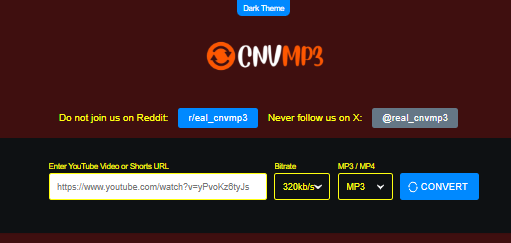
CnvMP3 is currently one of the most recommended free online mp3 converter tools for single-track YouTube audio extraction. It offers bitrate options from 96kbps all the way up to 320kbps MP3 quality, supports YouTube Shorts, and runs with zero advertising. On Trustpilot, it holds a strong rating backed by 275 five-star reviews from verified users who praise its speed, clean interface, and lack of malware or redirects. The workflow is simple: paste your YouTube URL, select your bitrate, and download. No signup, no pop-ups, no redirect chains.
Best for: Anyone who wants an ad-free browser-based yt to mp3 experience with no friction.
2. 4K YouTube to MP3
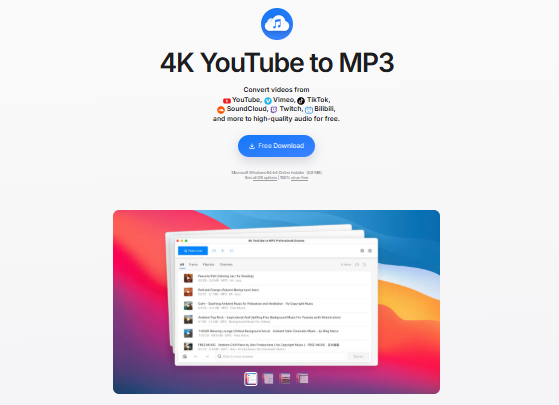
4K YouTube to MP3 by 4K Download is a dedicated desktop application available for Windows, macOS, and Linux. It handles full YouTube playlist downloads in batch mode, preserves ID3 metadata tags including artist name, album, and track title, and delivers genuine 320kbps audio without upscaling from a lower bitrate source. Upscaled audio is a common problem with browser-based tools, and 4K YouTube to MP3 avoids it entirely when the source video supports it. It is free for basic use, with a paid tier for playlist limits.
Best for: Anyone building a local music or podcast library who wants true high-quality video to audio converter output.
3. Y2Mate
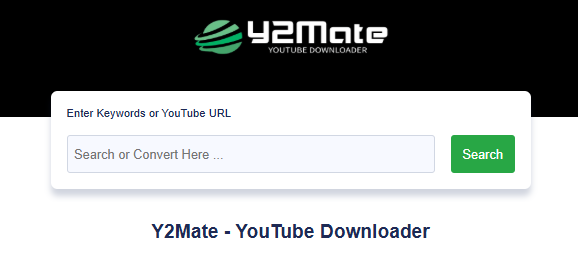
Y2Mate remains one of the most-visited yt to mp3 tools globally in 2026. It works reliably for quick, single-video downloads and offers output up to 320kbps. It supports multiple audio format conversion options beyond MP3, including M4A and AAC, making it more flexible than most single-format tools. The advertising load is moderate to heavy depending on your region, and using an ad blocker before visiting is strongly recommended. Y2Mate is a reliable fallback when other tools are temporarily unavailable, but it is not the cleanest experience on the list.
Best for: Users who need a fast mp3 converter fallback and already have an ad blocker installed.
4. Cobalt
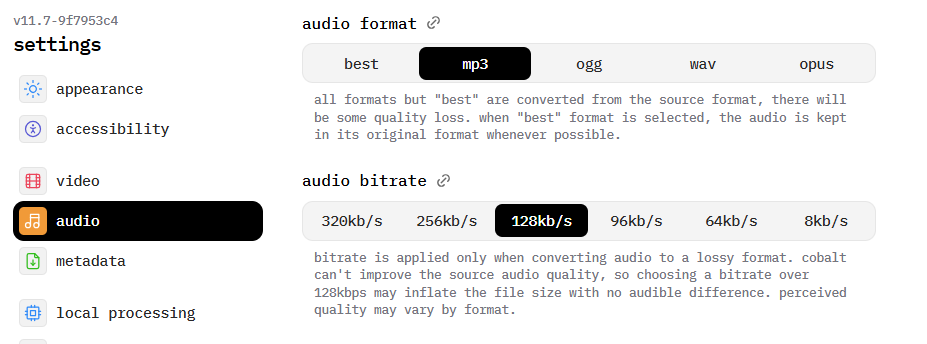
Cobalt is an open-source, browser-based mp3 converter that processes requests without tracking, cookies, or advertising of any kind. It supports YouTube, Vimeo, SoundCloud, and several other platforms under one interface, making it the most versatile privacy-focused tool on this list. There are no accounts to create, no permissions to grant, and no ad scripts running in the background during conversion. For users who prioritize clean YouTube audio extraction without data collection or ad injection, Cobalt is the standout choice in 2026.
Best for: Privacy-focused users who want a no-tracking, no-ads online converter tool that works across multiple platforms.
5. SnapDownloader
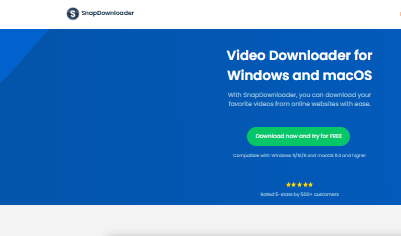
SnapDownloader is a premium desktop application for Windows and macOS that supports downloading and converting audio from YouTube and over 900 other websites. It handles batch downloads, supports 8K and 4K video sources for audio extraction, and delivers output in MP3, M4A, FLAC, and several other formats. The interface is clean and beginner-friendly despite the power-user feature set. SnapDownloader offers a 48-hour free trial and then requires a one-time purchase. For users who need a professional-grade YouTube to MP3 converter with no subscription, it is one of the strongest paid options available.
Best for: Power users and content researchers who need bulk, high-quality mp3 converter output with multi-platform support.
6. yt-dlp
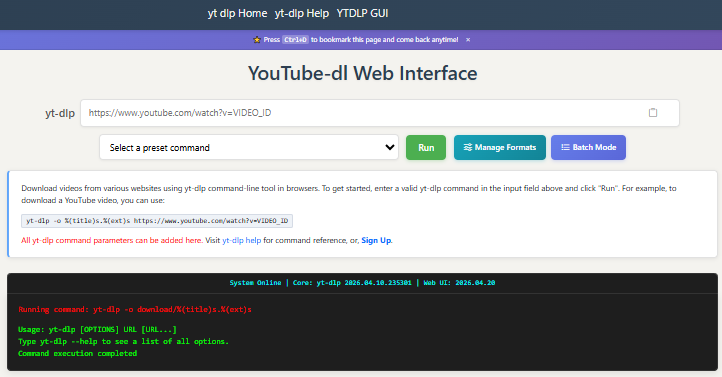
yt-dlp is a command-line YouTube to MP3 converter tool that is completely free, open-source, and continuously updated by an active developer community. It is built on the foundation of the original youtube-dl project but with significantly faster updates and broader platform support. When paired with FFmpeg, it extracts and converts audio at exceptional quality. The core command for MP3 extraction is straightforward for anyone comfortable with a terminal:
yt-dlp -x –audio-format mp3 –audio-quality 0 [URL]
It handles videos of any length, processes entire playlists, and avoids every ad, redirect, and safety risk associated with browser-based tools. The only barrier is the command-line interface, which makes it unsuitable for non-technical users.
Best for: Developers, power users, and technical users who want the most reliable, ad-free, highest-quality yt to mp3 solution available anywhere.
7. YouTube Premium
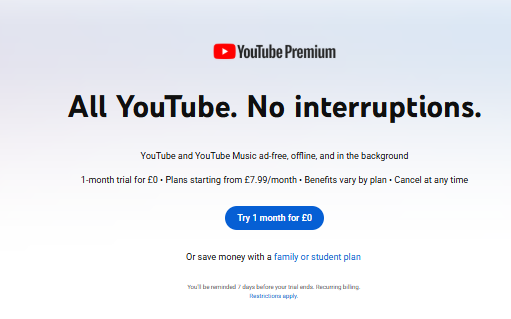
YouTube Premium is the only fully authorized option on this list. At $13.99 per month as of 2026, it offers official offline downloads within the YouTube app, background playback on mobile, and ad-free viewing across all YouTube content. It does not produce a portable MP3 file that you can transfer freely to other devices, but it eliminates every legal, ethical, and security concern in one subscription. For users who listen to YouTube content regularly, it is the most sustainable long-term solution.
Best for: Regular YouTube listeners who want a fully legal, zero-risk offline listening experience without relying on third-party mp3 converter tools.
Is a YouTube to MP3 Converter Safe to Use?
Most browser-based ytmp3-style tools are not inherently malicious. The downloaded MP3 files themselves are typically clean. The real risk comes from the advertising environment and redirect behavior surrounding these tools.
Research across tested converter sites shows that the majority of free online converters either compromise security through aggressive ad scripts or deliver upscaled low-bitrate audio falsely labeled as high quality. Common risks include:
- Redirect chains to fake system alert pages designed to trigger fear-based software installs
- Fake download buttons that trigger adware installers rather than your actual MP3 file
- Hidden cryptominer scripts running in your browser while the conversion processes
- Notification permission abuse, where sites trick users into accepting push notifications
- Upscaled audio fraud, where tools claim 320kbps output but simply repackage a 128kbps source file with no genuine quality improvement
Safety checklist before using any online mp3 converter:
- Run the site URL through Google Safe Browsing or VirusTotal before your first visit
- Install uBlock Origin or a comparable ad blocker before opening converter sites
- Never click any “Download” button that opens a separate installer window
- Check current community ratings on Reddit’s r/musichoarder for up-to-date site status
- Scan all downloaded files with antivirus software before opening them
Is It Legal to Use ytmp3?
This is the question most YouTube to MP3 converter articles avoid answering directly.
Downloading copyrighted audio from YouTube without the rights holder’s permission violates YouTube’s Terms of Service under Section 5.1.K and potentially copyright law in most countries. The widely cited “personal use” defense is not a reliable legal shield in most jurisdictions. The RIAA, DMCA, and equivalent bodies in the EU and UK treat unauthorized audio extraction as copyright infringement regardless of personal intent.
What is legally permitted:
- Downloading videos or audio you personally created and uploaded to YouTube
- Converting content published under a Creative Commons license that explicitly permits downloads
- Using YouTube Premium for offline playback within the official YouTube app
- Streaming from licensed platforms such as Spotify, Apple Music, or SoundCloud Go
The practical reality is that enforcement against individual users is rare. However, the tools themselves face constant legal pressure, which drives the domain-hopping pattern described earlier. Relying on these tools long-term is an unstable strategy precisely because of that pressure.
How to Protect Your Privacy When Using Music Tools Online
Here is the angle most guides never cover: your email inbox.
When you decide to switch from unsanctioned converter tools to legitimate streaming platforms, which is the smart long-term move, you need to create accounts on services like Spotify, Apple Music, YouTube Premium, or SoundCloud. Every signup uses your real email address, which immediately enters you into marketing funnels, promotional campaigns, and potential spam cycles.
A simple three-step privacy workflow solves this completely:
- Generate a temporary email address before signing up for any new music or streaming service. A disposable address receives the confirmation email, you verify your account, and your real inbox stays clean.
- Use your real email only for services you actively intend to pay for and maintain long-term.
- Revoke or abandon the temporary address if a free trial starts generating unwanted promotional mail.
Protect Your Inbox While You Explore Music Tools
Whether you are testing a new streaming service, claiming a free trial, or signing up for any online converter tool platform, you do not need to use your real email address. Generate a free temporary email address instantly at FreeMail AI, with no account needed and no personal data required. Keep your real inbox clean while you explore the options.
Frequently Asked Questions
What happened to ytmp3.cc?
ytmp3.cc has changed domains multiple times since 2022 following sustained copyright enforcement actions by the RIAA and music rights holders. The original domain is currently unreliable. Mirror sites exist but availability changes frequently. Searching “ytmp3 alternative 2026” surfaces the currently working options.
Is there a free YouTube to MP3 converter with no ads?
Yes. CnvMP3 and Cobalt are the two best ad-free browser-based options as of April 2026. For a desktop solution, 4K YouTube to MP3 offers completely ad-free conversion with superior audio quality and playlist support.
Can I use a YouTube to MP3 converter on my phone?
Most browser-based yt to mp3 tools function in mobile browsers, but ad pop-ups are significantly more aggressive on mobile devices. Dedicated mobile apps for YouTube audio extraction are rare due to App Store and Google Play policies restricting them. Using a desktop browser with an ad blocker installed remains the safer approach even for mobile users.
Does YouTube have a legal offline listening option?
Yes. YouTube Premium subscribers can download videos for offline playback within the official YouTube app. This is the only fully authorized method for offline YouTube content. It does not produce a portable MP3 file, but it eliminates all legal and security concerns entirely.
Is 320kbps quality actually possible with a free YouTube MP3 converter?
Only if the source video was encoded at a sufficiently high audio bitrate. Most YouTube videos use 128kbps AAC audio internally. Tools claiming 320kbps output from these videos are typically upscaling the file, which increases file size but does not genuinely improve audio quality. True 320kbps output is only achievable from source videos that were originally uploaded with high-bitrate audio.
Why does my antivirus flag ytmp3 sites as dangerous?
Antivirus software often flags ytmp3-style sites due to aggressive ad injection scripts, redirect chains, or deceptive download buttons, not necessarily the MP3 file itself. Using an ad blocker reduces this risk significantly. Always scan any downloaded file before opening it regardless of the source.
What is the safest way to download YouTube audio in 2026?
The safest combination is using yt-dlp via command line for technical users or 4K YouTube to MP3 for non-technical users. Both tools operate from your desktop without browser ad exposure, produce genuine high-quality MP3 output, and are actively maintained with regular updates. For zero legal and security risk, YouTube Premium remains the only fully authorized option.