

Last updated: June 2026
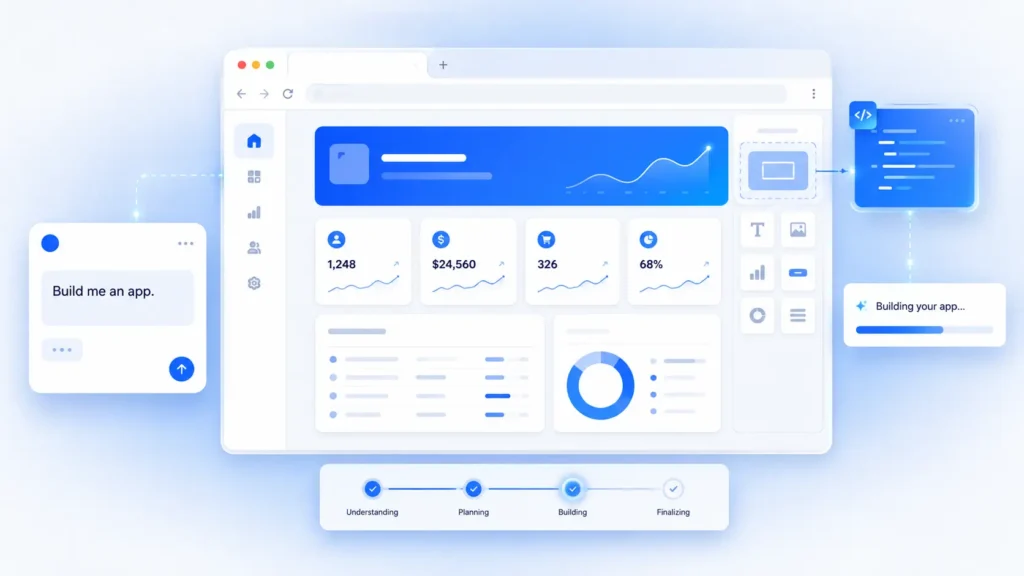
Bolt AI (Bolt.new) is a browser-based app builder that turns plain-English prompts into full-stack web applications. No local setup is needed. It handles frontend, backend, and database generation all inside the browser. The free plan includes 1 million tokens per month. Paid plans start at $25 per month. It is a strong tool for rapid prototyping and MVPs, but it has known limitations for large-scale production apps.
Building an app used to mean hiring a developer, writing thousands of lines of code, and waiting weeks for results. Bolt AI changes that equation. You type what you want, and it builds it for you in minutes.
But is Bolt AI actually good? Is it right for your project? And how does it compare to tools like Lovable AI and Cursor?
This honest review covers everything you need to know about Bolt AI in 2026, including its features, pricing, real-world pros and cons, and who should actually use it.
What Is Bolt AI?
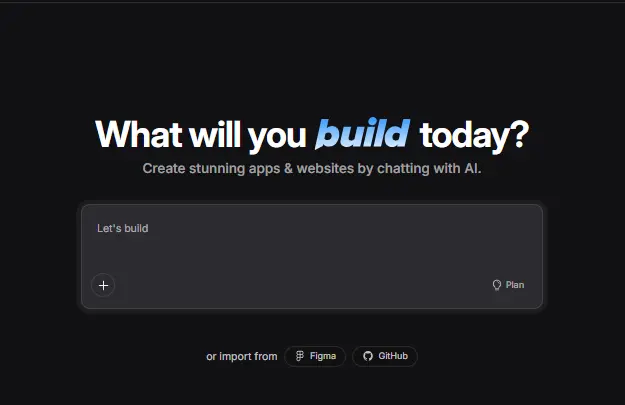
Bolt AI, officially known as Bolt.new, is a browser-based AI app builder created by StackBlitz. You describe the app you want in plain English, and Bolt generates full-stack web applications including the frontend, backend, and database structure, all without leaving your browser.
It is powered by Anthropic’s Claude, one of the most capable large language models available today. The tool runs on WebContainers technology, which is a browser-native Node.js runtime developed by StackBlitz. This means you do not need to install anything on your computer to start building.
Bolt.new is also an open-source project, which means developers can inspect and contribute to the codebase.
Important: Bolt.new is NOT the same as BoltAI. BoltAI (boltaii.com) is a completely separate Mac desktop application that costs $24 as a one-time purchase and works as an AI assistant for your Mac screen. They have nothing to do with each other. Always check the URL: bolt.new is the AI app builder covered in this review.
What Can You Build With Bolt AI?
Bolt AI empowers product managers, entrepreneurs, marketers, and agencies to build apps and websites quickly without writing code.
Here are the most common things people build with it:
- Landing pages for products, campaigns, or startups
- Dashboards with charts, data tables, and filters
- CRM tools with contact management and Kanban boards
- Task management apps with to-do lists and tracking
- E-commerce storefronts with product pages and checkout
- Portfolio websites and personal blogs
- Minimum viable products (MVPs) for startup ideas
- Internal business tools and admin panels
Bolt generates clean React and Node.js code, and it supports PostgreSQL for database needs. The platform also includes built-in deployment and hosting, so your project can go live without any extra setup.
When Bolt AI Is Not the Best Fit
Bolt AI is built for speed and prototyping. It is not ideal for:
- Large-scale apps with complex real-time features
- Projects that need advanced authentication systems
- Enterprise-level apps requiring strict security audits
- Production apps where heavy custom debugging is needed
If your project is beyond a prototype stage, you may want to move to a more developer-focused environment after using Bolt to validate your idea.
How Does Bolt AI Work?
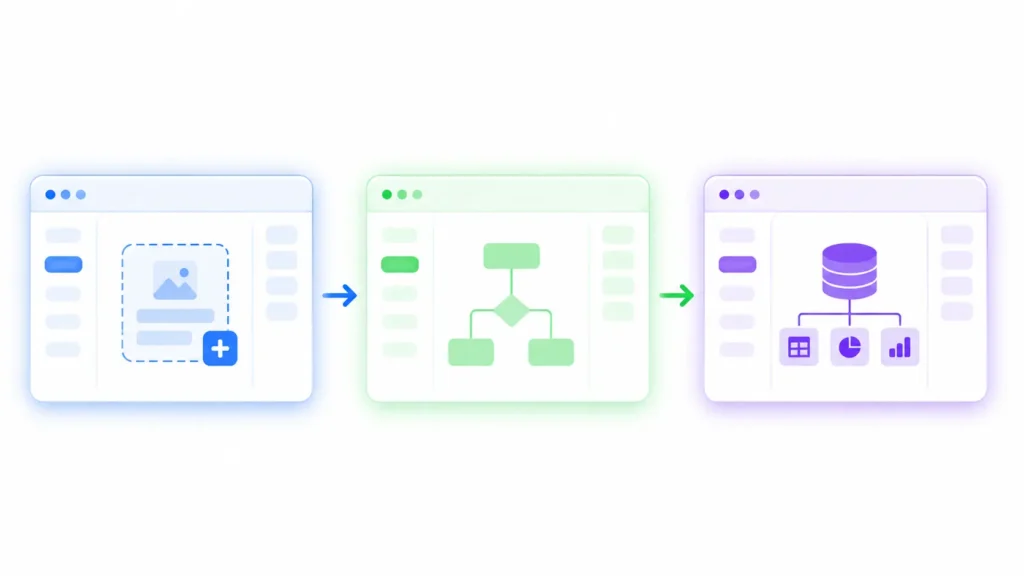
Bolt AI follows a simple five-step workflow that anyone can follow, even without coding experience.
Step 1: Write your prompt. You describe the app you want in plain English. For example: “Build a CRM with contact notes and a Kanban board.” The more detail you give, the better the output.
Step 2: Bolt generates the codebase. The AI converts your prompt into a working codebase. This includes UI components, page routes, API endpoints, and database models.
Step 3: Preview and edit. You see a live preview of your app right inside the browser. You can continue giving instructions to refine screens, change colors, add features, or connect services.
Step 4: Test your project. Bolt automatically tests, refactors, and iterates on the code to reduce errors. According to Bolt, this process results in 98 percent fewer errors compared to manual coding.
Step 5: Deploy and share. Once you are happy with the result, you can deploy directly through Bolt Cloud hosting, download the source code, or export to platforms like Vercel.
The entire process runs in the browser using WebContainers technology, which acts as a full Node.js runtime environment without any local installation.
Bolt AI Pricing: How Much Does It Cost?
Bolt AI uses a token-based pricing model. Every action you take inside Bolt, such as generating code, refactoring, or adding features, consumes tokens. When your tokens run out, you need to wait for the next month or upgrade your plan.
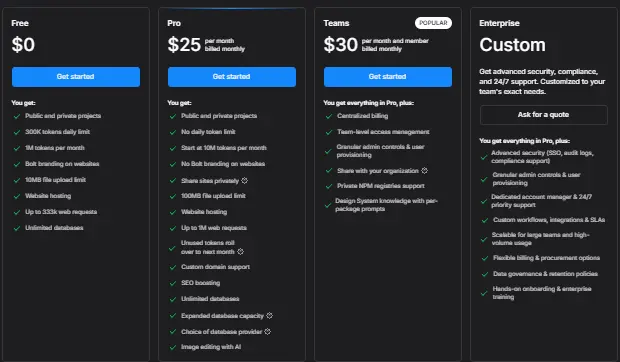
Here is a breakdown of all current plans:
| Plan | Monthly Price | Tokens Per Month | Daily Token Limit | Key Features |
| Free | $0 | 1,000,000 | 300,000 | Basic projects, Bolt branding on sites |
| Pro | $25 | 10,000,000 | No limit | Token rollover, private projects, no branding |
| Teams | $30 per member | 26,000,000 | No limit | Centralized billing, team management |
| Enterprise | Custom | Custom | No limit | SSO, audit logs, dedicated support |
What Are Tokens and Why Do They Matter?
Think of tokens as the fuel that powers every AI action inside Bolt. Simple tasks like building a small landing page use fewer tokens. Complex tasks like building a multi-page app with a database use far more.
On the free plan, the 300,000 daily token cap can feel limiting if you are working on anything more than a basic page. The Pro plan removes the daily cap and adds token rollover, meaning unused tokens carry forward to the next month.
If you plan to use Bolt AI seriously for client work or startup builds, the Pro plan at $25 per month is the most practical starting point.
Bolt AI Features: What Is New in 2026?
Bolt AI made significant updates in 2026 that make it more powerful than the version most early reviews describe.
Here are the key features available now:
- Claude Opus 4.6 integration with adjustable reasoning depth, giving you control over how deeply the AI thinks through complex problems
- Bolt Cloud infrastructure with enterprise-grade hosting, unlimited databases, and built-in authentication
- Design System integration allowing teams to upload brand guidelines so all generated output stays on-brand
- Built-in SEO optimization for websites hosted on Bolt Cloud
- Custom domains so your app can run on your own URL without extra steps
- 100MB file upload support for importing assets, images, and documents
- Improved context management that handles projects 1,000 times larger than before, reducing context loss on long builds
- Private project sharing so you can share your work with clients or teammates without making it public
These updates make Bolt AI much more capable for professional use compared to its earlier 2024 and 2025 versions.
Bolt AI vs Lovable vs Cursor: Which Should You Use?
This is the most common question people ask after discovering Bolt AI. Each tool serves a different type of user and a different type of project.
| Feature | Bolt AI (Bolt.new) | Lovable AI | Cursor |
| Setup required | None, fully browser-based | None, browser-based | Local IDE installation needed |
| Best for | Prototypes, MVPs, non-coders | Prototypes, startup apps | Professional developers |
| LLM used | Anthropic Claude | Anthropic Claude | Multiple models (GPT-4, Claude) |
| Starting price | Free / $25 per month | Free / $25 per month | Free / $20 per month |
| Coding knowledge needed | Very low | Very low | Medium to high |
| Production readiness | Limited | Limited | High |
| Coding involvement | Low but still present | Very low | High |
Bolt AI vs Lovable AI: Both tools are browser-based and require no local setup. Bolt keeps developers slightly more involved in the code compared to Lovable, which is more purely prompt-driven. If you want a deeper look, read our Lovable AI review for a full breakdown of what makes each one different.
Bolt AI vs Cursor: Cursor is a professional AI-enhanced code editor built for developers who already know how to code. It requires local setup and works best when you want full control over your codebase. Bolt is for speed and fast prototyping without any setup.
The smartest approach for most people: Start your idea in Bolt AI or Lovable for rapid prototyping. Once you have validated the concept and need production-grade code, rebuild or hand off to a developer using Cursor or Claude Code.
Bolt AI Pros and Cons: The Honest Assessment
No tool is perfect. Here is a straightforward look at what Bolt AI does well and where it falls short.
| Pros | Cons |
| No setup, works fully in the browser | Free plan has a 300,000 daily token cap |
| Very fast for building prototypes and MVPs | Complex apps drain tokens quickly |
| Open-source codebase | Not suitable for large-scale production apps |
| Powered by Claude 3.5 Sonnet and Opus 4.6 | Debugging advanced issues is still difficult |
| Hosting, deployment, and databases included | Bolt.new and BoltAI (Mac app) cause naming confusion |
| Built-in SEO for hosted projects | Teams plan pricing adds up for larger groups |
| Works with React, Node.js, and PostgreSQL | Limited customization without coding knowledge |
Real users report that Bolt AI is excellent for fast idea validation but that it struggles when a project grows beyond a certain complexity level. For simple to medium-complexity projects, though, it delivers impressive results with very little effort.
Is Bolt AI Right for You?
Bolt AI is a strong fit for some users and the wrong tool for others. Here is a simple way to think about it:
Bolt AI is a great choice if you are:
- A solo founder or entrepreneur who wants to test a product idea without hiring a developer
- A marketer or content creator who needs a landing page or campaign tool built fast
- A student or learner exploring vibe coding and AI-generated apps for the first time
- A freelancer or agency building quick client prototypes before the real development begins
- A product manager who needs to show stakeholders a working concept before budget approval
Use Bolt AI with caution if you are:
- Building a large-scale app that will handle thousands of daily users
- Working on a project that needs complex real-time features or advanced security
- A developer who wants fine-grained code control at every step
For most non-developers and early-stage builders, Bolt AI is one of the most accessible AI app builders available today. The free plan is a smart way to test it before committing to a paid plan.
Before you sign up, consider one practical tip: Like most AI tools, Bolt asks for an email address when you create an account. If you want to test the free plan without exposing your primary inbox, Freemail.ai gives you an instant temporary email address with no registration required.
Final Thoughts
Bolt AI has come a long way since it launched. The 2026 updates, including Claude Opus 4.6, Bolt Cloud infrastructure, and the new Design System feature, make it a genuinely useful tool for entrepreneurs, marketers, and non-developers who want to build web apps without writing code.
It is not a replacement for professional development tools like Cursor when you need production-grade code. But for prototyping, MVPs, landing pages, and idea validation, Bolt AI delivers results faster than almost anything else available right now.
The free plan is a low-risk way to try it. If you find yourself hitting the daily token cap often, the Pro plan at $25 per month removes all daily limits and adds rollover tokens, making it worth the upgrade for serious builders.
If you have an idea and want to see it working in your browser today, Bolt AI is one of the best places to start.