

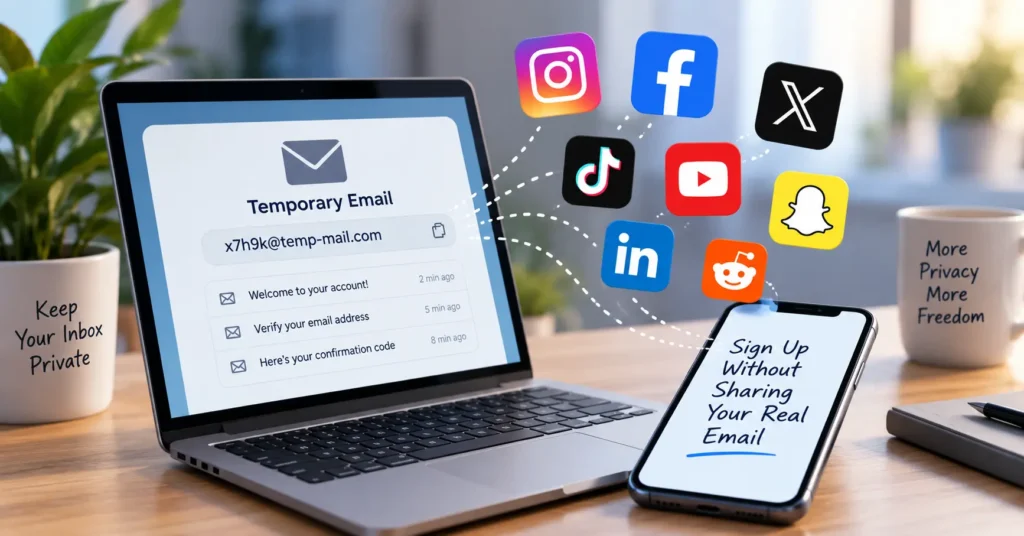
Temp mail can work for social media sign ups, but results change from platform to platform. TikTok and Discord usually accept a disposable email. Facebook, Instagram, and LinkedIn often block known temp mail domains and may ask for a phone number instead. The biggest risk is not getting blocked. It is losing access to your account once the temporary inbox expires. If you want to keep an account long term, an email alias is often a safer choice than temp mail.
Most people already know that temp mail exists. What they really want to know is simple: will it work for the exact platform they are about to sign up for today? That is the question this guide answers.
A temp mail for social media address, also called a disposable email or a burner inbox, lets you sign up for an account without using your real inbox. You get a working email address for a short time. You use it to receive a verification code or link. Then it disappears.
This guide walks through how temp mail works, which platforms accept it, which ones block it, and when you should use a real email or an email alias instead. We will also cover safety tips so your accounts stay under your control.
What Is Temp Mail for Social Media, and Why Do People Use It?
Temp mail for social media is a disposable email address you use only to sign up for or verify a social account. It is not tied to your name or your real inbox. Once you finish signing up, the address can expire on its own, along with anything sent to it.
People turn to a temporary email for social media sign up for a few clear reasons.
Privacy. A single email address can connect your activity across many apps. Data brokers and advertisers can link that address to your habits, your interests, and your location over time. Using a disposable email for social media breaks that link before it starts.
This concern is common and backed by real numbers. Pew Research Center found that 81 percent of U.S. adults feel concerned about how companies use the data they collect. In the same study, 73 percent said they feel they have little to no control over that data once a company has it.
Spam. New accounts often bring a flood of notification emails, marketing messages, and “we miss you” nudges. Keeping a burner email for social media use means that flood never touches your main inbox. This matters more than it used to. Email traffic keeps climbing every year, and research from EmailToolTester puts the daily global total near 392.5 billion messages in 2026. A large share of that traffic is spam. Data tracked by Statista, based on research from the security firm Kaspersky, shows spam has made up close to half of all email traffic in recent measurements.
Multiple accounts. Many people run more than one social account today. Research from DataReportal counted 5.79 billion social media user identities worldwide as of April 2026, with the average person active on about 6.5 different platforms. Someone testing a new app, running a secondary account, or keeping a “finsta” (a fake or private Instagram account) separate from their main profile often reaches for temp mail instead of handing out their real address again and again.
In short, an anonymous social media account email gives you a way to sign up, get verified, and move on, all without adding one more entry to your long term digital footprint.
How Does Temp Mail Work for Social Media Sign Ups?
The process is short and the same across most services. Here is the basic flow.
- Generate the address. Open a temp mail service and it creates a random email address for you right away. No password, no personal details.
- Enter it during sign up. Paste the address into the email field on Facebook, Instagram, Discord, TikTok, or whatever platform you are joining.
- Wait for the message. The platform sends a verification email or a one-time passcode (OTP) to that address, the same way it would to any normal inbox.
- Open the inbox and grab the code. Go back to the temp mail page. The message should show up within a few seconds. Copy the code or click the confirmation link.
- Finish the sign up. Enter the code or follow the link to activate your new account.
- Let it expire. After a set amount of time, the address and any messages inside it are deleted for good.
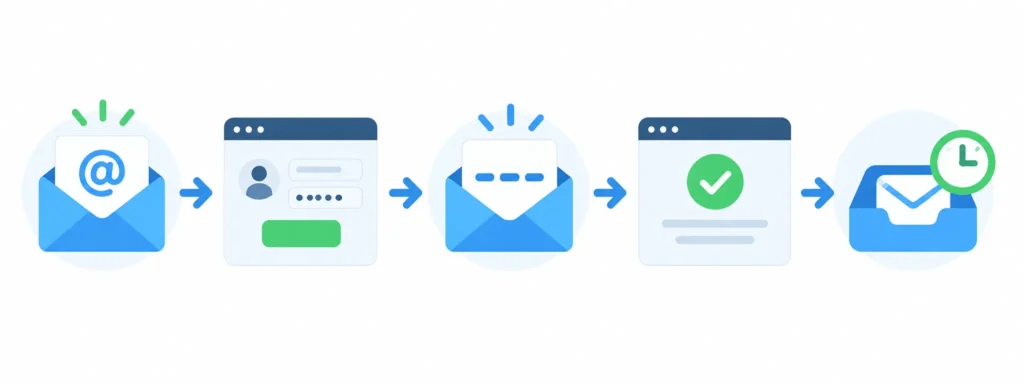
That last step matters more than most guides admit. Once the inbox is gone, it is gone. There is no way to reopen it later to reset a password or read a security alert. Keep that in mind before you decide which accounts are safe to sign up for this way.
Which Social Media Platforms Accept Temp Mail for Social Media?
This is the part most people actually search for. Not every platform treats temp mail the same way. Some let it through without any trouble. Others actively block known disposable domains.
| Platform | Accepts Temp Mail? | Best Use Case | Notes |
| TikTok | Usually works | Testing content ideas, secHow Does Temp Mail Work for Social Media Sign UpsHow Does Temp Mail Work for Social Media Sign Upsondary accounts | Most disposable domains still get through |
| Discord | Usually works | Joining servers, testing bots | One of the friendliest platforms for temp mail |
| Snapchat | Sometimes works | Short term or testing accounts | Phone verification is often required too |
| Usually works | Anonymous browsing, subreddit sign ups | Email is optional for many features | |
| X (formerly Twitter) | Sometimes works | Research or testing accounts | Phone verification is increasingly common alongside email |
| Often blocked | Testing brand ideas, secondary accounts | Owned by Meta; may ask for phone verification instead | |
| Often blocked | Secondary accounts, with caution | Meta actively screens for known disposable domains | |
| Often blocked | Not recommended | Ties closely to your real identity; disposable addresses raise flags | |
| Limited use | Short term testing only | Verification is tied to your phone number, not your email |
Why Do Platforms Block Temp Mail?
The short answer is fraud. A disposable email address costs nothing to create and leaves no real history behind, which makes it a common tool for fake accounts. According to Sift, a company that builds fraud detection tools, disposable email addresses are one of the technical signals platforms watch for when they try to catch fake sign ups. Meta, Facebook, and Instagram’s parent company, has strong reasons to filter these addresses out. Fake accounts hurt ad performance, skew user numbers, and clutter the platform with bots instead of real people.
This is also why domain reputation matters so much. A domain blocklist is simply a list of known disposable email domains that a platform refuses at sign up. If your address comes from a domain on that list, the form may reject it right away, or the verification email may never arrive.
If you want a closer look at any single platform, freemail.ai has full walkthroughs for a few of them, including temp mail for TextNow and temp mail for Canva, with more platform guides in the works.
Temp Mail vs Real Email vs Email Alias: Which Should You Use?
Temp mail is not your only option for protecting your privacy during sign up. There are really three choices, and each one fits a different situation.
| Feature | Real Email (Gmail, Outlook) | Temp Mail (Disposable) | Email Alias (Forwarding) |
| Best for | Accounts you plan to keep | One-time or short-term sign ups | Accounts you want to keep but keep private |
| Privacy level | Low, tied to your identity | High, no lasting trace | High, hides your real address |
| Account recovery | Full access, always | None once it expires | Full access through your real inbox |
| Spam control | Harder to manage | Automatic, the inbox disappears | Easy to turn off or delete the alias |
| Platform acceptance | High | Varies a lot by platform | Generally high |
A real email address like Gmail or Outlook is still the right choice for your main social profile, anything tied to a payment method, or any account you cannot afford to lose.
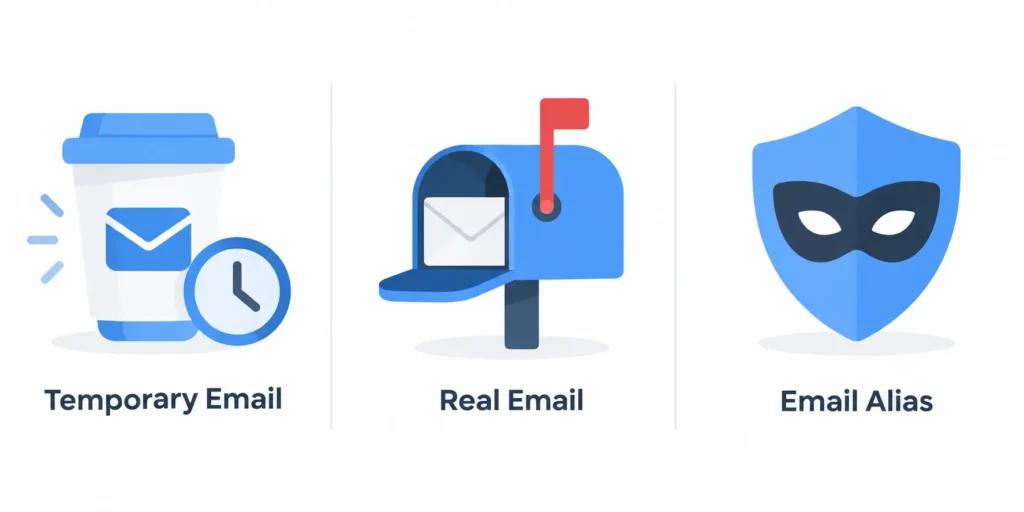
A temp mail for social media address is best for one-off sign ups, quick tests, or a secondary account you would not mind losing.
An email alias sits in the middle. Services such as SimpleLogin, addy.io, and Firefox Relay give you a forwarding address that hides your real email while still letting messages reach your actual inbox. You can turn the alias off any time spam shows up, and you keep full account recovery since messages still land somewhere you check. For a closer look at a related option, freemail.ai has a guide on plus addressing and disposable email that explains how that approach compares.
When Does Temp Mail Make Sense for Social Media?
Not every sign up calls for the same level of caution. Here is a simple way to split it.
Good times to use temp mail:
- Testing a new platform before you decide to stick with it
- Creating a secondary or experimental account
- Signing up for a short-term campaign, contest, or giveaway
- Joining a Discord server or online community just to check it out
- Keeping a “finsta” or research account separate from your main identity
Times to skip temp mail:
- Your main or primary social media account
- Any account linked to a payment method or subscription
- An account you would be upset to lose access to
- Any sign up where you might need password recovery later
Separating low-stakes sign ups from your real inbox is also a smart habit for security, not just privacy. According to Verizon’s 2025 Data Breach Investigations Report, stolen or misused login credentials were the most common way attackers first got into an account, showing up in 22 percent of the breaches studied. Keeping throwaway accounts on a throwaway address means one leaked password there cannot lead back to your real email or your main accounts.
How to Choose a Reliable Temp Mail Service for Social Media Sign Ups
Not all temp mail tools are built the same way. Some are slow. Some ask for information they should not need. Here is what to look for.
- No sign up required. A good service should hand you an address the moment you open the page. If it asks you to register first, that defeats the purpose.
- Fast delivery. Verification codes and OTPs are often time-sensitive. The inbox should refresh on its own and show new messages within seconds.
- Clear expiration. The service should tell you exactly how long your address will last, so you are not caught off guard.
- No personal data collected. You should never need to share your name, phone number, or real email just to generate a disposable one.
- A private policy you can actually read. Look for a service that states plainly that it does not keep long-term logs of your activity.
freemail.ai is built around these exact points. It uses AI-assisted address generation, needs no registration, and gives you an inbox instantly, which makes it a solid pick when you need a temp mail for social media address fast. It also keeps a small library of platform-specific guides, like the Gmail generator and the Gmail burner email guide, for cases where a stricter platform needs an address that looks more like a normal inbox.
Best Practices for Using Temp Mail on Social Platforms
A few habits will keep your experience smooth and your accounts safe.
- Never attach a payment method to an account created with temp mail. If the inbox disappears, you lose your only way to manage that payment.
- Use a different browser profile or incognito window for each account you manage. This keeps sessions from overlapping and prevents accidental cross-posting.
- Set up two-factor authentication (2FA) through an app, not just email, whenever a platform allows it. This way, losing the temp inbox will not lock you out completely.
- Check the platform’s stated rules before you rely on temp mail for anything long term. Most platforms do not ban disposable email outright, but they may flag or limit accounts that use it.
- Switch to a permanent address the moment you decide to keep an account. Update the account’s email before your temp mail address expires, not after.
FAQ: Temp Mail for Social Media
Can I use temp mail for social media verification?
Yes. Most temp mail services are made for exactly this kind of quick verification. You can receive a confirmation email or an OTP without creating an account or sharing personal details. It works best for short-term or secondary sign ups rather than accounts you plan to keep for years.
Will Instagram or Facebook block a temporary email?
Sometimes. Both platforms, owned by Meta, actively check for known disposable email domains and block many of them. This does not mean every temp address will fail. It depends on the specific domain and provider you use. Expect a higher chance of rejection here than on more relaxed platforms like Discord or TikTok.
Is it legal to use temp mail for social media?
Yes, in most places. A temporary email address is just a tool for receiving messages. It is not a form of deception on its own. Problems only come up if you use it to break a platform’s rules or to carry out fraud.
Can I receive OTP or verification codes with temp mail?
Yes. Receiving a one-time passcode is one of the main reasons people use temp mail in the first place. A good provider shows the code in real time so you can finish verification before it expires.
What happens if my temp mail expires after I sign up?
Once the inbox expires, every message inside it is deleted, and the address can no longer receive password resets or security alerts. If you decide to keep the account, switch its registered email to a permanent address or an alias before the temp inbox disappears.
Should I use temp mail or an email alias for social accounts?
Use temp mail for one-off, testing, or secondary accounts you would not mind losing. Use an email alias, such as one from SimpleLogin or addy.io, for accounts you want to keep long term but still want to keep separate from your main address. An alias forwards mail to your real inbox instead of deleting it.
Try It for Yourself
Temp mail is a simple tool once you know which platforms accept it and which ones do not. Use it for testing, secondary accounts, and short-term sign ups. Save your real email, or an alias, for anything you plan to keep.
Ready to try it? Generate a free temporary email on freemail.ai. No registration needed. Just remember to switch to a permanent address for any account you want to hold on to.