

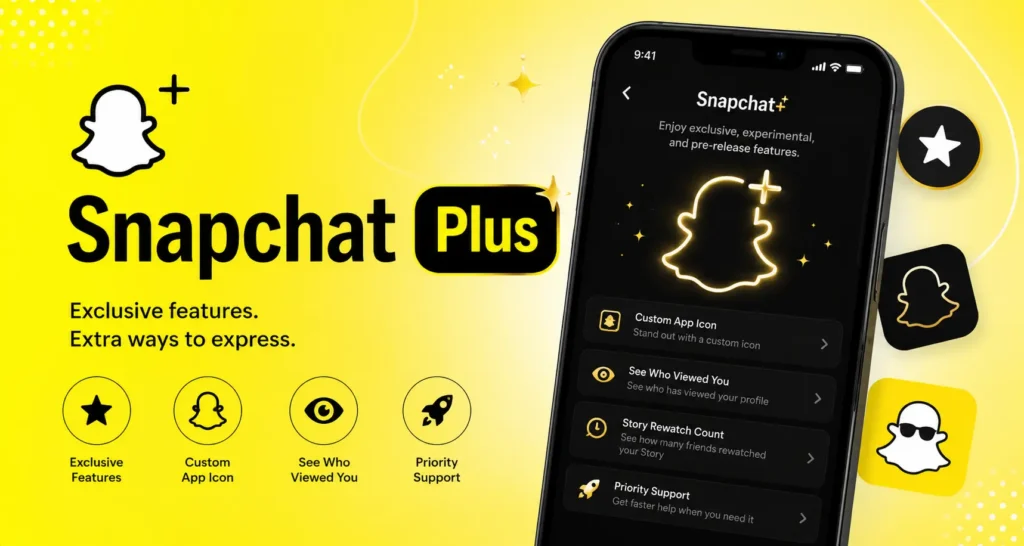
Snapchat Plus (also called Snapchat+) is a paid Snapchat subscription that unlocks exclusive features, experimental features, and pre-release features. You get extra customization, friendship tools, and early access that free Snapchat does not include. You can start a Snapchat subscription in the app or on the web at snapchat.com/plus. Pricing depends on your country and plan. Always check the live price before you pay, then restart the app if new tools do not show right away.
Introduction
If you typed snapchat plus into search, you probably saw a gold banner, a Snapchat badge, or a Friend Solar System hint and wanted a clear answer. This guide explains what is snapchat plus, what does snapchat plus do, and how the snapchat plus features work in 2026. You will also learn how to get snapchat plus, how do I subscribe to Snapchat+ in the app, how do I subscribe to Snapchat+ on the web, and what the snapchat plus price looks like. By the end, you can decide is snapchat plus worth it for your daily use. Everything below follows official paths from Snap Inc. and the Snapchat Help Center so you stay safe.
What Is Snapchat Plus?
Snapchat Plus is Snapchat’s optional paid plan. Snap Inc. built it for people who want more than the free app. Free Snapchat still works for Snaps, chats, Stories, Spotlight, Bitmoji, and the Snap Map. Snapchat+ adds exclusive features, experimental features, and pre-release features on top of that base.
Think of free Snapchat as the full basic car. Snapchat Plus is like adding custom paint, special dials, and early access to new parts. You do not need Plus to drive. You only pay if those extras matter to you.
Snapchat+ is also written as Snapchat Plus. Both names mean the same Snapchat subscription. When the app shows a banner on your profile, that is the entry point to the monthly plan or longer plan options in your region.
Key facts in plain words:
- Snapchat Plus is optional.
- It is run by Snap Inc. inside the real Snapchat app.
- It is not a separate app from a random website.
- Feature lists grow over time as Snap tests new ideas with subscribers.
What Does Snapchat Plus Do?
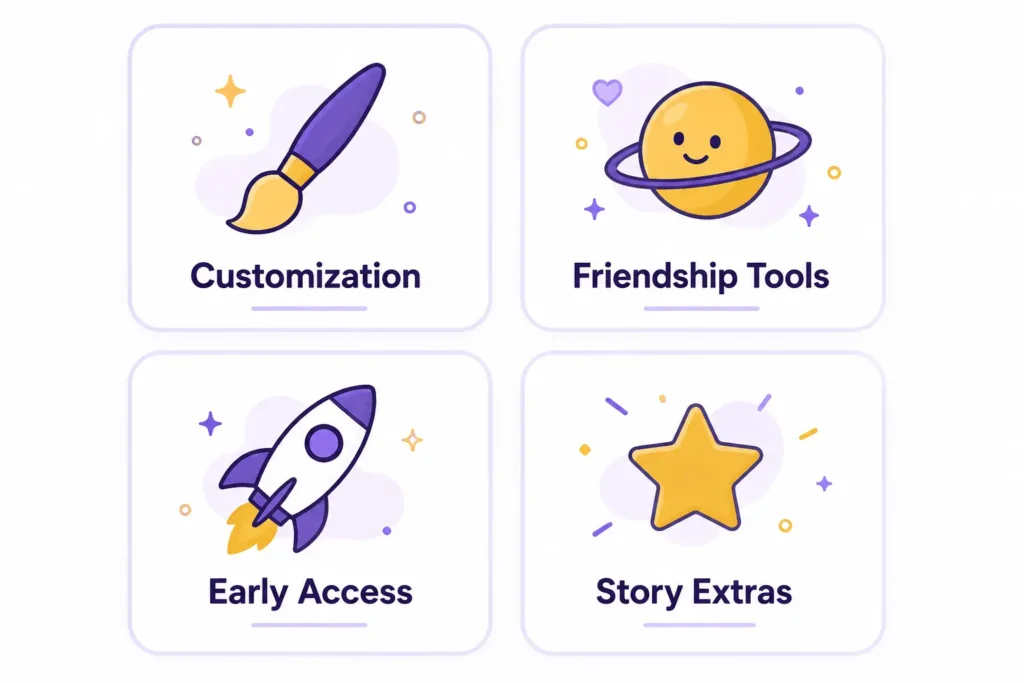
In short, it unlocks paid perks that free users do not get. Those perks fall into a few simple groups: look and feel, friendship tools, early access, and extra story or map helpers.
Here is the simple picture:
- Customize the app. Change how Snapchat looks with custom app icons, chat wallpapers, and Bitmoji backgrounds.
- See more about friends. Tools like the Friend Solar System (planets from Mercury through Neptune style ranks), pin best friend options, and story rewatch indicator give more social insight.
- Try things early. Experimental features and pre-release features often land for Plus users first.
- Show a badge. A Snapchat badge can appear on your profile so people know you have Plus.
- Extra story and map tools. Some users get story boost style priority and Snap Map extras, depending on what Snap is testing.
Snapchat Help Center language describes Snapchat+ as a way to get exclusive, experimental, and pre-release features. Some plan levels also talk about fewer sponsored snaps or fewer story and lens ads. Exact ad rules can depend on the plan you buy in your country, so always read the plan screen before you pay.
Snapchat Plus Features (2026 Overview)
This section covers the main snapchat plus features people look up in 2026. Snap Inc. has said subscribers can access dozens of exclusive features, including chat wallpapers, custom app icons, and AI Bitmoji style extras. Feature names and availability can change, so treat this as a clear map, not a forever list.
Customization features
These tools help your Snapchat feel more “yours.”
- Custom app icons. Pick a different Snapchat icon for your home screen.
- Chat wallpapers. Set different backgrounds for chats with friends.
- Bitmoji backgrounds. Style your Bitmoji space with Plus-only looks.
- Themes and home tab options. Some builds let you tweak how the home tab feels.
Customization is popular because you see it every day. If you open Snapchat often, small visual changes can feel worth it even when big tools do not.
Friendship and story features
These tools sit close to how you talk with friends.
- Friend Solar System. Your closest friends show as planets (Mercury through Neptune style order). This is one of the most searched Plus perks.
- Pin best friend / #1 Best Friend style tools. Keep one friend easy to reach.
- Story rewatch indicator. See more about how you rewatch Stories.
- Snapchat badge. A small Plus mark on your profile.
- Priority story replies and story boost style perks. Your Stories or replies may get a small push, when Snap offers those tools.
These features help heavy social users more than people who only send a few Snaps a week.
Early access and experimental tools
A big reason people try a Snapchat subscription is early access.
- Experimental features. Tools Snap is still testing.
- Pre-release features. New ideas before a wide free rollout.
- AI Bitmoji pets and related Bitmoji extras. Fun creative tools reported for Plus users.
- Snap Map extras. Extra map style insights when available in your region.
Because these change, open the Snapchat+ area in the app after you subscribe. That screen is the most honest live list for your account.
How to Get Snapchat Plus?
How to get snapchat plus the safe way is simple: use only official Snapchat paths. Do not install random “free Plus forever” apps. Those can steal accounts or break Snapchat rules.
Before you start:
- Update Snapchat from the iOS App Store or Google Play.
- Sign in to your real account.
- Have a payment method ready (store billing or web billing).
- Check that Snapchat+ is offered in your country.
Then pick app or web.
How do I subscribe to Snapchat+ in the app?
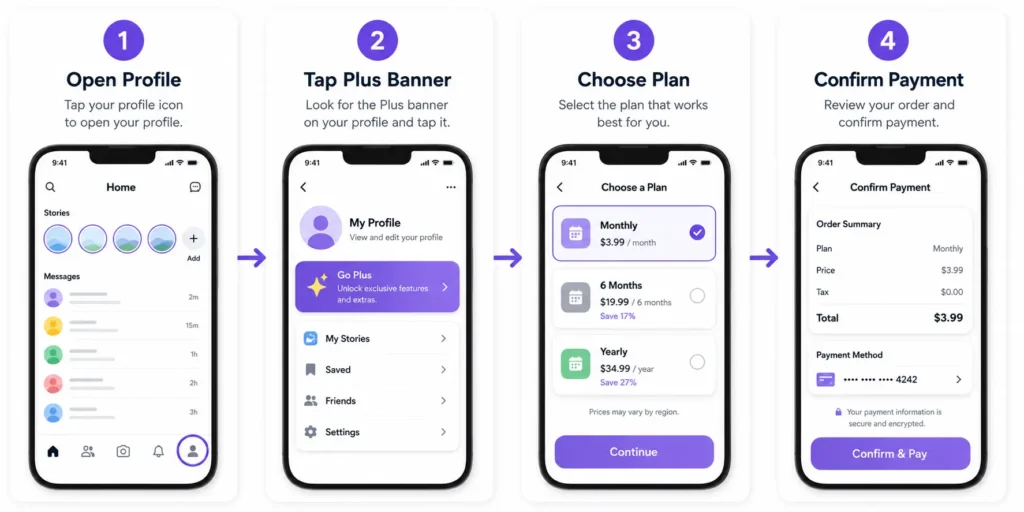
Here is the clear app path most users follow, based on Snapchat Help Center style steps:
- Open the Snapchat app.
- Tap your Bitmoji or profile icon to open Profile.
- Tap the Snapchat+ banner or Snapchat Plus card near the top.
- Review the plans (monthly plan, longer plans if shown).
- Choose a plan and tap continue or subscribe.
- Confirm payment through the App Store, Google Play, or the method Snap shows.
- Wait for confirmation.
- Fully close Snapchat and open it again if Plus tools do not appear at once.
If you do not see the banner, update the app, check your region, or try the web path next.
How do I subscribe to Snapchat+ on the web?
Use Snap’s official site, not a random blog checkout.
- On a browser, go to snapchat.com/plus.
- Tap or click Subscribe on web (wording may be similar).
- Choose a subscription plan.
- Sign in to your Snapchat account (or create one if you are new).
- Enter payment details and accept the terms.
- Finish checkout.
- Open the Snapchat app on your phone and restart it so exclusive features load.
You can also check available plans at accounts.snapchat.com/plus/plans when Snap shows that page for your account. Web subscribe helps if in-app billing fails or if you prefer desktop checkout.
How Much Does Snapchat Plus Cost?
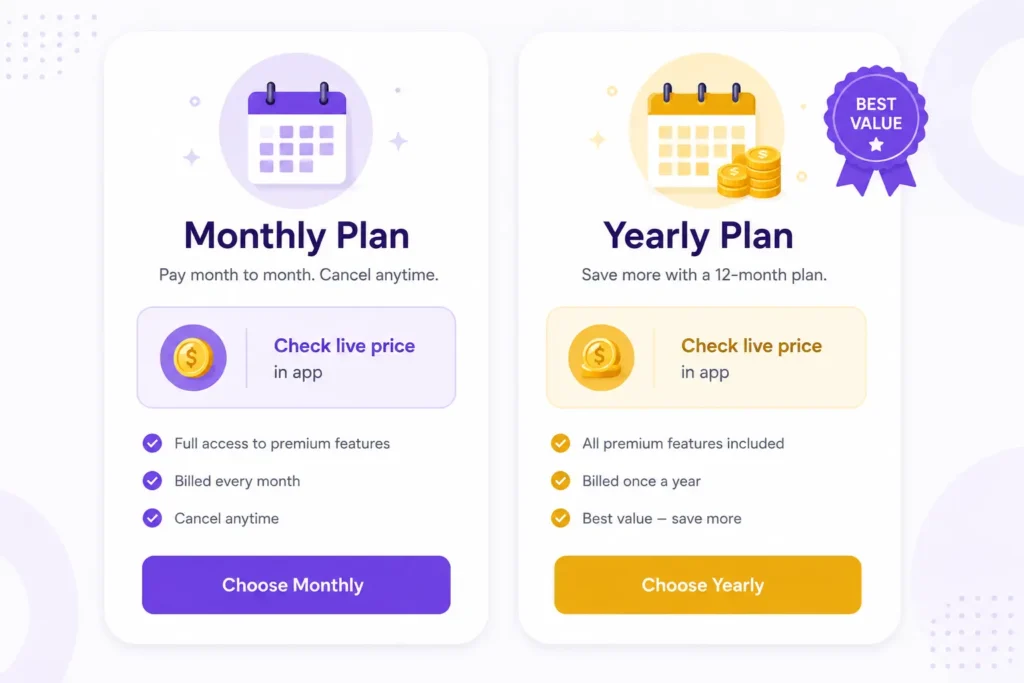
People search snapchat plus price because the number is not the same everywhere. The Snapchat Plus price depends on:
- Your country
- Your device store (iOS App Store vs Google Play)
- Monthly plan vs annual plan
- Special offers or free trial windows
Many U.S.-focused guides and reviews cite a monthly plan near about $3.99 per month, with multi-month or yearly options that can lower the monthly average. Some third-party pages also list longer plans around the low twenties for six months or near forty dollars for a year in past U.S. examples. Those numbers can change. Always trust the live price on snapchat.com/plus or inside the app more than any article number.
Simple pricing checklist:
- Look at monthly plan cost first if you only want to test.
- Look at annual plan cost if you already know you like the exclusive features.
- Read free trial rules if Snap shows one for new subscribers in your region.
- Remember taxes and store rules can add a little cost.
If you later need to cancel subscription, use the same store or account path you used to buy (iPhone Settings subscriptions, Google Play subscriptions, or Snap’s account tools). Canceling stops future charges. You usually keep access until the paid period ends.
Is Snapchat Plus Worth It?
The honest answer depends on how you use Snapchat, not on hype.
Plus is more likely worth it if you:
- Open Snapchat every day
- Care about custom app icons, chat wallpapers, and Bitmoji backgrounds
- Want Friend Solar System and other friendship tools
- Like trying experimental features early
- Want a Snapchat badge and small social extras
- Are fine with a small monthly plan cost
Plus is less likely worth it if you:
- Only send a few Snaps a week
- Do not care about looks or planets
- Prefer free tools only
- Feel monthly plan cost is high for cosmetic extras
A fair way to decide: list the three exclusive features you actually want. If you cannot name three, start with free Snapchat. If you can name three and use them daily, a short plan or free trial (when offered) is a smart test.
Snap has also shared large subscriber counts for Snapchat+ in company news, which shows many people do pay for the Snapchat subscription. That does not mean every user needs it. It only means the product is popular with power users.
Snapchat Plus vs Free Snapchat
| Area | Free Snapchat | Snapchat Plus |
| Send Snaps and chats | Yes | Yes |
| Stories, Spotlight, Bitmoji, Snap Map | Yes | Yes |
| Custom app icons | No (standard) | Yes |
| Chat wallpapers and Bitmoji backgrounds | Limited / free set | Extra exclusive options |
| Friend Solar System | Not for free viewers the same way | Key exclusive feature |
| Story rewatch indicator | Limited | Plus style insights |
| Experimental / pre-release features | Later or never | Earlier access |
| Snapchat badge | No | Yes |
| Monthly plan cost | $0 | Paid (region based) |
Free Snapchat is complete for messaging. Snapchat Plus is a layer of exclusive features on top. That is the cleanest way to compare them.
Common Snapchat Plus Mistakes to Avoid
Stay out of these traps:
- Chasing “free Plus forever” tools. Unofficial apps and hacks can steal logins. Use only Snapchat, the iOS App Store, Google Play, and snapchat.com/plus.
- Ignoring live pricing. Blog prices go stale. Confirm snapchat plus price in the app.
- Forgetting to restart the app. After you subscribe, close Snapchat fully so pre-release features can load.
- Mixing up planets rules. Friend Solar System is a Plus viewer perk.
- Buying for one tiny feature. If you only want one small cosmetic, try free options first.
- Skipping cancel steps. If you only wanted a free trial or one month, set a reminder to cancel subscription before the next bill.
Protect Your Privacy When Using Social Apps
Snapchat Plus itself is a product from Snap Inc. inside the real app. Still, good privacy habits matter whenever you use social apps.
- Keep your main Snapchat email and phone number secure.
- Do not share your password with “Plus unlock” websites.
- Be careful with clipboard prompts and odd links.
- For other low-trust website signups (not your main Snapchat account), a disposable address can cut spam. You can generate one free at freemail.ai. Do not use temp mail as the only recovery email for Snapchat. You could lose the account.
This short privacy note supports safe habits. It is not required to understand Snapchat Plus, but it helps you stay smart online.
Final Takeaway and Soft Next Step
Snapchat plus is Snap Inc.’s paid Snapchat subscription for exclusive features, experimental features, and pre-release features. You now know what is snapchat plus, what does snapchat plus do, the main snapchat plus features, how to get snapchat plus, how do I subscribe to Snapchat+ in the app, how do I subscribe to Snapchat+ on the web, how snapchat plus price works, and how to judge is snapchat plus worth it.
If you want the extras, start with the official Profile banner or snapchat.com/plus, pick a monthly plan or annual plan that fits you, and restart the app. If free Snapchat already covers your chats, Stories, Spotlight, Bitmoji, and Snap Map needs, you can skip Plus without missing core messaging.
Want related Snapchat explainers next? Read freemail’s Snapchat Planets and Snapchat Clipboard guides. If you need a free temporary email for other app signups, try freemail.ai and keep your main inbox cleaner.