

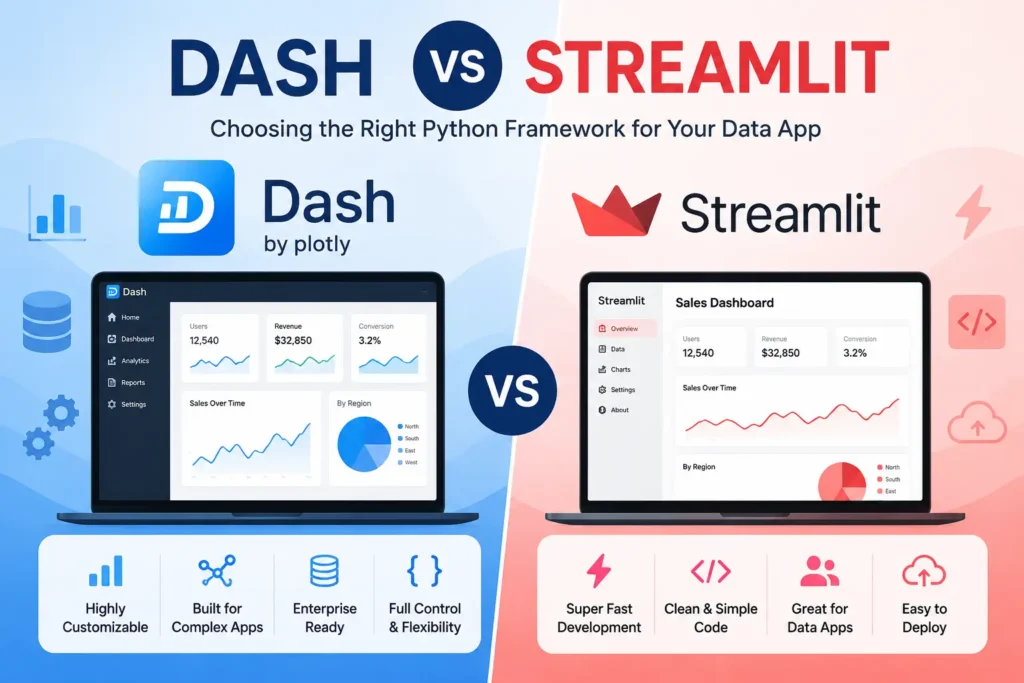
If you need a fast answer, Streamlit is usually the better pick for quick builds, small data apps, and rapid prototyping, while Dash is often the stronger fit for apps that need more structure, UI control, and scalability.
The dash vs streamlit choice is not really about which tool is “best” for everyone. It is about which one fits your project, your team workflow, and your long-term needs.
If you want to turn a Python script into a working app fast, Streamlit is often the easier path. If you need a more structured app with deeper customization and tighter layout control, Dash is often the better choice.
This python dashboard framework comparison will help you choose the right tool for Python dashboards, internal tools, and production apps without wasting time on a long beginner guide.
What is the main difference between Dash and Streamlit?
The biggest difference is how the app is built and how it reacts to user actions. Streamlit works more like a Python script that reruns when something changes, while Dash uses callbacks and a more explicit layout to control how the app behaves.
That is why many app builders feel that Streamlit is simple to start with, but Dash gives more control when the app gets more complex. This is one of the biggest points in any streamlit vs dash comparison.
Streamlit keeps things simple
Streamlit is often loved for speed and ease. Many sources describe it as a fast way to build data apps without needing strong frontend skills.
It works well for rapid prototyping, internal tools, simple dashboards, and quick demos. If your main goal is fast developer experience, Streamlit often wins early.
Dash gives you more control
Dash is often the better choice when you need more customization, deeper UI control, and a clearer app structure. It is commonly described as a stronger fit for complex apps with detailed requirements.
Because Dash relies on callbacks and a more explicit layout, it can feel more structured from the start. That extra structure can help with scalability, team workflow, and larger production apps.
When is Streamlit the better choice?
Choose Streamlit when speed matters most. It is often the best answer for solo builders, analysts, data scientists, and small teams that want to launch fast.
Streamlit is a strong pick when you need:
- Fast setup for Python dashboards.
- Simple data apps for internal tools.
- Quick stakeholder demos.
- Rapid prototyping before a bigger build.
- A tool that feels close to normal Python code.
This is why dash or streamlit often depends on project stage. If you are testing an idea or building a small tool fast, Streamlit is usually easier to start with.
It is also a common answer for dash vs streamlit for beginners, because new users often find the simple flow easier to learn.
When is Dash the better choice?
Choose Dash when the app needs more structure, more control, or more room to grow. It is often the better fit for teams building serious dashboards, complex user flows, or apps with many moving parts.
Dash is a strong pick when you need:
- Richer layout control.
- More advanced callbacks.
- Better support for complex interactions.
- More customization across the interface.
- Stronger structure for long-term work.
That is why Dash often stands out in dash vs streamlit for production apps. If your app will grow, serve many users, or need deeper design control, Dash may be the safer long-term choice.
Plotly also places Dash in the broader space of low-code UI layers for data apps, which shows that Dash is built for serious app building, not just quick demos.
Dash vs Streamlit for dashboards
For dash vs streamlit for dashboards, the best choice depends on what kind of dashboard you need. If you want a clean dashboard fast, Streamlit is often enough. If you want a highly tuned dashboard with more custom interactions, Dash often has the edge.
For simple dashboards, Streamlit helps you move quickly. For more advanced dashboards with tighter layout control and more complex logic, Dash usually gives more freedom.
A good way to think about it is this:
- Streamlit is great for fast dashboards.
- Dash is great for deeper dashboard control.
- Both can build useful Python dashboards.
- The real choice depends on scale, customization, and team needs.
Dash vs Streamlit for beginners
Dash vs streamlit for beginners is one of the easiest parts of this decision. Most people will find Streamlit easier to start with because it feels closer to writing a normal Python script.
That does not mean Dash is bad for new users. It just means Dash asks you to think more about structure, callbacks, and layout earlier in the process.
If you are new to Python app building and want fast results, Streamlit is often the friendlier first step. If you are ready to learn more structure early, Dash can still be a smart choice.
Streamlit vs Dash callbacks and app flow
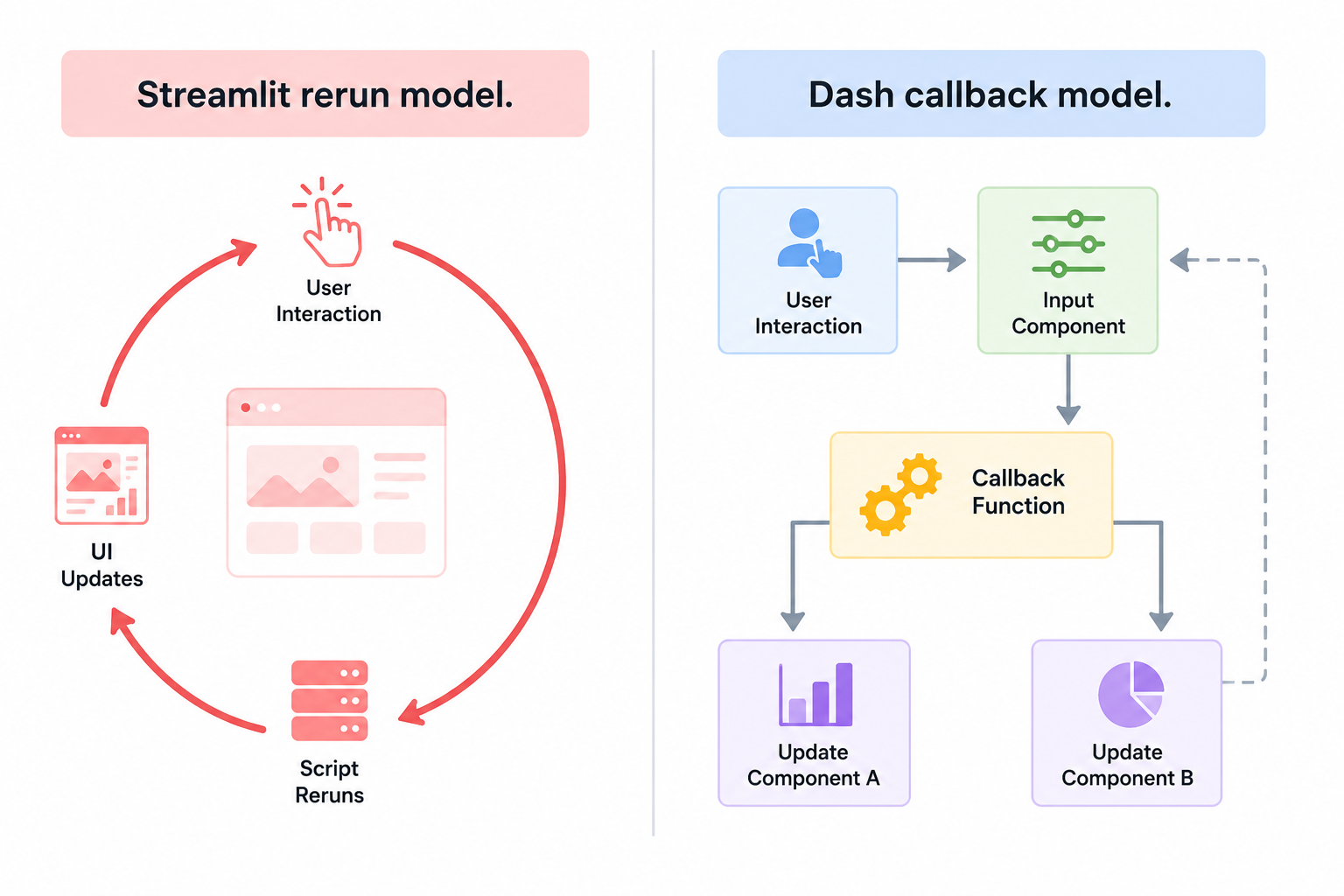
One of the most important technical points in streamlit vs dash callbacks is how each tool handles user interaction. Streamlit often follows a rerun model, while Dash relies on callbacks to control what changes and when.
In simple terms:
- Streamlit reruns the script when inputs change.
- Dash uses callbacks to update only the parts you tell it to update.
This affects developer experience in a big way. Streamlit can feel faster and more natural at first, while Dash can feel more controlled and organized for larger apps.
If your team workflow values speed and simplicity, Streamlit may feel better. If your team wants more explicit structure and tighter control, Dash may be the better fit.
Speed, customization, and scalability
Streamlit often wins on speed to first app. More than one comparison source says it helps reduce time to first app and works well for small projects and fast launches.
Dash often wins on customization and scalability. It is commonly described as the stronger option when you need more UI control, more structure, and better support for complex apps.
Here is the simple version:
Speed
Streamlit is usually faster to build with at the start. That makes it strong for rapid prototyping, internal tools, and small data apps.
Customization
Dash usually gives more customization. If you need more control over layout, interactions, and app behavior, Dash often has the advantage.
Scalability
Dash is often seen as stronger for scalability when apps become more complex. That is a big reason why teams compare dash vs streamlit for production apps so often.
Which one fits your team and project type?
The best tool is not just about features. It is also about who is building the app and what the app needs to do next.
Pick Streamlit if your team looks like this
Streamlit is often the better fit for:
- Solo data scientists.
- Analysts who want quick dashboards.
- Small teams building internal tools.
- Fast-moving teams testing ideas.
- Users with limited frontend skills.
Pick Dash if your team looks like this
Dash is often the better fit for:
- Teams building more complex data apps.
- Projects with richer user interactions.
- Apps that need stronger layout control.
- Teams that care about long-term structure.
- Workloads with growing deployment needs.
If your project is small today but may grow fast later, think hard before you choose. A tool that feels easy now may not be the best fit later.
Can a Streamlit app outgrow its fit?
Yes, that can happen. A tool that is perfect for rapid prototyping may start to feel tight once the app needs more advanced layout, stronger callbacks, or deeper customization.
This does not mean Streamlit is weak. It means the right tool can change as the project changes.
That is why the dash or streamlit decision should be based on both current needs and future plans. If your app may become a larger production app, Dash may deserve a closer look from the start.
What about streamlit alternatives?
Some readers who search streamlit vs dash also end up looking at streamlit alternatives. That makes sense when neither tool feels like a perfect fit.
Still, for many teams, Dash and Streamlit remain two of the most mature and active options in this space. Fresh comparison content from 2025 and 2026 shows the choice is still very relevant today.
If you want a wider view after this comparison, it can help to review other tools in the same family. But if your main choice is really Dash vs Streamlit, stay focused on project fit first.
Final recommendation by real use case
Choose Streamlit if you want:
- Fast Python dashboards.
- Simple data apps.
- Quick demos.
- Rapid prototyping.
- Easy starts for beginners.
- A tool that works well without deep frontend skills.
Choose Dash if you want:
- More UI control.
- More customization.
- Stronger app structure.
- Better support for complex callbacks.
- More confidence for larger production apps.
- A framework that may age better as the app grows.
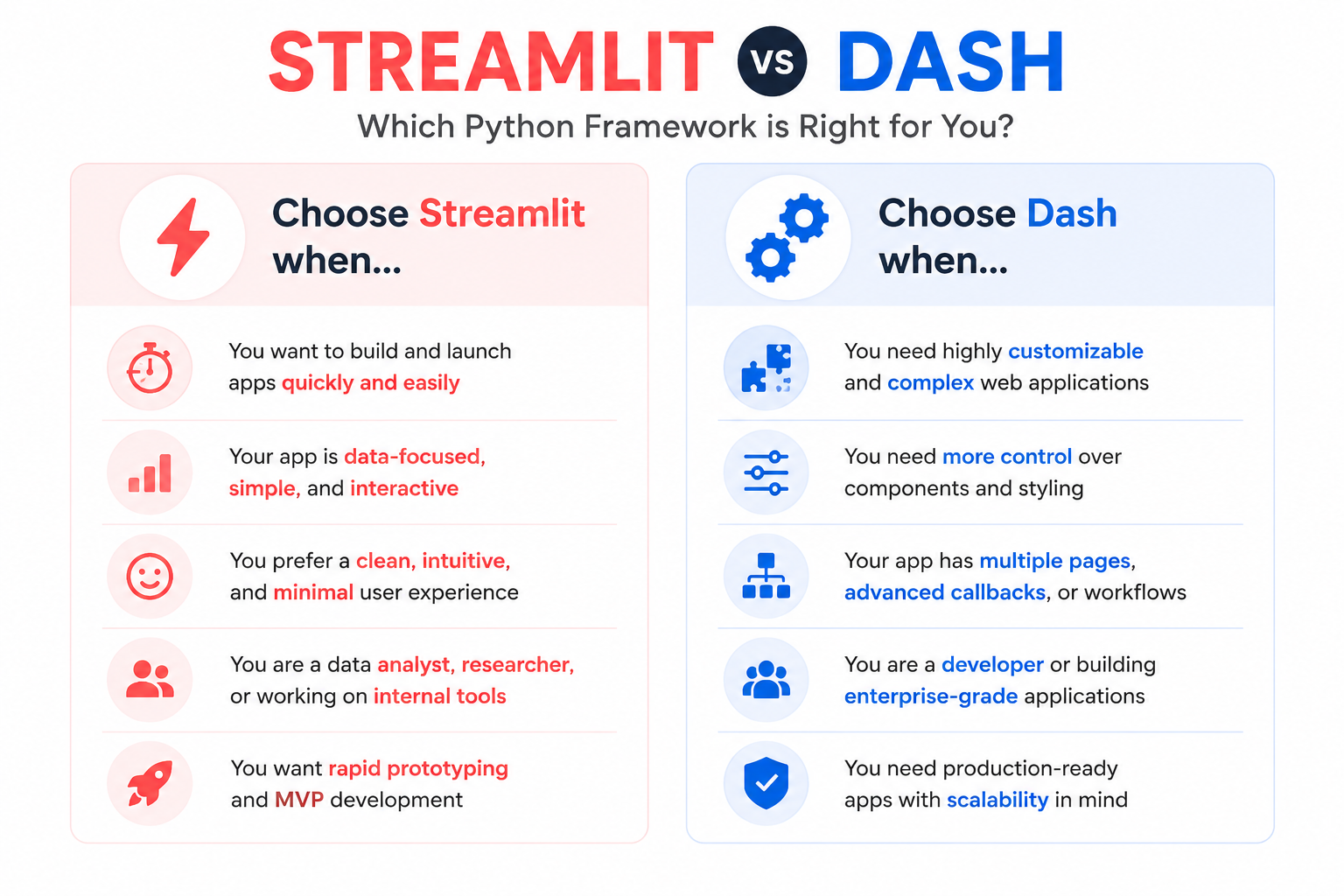
So, in a simple streamlit vs dash verdict, Streamlit is often best for speed and simplicity, while Dash is often best for control and complexity.
Final thoughts
The dash vs streamlit choice gets much easier when you stop asking which tool is better in general and start asking which tool fits your real project. If you need to build fast, Streamlit is often the smart move. If you need more structure, customization, and scalability, Dash is often the better long-term answer.
For your next step, read What Is Streamlit? for a simple primer, then compare other options in Streamlit Alternatives and Gradio vs Streamlit.