

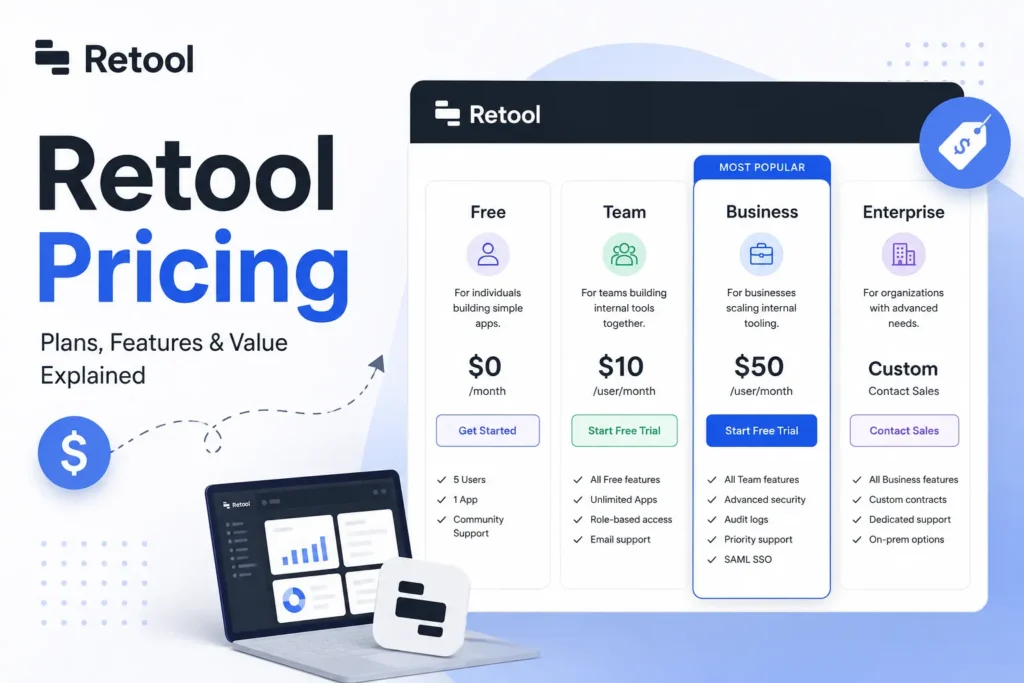
Retool’s pricing has four tiers: Free, Team, Business, and Enterprise. Costs change based on the type of user you add, plus extra fees for things like workflow runs and AI credits. Small teams can often start free or pay under $50 a month, while big companies may pay much more each year. This guide breaks down every plan so you know exactly what you will pay.
Retool’s pricing confuses a lot of buyers. Most software charges one flat price per person. Retool does not work that way. Instead, retool pricing depends on the role each person plays in your team. Some people build apps. Some people only use them. Some are outside your company entirely. Each type costs a different amount. This guide walks through every plan, every user type, and every extra fee, so you can budget with confidence.
How much does Retool cost per user?
Retool charges different rates for different types of users. On the Team plan, a builder costs $10 a month and an internal user costs $5 a month, if you pay yearly. On the Business plan, a builder costs $50 a month and an internal user costs $15 a month. External users have their own pricing, and the rate drops as your usage grows.
This is the most important thing to understand about retool pricing. The word “user” does not mean one flat cost. It depends on what that person does inside the platform.
| Plan | Builder Rate | Internal User Rate |
| Team | $10/month | $5/month |
| Business | $50/month | $15/month |
These per-seat pricing rates are just the starting point. They roll up into four full plans, each with different features and limits. Let’s look at how those plans compare.
Retool pricing plans breakdown
Retool offers four plans: Free, Team, Business, and Enterprise. Each one is built for a different size of team and level of need. Here is how they stack up.
| Plan | Cost | Best For |
| Free | $0/month | Small teams, up to 5 users |
| Team | $10/builder, $5/internal user | Growing teams that need more users |
| Business | $50/builder, $15/internal user | Teams that need audit logs and rich permissions |
| Enterprise | Custom quote | Large companies with complex needs |
Let’s break down what you actually get at each tier.
Free plan
The Free plan lets up to 5 users build unlimited apps at no cost. It includes 500 workflow runs each month. This plan is good for small teams or anyone testing the low-code platform before paying. It does not include advanced features like audit logs.
- Up to 5 users
- Unlimited apps
- 500 workflow runs per month
- No audit logs or advanced permissions
Once you outgrow the Free plan, the Team tier is the next step up.
Team plan
The Team plan costs $10 a month per builder and $5 a month per internal user, if you choose annual billing. Monthly billing (without an annual contract) runs slightly higher, at around $12 per builder and $7 per internal user.
| Billing Cycle | Builder Rate | Internal User Rate |
| Annual | $10/month | $5/month |
| Monthly | $12/month | $7/month |
For larger teams needing more control, the Business plan adds cost and more features.
Business plan
The Business plan costs $50 a month per builder and $15 a month per internal user, billed annually. This subscription tier also includes external user pricing, starting at $8 a month for 51 to 250 external users and dropping to about $4 a month at higher volumes.
This plan adds features the Free and Team plans do not offer, like audit logs and stronger permission controls. These features matter for teams that need tighter security and workspace management.
Enterprise pricing works differently. It is not published, but built around your needs.
Enterprise plan
Retool does not publish a fixed price for its Enterprise plan. Companies must contact sales for a custom quote. Real customer reports on Reddit show enterprise costs ranging from around $50,000 to over $60,000 a year, depending on team size and seats. This plan usually includes stronger security features like SSO and support for self-hosted deployment.
Before you can guess your own bill, it helps to understand exactly what “builder” and “user” mean in Retool’s pricing.
What counts as a builder vs. internal vs. external user?
A builder is a person who creates or edits apps. They pay the highest rate. An internal user only views or uses apps that someone else built. They pay a lower rate. An external user is someone outside your company, like a client, who gets limited access to an app.
- Builder: creates and edits apps, highest cost
- Internal user: views and uses existing apps, lower cost
- External user: outside your organization, tiered pricing
Mixing up these roles is a common reason teams get a surprise bill. Knowing which role each teammate needs helps you avoid overpaying.
Now that the terms are clear, here’s what a real team’s bill might look like.
Example: What would Retool cost a 10-person team?
Let’s say your team has 10 people: 3 builders and 7 internal users. Here is what that would cost on two different plans.
- On the Team plan (annual billing): 3 builders at $10 each equals $30. 7 internal users at $5 each equals $35. Total: $65 a month.
- On the Business plan (annual billing): 3 builders at $50 each equals $150. 7 internal users at $15 each equals $105. Total: $255 a month.
| Plan | Builders (3) | Internal Users (7) | Monthly Total |
| Team | $30 | $35 | $65 |
| Business | $150 | $105 | $255 |
This example shows how quickly retool cost per user adds up once you scale beyond a handful of people. The gap between Team and Business grows fast as your team grows.
That’s the base cost, but a few extra charges can push your bill higher.
What hidden or extra costs should you expect?
Beyond the per-seat prices, Retool charges $75 for every extra 5,000 workflow runs each month once you go past your plan’s limit. It also charges for extra AI credit packs once your monthly bundle runs out. The Business plan includes 3,000 AI credits a month (1,500 base plus 1,500 bonus). External user fees also apply once you go past 50 free external seats on the Business plan.
- Extra workflow runs: $75 per 5,000 runs beyond your limit
- Extra AI credits: purchased once your bundle runs out
- External user fees: apply after 50 free seats on Business
These usage-based charges do not show up in the headline price, so it pays to plan for them ahead of time.
With the full cost picture in view, it’s worth asking how Retool stacks up against cheaper alternatives.
Is Retool worth the cost compared to alternatives?
Retool’s pricing fits teams that need strong security, room to grow, and reliable support. But open-source tools like Appsmith or Budibase can cost less for smaller teams willing to handle their own self-hosted deployment. The right pick depends on your team size, your technical skills, and how much managed support you actually need.
| Tool | Pricing Style | Best Fit |
| Retool | Per-seat, cloud-based | Teams wanting managed support and scale |
| Appsmith | Free open-source option | Small teams with technical skills |
| Budibase | Free open-source option | Budget-conscious, self-hosted teams |
If you have a small team and don’t mind handling your own hosting, a free open-source alternative might save money. If you want a managed platform with strong permissions and support, Retool’s total cost of ownership may be worth paying for.
Final Thoughts
Retool pricing is not one simple number. It depends on how many builders, internal users, and external users you have, plus any extra usage like workflow runs and AI credits. Small teams can start free or spend under $100 a month, while larger companies should expect a custom Enterprise quote that can reach tens of thousands a year.
Before you commit to a plan, map out exactly how many builders and internal users your team needs. This simple step can save you from an unexpected bill later.
Want to learn more about what Retool actually does before you commit to a plan? Check out our guide, What Is Retool?, for a full breakdown of the platform and its features.