

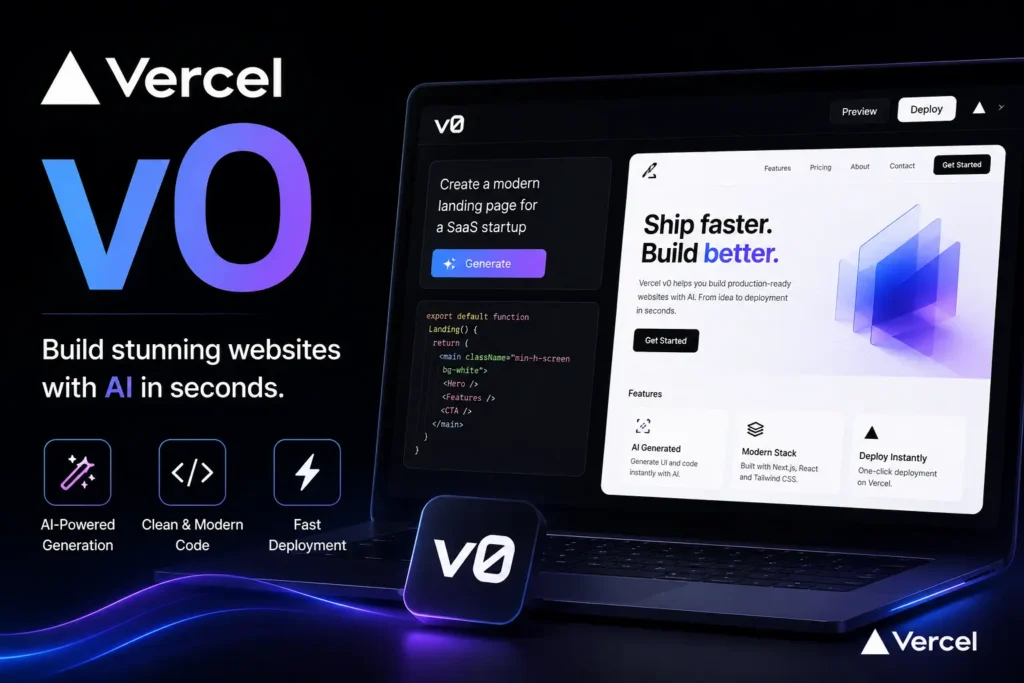
Vercel v0 is an AI-powered tool that generates production-ready React components and full-stack web applications from natural language prompts. It uses React, Tailwind CSS, and shadcn/UI as its output stack. Launched in 2023 and expanded into full-stack capabilities by 2026, v0 is designed to speed up UI development without replacing developer judgment. It offers a free tier with usage credits and paid plans for heavier workloads.
You have seen the demos. Someone types one sentence and a clean React dashboard appears on screen. No drag and drop. No templates. Just a text prompt and working code.
That is Vercel v0 in action.
But before you build your next project with it, you need to know exactly what v0 can do, what it cannot do, and whether it fits your workflow. This guide covers what Vercel v0 is, how it works, what frameworks it supports, how to use it for the first time, what it costs, and how it stacks up against alternatives in 2026.
What Is Vercel v0?
Vercel v0 is an AI-powered generative UI and full-stack application builder developed by Vercel. It takes a natural language description and turns it into production-ready code. The output uses React, Tailwind CSS, and shadcn/UI as its core tech stack.
v0 first launched in October 2023 as a UI component generator. Back then, the focus was simple: describe a button, a form, or a card layout, and v0 would write the JSX for you. Over the next two years, Vercel expanded the tool far beyond that original scope.
By 2025, v0 had grown into a full-stack AI coding assistant. It also moved from its original address at v0.dev to its current home at v0.app in August 2025. The rebrand was intentional. Vercel wanted to signal that v0 was no longer just for developers. It was now built for founders, designers, marketers, and anyone who needed to build something for the web fast.
With over 6 million users as of 2025, v0 has become one of the most widely used AI app builders on the market.
How Does Vercel v0 Work?
At its core, v0 accepts a natural language prompt and returns working code. There is no visual drag-and-drop interface. You describe what you want, and the AI generates it. Here is the basic workflow:
Step 1: Go to v0.app
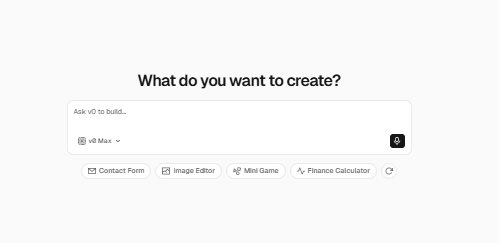
Open your browser and visit v0.app. You can start with a free account. No complex setup is required.
Step 2: Write a Prompt
Type a description of what you want to build. For example: “Create a login form with email, password, and a forgot password link using Tailwind CSS.” Be specific for better results.
Step 3: Review the Generated Code
v0 returns JSX code styled with Tailwind CSS and built on shadcn/UI components. You can see a live preview on the right side of the screen.
Step 4: Refine With Follow-Up Prompts
If the output is not quite right, type a follow-up instruction. For example: “Make the button blue and add a loading state.” v0 updates the code in real time.
Step 5: Export Your Code
Once you are happy with the output, copy the code or export it directly into your Next.js or React project. No manual reformatting is needed. The code is production-ready.
Step 6: Deploy on Vercel
If you are using Vercel for hosting, you can push the project and deploy it in minutes using standard Vercel deployment workflows.
This prompt-to-UI workflow is what makes v0 stand out. You are not working with low-fidelity mockups. You are generating real, runnable code from a single text description.
What Can You Build With Vercel v0?
v0 supports a wide range of build types. The key is understanding which use cases it handles well and where it works best.

UI and Front-End Use Cases
For front-end work, v0 is a strong tool. You can use it to generate:
- React UI components like buttons, modals, cards, and navbars
- Full landing page layouts
- Sign-up and login forms
- Dashboards with data visualizations
- Admin panel interfaces
- Marketing sections like hero banners and pricing tables
The output is always styled with Tailwind CSS and built on shadcn/UI components. This makes the code easy to drop into any existing React or Next.js project.
Full-Stack Application Use Cases
As of 2025 to 2026, v0 goes beyond front-end scaffolding. You can now use v0 to generate:
- Full-stack web applications with both front-end and back-end logic
- API routes and server-side components within Next.js
- Database-connected app scaffolds using AI-assisted backend generation
- Internal tools and dashboards with real data integration.
This full-stack capability is a major upgrade from what v0 could do in 2023. It means you can go from a text description to a working multi-layer application, not just a UI shell.
Vercel v0 Pricing: Free Plan and Paid Tiers
v0 offers four subscription plans to match different team sizes and workloads. Here is a full breakdown of every plan, including what is included and who each one is built for.
Subscription Plans
| Plan | Price | Key Features | Best For |
| Free | $0/month | $5 of included monthly credits, deploy apps to Vercel, edit visually with Design Mode, sync with GitHub, 7 messages per day limit | Exploring v0, light prototyping, testing new ideas |
| Team (Most Popular) | $30/user/month | $30 of included monthly credits per user, $2 of free daily credits on login per user, purchase additional credits outside monthly usage shared across your team, centralized billing on vercel.com, share chats and collaborate with your team | Freelancers and small development teams who need collaborative builds |
| Business | $100/user/month | $30 of included monthly credits per user, $2 of free daily credits on login per user, training opt-out by default, purchase additional credits outside monthly usage shared across your team, centralized billing on vercel.com, share chats and collaborate with your team | Businesses that need data privacy controls and team-wide collaboration |
| Enterprise | Custom Pricing | Your data is never used for training, SAML SSO, role-based access control, priority access for better performance and no queues, guaranteed customer support SLAs | Large organizations with strict security, compliance, and performance needs |
The key difference between Business and Team is the training opt-out by default feature on Business. If your company cannot allow its code to be used in AI model training, Business or Enterprise is the right choice.
Model Pricing
v0 also offers pay-per-token model pricing with four tiers based on speed and intelligence needs.
| Model | Description | Input Tokens | Cache Write | Cache Read | Output Tokens |
| v0 Mini | Lightning-fast speed with near-frontier intelligence | $1/1M tokens | $1.25/1M tokens | $0.10/1M tokens | $5/1M tokens |
| v0 Pro | Balanced speed and intelligence, with superior performance for most tasks | $3/1M tokens | $3.75/1M tokens | $0.30/1M tokens | $15/1M tokens |
| v0 Max | Maximum intelligence for complex work and demanding users | $5/1M tokens | $6.25/1M tokens | $0.50/1M tokens | $25/1M tokens |
| v0 Max Fast | Maximum intelligence with 2.5x faster output speed for rapid iteration | $10/1M tokens | $12.50/1M tokens | $1/1M tokens | $50/1M tokens |
For most everyday tasks, v0 Pro gives the best balance of quality and cost. If you are working on a complex full-stack project that demands maximum reasoning accuracy, v0 Max is worth the higher token cost. For rapid design iteration where speed matters more than depth, v0 Max Fast delivers the fastest output.
Always check v0.app directly for the most current pricing, as Vercel updates its plans and token rates regularly.
Vercel v0 vs. Bolt.new, Lovable and Replit: Which Should You Use?
v0 is a strong tool, but it is not the only AI app builder on the market. Here is how it compares to its three main 2026 competitors.
| Tool | Primary Focus | Tech Stack Output | Free Tier | Best For |
| Vercel v0 | UI and full-stack generation | React, Tailwind CSS, shadcn/UI, Next.js | Yes, with credit limits | Developers who want production-ready React code fast |
| Bolt.new | Full-stack generation | React, Node.js, Prisma | Yes, limited | Developers who need front-end and back-end together from one prompt |
| Lovable | Product-focused UI building | React-based components | Yes | Founders and non-coders building product prototypes |
| Replit AI | Cloud-hosted coding and deployment | Multi-language support | Yes | Beginners, education, quick cloud experiments |
The right choice depends on your stack and your goal. If you are building in React and Next.js and want clean, exportable code, v0 is likely your best starting point. If you need a full-stack app with database integration in one shot, Bolt.new may be a better fit.
What Are the Limitations of Vercel v0?
No AI tool is perfect. Before you commit to v0 as part of your workflow, here are the key limitations to know:
- Free tier credit limits: The free plan can run out quickly during active development sessions. Heavy iteration and refinement burns through credits fast, and upgrading to a paid plan may be necessary sooner than expected.
- React and Next.js bias: v0 works best with React-based projects. If your project uses Vue, Svelte, Angular, or another framework, the output will be less reliable and may require significant rewriting.
- Design system mismatch: Generated components are built on shadcn/UI and Tailwind CSS defaults. If your existing project uses a custom design system, the generated code may need heavy styling adjustments before it fits.
- Not a replacement for engineering judgment: v0 is a scaffolding and acceleration tool. It generates a starting point, not a finished product. A developer still needs to review, test, and refactor the output before shipping it to production. Teams can also use tools like Swarmia to monitor developer productivity and identify opportunities to improve their engineering workflows.
Knowing these limits upfront will save you time and frustration when you start using the tool.
How to Get Started With Vercel v0 (Step-by-Step)
Getting started with v0 is straightforward. You do not need any prior setup or configuration. Follow these steps:
- Visit v0.app and sign in with your GitHub or Google account. The sign-up process takes under two minutes.
- Start a new project or chat. v0 uses a conversational interface. Click “New Chat” or open a new project workspace.
- Write your first prompt. Be specific. Instead of “make a login page,” try “create a login form with an email field, a password field, a sign-in button in blue, and a forgot password link below it.”
- Review the live preview. v0 shows a real-time rendered preview of your component next to the code. Check both the visual output and the JSX code.
- Refine with follow-up prompts. Type changes directly in the chat. For example: “Add a Google sign-in button below the form” or “Change the background to dark mode.”
- Copy or export the code. Once you are satisfied, copy the component code and paste it into your React or Next.js project. All dependencies like Tailwind CSS and shadcn/UI must already be installed in your project.
If you are testing v0-generated sign-up forms or user flows during development, using a disposable email address is a clean way to keep your developer inbox free of test messages. FreeMail.ai lets you create a temp inbox instantly with no sign-up required.
What Is New in Vercel v0 in 2025 and 2026?
v0 has changed significantly over the past year. Here are the two most important updates to know.
August 2025: v0.dev becomes v0.app
Vercel migrated the product from v0.dev to v0.app and repositioned it with a broader audience in mind. The tagline shifted from a developer-centric tool to “the AI builder for everyone.” This included founders, designers, marketers, sales teams, and finance teams, not just engineers.
February 2026: The New Enterprise v0
Vercel launched a significantly upgraded version of v0 in February 2026. The new v0 added enterprise-grade features including git workflow integrations, production-level security controls, and real third-party integrations. This version is designed for teams that need to move from AI-generated code to production deployment with proper version control and security protocols in place.
If you have read older guides that still reference v0.dev or describe v0 as a front-end-only tool, those articles are out of date. The 2026 version is a materially different and more capable product.
Final Thoughts: Is Vercel v0 Worth Using?
Vercel v0 is one of the most capable AI coding tools available in 2026. For developers who work in the React and Next.js ecosystem, it can cut the time spent on UI scaffolding and prototyping by a significant margin. The move to full-stack support in 2025 and 2026 makes it even more versatile than it was at launch.
That said, it is not a magic button. Free tier limits are real. Framework bias toward React is real. And like any AI tool, the output still needs a human developer’s eye before it ships to production.
For the right project and the right team, v0 is genuinely useful. Start with the free tier at v0.app, write your first prompt, and see what it generates. The fastest way to understand what v0 can do is to try it yourself.
And if you are testing forms, sign-up flows, or email validation as part of your development process, grab a free disposable inbox at FreeMail.ai to keep your workflow clean. No sign-up. No clutter. Just a temp email address ready in one click.