

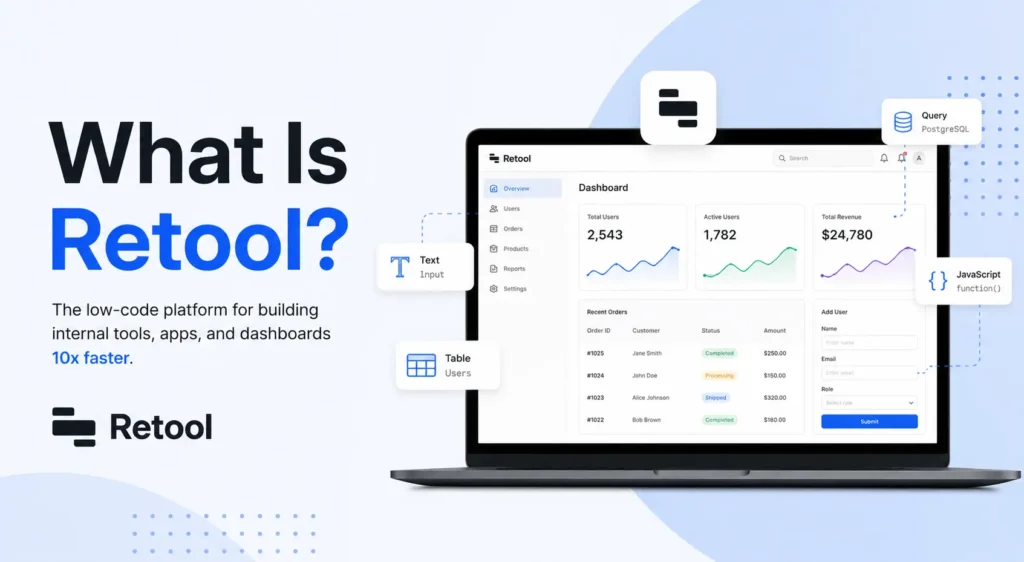
Retool is a low-code platform that helps teams build internal business apps like admin panels, dashboards, and workflow tools. Instead of coding a frontend from scratch, developers connect Retool to their existing databases and APIs, then use ready-made building blocks to create a working tool fast. It is best for teams that already have data sources and need internal software quickly, not for building customer-facing apps.
Imagine your team needs a simple tool to check orders, update customer records, or approve refunds. Building that from zero could take weeks. That’s the exact problem Retool was built to solve. In this guide, we’ll break down what Retool is, how it works, who uses it, and whether it’s the right fit for your team.
What Is Retool, Exactly?
Retool is a low-code development platform that lets teams build internal business applications, such as admin panels, dashboards, and workflow tools, by connecting directly to existing databases, APIs, and services rather than coding a frontend from scratch.
Think of Retool as a toolbox for building software that only your team will use, not something customers will see. A support team might use it to look up orders. An operations team might use it to approve requests. A finance team might use it to review invoices. These are all examples of internal software, and Retool was made to speed up how quickly teams can build it.
It is important to know that Retool is a low-code platform, not a no-code platform. That means it gives you a head start with a drag-and-drop UI, but you may still need some coding knowledge for more advanced features. This is different from a lesson plan format style of “one size fits all,” because Retool can flex depending on how technical your team is.
How Does Retool Work?
Retool works by connecting to the data you already have, then letting you build a simple interface around it. You don’t need to build a database or write a backend from scratch.
Here is a simple breakdown of how it works:
- You connect Retool to your existing database, API, or cloud service
- You drag and drop pre-built UI components like tables, buttons, and forms onto a canvas
- You link those components to your data so buttons and forms actually do something
- You add custom code using JavaScript or SQL if you need something more advanced
This combination of visual programming and real code gives Retool its flexibility. You get speed from the drag-and-drop builder, and you get power from the ability to write real code when the built-in blocks are not enough.
What Can You Build With Retool?
With Retool, teams commonly build admin panels, internal dashboards, CRM tools, approval workflows, and customer support consoles by connecting existing data sources with pre-built UI components.
Some of the most common use cases include:
- Admin panels for managing users, orders, or content
- Internal dashboards that show live business data
- Workflow automation tools for approvals and requests
- Customer support consoles that pull data from multiple systems
- Simple CRM tools built around an existing database
These use cases show why Retool has become a popular choice for internal software. Instead of hiring a full team to build a custom internal tool, one developer can often build the same thing much faster using Retool’s building blocks.
Who Uses Retool?
Retool is trusted by more than 10,000 companies, including well-known names like Amazon, Stripe, and Brex. These companies use Retool to build internal tools without slowing down their engineering teams with repetitive frontend work.
The Types of Teams That Use Retool
Different teams inside a company use Retool for different reasons.
- Engineering teams use it to quickly prototype internal tools
- Operations teams use it to manage day-to-day workflows
- Support teams use it to view and update customer data
- Finance teams use it to review and approve requests
Because Retool connects to almost any database or API, it fits into many different departments, not just engineering. This flexibility is one reason so many companies across different industries have adopted it.
Is Retool No-Code or Low-Code?
Retool is a low-code platform, not a no-code one. While it offers drag-and-drop UI components, building anything beyond the basics typically requires some JavaScript or SQL knowledge.
This is one of the most common points of confusion. A pure no-code tool, like Bubble, is designed so that people with zero coding background can build full applications. Retool, on the other hand, is built with developers in mind. It speeds up development, but it does not remove the need for coding entirely.
If your team has at least one person comfortable writing simple code, Retool will likely feel fast and flexible. If your team has no technical background at all, a fully no-code tool might be a better starting point.
How Much Does Retool Cost?
Retool offers a free plan for up to 5 users, with paid plans starting around $10 per month per builder, plus $5 per month per internal user on annual billing. Larger teams can also get custom enterprise pricing.
Retool splits its pricing into three types of users: builders who create the apps, internal users who use the finished tools, and external users outside the company. This structure means your cost depends on how many people are actually building versus how many are just using the tools.
Since pricing details can shift over time and depend on your team size, it’s worth reading the full breakdown before making a decision. See the full Retool pricing guide here.
Is Retool Right for Your Team?
Retool tends to work best for teams that already have data sitting in databases or APIs and need to turn that data into a usable tool fast. If your team fits that description, Retool can save a lot of development time.
Here are a few signs Retool might be a good match for you:
- Your team already has databases, APIs, or cloud services in place
- You have at least one developer comfortable with basic coding
- You need to move quickly on building internal tools
- You want to avoid building an entire custom application from scratch
On the other hand, if you are a non-technical team building a customer-facing product, a different platform built for that purpose may be a better fit. Retool shines brightest when the goal is internal software, not public apps.
Final Thoughts
Retool is a practical answer to a common problem: internal tools take too long to build from scratch. By combining a low-code builder with the flexibility of real code, it gives teams a faster path to admin panels, dashboards, and workflow apps without starting from zero. Whether Retool is the right fit for you depends on your team’s technical comfort level and how quickly you need to move.
If you’re ready to plan your budget around this platform, the next smart step is understanding exactly what you’ll pay. Check out the complete Retool pricing breakdown to see which plan fits your team’s size and needs before you get started.