

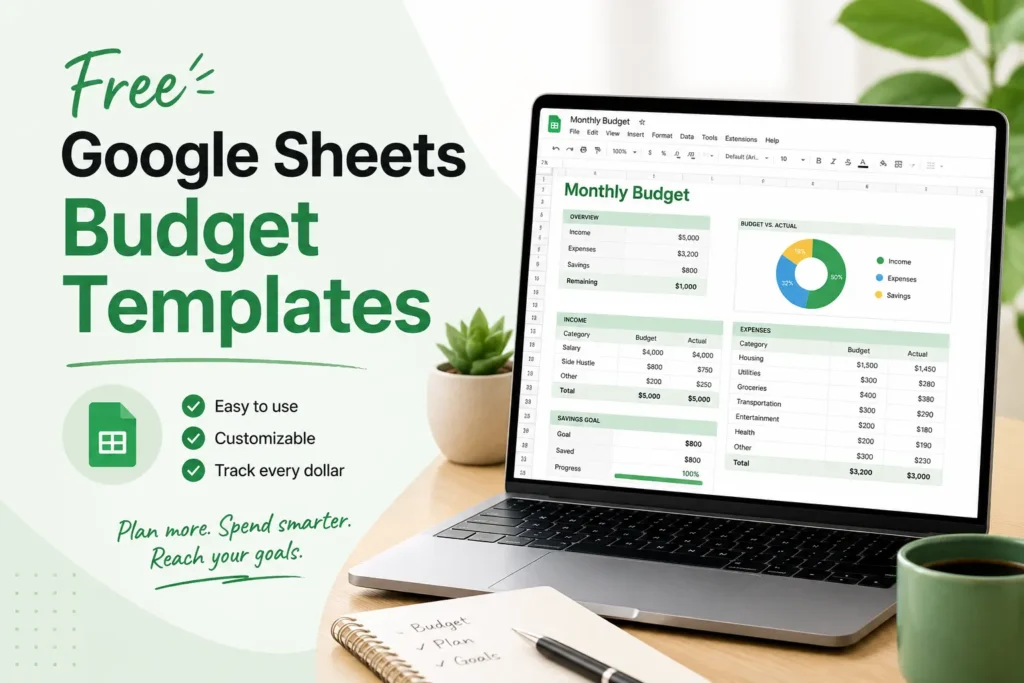
Google Sheets offers dozens of free budget templates for personal finance, families, and businesses. The best options include Google’s native monthly and annual templates, community-created spreadsheets shared on Reddit, and third-party templates from sites like Smartsheet and Tiller. Most are fully free for manual use. Some advanced automation features require a paid plan. Choose based on your use case: monthly tracking, annual overview, 50/30/20 budgeting, or zero-based planning.
You want to get your finances in order. But the blank spreadsheet is staring back at you, and you have no idea where to start. Sound familiar?
The good news is that free Google Sheets budget templates already exist for nearly every situation. Whether you are tracking a monthly household budget, planning a family’s annual spending, or following the 50/30/20 rule, there is a ready-made income and expense tracker waiting for you in Google Sheets right now.
This list covers the best free budget spreadsheet templates for Google Sheets in 2026. Each option is labeled as truly free or free-with-limits so you know exactly what you are getting before you click any link. Templates are grouped by use case so you can find the right fit in under a minute.
Does Google Sheets Have a Free Budget Template Built In?
Yes. Google Sheets includes free native templates you can access without downloading anything.
Here is how to find them:
- Open Google Sheets at sheets.google.com
- Click Template gallery in the top right corner
- Scroll to the Personal section
- Select Monthly Budget or Annual Budget
- The template opens in your Google Drive automatically
- Click File > Make a copy to save your own editable version
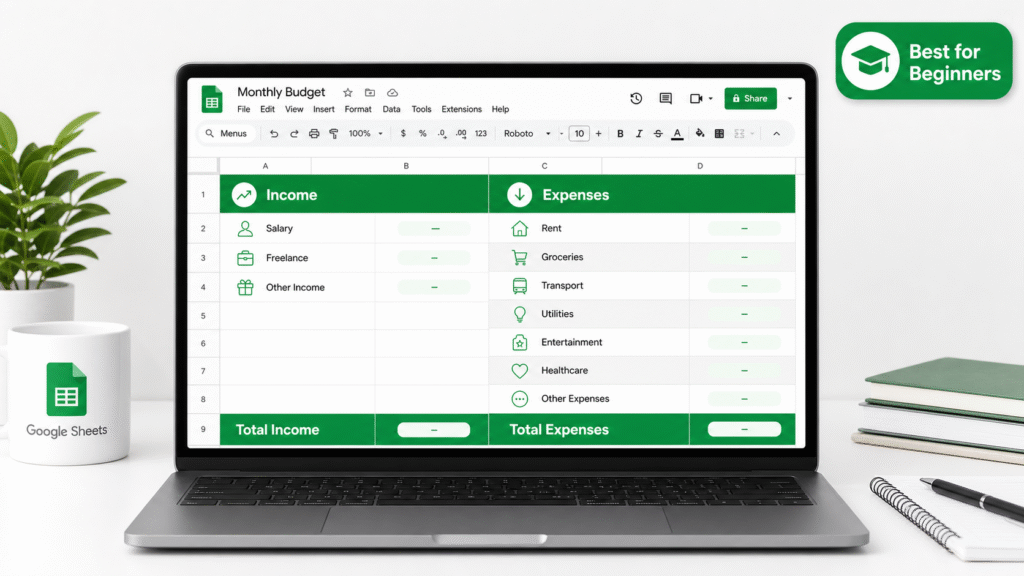
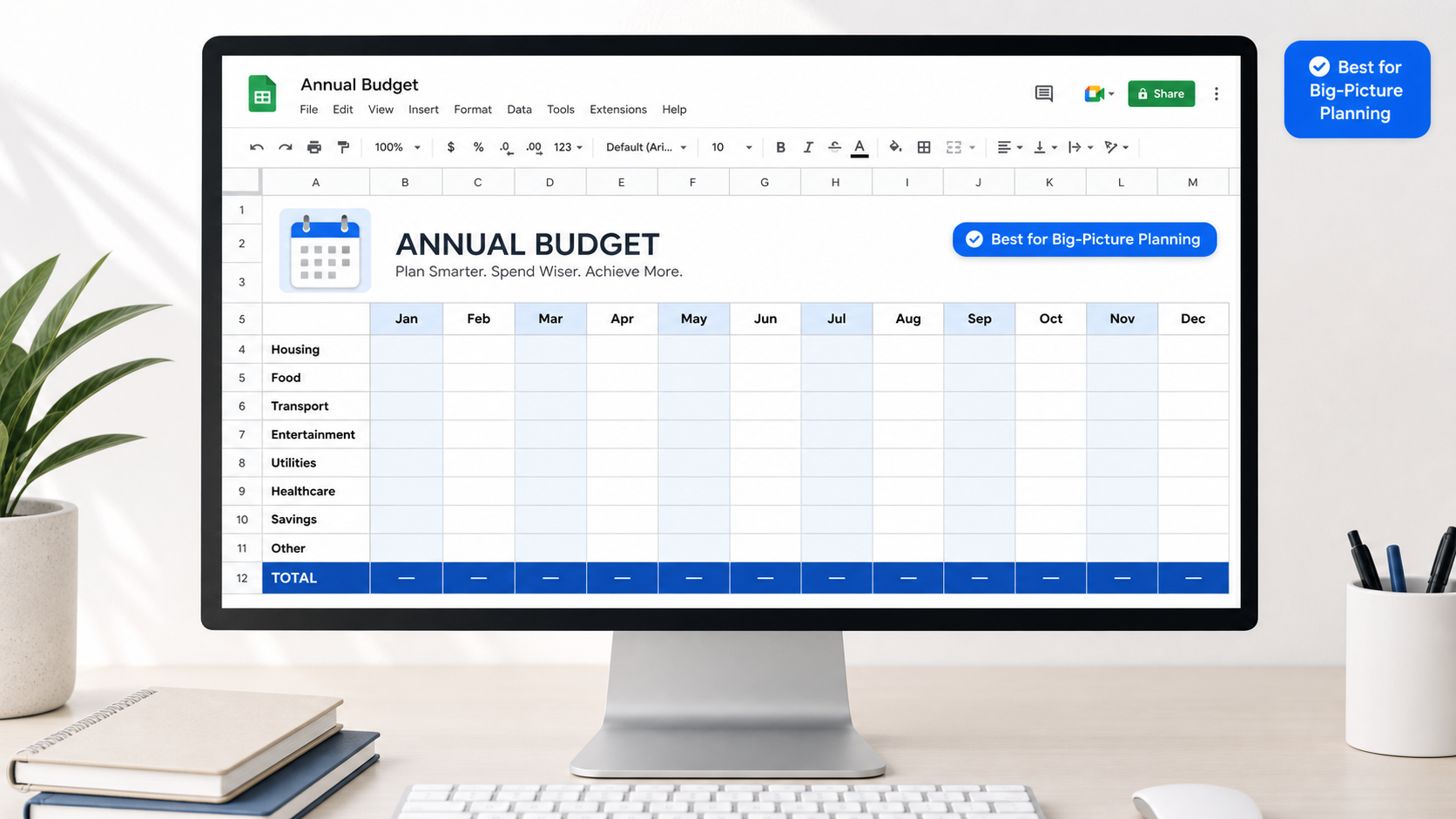
Both templates are genuinely free and work inside Google Workspace with zero setup. The Monthly Budget template gives you a simple income and expense tracker with pre-built budget categories. The Annual Budget template shows a full year-at-a-glance summary across all spending areas.
The honest downside? Both are basic. There are no automatic calculations that pull in real bank data, no savings goals tracker, and no visual dashboard. They are a solid starting point, but most people outgrow them quickly. That is where the templates below come in.
What to Look for in a Free Budget Spreadsheet for Google Sheets
Before jumping into the list, here are six features that separate a great budget spreadsheet from a frustrating one:
- Income and expense tracking fields that match how you actually spend money
- Budget vs. actual comparison so you can see when you are overspending in real time
- Pre-built expense categories like groceries, utilities, transportation, and entertainment
- Net income calculation that shows whether you are spending more than you earn
- Mobile usability in the Google Sheets app for on-the-go expense entry
- Simple customization so you can add or remove categories without breaking formulas
With those criteria in mind, here are the ten best free options available right now.
The 10 Best Free Google Sheets Budget Templates in 2026
Looking for the best free Google Sheets budget template? The good news is that you do not need expensive budgeting software to manage your money. Whether you want a simple monthly budget, a family spending planner, a zero-based budget, or an automated finance tracker, there are plenty of free Google Sheets templates available.
After reviewing the most popular options, these are the 10 best free Google Sheets budget templates in 2026:
- Google’s Native Monthly Budget Template
- Google’s Annual Budget Template
- Tiller Foundation Template
- Reddit Community Template by Celesmeh
- 50/30/20 Budget Calculator Template
- Deborah Ho Expense Tracker
- Budget Planner by 20 Something Finance
- Free Family Budget Template from Smartsheet
- Zero-Based Budget Template from UIBakery
- Weekly Budget Template by UIBakery
Each template serves a different purpose. Some are designed for beginners, while others focus on debt payoff, savings goals, family budgeting, or automated transaction tracking. The right choice depends on your budgeting style, financial goals, and how much detail you want to track.
1. Google’s Native Monthly Budget Template (Best for Beginners)
Truly free. No third-party account needed.
This is the simplest starting point for anyone new to personal finance spreadsheets. The Google Workspace template opens instantly and gives you a clean income and expense tracker with basic budget categories already filled in.
Pros:
- Fully free, no setup time
- Built into Google Sheets with no external links
- Clean and readable layout
Cons:
- Manual entry only, no automatic calculations
- Resets each month without carrying forward data
- No savings goals or debt payoff tracker
Best for: First-time budgeters, students, and anyone who just wants to start tracking money today.
2. Google’s Annual Budget Template (Best for Big-Picture Planning)
Truly free. Pairs with the monthly template above.
The Annual Budget template gives you a full 12-month overview in a single collaborative budget spreadsheet. You can see total income, total spending, and net income across the entire year side by side.
Pros:
- Year-at-a-glance layout
- Pre-built expense categories for the full year
- Great for planning ahead before January
Cons:
- Requires manual monthly transfers from your monthly sheet
- No dashboard or chart view
- Simple formatting only
Best for: People who want to plan annual spending goals or track progress over a full year.
3. Tiller Foundation Template (Best for Automation Seekers)
Free trial available. Full automation requires a paid Tiller subscription.
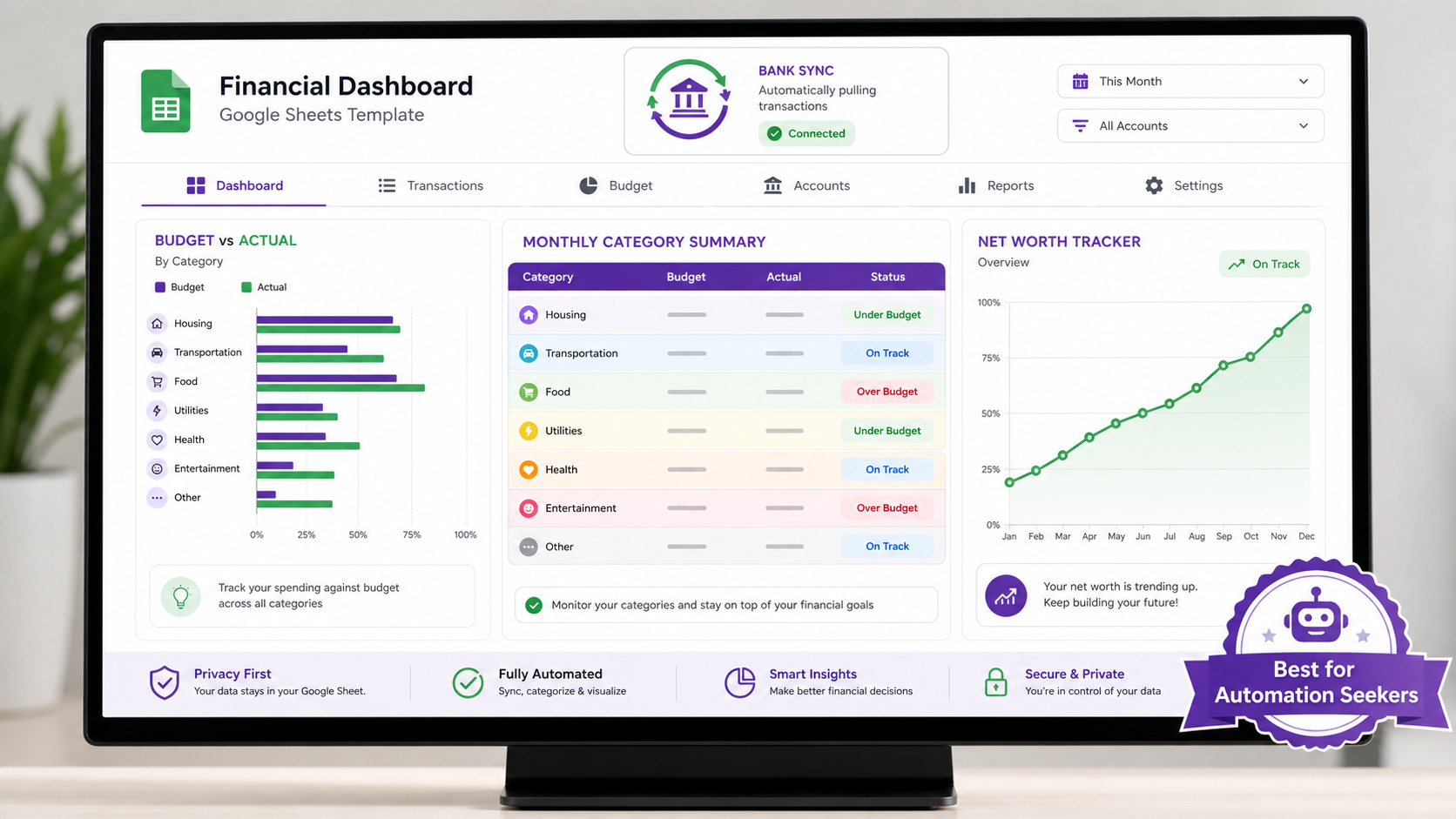
Tiller’s Foundation Template is one of the most popular budget templates in the Google Sheets community. According to Tiller, it is described as “the only budget for Google Sheets that automatically tracks daily spending” by pulling in real bank transactions.
The template itself is beautifully structured with a budget vs. actual comparison view, monthly category summaries, and a net worth tracker.
Pros:
- Automatic transaction syncing (with Tiller paid plan)
- Budget vs. actual comparison built in
- Clean dashboard with savings goals tracker
Cons:
- Automatic syncing requires a paid Tiller subscription after the free trial
- Manual entry is still possible but defeats the main advantage
- Overkill for casual budgeters
Best for: People who want a fully automated personal finance spreadsheet and are willing to pay for it after testing the free version.
4. Reddit Community Template by Celesmeh (Best for People Who Hate Budgeting)
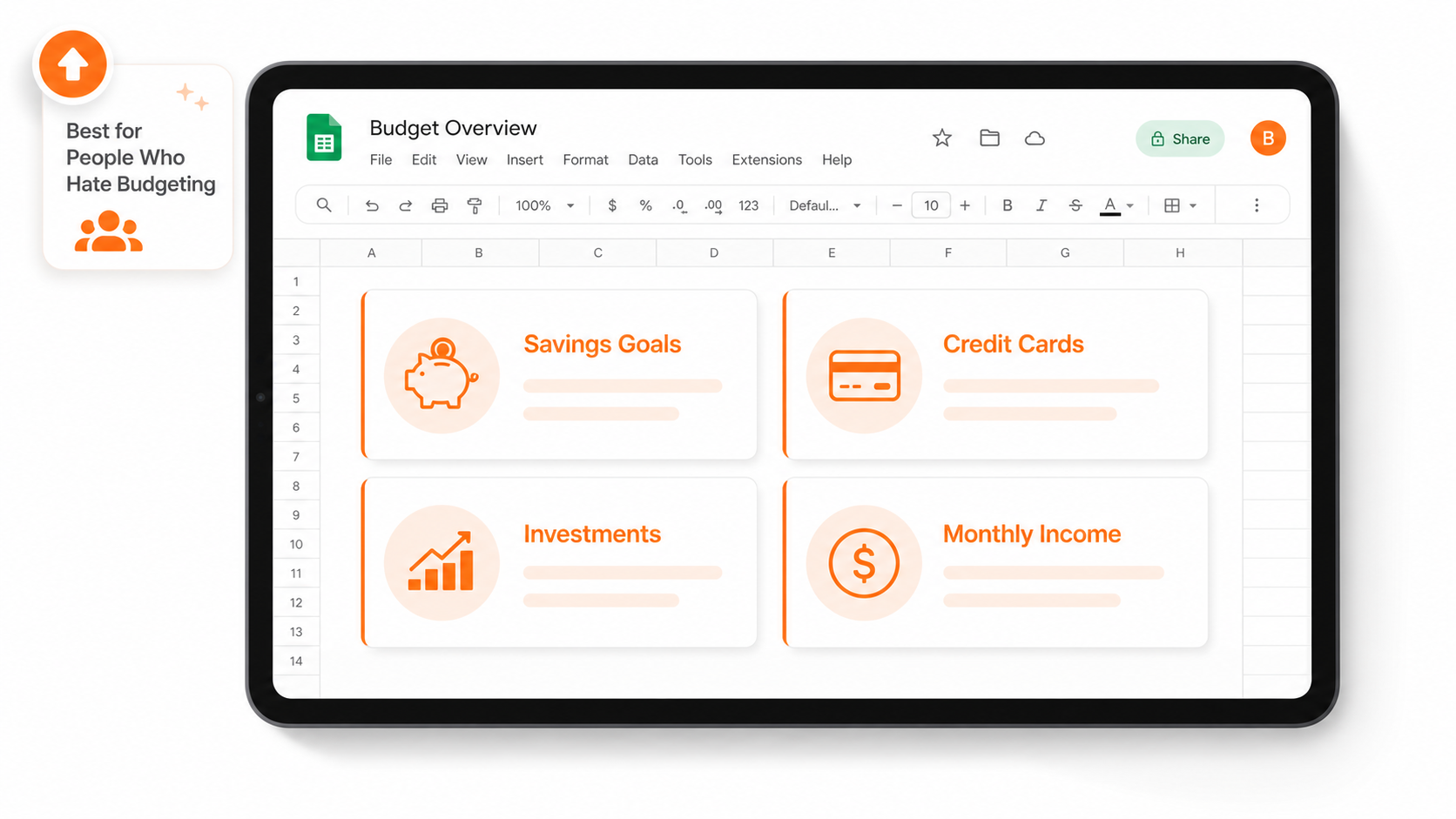
Truly free. No account required.
This spreadsheet was created by a Reddit user and has earned over 10,000 upvotes on r/personalfinance, making it one of the most community-verified budget templates available anywhere.
It was designed specifically for people who feel intimidated by traditional budgeting. Instead of tracking every single dollar, it gives you a big-picture view of your savings goals, credit card balances, investment accounts, and monthly income.
Pros:
- Big-picture financial overview in one sheet
- Covers savings goals, credit cards, and stocks together
- Proven by thousands of real users
Cons:
- No day-by-day expense tracking
- No monthly or yearly comparison views
- Requires some initial setup to personalize categories
Best for: Anyone who feels overwhelmed by detailed budgets and wants a simple, stress-free monthly budget planner.
5. 50/30/20 Budget Calculator Template (Best for the 50/30/20 Rule)
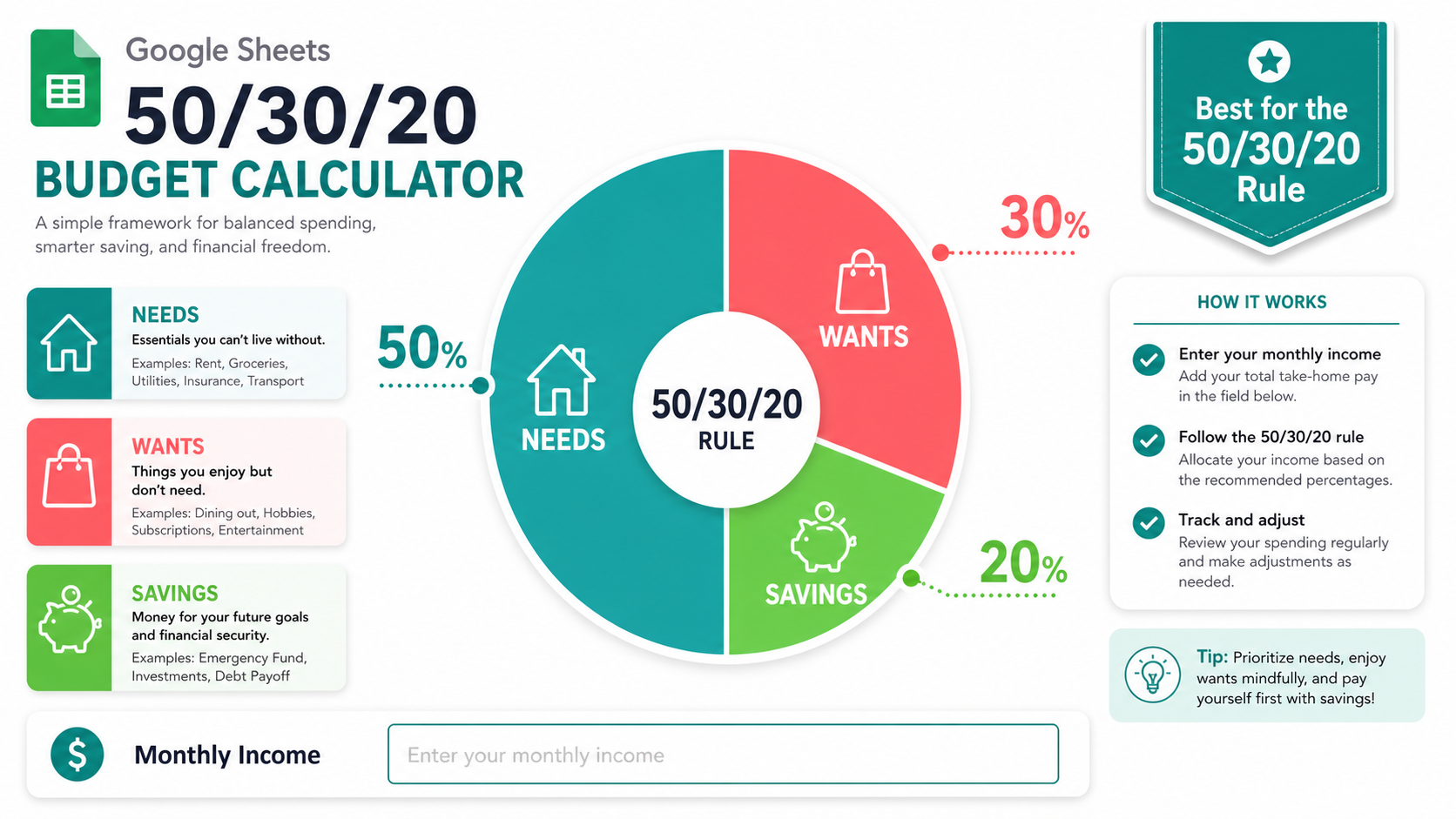
Truly free. Available as a Google Sheets copy.
The 50/30/20 budgeting rule, popularized by Senator Elizabeth Warren in her personal finance work, divides your after-tax income into three buckets: 50% for needs, 30% for wants, and 20% for savings or debt payoff.
This template does the math for you. Enter your monthly income and the spreadsheet instantly shows how much you should be spending in each category.
Pros:
- Instant budget allocation with zero manual math
- Built-in personal finance framework
- Great introduction to structured budgeting
Cons:
- No transaction tracking or expense log
- Only works well for people with consistent monthly income
- Too simple for advanced financial tracking
Best for: People starting their budgeting journey who want a clear, rule-based monthly budget planner without building anything from scratch.
6. Deborah Ho Expense Tracker (Best Design-Forward Template)
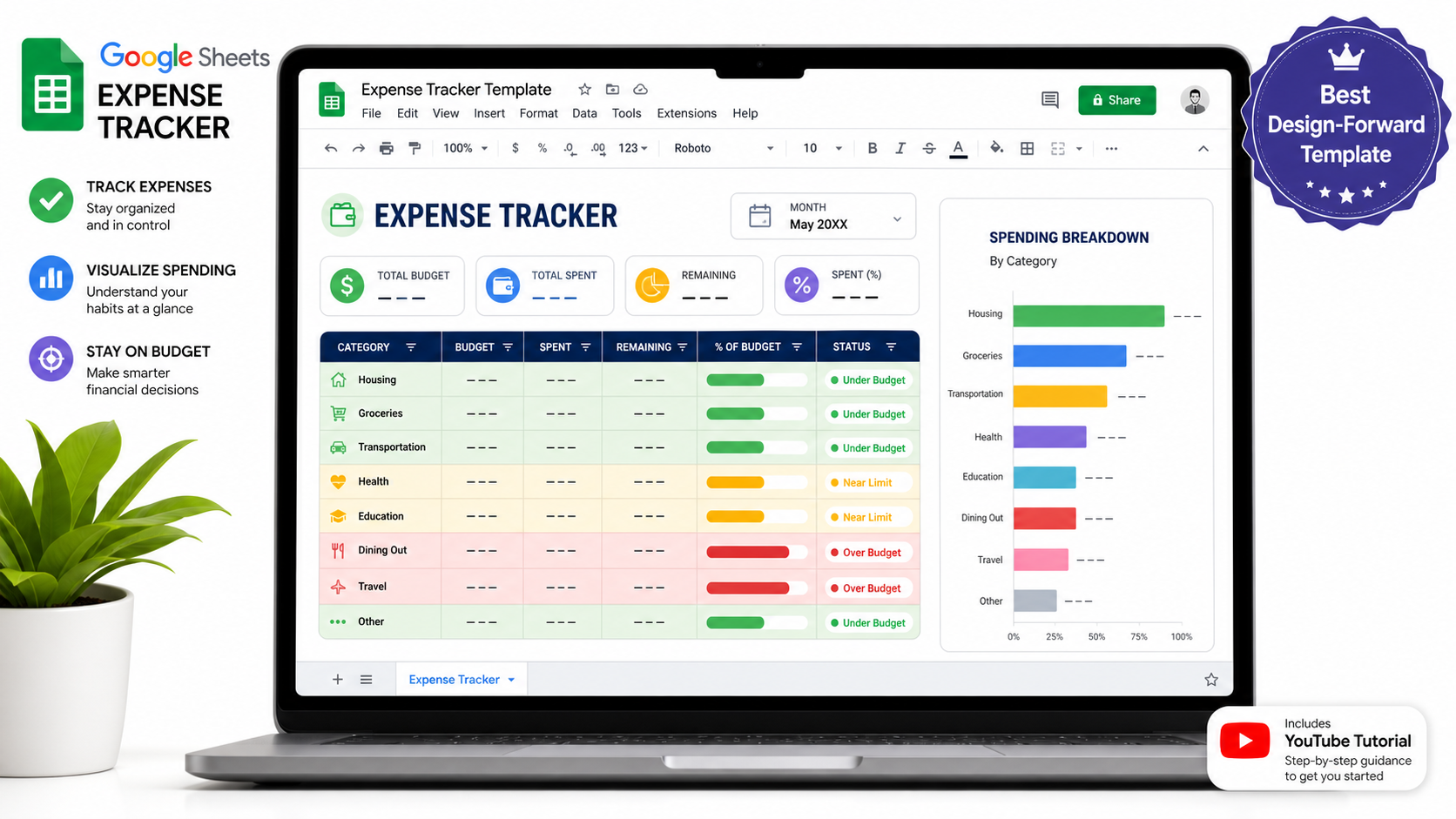
Truly free. Has an active YouTube tutorial community.
This template went viral in the personal finance community and has been updated multiple times based on user feedback. It features a detailed income and expense tracker with strong visual formatting, conditional formatting color coding, and a well-organized category system.
Unlike most free templates, this one comes with video walkthroughs, making the setup process significantly easier for visual learners.
Pros:
- Visually polished and easy to read
- Active community support and video tutorials
- Regular updates and bug fixes
Cons:
- Setup takes 20 to 30 minutes to personalize
- No automation; fully manual data entry
- May feel complex for absolute beginners
Best for: Detail-oriented budgeters who want a good-looking, thorough expense tracker and do not mind spending time on initial setup.
7. Budget Planner by 20 Something Finance (Best for Variable Income)
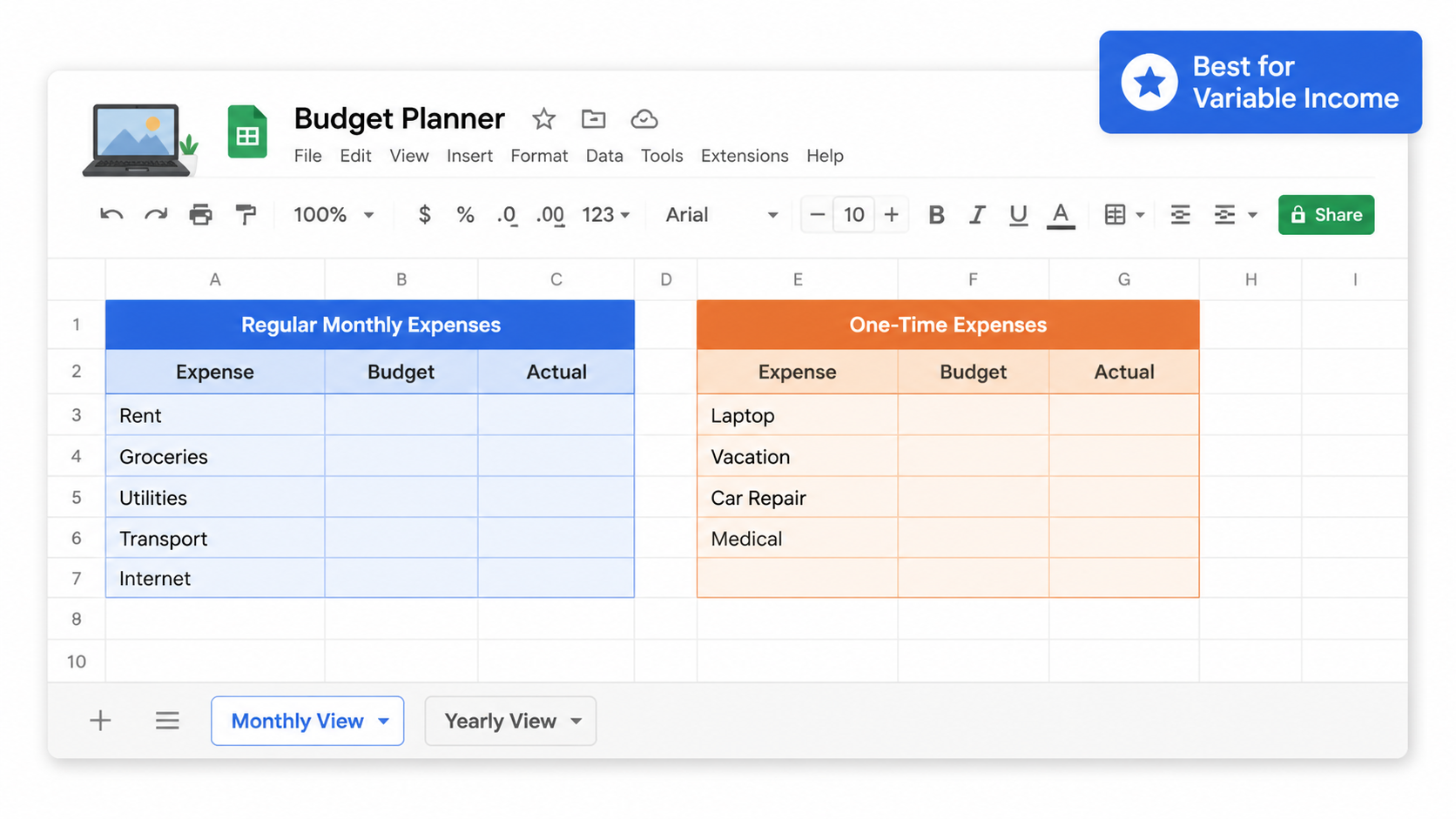
Truly free. Available as a Google Sheets copy.
This template separates regular monthly expenses from one-time expenses, which makes it ideal for freelancers, gig workers, and anyone with irregular income. It includes both a monthly view and a yearly view in the same spreadsheet.
Pros:
- Handles irregular income and one-time expenses separately
- Monthly and yearly views in one file
- Good for freelancers, contractors, and self-employed users
Cons:
- No daily expense tracker
- Less visual than other options
- Requires manual category customization
Best for: Freelancers, gig workers, and self-employed individuals whose income changes month to month.
8. Free Family Budget Template from Smartsheet (Best for Households)
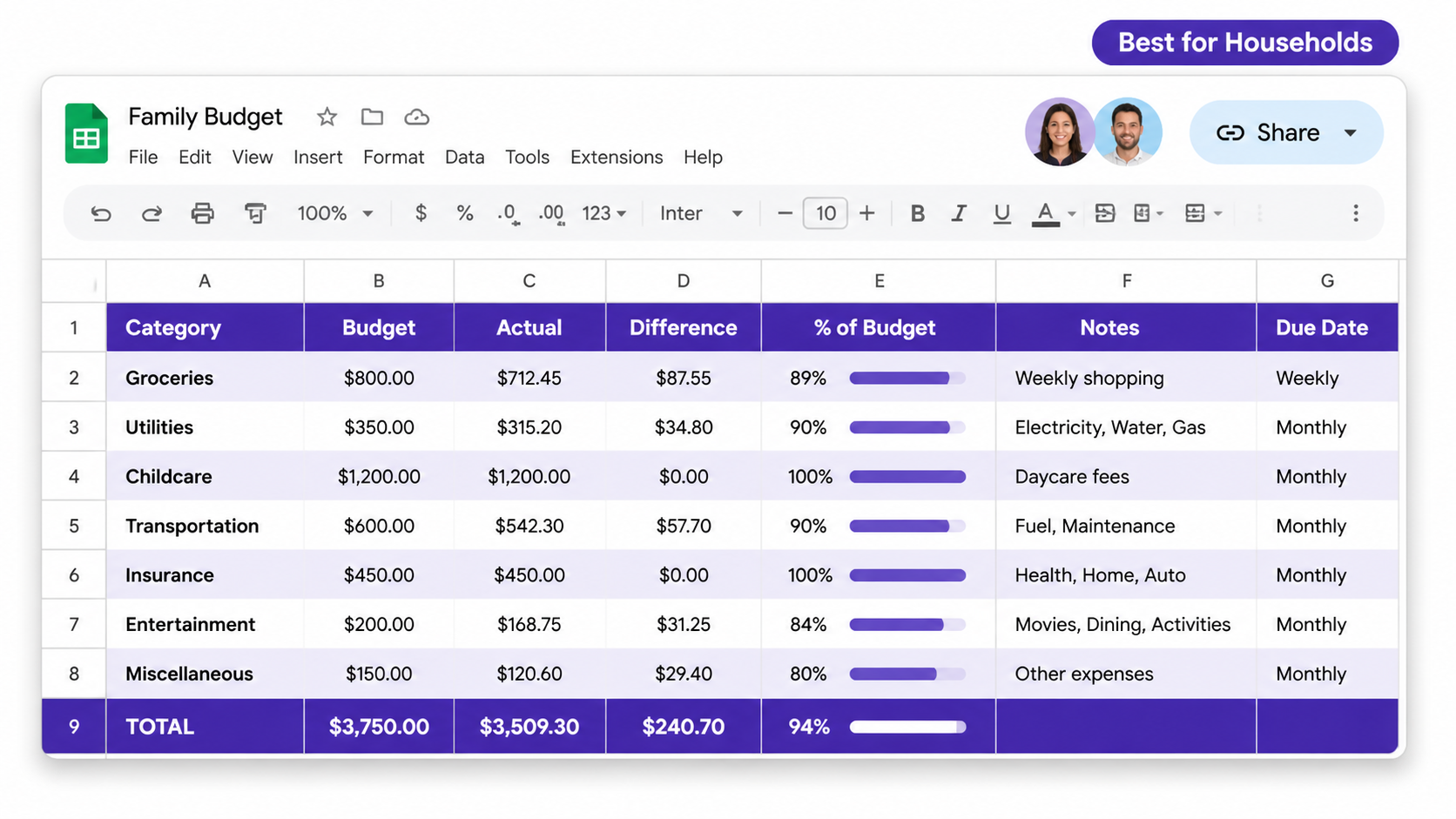
Partially free. Some Smartsheet features require a paid account.
Smartsheet offers a family budget template for Google Sheets that includes household-specific expense categories such as groceries, utilities, childcare, transportation, insurance, and entertainment.
The free version downloads directly to Google Sheets and works without a Smartsheet account. Advanced automation and sharing features require a subscription.
Pros:
- Family-specific categories built in
- Works as a collaborative budget spreadsheet for couples and households
- Clean professional layout
Cons:
- Smartsheet pushes its own product within the template
- Some features are locked behind a paid plan
- Less beginner-friendly than Google’s native options
Best for: Families, couples, and households tracking multiple income streams and shared spending categories.
9. Zero-Based Budget Template from UIBakery (Best for Financial Discipline)
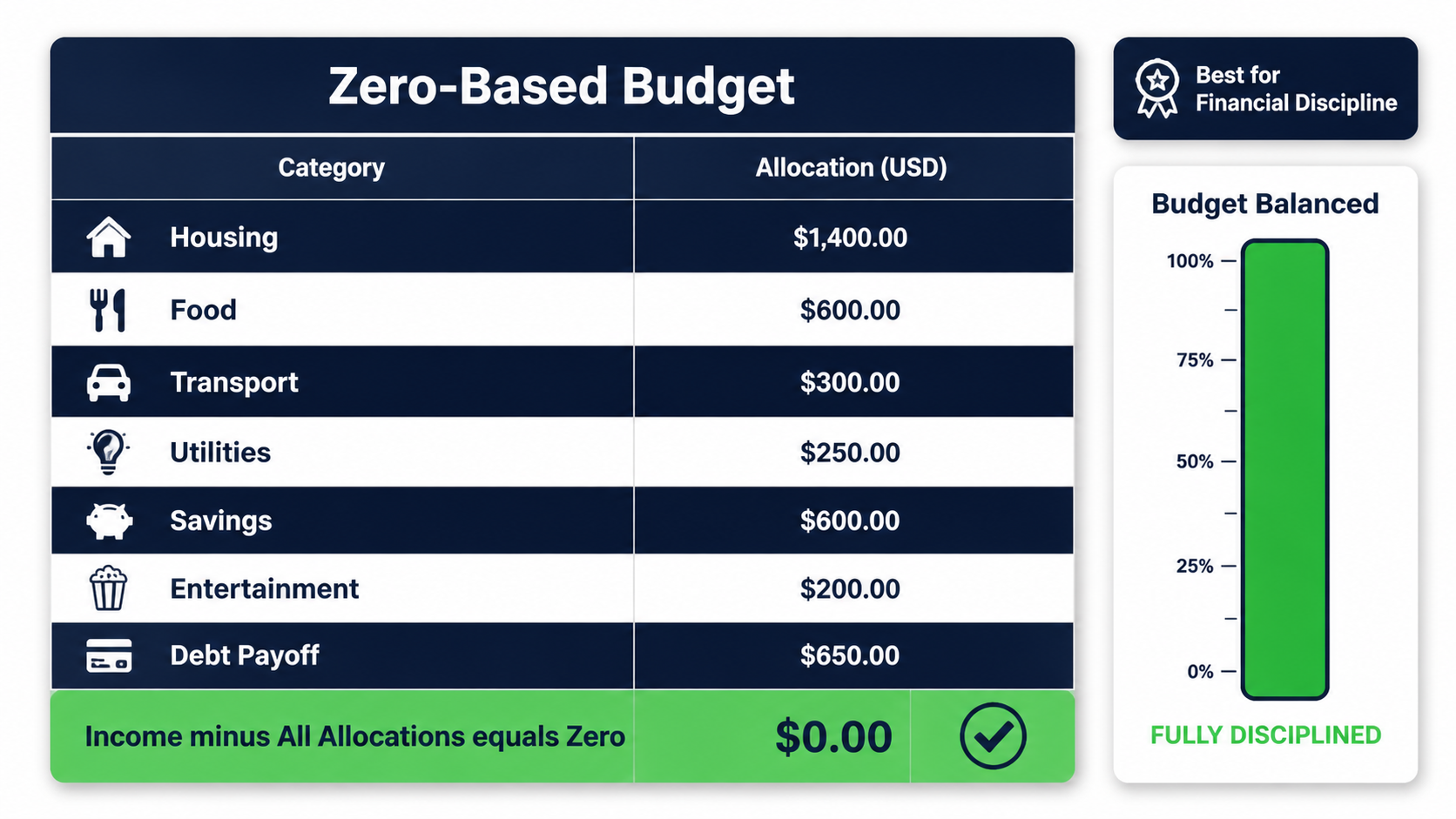
Truly free. No account required.
Zero-based budgeting means every dollar of your income is assigned a specific job until your income minus all allocations equals zero. This is a high-discipline personal finance method used by people who want to eliminate wasteful spending completely.
UIBakery’s free zero-based budget template for Google Sheets builds this method directly into the spreadsheet structure.
Pros:
- Forces intentional spending on every dollar
- Excellent for debt payoff and savings acceleration
- Clear visual cue when all income is allocated
Cons:
- Requires more time and discipline to maintain weekly
- Not ideal for people with highly variable income
- Setup is more complex than simple monthly trackers
Best for: People serious about aggressive debt payoff, building an emergency fund, or saving for a major financial goal.
10. Weekly Budget Template (Best for Frequent Trackers)
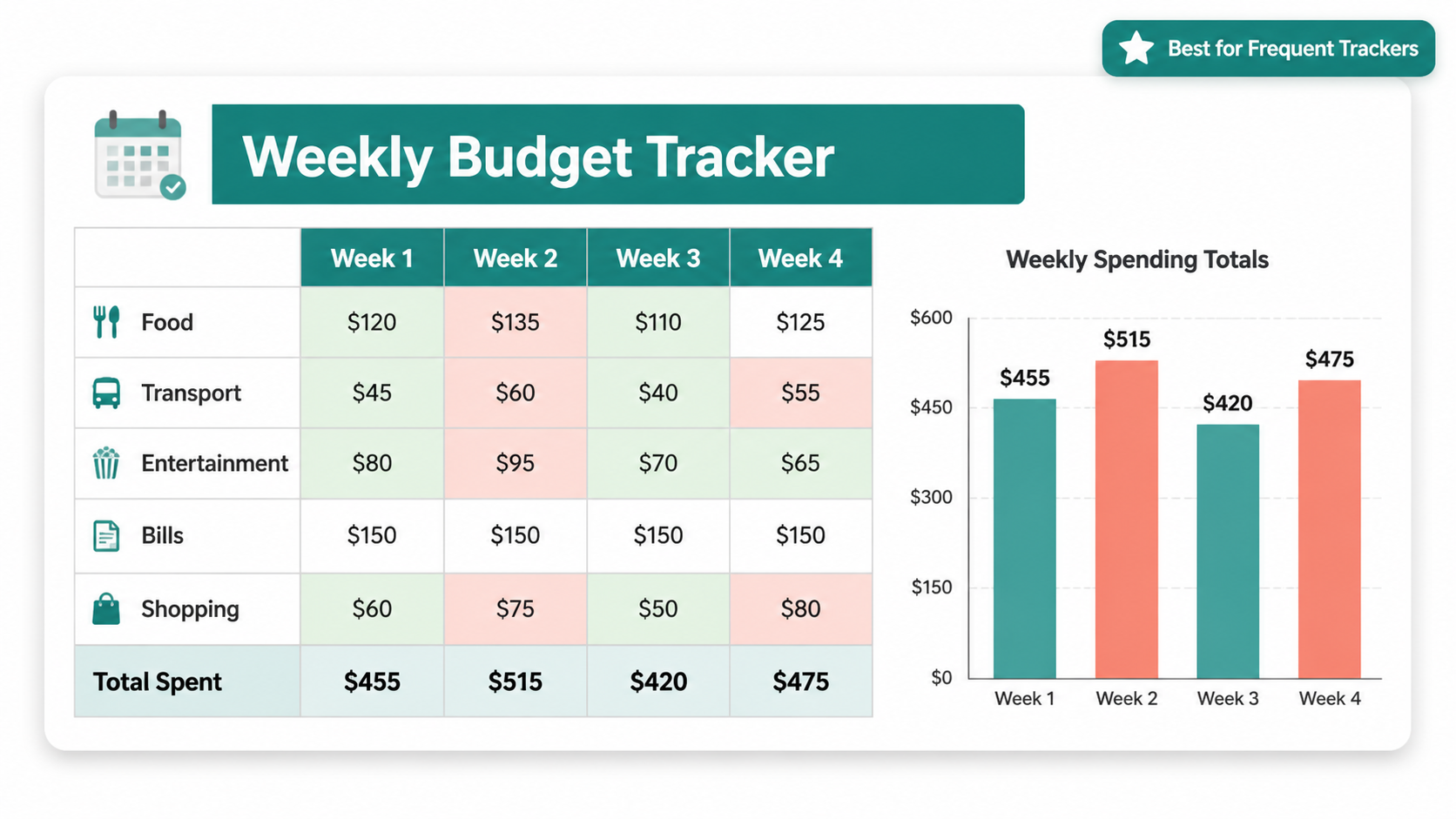
Truly free. Available through UIBakery and community sources.
Most budget templates work on a monthly cycle. This one breaks your income and expense tracking down week by week, which makes it easier to spot overspending early before the month gets out of control.
Pros:
- Weekly review cycle catches problems faster
- Works well alongside a monthly budget template
- Simple layout with minimal setup
Cons:
- Requires more frequent manual data entry
- Can feel repetitive for casual budgeters
- Less useful for tracking annual trends
Best for: Anyone who gets paid weekly, budgets tightly, or wants to stay on top of spending in real time rather than at month’s end.
Free vs. Free-With-Limits: What You Should Know Before Downloading
Here is the honest truth that most template roundup articles skip. Some templates listed across the web are not fully free. They require a paid subscription to unlock the features that make them actually useful.
Before you spend 20 minutes setting up a template, check this table:
| Template Source | Fully Free? | Automatic Calculations? | Paid Tier Required? |
| Google Native Templates | Yes | No | No |
| Reddit Community Templates | Yes | No | No |
| Deborah Ho Expense Tracker | Yes | No | No |
| 20 Something Finance Planner | Yes | No | No |
| Tiller Foundation Template | Partial | Yes | Yes, after free trial |
| Smartsheet Templates | Partial | Limited | Yes for advanced features |
| Rows AI Templates | Partial | Yes | Yes for AI features |
Automatic transaction syncing, where your bank transactions flow directly into your spreadsheet, is never truly free. Every tool that offers this feature charges a monthly fee after a trial period. For most personal finance spreadsheets, manual entry is free and works just fine once you build the habit.
If any template asks for your email address before letting you download or make a copy, use a temporary email from freemail.ai to protect your inbox from marketing newsletters.
How to Set Up Any Google Sheets Budget Template
Setting up any template from this list takes five steps:
- Click the template link and open the Google Sheets file
- Go to File > Make a copy to save your own version to Google Drive
- Rename your copy with the month and year, for example “Budget June 2026”
- Update the income fields with your actual monthly income
- Replace the default expense categories with categories that match your real spending
That is all. You do not need any special knowledge of spreadsheet formulas. The templates handle the math automatically once you enter your numbers.
Tips to Get More Out of Your Budget Spreadsheet
A great personal finance spreadsheet only works if you actually use it. Here are five habits that make budget tracking stick:
- Update it weekly, not monthly. Logging expenses once a week is faster and more accurate than trying to remember a full month at once
- Use the Google Sheets mobile app to enter expenses right after you spend, while the amount is still in your head
- Share it with your partner or family using Google Drive to keep everyone aligned on shared savings goals
- Customize your expense categories to match how you actually spend money, not a generic category list someone else designed
- Set a recurring calendar reminder every Sunday evening to update your budget tracker for the week
Final Thoughts
The best free Google Sheets budget template is the one you will actually use. If you are brand new to budgeting, start with Google’s native monthly budget template. It is simple, free, and ready in under two minutes inside Google Workspace.
If you want more structure, the Reddit community template or the 50/30/20 budget calculator are both excellent next steps. For families, the Smartsheet household template is worth exploring. For people serious about aggressive saving or debt payoff, the zero-based budget template gives you the discipline framework to make real progress.
Whatever template you choose, the habit of tracking your income and expenses is what changes your finances. The spreadsheet is just the tool that makes it easier.