

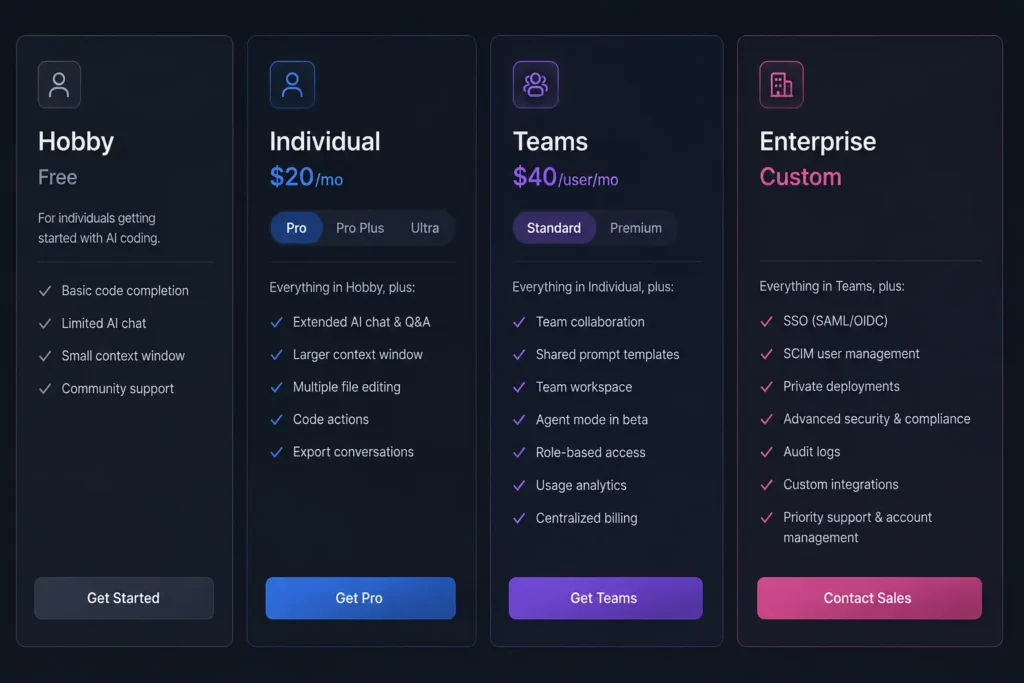
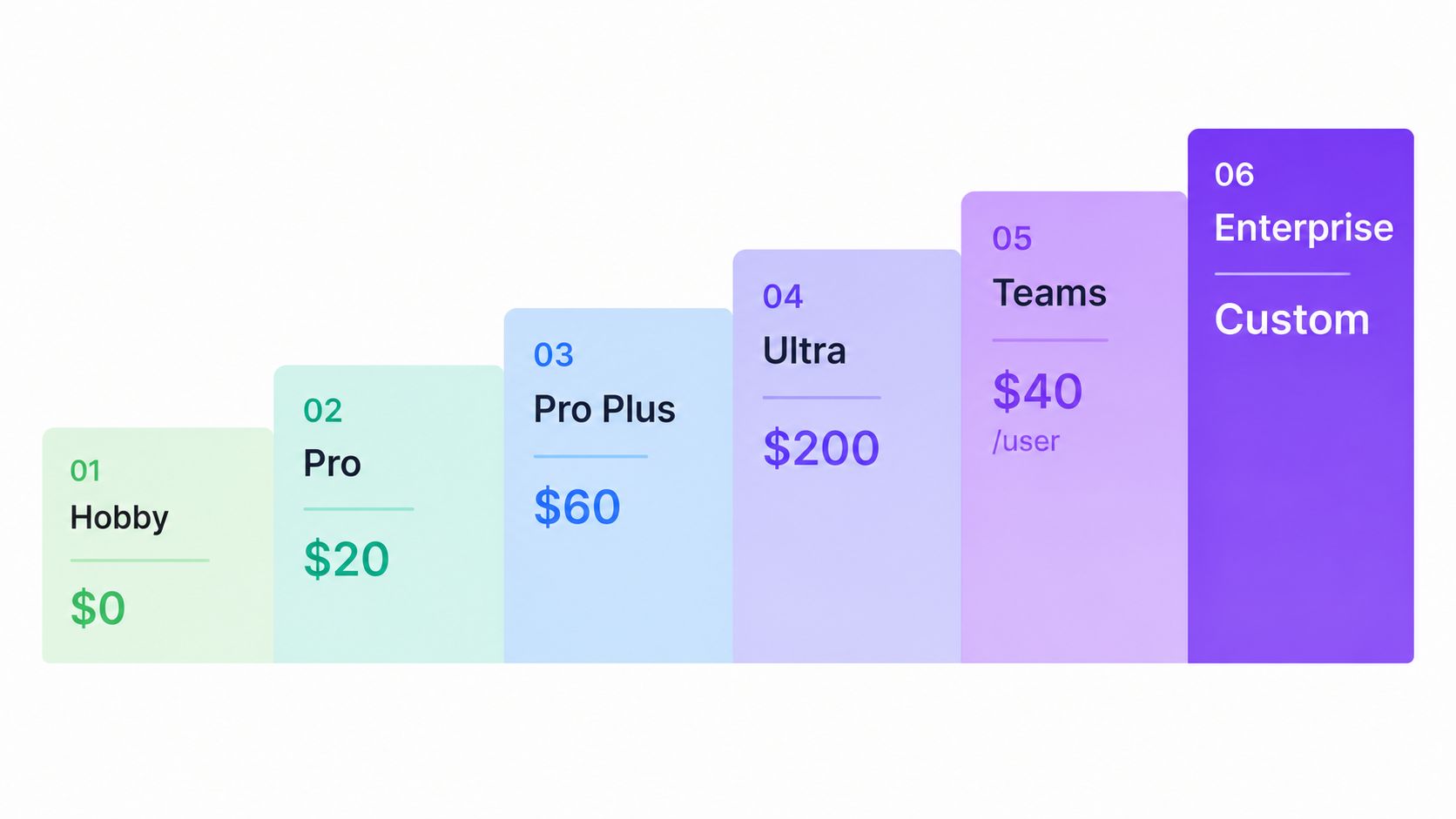
Cursor AI has six pricing plans in 2026. The free Hobby plan costs nothing. Pro is $16/month on annual billing or $20/month monthly. Pro+ is $48/month annually. Ultra is $160/month annually. Teams cost $32/user/month annually. Enterprise pricing is custom. All paid plans use a credit-based billing system where your monthly allowance depletes at different rates depending on which AI model you pick. Overages and Cloud Agent runs are billed on top of your base plan cost.
You see “$20/month” on the Cursor AI pricing page and assume you know your total cost. Many developers have discovered their real monthly bill is much higher than expected. Cursor AI now runs on a usage-based billing system tied to actual AI model consumption. Your real cost depends heavily on which models you use and how often you run agents. This guide covers every Cursor AI pricing plan for 2026, explains exactly how the credit system works, uncovers the two hidden charges most users miss, and helps you figure out which plan fits your workflow and budget.
What Are the Cursor AI Pricing Plans in 2026?
Cursor AI offers six plans across individual and business tiers. Annual billing saves 20 percent on every paid plan.
| Plan | Monthly Billing | Annual Billing | Best For |
| Hobby | $0 | $0 | Evaluation and light use |
| Pro | $20/mo | $16/mo ($192/yr) | Individual developers |
| Pro+ | $60/mo | $48/mo ($576/yr) | Daily heavy AI users |
| Ultra | $200/mo | $160/mo ($1,920/yr) | Agent power users |
| Teams | $40/user/mo | $32/user/mo ($384/user/yr) | Developer teams |
| Enterprise | Custom | Custom | Large or regulated organizations |
Every paid plan includes unlimited Tab completions. The key difference between plans is the size of your monthly AI model usage credit pool.
Individual Plans
The Hobby plan is permanently free with no credit card needed. It includes a limited number of Agent requests and Tab completions each month. It is enough to test the editor and evaluate whether Cursor AI fits your coding style before spending anything.
The Pro plan is the most popular starting point for solo developers. At $20/month, it includes unlimited Tab completions and a $20 monthly credit pool for AI model requests. On annual billing this drops to $16/month.
The Pro+ plan at $60/month gives you approximately $70 in AI model usage credits, roughly three times what the Pro plan includes. Pro+ suits developers who consistently hit the Pro credit limit before the end of the month. On annual billing it comes to $48/month.
The Ultra plan at $200/month provides a credit pool worth roughly 20 times the Pro plan. This tier is built for developers who run autonomous agents continuously throughout the day and need frontier model access without constant throttling. Annual billing brings it to $160/month.
Teams and Enterprise Plans
The Teams plan at $40/user/month includes the same $20 agent usage credit per user as the Pro plan. It adds centralized billing, usage analytics per seat, and SAML or OIDC SSO for your organization. Annual billing drops the rate to $32/user/month.
The Enterprise plan is negotiated directly with Cursor. It includes pooled usage credits across your entire organization, invoice and purchase order billing, SCIM 2.0 seat management, full audit logs, and priority support. It is the right choice for companies with strict compliance or data residency requirements.
Important note: Pro+ and Ultra are individual-only plans. They include no team features at all. If your team needs shared billing, SSO, or admin controls, the Teams plan at $40/user/month is the only option. Many developers learn this after subscribing to Pro+ expecting team functionality.
How Does the Cursor AI Credit System Work in 2026?
Cursor AI bills based on actual token consumption, not a fixed number of monthly requests. Your monthly subscription fee equals your starting credit pool. Each request draws from that pool at a rate that depends on the AI model you choose and the complexity of the task.
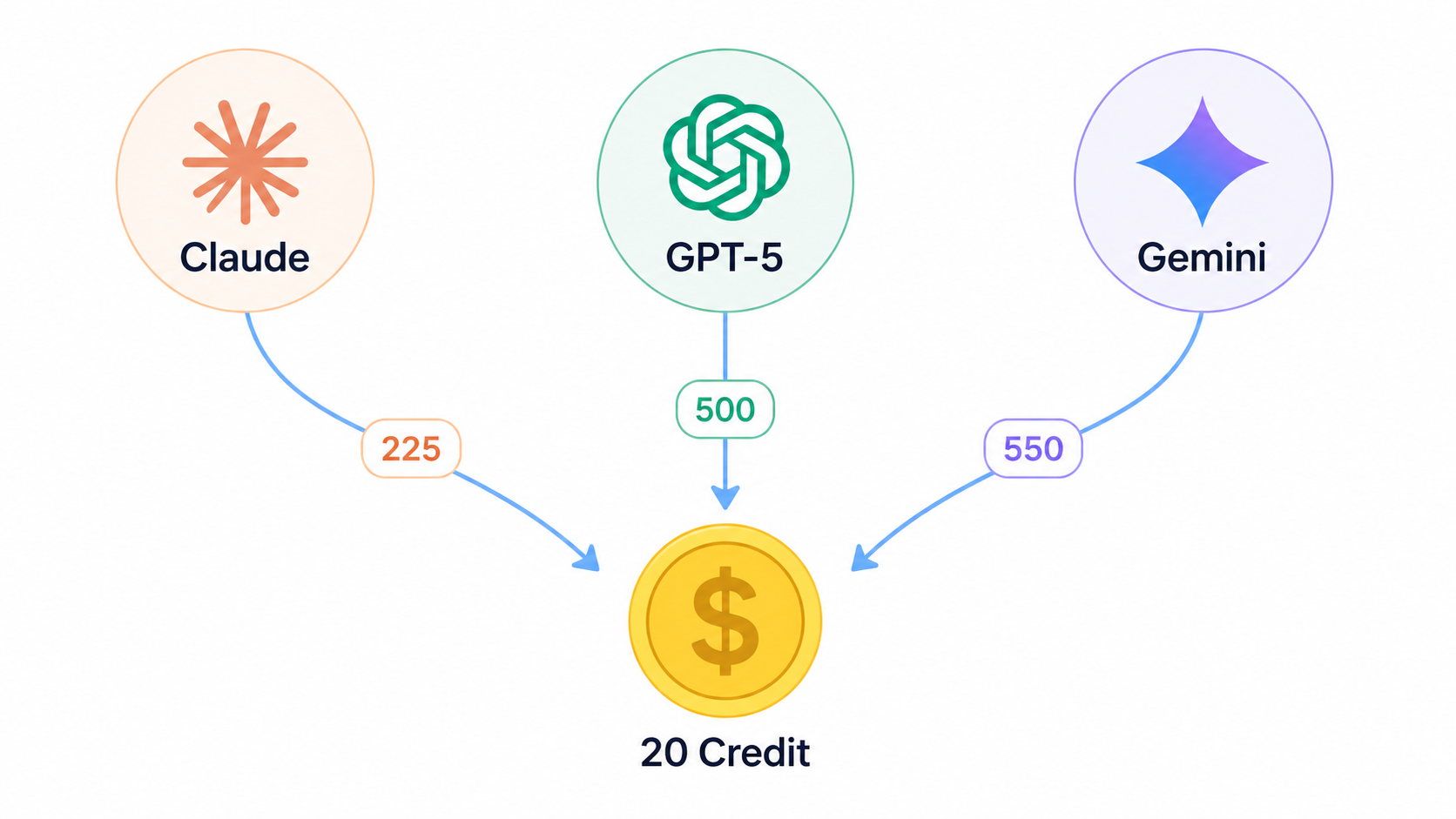
Here is what the $20 Pro credit pool gets you in real 2026 request counts:
- Claude Sonnet 4.5 (Anthropic): approximately 225 requests at $0.09 per request
- GPT-5 (OpenAI): approximately 500 requests at $0.04 per request
- Gemini 2.5 Flash (Google): approximately 550 requests at $0.036 per request
That gap between Claude and Gemini means a developer who defaults to Claude Sonnet 4.5 burns through the Pro credit pool more than twice as fast as one using Gemini 2.5 Flash. Choosing the right model for each task type is one of the most effective ways to control your monthly cost without upgrading your plan.
Auto mode works differently. It automatically selects a cost-efficient model for each task and is billed at roughly $0.25 per million tokens for cache reads and $1.25 per million tokens for input. Auto mode does not draw from your credit pool the same way manual model selections do, making it a useful default for everyday coding tasks where you want cost control.
Budget tip: Grok Code, DeepSeek V3.1, and Gemini 2.5 Flash are among the lowest-cost models available inside Cursor in 2026. They work well for high-volume tasks like code refactoring, documentation generation, and repetitive completions where frontier-level reasoning is not required.
What Hidden Costs Should You Watch Out For?
Two charges catch new users off guard. Both are avoidable once you know they exist.
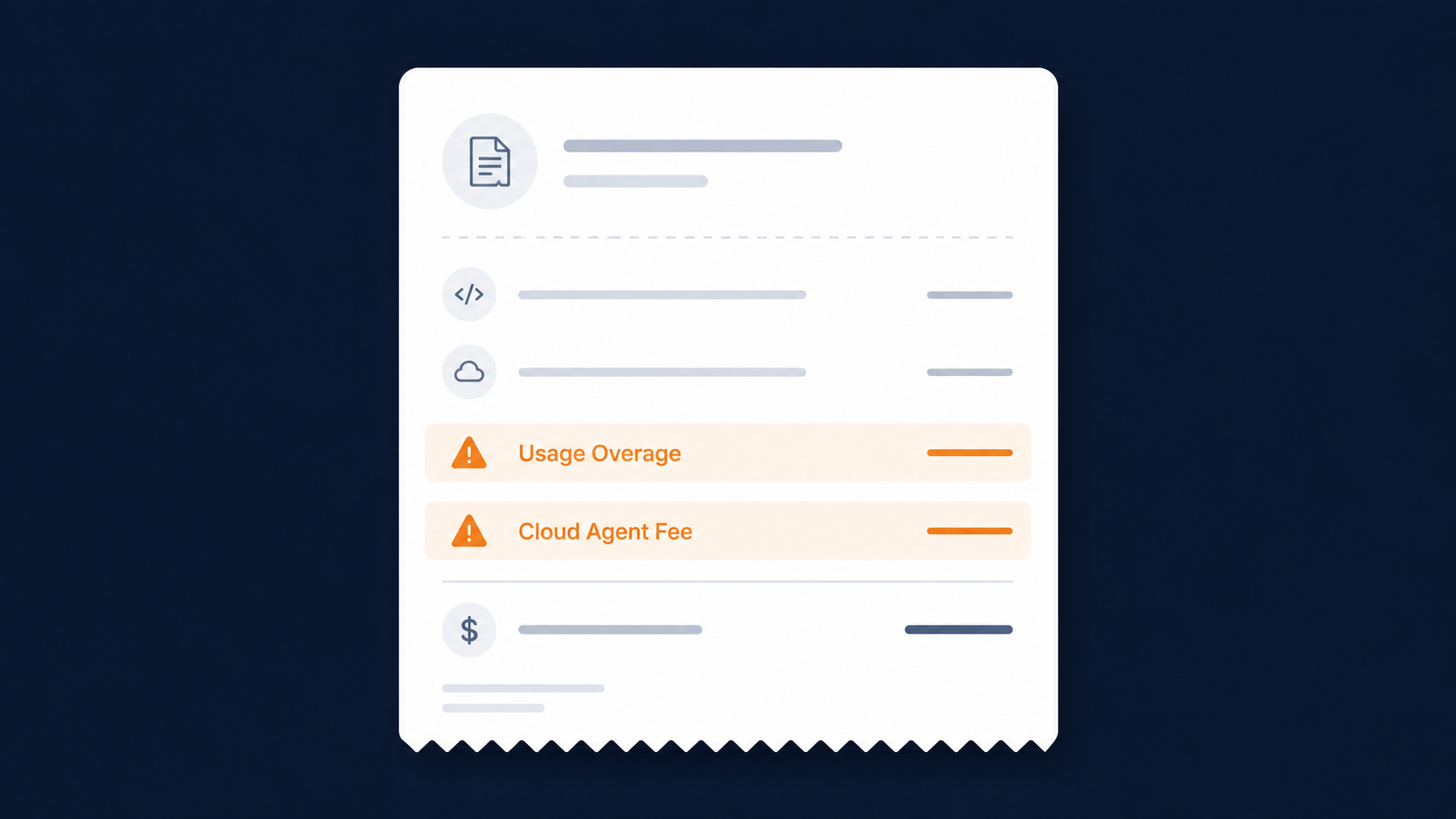
Usage Overages
When your monthly credit pool runs out, Cursor does not stop billing you. Overages keep accumulating at the same API rates unless you manually turn off on-demand usage. To do this, go to Settings > Billing in your Cursor account and disable the on-demand usage toggle. Without this step, your bill has no ceiling.
Heavy individual users report monthly overages of 15 to 30 percent above their subscription cost. Documented cases include entire annual subscriptions depleted in a single intensive session during large-scale agent runs on big codebases.
Cloud Agent Costs
Cursor’s autonomous multi-step agent runs are billed separately from your subscription credits. Each Cloud Agent run in MAX mode adds a 20 percent surcharge on top of standard token rates. A single agent run across a large 50,000-line codebase can consume roughly 22.5 percent of a full $20 monthly credit pool.
This charge applies regardless of your plan tier, including Pro+ and Ultra. The best way to manage this is to use Plan Mode before complex agent runs. Plan Mode lets Cursor analyze the task and propose a step-by-step approach first, which prevents wasted token consumption on misdirected agent runs.
Is the Cursor AI Free Plan Enough in 2026?
The Hobby plan is free forever and needs no credit card. It includes limited Agent requests and Tab completions each month. For casual experimentation or evaluating whether Cursor AI is worth upgrading to, it covers the basics well. For full-time professional development, the free tier becomes limiting quickly.
Students get a significant benefit. University students with a valid .edu email address can access the full Cursor Pro plan completely free for one year through Cursor’s student program. This includes the full $20 monthly credit pool, access to frontier models including Claude Sonnet 4.5 and GPT-5, extended Agent limits, and unlimited Tab completions.
If you enjoy reading about how popular digital tools work, check out our other tech tool explainers covering platforms and apps that millions of people use every day.
Cursor AI Pricing vs. Competitors in 2026
If you are also evaluating other AI coding and development tools, our breakdown of Lovable AI covers another popular option worth comparing before you commit to a subscription.
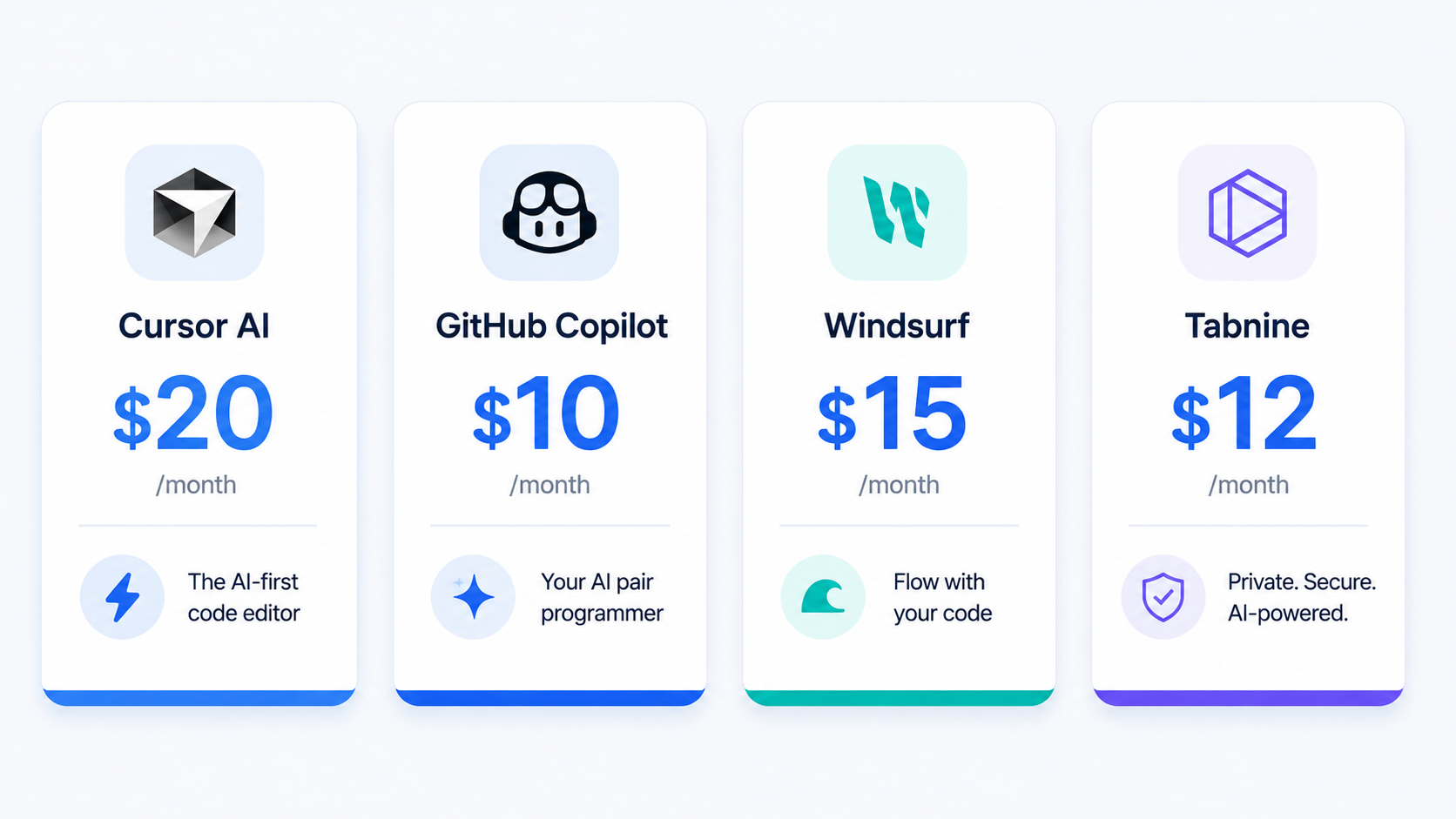
Here is how Cursor AI lines up against its main rivals right now.
| Tool | Individual Price | Team Price | Free Tier | Key Differentiator |
| Cursor AI | $16/mo (annual) | $32/user/mo | Yes | Multi-model IDE, full-codebase context |
| GitHub Copilot | $10/mo | $19/user/mo | Yes (limited) | Budget-friendly, plugin-based |
| Windsurf | $20/mo | $40/user/mo | Yes | AI-native IDE, SWE-1.5 model |
| Tabnine | No individual plan | $39/user/mo | No | Self-hosted, air-gapped deployment |
Cursor vs. GitHub Copilot
Cursor Pro costs $20/month versus GitHub Copilot Individual at $10/month. For teams, Cursor charges $40/user/month versus Copilot Business at $19/user/month. The price gap is real, but so is the product difference. GitHub Copilot is a plugin that layers AI onto your existing editor. Cursor is a full AI-native IDE built on the same VS Code foundation with multi-model switching and full repository context built in.
Copilot Business covers 300 premium requests per month at its price point, which is enough for routine daily completions. Cursor’s advantage shows most clearly during large codebase refactors, multi-file edits, and complex agentic workflows that require deep repository context.
Cursor vs. Windsurf
After Windsurf raised its Pro plan from $15/month to $20/month in early 2026, the two tools are now price-equivalent at both individual and team tiers. Both charge $20/month for individuals and $40/user/month for teams.
The primary difference in 2026 is model access. Cursor lets you manually switch between Claude Sonnet 4.5, GPT-5, Gemini 2.5 Flash, and Grok Code on a task-by-task basis. Windsurf uses its proprietary SWE-1.5 model. For developers who want direct control over which AI model handles each task, Cursor holds the advantage. For those who prefer a simpler single-model experience, Windsurf remains a strong and price-equivalent alternative.
Cursor vs. Tabnine
Tabnine has no individual plan in 2026. It is now a teams-only product starting at $39/user/month for the Code Assistant tier or $59/user/month for the Agentic Platform. That makes Tabnine more expensive than Cursor Teams at baseline pricing.
Tabnine’s primary advantage is full self-hosted, air-gapped deployment with zero code retention and built-in IP indemnification. For regulated industries like healthcare, finance, or government where data residency is a hard requirement, Tabnine is often the only viable choice regardless of the price difference.
Which Cursor AI Plan Should You Choose?
The right plan comes down to how often you use Cursor and which models you rely on most. Here is a clear decision guide.
For Individual Developers
| Your Situation | Best Plan |
| Testing Cursor for the first time | Hobby (Free) |
| Regular daily use, mix of models | Pro ($16/mo annual) |
| Heavy Claude user, hitting Pro limits mid-month | Pro+ ($48/mo annual) |
| Running agents all day, every day | Ultra ($160/mo annual) |
| Student with a .edu email | Pro (Free for 1 year) |
If you are unsure about your real usage pattern, start on a monthly Pro plan. Track your credit consumption for 30 days before switching to annual billing.
For Development Teams
The Teams plan at $32/user/month on annual billing is the only plan that includes centralized billing, SSO, and usage analytics per seat. Do not assume Pro+ or Ultra can serve team needs because they cannot. Set per-user spend caps immediately after onboarding to avoid unexpected overages at scale.
For Enterprise Organizations
Enterprise pricing is negotiated directly and adds pooled organization-wide usage, invoice billing, SCIM 2.0 seat management, audit logs, and dedicated support. One frequently overlooked cost is developer migration time. Moving a team from VS Code or another editor to Cursor typically takes four to eight hours per developer for settings, keybindings, and extension transfers. For a 50-person engineering team at a $75/hour loaded labor rate, that adds approximately $22,500 in one-time setup cost before the first invoice arrives.
What Real Users Are Saying About Cursor AI Pricing in 2026
User sentiment on Cursor AI pricing falls clearly into two groups. The tool holds a 4.5 out of 5 rating on G2 based on product quality and coding capability, but only 1.7 out of 5 on Trustpilot. That gap maps almost entirely to billing expectations versus reality.
What developers consistently praise:
- Full-codebase context for multi-file editing and repository-wide refactoring
- Access to multiple frontier AI models including Claude Sonnet 4.5, GPT-5, Gemini 2.5, and Grok Code from a single subscription
- Smooth migration from VS Code with full extension compatibility
- Background Agents that handle complex tasks autonomously and can create pull requests automatically when complete
What developers consistently report as frustrations:
- Effective request counts are significantly lower than what the old fixed model offered for the same price
- Unexpected overages including cases where annual subscriptions ran empty in a single intensive session
- Rate limits of 1 request per minute and 30 per hour that active developers hit frequently during multi-agent workflows
- Cloud Agent surcharges not prominently communicated at the point of plan selection
The billing system has stabilized in 2026 compared to the immediate backlash period in mid-2025. Most experienced Cursor users now manage costs by setting hard spend caps, mixing premium models with cheaper options like Gemini 2.5 Flash or Grok Code for routine tasks, and using Plan Mode before running agents on large codebases.
Final Thoughts: Is Cursor AI Worth It in 2026?
Cursor AI delivers real, measurable productivity gains for developers who use it daily, especially for multi-file editing, large codebase work, and complex agent-driven tasks. For those workflows, the price premium over GitHub Copilot is justified. For developers who mainly need inline completions or occasional AI chat, GitHub Copilot at $10/month covers most daily needs at half the price.
Three things to do before you subscribe:
- Turn off on-demand usage in Settings > Billing immediately after signing up to prevent uncapped overages
- Test your model mix on a monthly plan for 30 days before committing to annual billing
- Use cheaper models like Gemini 2.5 Flash or Grok Code for routine tasks and save Claude Sonnet 4.5 for the work where it genuinely makes a difference
Ready to test Cursor AI’s free Hobby tier without cluttering your primary inbox? Visit freemail.ai for a free disposable email address you can use at signup. It takes seconds, keeps billing and marketing notifications out of your main account, and lets you evaluate the tool completely risk-free.