

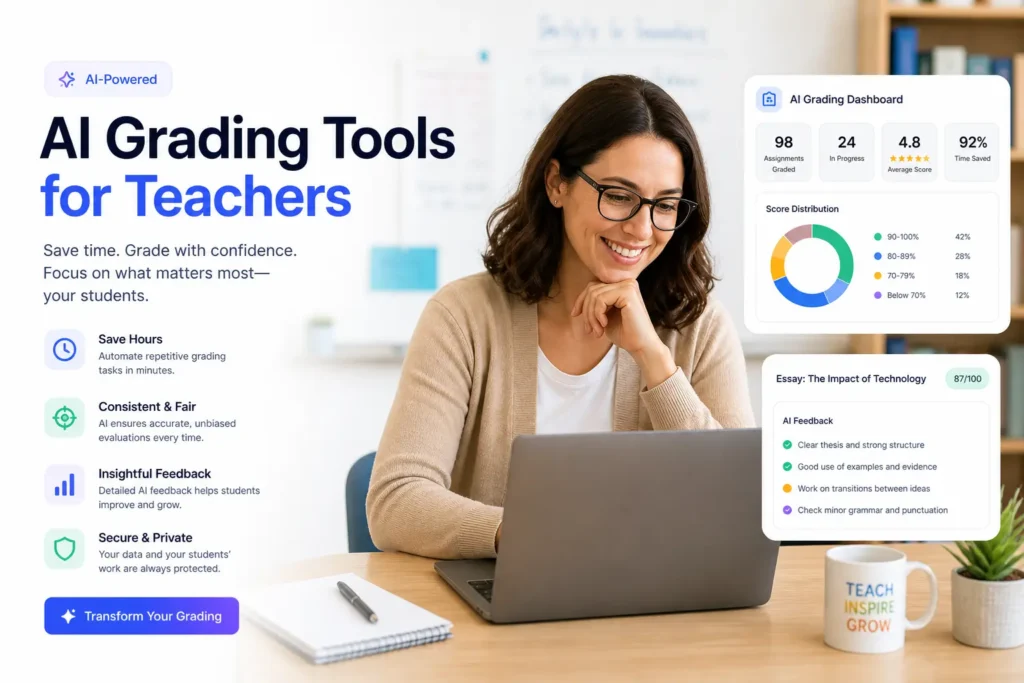
AI grading tools help teachers automate repetitive marking tasks using rubric-based artificial intelligence. They handle everything from multiple-choice scoring to written essay feedback. Teachers using these tools save between 5 and 10 hours every week. Top options include Gradescope, CoGrader, Gradeasy.ai, GPTZero AI Grader, MagicSchool AI, and Knowt. Each tool fits different subjects and classroom needs. Always check FERPA and GDPR compliance before using any tool in a school setting.
The Grading Crisis Most Teachers Know Too Well
Teachers in the United States spend an average of 9.9 hours every week just on grading. That is more than a full extra workday added on top of everything else. According to a 2025 Learnosity survey, 62% of teachers say grading is the most overwhelming part of their job. Even more alarming, one in three US teachers considered leaving the profession in the last year because of grading workload alone.
The good news? AI grading tools for teachers are changing this reality fast. Research from the Walton Family Foundation found that teachers who use AI weekly save an average of 5.9 hours per week. Some platforms report saving up to 80% of grading time on structured tasks.
This guide covers the best AI grading tools available in 2026. Each one is matched to a specific classroom need, so you can pick the right tool for how you actually teach.
Why AI Grading Tools Are Different From Regular Grading Software
Old grading software just stored marks. AI grading tools are different. They use natural language processing (NLP) and machine learning to actually read and evaluate student work. They apply your rubric, generate personalized student feedback, and flag patterns across your whole class.
Here is what makes modern AI grading tools stand out:
- They grade against a rubric you define, not a generic formula
- They give students actionable written feedback, not just a score
- They detect patterns across submissions so you can spot learning gaps quickly
- Many integrate directly with your LMS, whether that is Google Classroom, Canvas, or Moodle
- The best tools include academic integrity features like AI content detection
These tools are not designed to replace your judgment. They handle the first-pass grading so you can focus on the work that actually needs your expertise.
What to Look for Before You Choose a Tool
Not every AI grading tool will work for your classroom. Before you commit to any platform, check these six things:
- Assignment type support: Does it grade multiple-choice only, or can it handle essays, short written responses, and handwritten work?
- LMS integration: Does it sync with Google Classroom, Canvas, or Moodle natively?
- Compliance status: Is it FERPA, GDPR, and COPPA certified? This is non-negotiable for K-12 schools.
- Feedback quality: Does the tool generate useful, specific comments for students, or just a score?
- Pricing model: Is there a free tier? What are the limits?
- Data ownership: Who owns the student work you upload? Read the data processing agreement.
When trialing any new edtech platform, it is smart to use a disposable email address for AI tools instead of your professional school inbox. This keeps vendor spam away from your real email while you test.
The 6 Best AI Grading Tools for Teachers in 2026
Here is a quick side-by-side view before the full breakdowns below.
| Tool | Best For | Free Tier | LMS Integration | Grades Essays | FERPA/GDPR |
|---|---|---|---|---|---|
| Gradescope | High-volume STEM and exams | Yes (Basic) | Canvas, Moodle, Blackboard | Yes | Yes |
| CoGrader | Essay and rubric grading | Yes | Google Classroom, Canvas | Yes | Yes |
| Gradeasy.ai | Handwritten work | Yes (Free) | Limited | Yes | Yes |
| GPTZero AI Grader | Written responses and AI detection | Yes (Limited) | Google Docs | Yes | Check terms |
| MagicSchool AI | Full teacher productivity suite | Yes | Google Classroom | Yes | Yes |
| Knowt | Formative and live classroom | Yes | Google Classroom | Yes | Yes |
1. Gradescope: Best for High-Volume and STEM Grading
Gradescope, now owned by Turnitin, is one of the most widely used AI-assisted grading platforms in higher education and large K-12 classes. It works especially well for STEM subjects, exams, quizzes, and short-answer responses.
Its most powerful feature is answer grouping. When you grade one version of a correct answer, Gradescope applies that mark to every similar response automatically. For teachers handling 150 or more papers each week, this single feature alone can cut marking time dramatically.
It also digitizes handwritten exams, integrates natively with Canvas, Moodle, and Blackboard, and gives you detailed class-level analytics. The free basic plan is enough to get started, with paid institutional tiers available for full-campus deployment.
Best for: University lecturers, high school STEM teachers, and any teacher managing large class sizes.
2. CoGrader: Best for Essay and Rubric-Based Grading
CoGrader is one of the fastest-growing edtech platforms right now, and it is built specifically around essay grading and rubric-based assessment. It connects directly to Google Classroom and Canvas, pulling in student submissions automatically.
You create or choose a rubric from its library. CoGrader includes state-specific rubric templates, which is a major time-saver for US teachers. The tool reads each essay, scores it against your criteria, and writes detailed feedback for each student.
It also detects AI-generated content and provides class-wide analytics so you can track progress over time. Both FERPA and GDPR compliant. The free tier covers a meaningful number of submissions per month, making it accessible for individual teachers without a school budget.
Best for: English teachers, social studies teachers, and anyone who assigns regular written work.
3. Gradeasy.ai: Best Free Option for Handwritten Work
Gradeasy.ai stands out for two reasons. It is completely free, and it can grade handwritten student submissions using computer vision. More than 15,000 educators across 100+ school districts already use it, according to usage data reported by AI Educator Tools.
Teachers upload photos of handwritten work or typed digital submissions. The AI reads the content, scores it against your rubric, and generates personalized feedback for each student. You can review and edit any grade before it is finalized.
It handles a wide range of subject areas, making it one of the most flexible free AI grading tools on the market. If you are just getting started with automated grading and want zero financial risk, Gradeasy.ai is the natural first stop.
Best for: Teachers who receive handwritten assignments, budget-conscious educators, and anyone trying AI grading for the first time.
4. GPTZero AI Grader: Best for Written Responses and Academic Integrity
GPTZero started as an AI detection tool and has expanded into a full AI essay grading platform. What makes it unique is how it learns from your style before it starts grading.
When you begin a new assignment, GPTZero asks you to grade three submissions yourself first. It uses those to calibrate its scoring to match your expectations. This means the AI grades the rest of your class with your judgment, not a generic formula.
It integrates with Google Docs and provides built-in AI and plagiarism detection alongside rubric-based scoring. For teachers who are concerned about academic integrity in the post-ChatGPT classroom, this combined approach is genuinely useful.
Note: Verify current GDPR data-handling terms before deploying with under-18 students in the EU or UK.
Best for: Secondary and higher-ed teachers who assign written responses and need academic integrity protection built in.
5. MagicSchool AI: Best All-in-One Teacher Productivity Suite
MagicSchool AI is not just a grading tool. It is a full teacher assistant platform with over 80 tools built in, designed by a former classroom teacher. Grading and rubric creation are part of a much larger ecosystem that includes lesson planning, differentiated quiz generation, parent communication drafts, and more.
Teachers using MagicSchool AI report saving an estimated 7 or more hours per week across all its features. For grading specifically, it generates rubrics from any standard or learning objective you provide. You can then use those rubrics within the platform to assess student work.
It syncs with Google Classroom and is FERPA-compliant. The free tier is generous and gives you real access to core features without a paid upgrade.
Best for: Teachers who want AI support across their whole workflow, not just grading. Ideal if you are already overwhelmed and want one tool instead of five.
6. Knowt: Best for Formative Assessment in Live Classrooms
Knowt is built for teachers who want AI grading baked into their daily classroom routine. It offers more than 35 tools, including auto-grading, live student activities, flashcard generation, and quiz creation.
The grading function works inside its broader formative assessment workflow. Students complete work through Knowt, and the platform scores it instantly. Teachers get real-time class performance data without waiting to mark anything manually.
It integrates smoothly with Google Classroom and meets FERPA requirements. The free plan covers most core features, making it a strong choice for teachers at schools without a dedicated edtech budget.
Best for: Teachers who run regular formative assessments and want automated grading as part of a live, interactive classroom experience.
Is AI Grading Accurate Enough to Trust?
AI grading tools are highly accurate for objective work. Multiple-choice questions, structured short answers, and rubric-aligned written responses all score well. For this type of work, AI applies your rubric more consistently than a tired teacher grading at 10 PM ever could.
For creative writing, nuanced essays, humor, or culturally specific content, accuracy drops. The AI may miss subtle meaning, penalize unconventional structure, or apply rubric criteria too literally.
When Teacher Review Still Matters
The smartest approach is to use AI for first-pass grading and keep final marks in your hands. Think of it as a very fast teaching assistant that does the initial read-through for you. You review, adjust anything that looks off, and release grades. Most platforms are built around this human-in-the-loop model precisely because it produces better outcomes for students.
Research from Apporto suggests AI can reduce grading workloads by roughly 70% for large cohorts where submission patterns repeat often. That figure drops for classes with highly individual creative work.
Do These Tools Work With Google Classroom and Other LMS Platforms?
Most leading AI grading tools integrate directly with Google Classroom, Canvas, and Moodle. However, integration depth varies across platforms.
Here is a quick breakdown:
- Google Classroom: CoGrader, MagicSchool AI, Knowt, GPTZero, and GradeWithAI all offer native integration. Assignments sync automatically.
- Canvas: Gradescope and CoGrader connect natively. GradeWithAI also supports Canvas.
- Moodle and Blackboard: Gradescope is the strongest option here, particularly for higher education institutions.
- Google Docs: GPTZero AI Grader works directly inside Google Docs, which is useful for teachers who assign writing tasks there.
Always verify that “integration” means two-way sync, not just import. Some tools only pull submissions in but require manual export of grades back to your gradebook.
Are AI Grading Tools Safe for Student Data?
Not all AI grading tools meet the data privacy standards required for school environments. Before you adopt any platform, you need to check three compliance frameworks.
FERPA protects the educational records of US students. Any tool used in a US school must comply with FERPA.
GDPR applies to students in the EU and UK. It governs how personal data is collected, stored, and processed.
COPPA applies to any student under the age of 13 in the United States. This is especially important for elementary and middle school teachers.
How to Check Before You Sign Up
Ask the vendor directly for a data processing agreement before uploading any student work. This document tells you who owns the data, how long it is stored, and whether it is used to train AI models.
Tools that clearly state full compliance include Gradeasy.ai, Gradescope, Knowt, CoGrader, and Graded Pro. GPTZero requires you to verify current GDPR terms independently before classroom use with minors.
One practical tip many teachers overlook: when you sign up to trial any new edtech platform, use a temporary email address rather than your school inbox. This keeps your professional email free from vendor follow-up campaigns. You can generate a free disposable inbox instantly at freemail.ai with no signup needed.
Which AI Grading Tool Is Right for Your Classroom?
The best tool depends on what you teach and how you grade. Use this quick guide to match your situation.
- You teach large STEM classes or manage exams at scale: Use Gradescope
- You assign a lot of essays and written responses: Use CoGrader
- You need a fully free option that works on handwritten work: Use Gradeasy.ai
- You want AI detection and grading in one place: Use GPTZero AI Grader
- You want AI help across your whole teaching workflow: Use MagicSchool AI
- You run daily formative assessments and live classroom activities: Use Knowt
If you are not sure yet, start with Gradeasy.ai or CoGrader. Both offer free tiers, work with common assignment types, and are genuinely easy to set up without IT support.
Try Before You Commit
Most of the tools in this guide offer a free tier or a trial period. That means you can test several options with a real assignment before deciding which one fits your workflow.
Before you start signing up, protect your professional inbox. Edtech platforms tend to send a lot of follow-up emails after you register. Use a free temporary email address to trial any of these tools, and keep your school inbox clean. Generate one instantly at freemail.ai with no account required.
Frequently Asked Questions
How do AI grading tools handle students with different writing abilities?
Most tools grade against the rubric you set, not against a fixed standard of writing quality. This means a student working at a lower writing level is scored on whether they met your criteria, not compared against stronger writers. You can also adjust rubric weight for different classes or differentiated learning plans.
Can more than one teacher use the same AI grading tool on a shared class?
Yes. Most platforms designed for school use allow multiple educators to access the same class, share rubrics, and view each other’s grade history. CoGrader, Gradescope, and MagicSchool AI all support multi-teacher workflows. Check the specific plan tier, as some platforms limit collaborative access to paid accounts.
Do students get to see the AI-generated feedback, or only the teacher?
This depends on the tool and your settings. Most platforms let you review AI-generated feedback before releasing it to students. You can edit, approve, or reject any comment before students see it. Sending unreviewed AI feedback directly to students is not recommended.
Is it safe to upload student work to a cloud-based AI grading platform?
It can be safe if the platform is FERPA, GDPR, and COPPA certified and you have a signed data processing agreement with the vendor. Never upload identifiable student work to a general-purpose AI tool like a basic chatbot. Always use platforms purpose-built for education that have clear data handling policies.
What happens if an AI grading tool gives a wrong score?
Every major platform includes a teacher review step. You can edit any score or feedback before it is finalized. If you notice consistent errors, you can retrain or adjust the rubric criteria. The AI grade is always a starting point, not a final verdict. Final marks remain your responsibility.
Can AI grading tools be used for subjects like music, art, or physical education?
These subjects are harder to automate because assessment often involves performance, creativity, or physical demonstration rather than written work. Some tools can help with written components like self-reflection essays or theory tests. For purely performance-based grading, AI tools currently offer limited direct value.
Do AI grading tools work offline or do they need an internet connection?
All current AI grading tools are cloud-based and require an active internet connection. There are no major offline-capable AI grading platforms available as of 2026. This means reliable school internet access is a prerequisite for using any of the tools in this guide.