

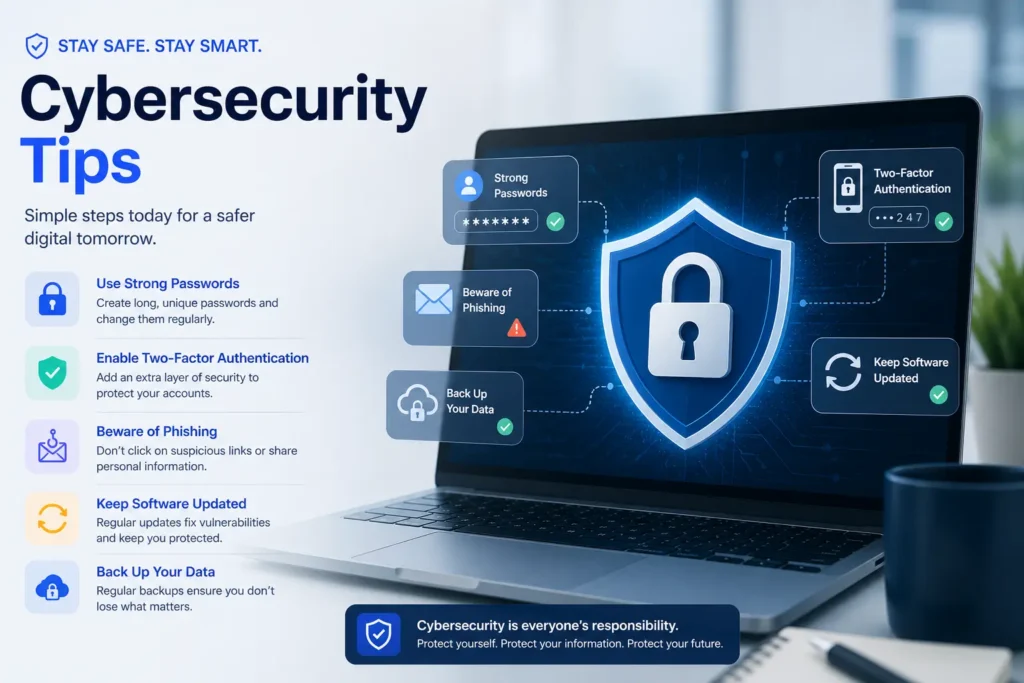
Cybersecurity tips are practical steps anyone can take right now to reduce the risk of hacking, data breaches, and identity theft. The most important actions include enabling multi-factor authentication, using strong unique passwords, spotting phishing emails, and protecting your email address from unnecessary exposure. These tips work for individuals, remote workers, and small business owners, no technical background needed.
Cybercrime is expected to cost the world $15.63 trillion by 2029. That number sounds huge, but most attacks happen because of small, everyday mistakes that are easy to fix. Simple things, like reusing a password or giving your real email to every website, open the door for attackers. The good news is that the best cybersecurity tips do not require a tech degree. This guide walks you through 12 practical, beginner-friendly steps to protect yourself online in 2026, starting today.
Why Cybersecurity Matters More Than Ever in 2026
The threat landscape has changed fast. Cybersecurity spending is expected to reach $240 billion globally in 2026, a 12.5% jump from the previous year. More alarming is that 60% of data breaches still involve human error, misuse, or social engineering. That means the biggest risk is not always a sophisticated hacker. It is often a missed warning sign or a habit that seems harmless.
Key facts to keep in mind:
- Over 40% of small businesses experience a cyberattack every year
- Cloud intrusions increased by 136% in the first half of 2025 alone
- Around 20% of business email compromise (BEC) attacks now use AI-generated deepfakes
These numbers show that staying safe is not just about big companies. Everyday internet users are targets too.
What Are the Most Important Cybersecurity Tips for Beginners?
The most important cybersecurity tips for beginners are enabling multi-factor authentication, using a password manager for unique passwords, and learning to recognize phishing emails. These three steps alone block the majority of common attacks, even without any technical background. Building these habits takes less than an hour to set up and pays off every single day.
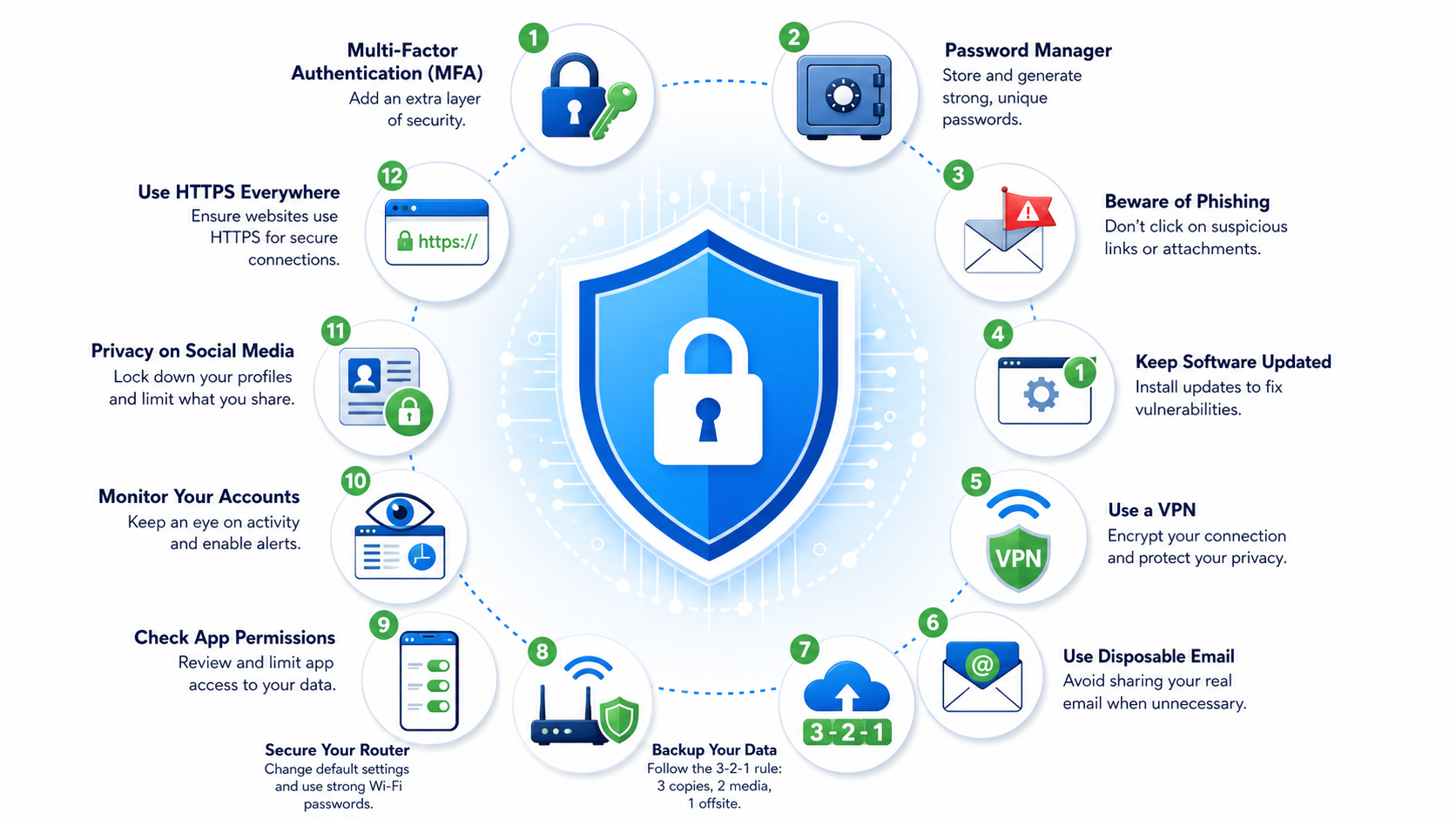
12 Cybersecurity Tips to Protect Yourself Online
1. Turn On Multi-Factor Authentication (MFA)
Multi-factor authentication adds a second step when you log in to an account. After entering your password, you also confirm your identity using an app, a text code, or a fingerprint. According to Microsoft, MFA blocks more than 99% of automated account attacks. Set it up on your email, banking, and social media accounts first. Apps like Google Authenticator and Authy make this fast and free. This is the single most effective step you can take for online security today.
2. Use Strong, Unique Passwords With a Password Manager
Using the same password on multiple sites is one of the most common cybersecurity mistakes. When one site gets breached, attackers try that same password on your other accounts — this is called credential stuffing. A strong password is at least 12 characters long and mixes letters, numbers, and symbols. A password manager like Bitwarden or 1Password creates and stores these passwords for you, so you only need to remember one master password.
3. Learn to Spot Phishing Emails
Phishing is when an attacker sends a fake email that looks real to trick you into clicking a link or entering your login details. It is the number one way attackers get into accounts. Red flags include unexpected requests, misspelled sender domains, and links that do not match the company name. With advances in artificial intelligence in cyber security, both attackers and defenders are using AI-powered tools, making phishing emails more convincing than ever. CISA recommends verifying any unexpected email by going directly to the website instead of clicking the link.
4. Keep Your Software and Devices Updated
Software updates fix security holes that attackers actively exploit. With cloud intrusions rising 136% in early 2025, outdated software is a growing risk. Turn on automatic updates for your operating system, browser, and apps. This applies to your phone too. Many ransomware attacks succeed simply because the victim skipped an update. Keeping software current is one of the easiest and most important cybersecurity best practices you can follow.
5. Use a VPN on Public Wi-Fi
Public Wi-Fi networks at coffee shops, airports, and hotels are not secure. Attackers can intercept your data using a method called a man-in-the-middle attack. A VPN (virtual private network) encrypts your internet connection, making it much harder for anyone to spy on what you do online. When using public networks, always connect through a trusted VPN before opening any banking apps, email, or sensitive accounts. At home, make sure your router uses WPA3 encryption for stronger network protection.
6. Use a Disposable Email Address for Online Sign-Ups
Every time you give your real email address to a website, you are taking a risk. If that site gets breached, your email ends up in a leaked database. Attackers use those databases to send phishing emails and spam. A disposable or temporary email address solves this problem completely. It lets you sign up for newsletters, free trials, or unfamiliar sites without exposing your real inbox. You get any confirmation email you need, and your real address stays clean and private.
You can use FreeEmail.ai to get a free disposable email address in seconds, no registration required. It is one of the simplest digital privacy steps you can take today and one that most cybersecurity guides do not mention at all.
7. Back Up Your Data Using the 3-2-1 Rule
Ransomware attacks lock your files and demand payment to get them back. The best defense is a solid backup habit. Follow the 3-2-1 rule: keep 3 copies of your data, on 2 different types of storage, with 1 copy stored offsite or in the cloud. This way, even if ransomware hits your computer, you can recover everything without paying a ransom. Back up weekly at a minimum, and test your backup files regularly to make sure they work.
8. Secure Your Home Wi-Fi Network
Your home router is the gateway to every connected device in your home. Many people never change the default router login that came in the box, and attackers know these default passwords by brand. Log into your router settings and change the admin username and password. Enable WPA3 encryption if your router supports it. You can also hide your network name (SSID) so it does not appear on the list of available networks for nearby devices to see.
9. Review App Permissions Regularly
Many apps on your phone ask for access to your camera, contacts, location, and microphone. Most of the time, they do not need all of it. Over-permissioned apps are a real security risk. Research found that 46% of compromised corporate login credentials came from personal unmanaged devices. Go to your phone settings every few months, review which apps have which permissions, and turn off anything that is not necessary. Delete apps you no longer use.
10. Monitor Your Accounts for Unusual Activity
Even with strong habits, breaches happen. The earlier you spot one, the less damage it causes. Visit Have I Been Pwned to check if your email address has appeared in a known data breach. Set up login alerts on your banking and email accounts. Review your account activity once a month and look for sign-ins from unfamiliar devices or locations. Catching unauthorized access early can prevent identity theft before it escalates.
11. Think Before You Share on Social Media
Social engineering attacks use personal information to guess security questions or build convincing fake scenarios. Details like your pet’s name, your mother’s maiden name, your hometown, and your birthday are often used as account recovery answers. Think twice before sharing these details publicly. Review your privacy settings on social platforms and limit who can see your posts and profile information.
12. Always Use HTTPS and a Secure Browser
HTTPS means the connection between your browser and a website is encrypted. Look for the padlock icon in the address bar before entering any personal information. Avoid sites that show “Not Secure” warnings. Use a modern browser like Chrome or Firefox that receives automatic security updates. You can also switch your DNS to a privacy-focused provider like Cloudflare’s 1.1.1.1 for an extra layer of secure browsing.
What Cybersecurity Mistakes Do People Most Often Make?
The most common cybersecurity mistakes are reusing the same password across multiple accounts, clicking links in unexpected emails, and skipping software updates. Many people also believe they are not important enough to be targeted, but automated bots attack anyone and everyone, not just high-profile targets.
Watch out for these habits:
- Reusing passwords on more than one site
- Clicking links in emails without verifying the sender’s domain
- Using weak passwords like birth dates or pet names
- Ignoring software update notifications
- Sharing sensitive personal information on public social media
- Giving your real email address to every site you visit
According to the Verizon Data Breach Investigations Report, 60% of breaches involve human action. That means the biggest cybersecurity upgrade you can make is changing your own habits.
How Do I Build a Personal Cybersecurity Checklist?
A personal cybersecurity checklist should cover authentication, passwords, email safety, device updates, data backups, and network security. Going through these six areas once a quarter can significantly reduce your digital risk without taking hours of your time.
Here is a quick checklist to get started:
- Authentication: MFA enabled on email, banking, and social accounts
- Passwords: All accounts have unique, strong passwords stored in a password manager
- Email safety: Real email address protected; disposable email used for sign-ups
- Device updates: Operating system, browser, and apps are fully updated
- Data backups: Files backed up using the 3-2-1 method, tested recently
- Network security: Home router has a strong password and WPA3 encryption
Run through this checklist today. Fix one item at a time if needed. Consistent online security habits are more powerful than any single tool.
Running a small business? Cybersecurity isn’t just tools—it’s planning and budget. If you don’t have an in‑house team, compare external IT support costs to DIY spend and ad‑hoc break/fix fees. A 2026 managed IT services pricing guide outlines per‑user monthly ranges, what’s typically included (help desk, advanced endpoint security, backups, compliance support), and how pricing models (per‑user, per‑device, tiered, fixed‑fee) affect risk and service levels. Use it to set a realistic security budget and decide when to bring in 24/7 monitoring or incident response.
Start With One Step Today
Cybersecurity does not have to be overwhelming. Pick one tip from this list and set it up right now. Enable MFA on your email. Install a password manager. Or simply use a free disposable email address the next time a website asks for your inbox details. Each small step adds up to real protection. The goal is not to be perfect — it is to make yourself a harder target than you were yesterday.