

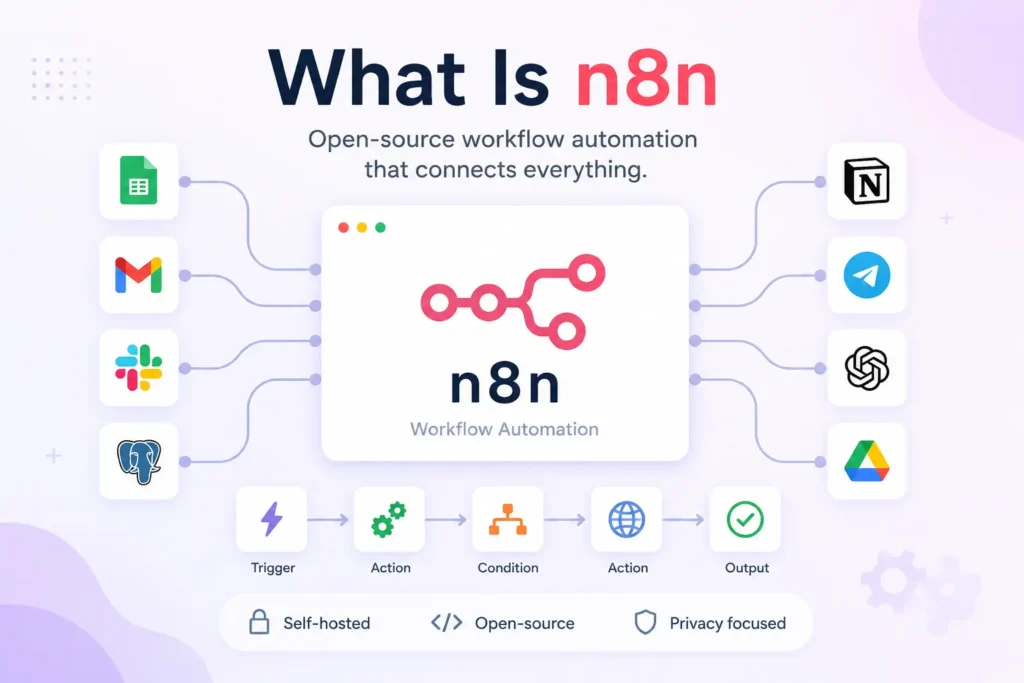
n8n is a fair-code workflow automation platform where you build automations by wiring together nodes in a visual editor. It runs self-hosted or in the cloud, supports JavaScript and Python for custom logic, and includes native AI agent nodes. Unlike Zapier, it charges per workflow execution, not per step, and gives you full data control when self-hosted. Best for developers and technical teams. Non-technical users will hit a steep learning curve. Self-hosting saves money at scale but adds infrastructure burden.
You have seen n8n in AI automation threads. It looks like Zapier, but developers keep saying it is different. Here is the plain-English answer.
This guide covers what n8n is, how it works, how it compares to Zapier and Make, the real cost of self-hosting, the fair-code catch, AI agent reality, and a 30-second decision checklist so you can decide if it fits your team.
What Is n8n? The 30-Second Definition
n8n is a fair-code workflow automation platform where you build automations by wiring together nodes in a visual editor. It runs self-hosted or in the cloud, supports JavaScript and Python for custom logic, and includes native AI agent nodes. Unlike Zapier, it charges per workflow execution, not per step, and gives you full data control when self-hosted.
At a glance:
- Fair-code license: free to self-host and modify, cannot resell as managed SaaS
- Node-based editor: visual canvas, directed graph, data flows left to right
- Code escape hatch: JavaScript and Python nodes for complex logic
- Execution pricing: pay per full workflow run, not per step or user
- Self-hosted option: Docker, Kubernetes, VPS, full data ownership
How n8n Works: A Mental Model
Think of a workflow as a flowchart that runs itself. Each box is a node. Each arrow is data moving to the next step.
Core concepts:
- Trigger node: starts the workflow (webhook, schedule, app event)
- Action node: does something (HTTP request, send email, write to database)
- Transform node: reshapes data (Set, Function, Code, Merge)
- Flow control: IF, Switch, Split In Batches, Loop Over Items
- Expression syntax: {{ $json.field }} to reference data from previous nodes
- Code nodes: write JavaScript or Python when expressions are not enough
- Sub-workflows: call one workflow from another for reuse
Node categories you will use daily:
- Core: Schedule, Webhook, Manual, Execute Workflow
- Data: Set, Function, Code, Merge, Split In Batches, Item Lists
- Flow: IF, Switch, Wait, Limit, Loop Over Items
- AI: Agent, Chain, Tool, Memory, Human In The Loop
- Integrations: 1,000+ pre-built nodes for apps, databases, APIs
Testing n8n workflows with disposable email is a smart way to keep your real inbox clean while you iterate on webhook endpoints and email nodes.
n8n vs Zapier vs Make: Honest Comparison
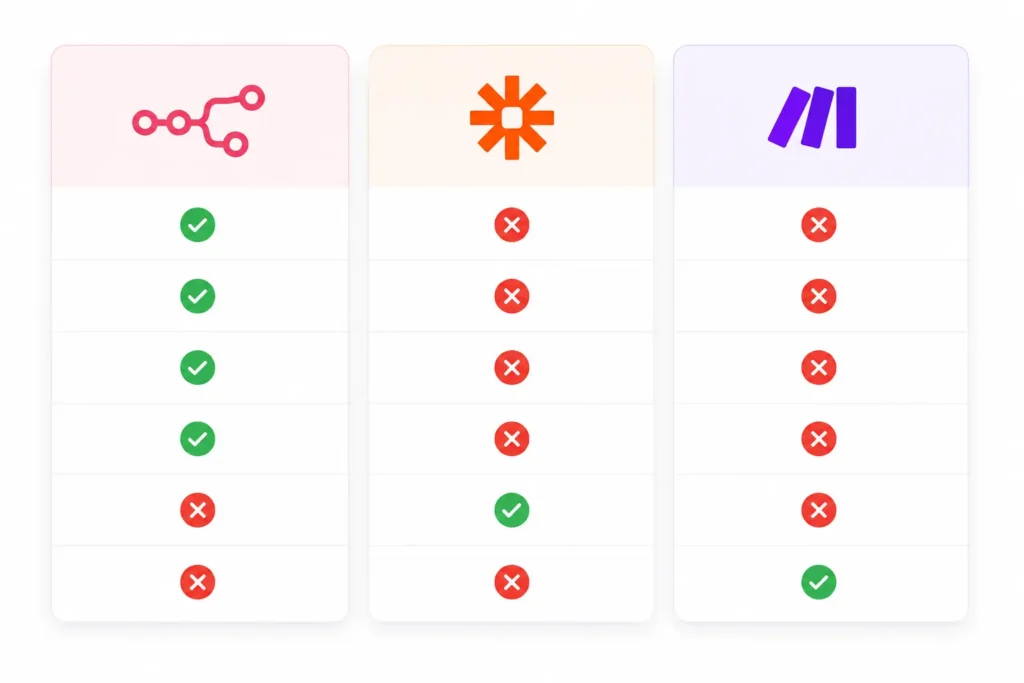
Choosing the right automation platform depends on your team’s technical skills, budget, and workflow complexity. While all three tools can automate repetitive tasks, they take different approaches. n8n stands out for self-hosting, AI workflows, and developer flexibility. Zapier focuses on simplicity and the largest integration library, while Make offers a powerful visual builder for creating advanced automations with minimal coding. The comparison below highlights where each platform excels.
| Dimension | n8n | Zapier | Make |
| Hosting | Cloud or self-hosted | Cloud only | Cloud only |
| Pricing model | Per execution | Per task | Per operation |
| Code extensibility | JavaScript, Python nodes | Limited (Code by Zapier) | Functions, custom apps |
| Integrations breadth | 1,000+ (depth focused) | 6,000+ (breadth focused) | 1,500+ |
| AI agents | Native LangChain nodes | Add-ons, limited | Basic OpenAI modules |
| License | Fair-code (source-available) | Proprietary | Proprietary |
| Learning curve | Steep (technical) | Low (no-code) | Medium (visual programming) |
| Best for | Technical teams, AI agents, data privacy | General business users | Visual builders, complex logic |
Nuance: Choose n8n when you need self-hosting, code flexibility, execution-based pricing for complex multi-step flows, or native AI agent orchestration. Choose Zapier for fastest setup with non-technical teams and widest app coverage. Choose Make when you want visual scenario building with more logic than Zapier but less code than n8n.
n8n Pricing: Cloud vs. Self-Hosted (Real Numbers)
n8n Cloud starts at €20-24 per month for 2,500 executions. Self-hosting on a VPS costs €4-12 per month for the server, but adds backup, monitoring, SSL, and update labor. For most teams, Cloud breaks even around 10,000-20,000 executions per month when you value engineering time.
n8n Cloud Tiers (2026)
| Plan | Monthly (annual) | Monthly (monthly) | Executions | Key features |
| Starter | €20 | ~€24 | 2,500 | Unlimited workflows, users, email support |
| Pro | €50 | ~€60 | 10,000 | Advanced permissions, execution search, priority support |
| Business | €667 | ~€800 | 40,000 | SSO, Git version control, multiple environments, SLA |
| Enterprise | Custom | Custom | Custom | Dedicated infrastructure, custom limits |
All plans include unlimited users and unlimited active workflows (since April 2026).
Self-Hosted Real Cost Breakdown
| Cost item | Low end | Production sweet spot | High end |
| VPS (Hetzner, DigitalOcean) | €4-6/mo (1-2GB) | €20-40/mo (4-8GB) | €80+/mo (16GB+) |
| Managed platform (PikaPods) | €4-8/mo | €15-25/mo | €50+/mo |
| Backups and storage | €1-2/mo | €3-5/mo | €10+/mo |
| SSL and monitoring | Free (Let’s Encrypt) | €5-10/mo | €20+/mo |
| Engineering time (updates, patches) | 1 hr/mo | 2-4 hrs/mo | 8+ hrs/mo |
| Total monthly equivalent | €10-15/mo | €35-65/mo | €120+/mo |
Quick math: If your team values engineering time at €75/hr, 3 hours of monthly maintenance = €225/mo. Cloud Pro at €50/mo wins until you exceed ~20,000 executions/month or have hard data residency requirements.
What Does n8n’s “Fair-Code” Mean?
Fair-code means you can self-host, modify, and use n8n commercially for free, but you cannot resell n8n itself as a managed service (SaaS) without a commercial license. It is not OSI-approved open source. For internal tools and client work, it is free. For building a competing automation platform, talk to n8n sales.
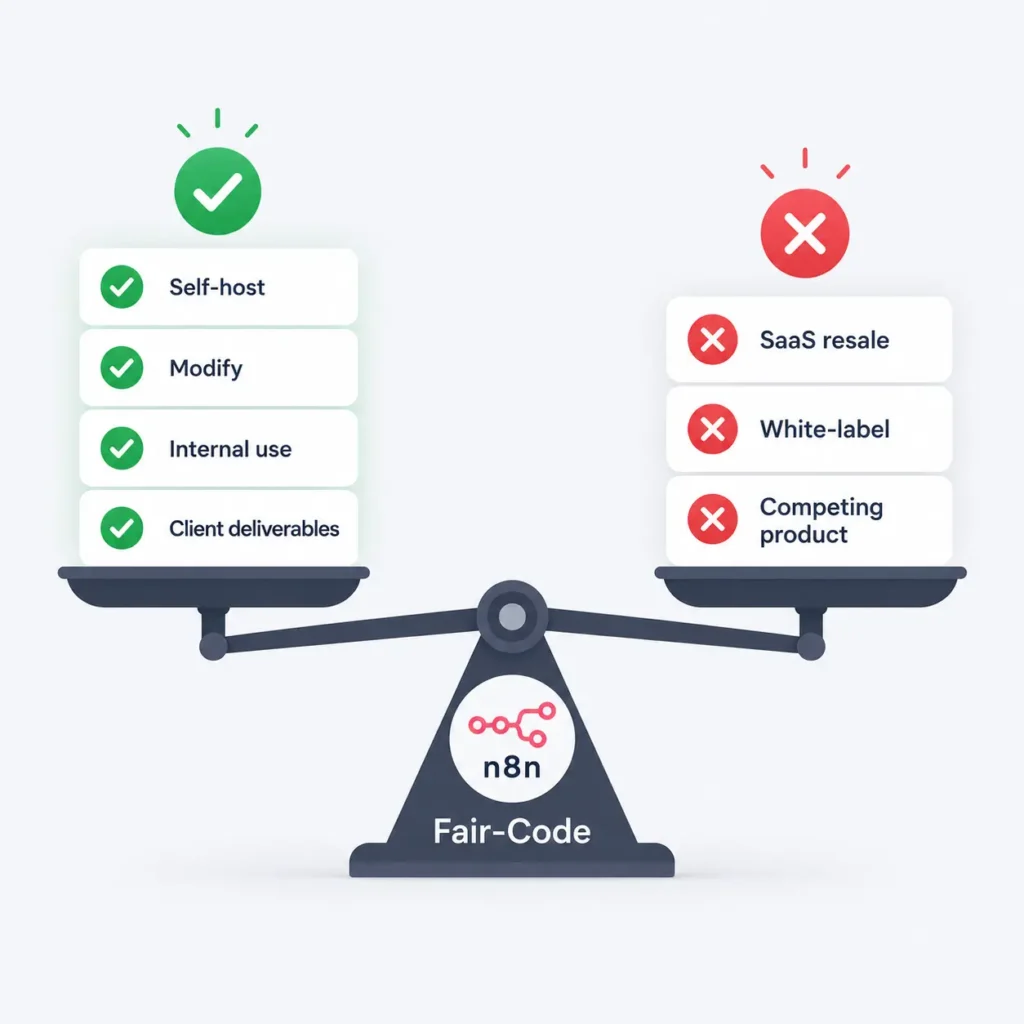
Plain-language checklist:
- Self-host on your own servers: free
- Modify source code for internal use: free
- Build internal tools for your company: free
- Build tools for clients as deliverables: free
- Offer “n8n as a service” to customers: needs license
- Resell managed n8n hosting: needs license
- Fork and sell as your own product: needs license
Can I…? mini-FAQ:
- Use n8n in my SaaS backend? Yes, if n8n is an internal component, not the product.
- White-label n8n for clients? Gray area. Consult n8n sales for Business/Enterprise license.
- Contribute fixes upstream? Yes, community edition welcomes PRs.
AI Agents in n8n: What Is Real vs Marketing
n8n AI agent nodes wrap LangChain, giving you tool calling, memory, and human-in-the-loop in the visual editor. They work for prototyping and internal tools. For production, you still need evals, guardrails, and cost monitoring. n8n does not solve hallucination or reliability for you.
What works today:
- Visual agent builder with drag-and-drop tools
- Built-in memory (window, summary, vector store)
- Human-in-the-loop approval nodes
- Multi-agent handoff patterns
- Structured output parsing
- Streaming responses for chat UIs
What you still need to build:
- Evaluation pipelines (accuracy, latency, cost per run)
- Guardrails (PII detection, topic limits, tone control)
- Prompt versioning and A/B testing
- Observability (traces, token usage, error rates)
- Fallback logic when agents fail or loop
- Cost controls (max tokens, max steps, budget alerts)
Testing AI agent workflows with a temporary email keeps your primary inbox free from notification spam during rapid iteration.
Getting Started: Your First n8n Workflow (5 Minutes)
Creating your first n8n workflow is easier than it looks. Whether you choose the hosted cloud version or run n8n locally with Docker, you can build and test a simple automation in just a few minutes. Follow the option that best fits your setup, then use the tips at the end to troubleshoot and speed up your workflow development.
Option A: n8n Cloud (fastest)
- Go to n8n.cloud and start free trial (no card required)
- Use a temporary email for quick sign-up if you want to test without your primary inbox
- Click “New workflow” on the dashboard
- Add a Schedule Trigger node, set to every 5 minutes
- Add an HTTP Request node, set to GET a public API (example: https://api.github.com/users/octocat)
- Add a Set node to keep only login and public_repos fields
- Add a Slack or Email node to send the result
- Click “Execute workflow” to test, then “Activate” to run on schedule
Option B: Docker (self-hosted, local test)
bashdocker run -it --rm \
  --name n8n \
  -p 5678:5678 \
  -v n8n_data:/home/node/.n8n \
  docker.n8n.io/n8nio/n8n
Then open http://localhost:5678 and follow steps 3-7 above.
Tips:
- Test each node individually with “Execute node” before running full workflow
- Use the “Pin data” feature to freeze test outputs while editing downstream nodes
- Enable “Save execution progress” for debugging failed runs
- Start with templates: n8n.io/workflows has hundreds of copy-paste examples
Should You Use n8n? 30-Second Decision Checklist
Still not sure if n8n is the right automation platform for you? Use this quick checklist to compare your needs against n8n’s strengths and limitations. If most of the points in the “Use n8n” section match your situation, it’s likely a great fit. If the “Avoid n8n” list sounds more like your use case, another automation platform may save you time and effort.
Use n8n if…
- You have developers or technical team members
- You need self-hosting for data privacy, HIPAA, or GDPR
- You run complex multi-step workflows (execution pricing wins)
- You want native AI agent orchestration with LangChain
- You need code escape hatches (JavaScript, Python)
- You want fair-code license with no vendor lock-in
- You need private network access (VPN, internal DBs, allowlists)
Avoid n8n if…
- Your team is entirely non-technical
- You only need simple linear automations (Zapier is faster)
- You want zero maintenance (Cloud still has execution limits)
- You need 6,000+ pre-built integrations (Zapier wins breadth)
- You need SOC2 Type II on day one (Cloud Business/Enterprise only)
- You plan to resell automation as a managed service (license restriction)
- You have no budget for VPS or engineering time (self-hosted hidden costs)
| Choosing the right email for your n8n account depends on whether this is a throwaway test or a long-term production instance. |
Final Thoughts
n8n is a powerful workflow automation platform for teams that want control, code flexibility, and fair pricing. It shines when you have technical people, need self-hosting, or run complex multi-step flows where execution-based pricing beats task-based models. The learning curve is real. The self-hosting “free” claim hides infrastructure and time costs. The fair-code license is generous for internal use but blocks SaaS resale. AI agents are a strong prototype tool but not a production silver bullet.
If this sounds like your stack, spin up a Cloud trial or a Docker container this afternoon. Build a real workflow. You will know in 30 minutes if n8n fits.
Ready to test n8n Cloud? Generate a Free email to sign up without spam, then build your first workflow in minutes.
FAQ
What is n8n used for?
n8n automates workflows by connecting apps, APIs, and AI models. Common uses: data sync, ETL, alerting, AI agent orchestration, backend automation for dev teams.
Is n8n free?
Self-hosting n8n is free (fair-code). n8n Cloud starts at €20-24 per month for 2,500 executions. You pay for the server if self-hosting.
Can non-developers use n8n?
n8n markets “no-code,” but real workflows often need JavaScript or Python in code nodes. Non-technical users will struggle beyond basic linear automations.
What is the difference between n8n and Zapier?
n8n is self-hostable, fair-code, execution-based pricing, code-friendly. Zapier is cloud-only, proprietary, task-based pricing, stricter no-code. n8n suits technical teams. Zapier suits general business users.
How much does it cost to self-host n8n?
VPS: €4-12 per month. Add backups, SSL, monitoring, update labor (2-4 hours per month). True cost ≈ €35-65 per month equivalent. Cloud breaks even around 10,000-20,000 executions per month.
What are n8n AI agents?
Visual nodes that wrap LangChain for tool-calling, memory, and human-in-the-loop. Good for prototyping. Production needs separate evals and guardrails.
What does fair-code mean?
Free to use, modify, self-host commercially. Cannot resell n8n as a managed SaaS without a license. Not OSI-approved open source.