

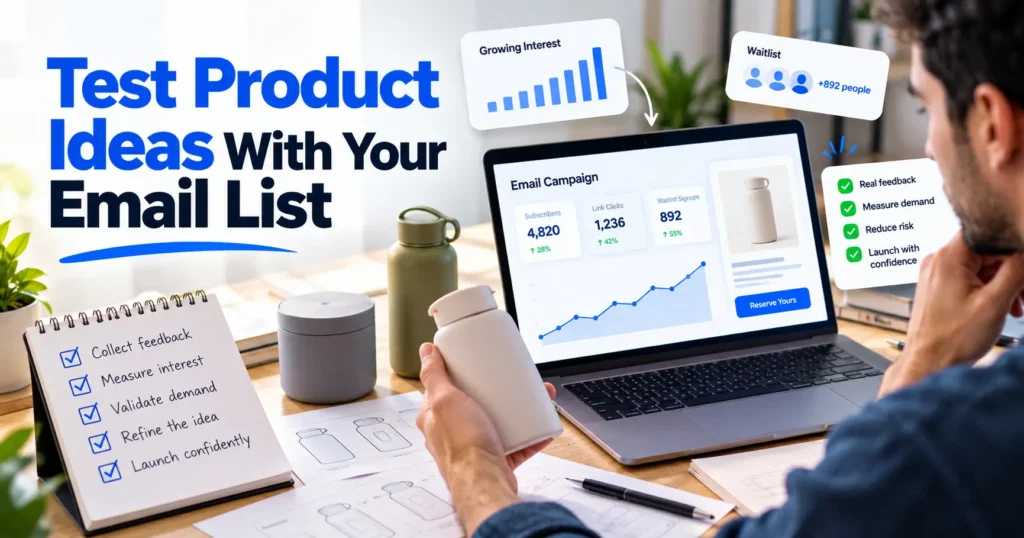
Most product ideas die in either a spreadsheet or a warehouse, and the spreadsheet is the cheaper place to lose them. A founder sketches a product, guesses at demand, places a minimum order, and learns 3 months later that the 400 units in the back room were a forecast nobody checked.
Your email list can do that checking before money leaves the account. The people on it already know your brand, already open your messages, and can be asked to act on an idea that does not exist yet.
Most list tests measure politeness instead. Subscribers say a concept looks great, opens climb, and the launch still flops, because none of those signals cost the subscriber anything. A useful test asks people to click, reserve, or pay, then treats the response as both an operations forecast and a marketing one.
8 Ways to Use Your Email List to Test New Product Ideas Before Launch

Each one replaces a guess you would otherwise pay for in unsold stock or a chaotic launch week with a number your subscribers hand you before you commit.
Show the Design and Produce Only What Sells
Physical goods carry the most risk because you spend money before any customer shows up. Print-on-demand platforms like Printify let you test a product idea with no inventory risk, since they print and ship each item only after a customer orders, with no minimum run and no stock sitting in a back room.
That covers most of what a brand would want to trial with its list, from custom T-shirts, team jerseys, and embroidered hats to custom shoes, mouse pads, and notebooks, so you can mock up a few designs, send them to your engaged segment, and see which item people actually pay for.
The test then becomes a live listing. Subscribers who click through can buy, and you pay production costs only on orders that come in.
The model works because the platform takes over production and fulfillment. You upload a design, list the item in your store, and each order goes to a print provider who prints, packs, and ships it to the customer. Your upfront cost stays close to zero, so testing 5 designs costs about the same as testing 1.
A design that sells can stay on demand as orders grow, and one that flops disappears without a pallet of stock to discount. Most print-on-demand platforms connect directly to stores like Shopify and Etsy, which means orders reach the printer without anyone on your team touching them.
IHL Group’s 2026 Inventory Distortion Study puts the yearly global cost of retail out-of-stocks and overstocks at $1.7 trillion, or 6.2% of retail sales. A small brand that guesses at demand makes both mistakes on a smaller scale. Once a design clears the sales bar you set in advance, move it to a bulk run or keep it on demand if the margin works.
Grow the List Before You Test It
The email list you test against has to come from somewhere, and the people who join it cold convert worse than the ones who already trust you. LinkedIn is the fastest way to build that trust before the product exists.
Post about the problem you are solving, the category you are entering, or what you are learning from early conversations. People who engage at that stage are pre-qualifying themselves as the exact audience your launch email needs to reach. Add a waitlist link to any post that draws replies, and they arrive already warmed.
The constraint is consistency. A single post fades. A steady cadence of posts written in your voice, published on a schedule, compounds into a recognizable presence over 6-8 weeks. An AI LinkedIn post generator like Supergrow handles the drafting and scheduling so the posting does not stop when prototype samples arrive and every other pre-launch task accelerates.
By the time your first test email goes out, the people on the list have seen your thinking, not just your signup form. Open rates, click rates, and the deposit conversion you measure in the next steps all move in response to that.
Send the First Test to Your Most Engaged Subscribers
A list of 20,000 is really several lists stacked together. Some people bought twice last quarter, and some joined for a discount code in 2023 and never clicked again. Mail the concept to everyone and the dormant majority drags every rate toward zero, which makes a decent idea look dead.
Start with subscribers who clicked or bought in the last 90 days. They are the closest thing you have to future buyers, so theirs is the response worth forecasting from.
A small first send also helps you protect your deliverability, since a sudden blast to old addresses invites bounces and spam complaints at the exact moment you need clean data. If the engaged segment responds well, widen the send to the next tier and watch whether interest holds.
Count Clicks and Replies Instead of Opens
Open rate used to be the quick read on whether a subject line landed. For a product test it now misleads. Litmus’s September 2026 Email Client Market Share Report, drawn from more than 1.5 billion opens, logged 76.56% of opens under Apple, a group that includes Mail Privacy Protection opens Litmus itself classes as unreliable.
Build the email around an action instead. Show the concept with a single image and a short description, add a single button that leads to a product or waitlist page, and count clicks by segment.
End the email with a direct question, such as what would stop you from buying this, and read every answer. Objections show up in replies weeks before they show up in refund requests.
Ask for Money Before You Ask for Opinions
Compliments are the cheapest thing a subscriber can give you. NielsenIQ’s Connecting Mind & Matter report found the gap between purchase intent and actual purchasing reached almost 50% for ready-to-eat cereals, a category where buying is cheap and habitual. A new product from a brand people have never bought from will not get an easier ride.
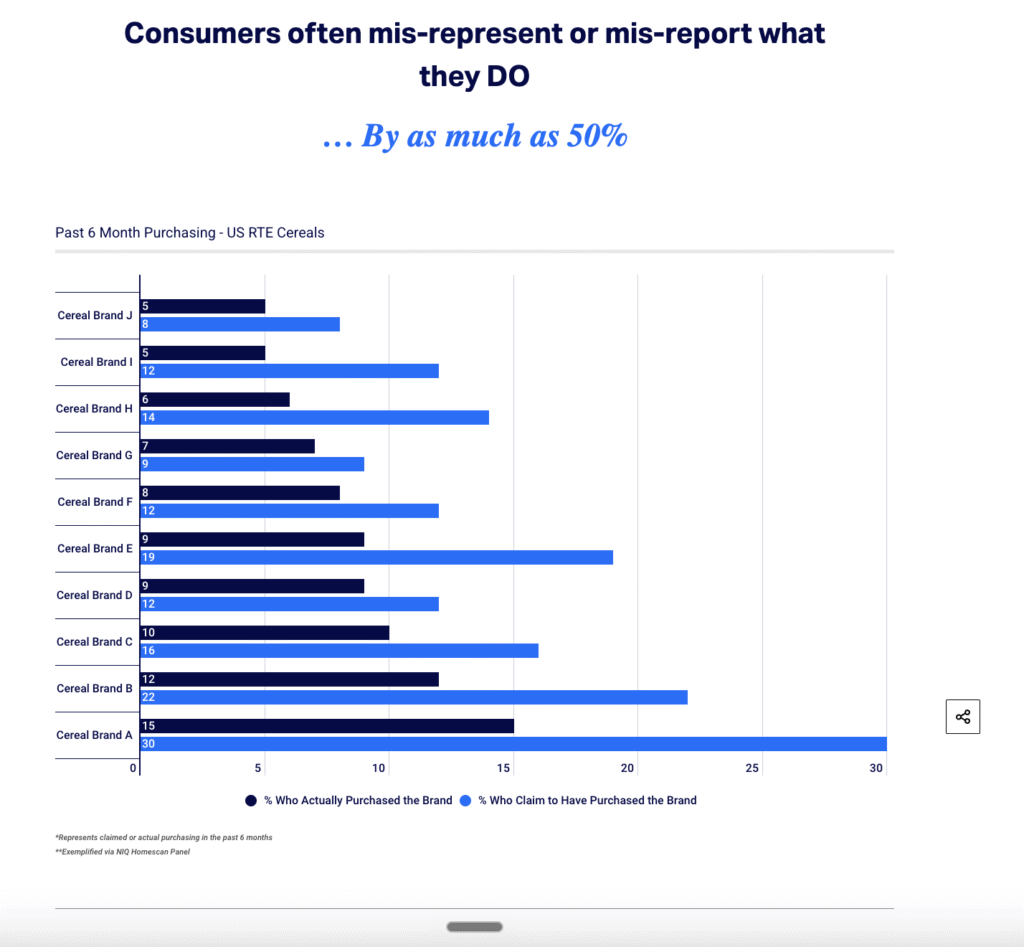
Put a price in front of people early. A full-price preorder, a refundable $10 deposit, or a reserved spot that requires a card on file will separate curiosity from intent, and the result will be far smaller than any survey suggested. Plan around the smaller number.
Deposits change the cash picture too. If you are bootstrapping a business, a few dozen paid reservations can cover the first production run, something no pile of survey votes ever will.
Clean the Waitlist Before You Trust the Count
An early-access waitlist with 3,000 names feels like proof, but some of those names will never receive a single email. ZeroBounce’s Email List Decay Report for 2026 found that only 62% of the more than 11 billion addresses it checked in 2025 were valid.
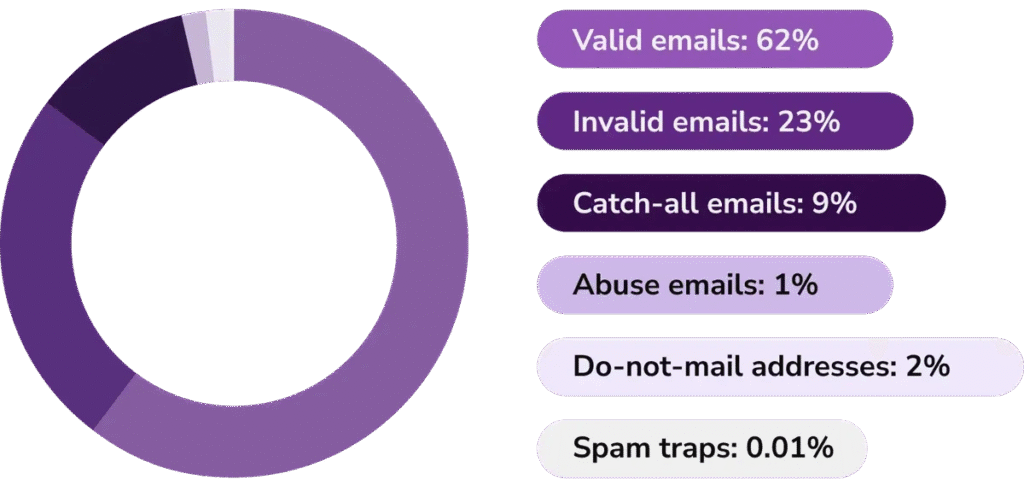
Waitlists collect their own kind of junk: typos, throwaway inboxes from people who wanted a peek at the price, and the same person signing up from a phone and a laptop. Turn on double opt-in so every address has to confirm. Then streamline the signup form down to an email field and a single question about intended use, which gives you segment data without scaring people off.
Send whoever plans the launch 2 figures: total signups and confirmed, deliverable signups. Only the second belongs in a forecast.
Staff Launch Week From the Signup Count
The confirmed waitlist number doubles as a staffing number. Feed it into your employee scheduling software the way you would a holiday forecast, with a tool like Homebase, a scheduling app for hourly teams that builds shifts, sends them to staff phones, and shows labor cost as each shift is added.
A simple ratio works for a first pass. Say your last launch turned 2,000 confirmed signups into 300 first-week orders, and those orders took about 40 extra packing and support hours. A confirmed list of 4,000 points to roughly 80.
Post those hours as open shifts your team can claim before launch day, rather than calling people in once the queue has built. Paying for a few spare shifts is cheap next to late shipments and the 1-star reviews that follow them.
Brief Support Before the First Ticket Arrives
Launch emails produce questions within the hour about sizing, shipping dates, and whether the early-access price applies to existing customers. Put the answers into a short course in your LMS, using a learning platform such as 360Learning, where people inside the company build courses and managers can see who has completed them.
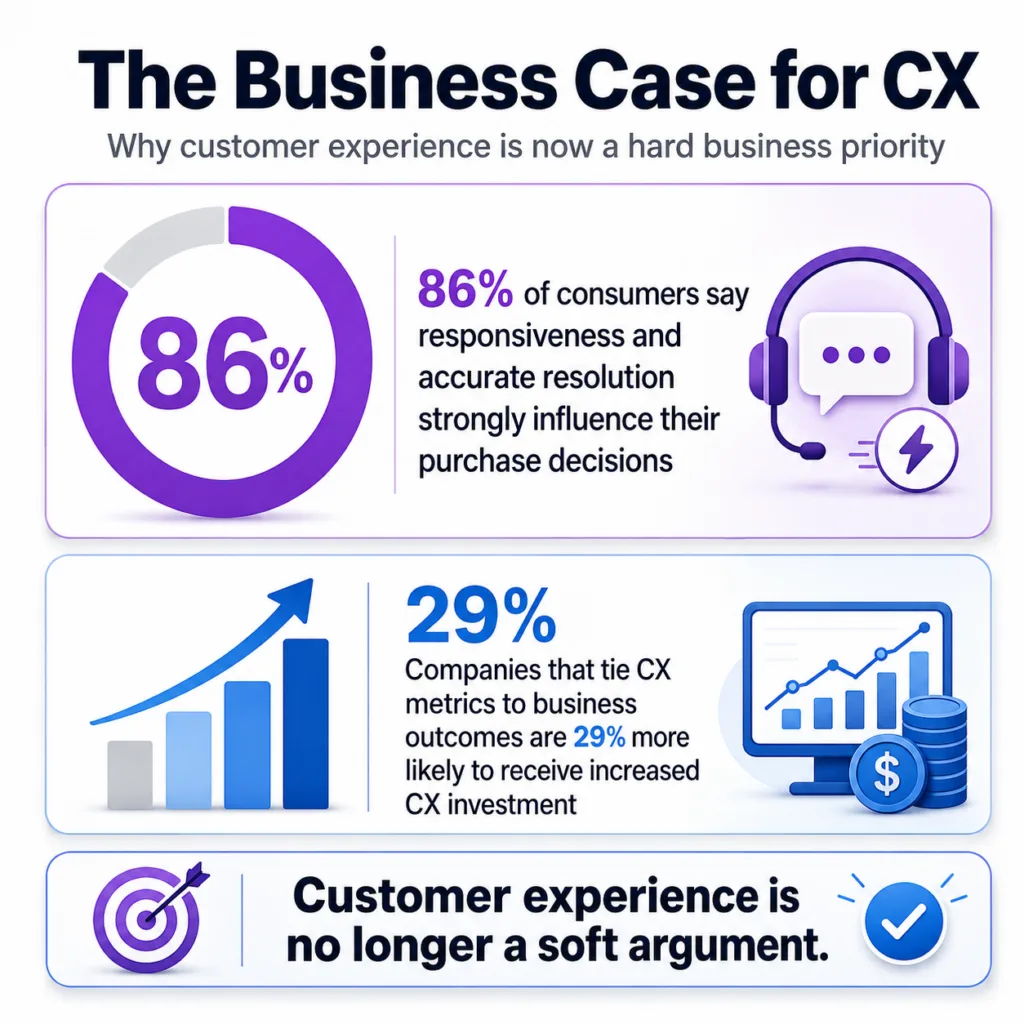
Build that course from the test itself. The replies and objections you collected earlier are the questions customers will ask, so each one becomes a prepared answer. Zendesk’s CX Trends 2026 report found 86% of consumers say responsiveness and accurate resolution highly influence their purchase decisions.
Schedule the briefing for the week before the launch email goes out, and make finishing it a condition for taking launch-day tickets.
What to Fix Before Your Next Test
Pick the next idea on your list and decide, before you write the email, what result would kill it. Write the number down, whether that is a click rate, a deposit count, or a sell-through figure. Set the bar after seeing the data and you will find a reason to launch, which is exactly how the back room fills up.
Then look hard at the list you are about to test against. A forecast built on dead addresses and burner signups is a guess with extra steps.
Freemail AI’s disposable email checker compares each address against a database of known temporary email providers and flags the throwaways, so your waitlist count reflects people who will actually hear about the launch. Check your current waitlist with it this week, and plan launch staffing from the number that remains.