

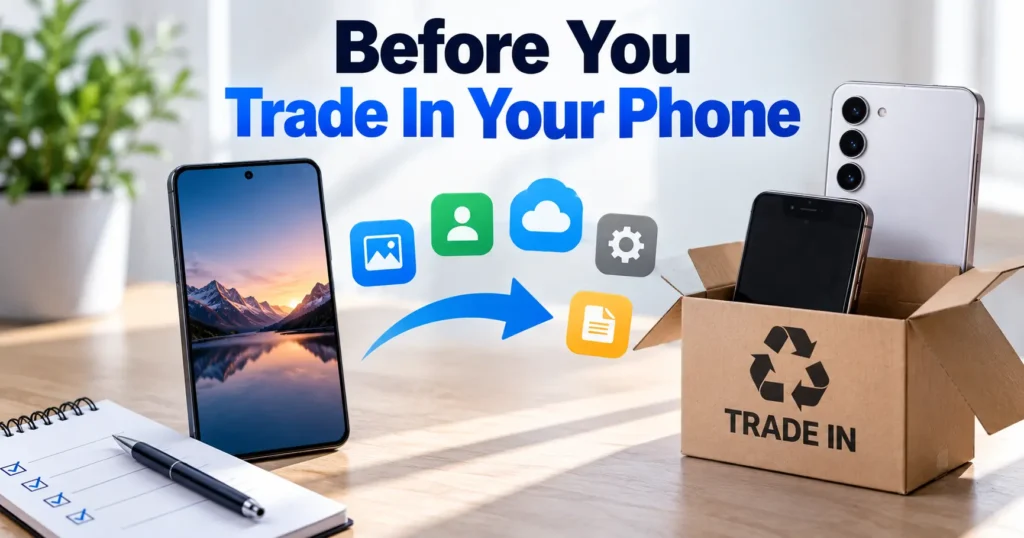
Trading in an old phone can be convenient, but the process should begin well before the device is handed to a buyer. Modern smartphones contain far more than photographs and contacts. They may store email accounts, banking applications, private conversations, authentication codes, documents, saved passwords, and access to cloud services.
A proper trade-in preparation protects two things at once: personal information and the value of the device. A phone that remains linked to an owner’s account may be difficult for a buyer to activate. A phone that arrives dirty, incomplete, or without useful accessories may also be harder to evaluate accurately.
The preparation itself is usually straightforward. Back up important information, sign out of accounts, disable device-tracking features, remove SIM or eSIM service as appropriate, reset the phone, clean it carefully, and gather the items needed for the transaction.
Start With a Complete Backup Before Removing Anything
Data should be handled before any account is removed or factory reset is started. The first step is creating a current backup of information that the owner wants to keep.
For an iPhone, this may involve confirming that important information has synchronized with iCloud or another backup location. Android users can use the appropriate Google account and backup features available on their device. Photos, contacts, messages, application data, and authentication information deserve particular attention.
A backup should be verified rather than assumed. If a photograph exists only on the phone and has not synchronized correctly, a factory reset could make recovery difficult or impossible. The same concern applies to documents, notes, downloaded files, and application-specific information.
Two-factor authentication requires extra care. Some authentication applications store account information locally or require a transfer process before the old phone is erased. Owners should confirm that access to important accounts will remain available after the old device is reset.
It is also wise to review the phone manually before wiping it. Open the photo library, contacts, messages, notes, files, and other important applications. A few minutes of checking can prevent the frustration of discovering missing information after the device has already been handed over.
Sign Out of Accounts and Turn Off Device Tracking
After the backup is confirmed, account removal becomes the next major step. An iPhone should be signed out of the owner’s Apple Account, while an Android device should be disconnected from the relevant Google account and any other account-based security features.
For Apple devices, Find My should be turned off as part of the proper preparation process. Activation Lock is designed to prevent unauthorized use of a lost or stolen device, but it can also prevent a legitimate buyer from activating a phone if the previous owner has not removed the device correctly.
Someone preparing to sell your phone for Cash at PayMore should complete these account and security steps before bringing the device for evaluation. The same principle applies to any legitimate buyer: a phone should be transferred without the previous owner’s account remaining attached.
Android devices can have similar protection mechanisms tied to the owner’s account. The exact menus differ by manufacturer and operating system version, so users should follow the manufacturer’s current instructions rather than relying on memory.
Account removal also protects privacy. A factory reset is important, but it should not be treated as a substitute for properly disabling account-based security features. The sequence matters because the owner needs to remain in control until the device is ready to be transferred.
Remove the SIM or eSIM and Prepare the Physical Device
A physical SIM card should generally be removed before the phone is handed over. It contains carrier-related information and belongs to the user rather than the device being sold.
eSIM users need to pay attention to the difference between erasing an eSIM profile and canceling a mobile service plan. Removing a cellular profile from the device does not necessarily terminate the underlying carrier account. Owners should confirm their carrier’s process before deleting a mobile plan.
After connectivity is handled, the phone can be cleaned. A soft, suitable cloth can remove fingerprints and surface dust from the display and body. Charging ports, speakers, microphones, and other openings should be treated carefully. Sharp objects and excessive liquid can cause damage.
The physical condition should also be checked. Look for cracks, dents, deep scratches, damaged buttons, charging problems, or camera issues. The goal is not to make an older phone look brand new. It is to make its actual condition clear and allow it to be evaluated properly.
Accessories should be collected at the same time. A compatible charger, cable, case, original box, or other relevant item may help complete the package. Accessories do not guarantee a higher offer, but missing items can affect how complete the device appears.
Owners should also confirm the exact model and storage capacity. These details can affect the valuation, and knowing them in advance makes the transaction easier.
Factory Reset Only After the Phone Is Ready to Leave
The factory reset should be one of the final preparation steps, not the first. Once the owner has backed up important information, signed out of accounts, disabled applicable tracking features, and removed the SIM or eSIM profile as appropriate, the device can be erased using its built-in reset process.
A factory reset removes user data from the device and returns it to an initial setup state. The exact process differs between iPhone and Android models, so owners should use the device’s official settings rather than third-party instructions that may not match the current software.
After the reset, the phone should display the appropriate initial setup screen. The owner should avoid signing back into the device just to test it after the wipe because doing so can reintroduce personal account information.
The reset protects privacy, but preparation does not end there. A seller should keep any removed SIM card, verify that important data remains accessible through the backup, and retain the accessories and identification needed for the transaction.
If you plan to sell your phone for Cash at PayMore, reset it before the in-person sale to make the evaluation and handover more straightforward. The same preparation can help when selling or trading in your phone elsewhere.
Bring the Right Items and Know What to Expect
A smooth transaction often depends on having the basic items ready. The buyer may need to verify the seller’s identity, inspect the phone, and check its model and condition before providing a quote.
The exact requirements vary by buyer and location, so owners should confirm what documentation is accepted before leaving home. A valid government-issued ID may be required for certain transactions. Bringing the relevant accessories can also make the evaluation easier.
A practical pre-trade-in check includes:
- Confirm that important data has been backed up and verified.
- Sign out of iCloud, Google, and other relevant accounts.
- Turn off Find My and applicable activation or device-locking features.
- Remove the physical SIM or properly handle the eSIM profile.
- Clean the phone carefully without damaging ports or openings.
- Gather chargers, cables, cases, boxes, and other useful accessories.
- Bring the required identification and confirm the phone’s model and storage.
- Complete the factory reset only after all personal data and accounts have been handled.
These steps serve two purposes. They reduce privacy risks and make the phone easier to evaluate. A buyer can inspect a device that is ready for transfer instead of encountering an account lock or personal data screen.
A Clean Handover Protects Both Sides
Preparing a phone for trade-in is more than a cosmetic exercise. The process protects the previous owner’s information while giving the buyer a device that can be evaluated and transferred properly.
Backing up data prevents accidental loss. Signing out of iCloud or Google accounts and disabling Find My or comparable security features prevents activation problems. Removing the SIM or eSIM profile separates the old owner’s mobile service from the hardware. Cleaning and gathering accessories make the device easier to inspect, while the correct factory reset removes personal information before the phone changes hands.
The financial side matters too. A buyer needs to know what device is being evaluated and whether it functions correctly. Accurate information about storage, condition, accessories, and known problems creates a clearer basis for the offer.
A rushed handover can create unnecessary problems. A few minutes spent checking accounts, data, accessories, and device condition can make the transaction much easier.
The safest approach is to remain in control of the phone until the preparation is complete and the owner is satisfied that the device no longer contains personal information. Once those steps are finished, the phone is ready to be evaluated without exposing the previous owner’s digital life or creating avoidable transfer problems.