

A temporary email address lets you sign up for ChatGPT’s free tier in under a minute, and your real inbox stays clean. But a temp mail only solves half the job. OpenAI often asks for phone verification too, and a temp inbox cannot recover a lost password or receive ChatGPT Plus receipts later. Use it for quick tests, not for accounts you plan to keep.
Every time you sign up for ChatGPT, you hand OpenAI an email address. That address gets linked to your account and to every chat you have after that. If you just want to try ChatGPT once, test a feature, or keep your AI accounts off your main inbox, a temp mail for ChatGPT can handle the signup step in under a minute. This guide covers the exact steps, what OpenAI’s email blocklist means for you, and where a temporary email stops being enough, including phone verification and ChatGPT Plus billing.
Why use a temporary email for ChatGPT?
A disposable email for ChatGPT lets you finish signup without tying your real name to your chat history or your inbox to OpenAI’s marketing emails. It works best for one-time testing, trying the tool before you commit, or keeping your AI accounts separate from your main email address.
There are a few good reasons people reach for a temp mail, or burner email, before signing up:
- You keep spam out of your main inbox. More than 45 out of every 100 emails sent each day are spam, and the average person gets about 1,825 spam emails a year. A temp mail address takes that hit instead of your real inbox.
- Your name stays separate from your chat history. Every message you send is tied to the account you’re signed into. A temp mail keeps that link away from your everyday email.
- You can test the tool first. Maybe you want to try ChatGPT, or another AI tool like Claude or Gemini, before you decide to keep an account with it.
- Work email visibility matters too. If your company uses Google Workspace or Microsoft 365, your employer might be able to see that you signed up for an AI tool using your work address. A separate temp mail avoids that.
How to sign up for ChatGPT with a temp mail address
Here’s the full walkthrough for creating a ChatGPT account without a real email:
- Get a temp mail address. Open a temporary email generator, like the one on this page, and copy the address it gives you. No signup is needed on your end.
- Go to ChatGPT’s signup page. Open chatgpt.com and click “Sign up,” then choose to continue with email instead of a Google or Microsoft account.
- Paste your temporary email. Enter the fake email for ChatGPT you just generated, then pick a strong password. Save that password somewhere safe.
- Check your temp inbox. OpenAI sends a verification email or a short OTP code. Open it in your temp inbox and click the link, or enter the code.
- Finish your profile. Add a first name, a last name, and your birthdate to complete the account.
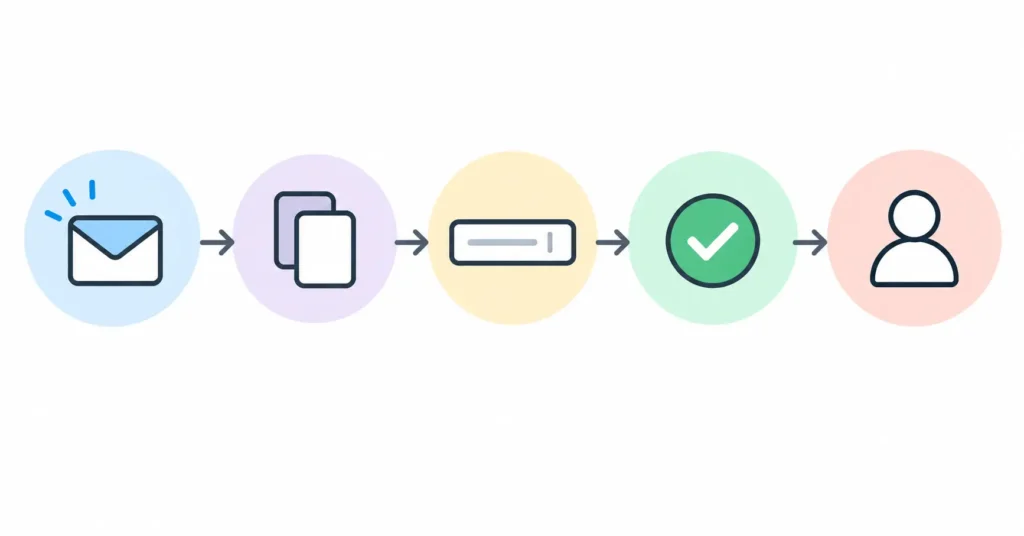
That’s the whole process, and it usually takes less than a minute.
If you plan to upgrade to Plus later
If there’s a chance you’ll want ChatGPT Plus down the road, swap in a real email before you pay. Billing receipts and account recovery both need an inbox that still exists. You can change the email on file under Settings, then Profile, at any point.
Will ChatGPT block your temporary email?
Sometimes. OpenAI keeps an email blocklist of known disposable domains and rejects some of them at signup. If that happens, you’ll usually see a message saying the address isn’t allowed.
The fix is simple. Generate a new address from a different domain and try again. Most temp mail tools, including this one, offer more than one domain for exactly this reason. If a domain gets flagged, switching to another one usually clears the signup right away.
Do you still need a phone number for ChatGPT?
In most places, yes. OpenAI still asks for phone verification along with email for many new accounts. This step is separate from email verification, so a temp mail address does not remove it where it applies.
OpenAI has also started testing phone-only signup, where no email step is needed at all. As of 2026, this is rolling out in the United States, the Netherlands, France, Spain, the United Kingdom, Poland, Germany, Japan, India, Pakistan, Algeria, Uzbekistan, and Ukraine. But there’s a catch: accounts made this way can’t upgrade to ChatGPT Plus or ChatGPT Pro, and they can’t use two-factor authentication (2FA), without adding a verified email later.
A few other things worth knowing about phone verification:
- A single phone number can only be used to verify up to two ChatGPT accounts before you’ll need a different number.
- Once a number is linked to an account, OpenAI won’t let you unlink it, even if you delete that account.
- If you’d rather not share your personal number at all, a prepaid SIM or a virtual number can stand in for it.
So if you’re looking for a chatgpt account without real email and without a phone number too, check whether the phone-only rollout covers your country. In most other regions, plan on both an email step and a phone step.
What a temp mail address can’t do for your ChatGPT account
A temp mail is great for getting past the signup wall, but it has real limits once your inbox expires. Here’s what breaks and what to do about each one.
At a glance
| Task | Works with a temp mail? | What to do instead |
| Free tier signup | Yes | No change needed |
| Email verification | Yes | No change needed |
| Password reset after the inbox expires | No | Switch to a real email while the temp inbox is still active |
| Two-factor authentication recovery | No | Set up an authenticator app instead of email-based codes |
| Temp mail for ChatGPT Plus billing receipts | No | Add a real email before or right after you subscribe |
| Long-term account recovery | No | Keep a permanent email on file for any account you plan to keep |
ChatGPT Plus and ChatGPT Pro payments go through Stripe, so your card details stay separate from your OpenAI account either way. But the receipt itself, and any support ticket about billing, still goes to whatever email is on your account. If that’s a temp mail that’s already expired, you won’t see it.
Is a temp email enough to make ChatGPT private?
Not fully. A temp email hides your name from OpenAI at signup, but it does not stop ChatGPT from storing your conversations. Your chats may still be used to train future models unless you turn that setting off.
OpenAI’s privacy policy lays out what the company collects. That includes your account details, every message you send and receive, and some technical data like your device type and rough location. A temp mail only covers the email part of that list.
To cut down on data collection further, go to Settings, then Data Controls, and turn off “Improve the model for everyone.” You can also switch on Temporary Chat for any single conversation you don’t want saved to your history at all.
Rules like the EU AI Act are still being written, and future laws could change how companies handle stored data. In March 2023, a bug at OpenAI briefly let some users see other users’ chat titles and part of their payment details. It was fixed within days, but it’s a fair reminder that no online account, temp email or not, is ever fully private.
Temp mail vs. email alias vs. a real email for ChatGPT
Each option fits a different situation. Here’s how they compare for ChatGPT specifically.
| Option | Best for | Downside |
| Temp mail (disposable or burner email) | One-time signups and quick tests | Expires, so there’s no account recovery after |
| Email alias (like Apple’s Hide My Email or SimpleLogin) | Keeping an account while hiding your real address | Takes a bit more setup than a temp mail |
| Real email | ChatGPT Plus, long-term use, anything you want to keep | Your real address is on file with OpenAI |
If you’re just checking out ChatGPT, start with a temp mail. If you know you’ll keep the account, an alias or a real email saves you the trouble of losing access later.
Frequently asked questions
Does ChatGPT block temp mail?
Sometimes. OpenAI keeps a list of known disposable email domains and blocks some of them at signup. If your address gets rejected, generate a new one on a different domain. That usually solves it.
Can I use ChatGPT Plus with a temporary email?
You can sign up with one, but your billing receipts and account recovery are tied to that address. Once the temp inbox expires, you can’t reset your password. Switch to a real email before or right after you subscribe.
Do I need a phone number to sign up for ChatGPT?
In most regions, yes, along with email. OpenAI is testing phone-only signup in a handful of countries, but outside of those, a temp mail alone won’t skip the phone step.
Is it safe to use a temp mail for ChatGPT?
It’s fine for one-time or short-term use. It’s not built for accounts you’ll come back to, since there’s no password recovery once the inbox expires and the address itself can be reused by someone else later.
Does ChatGPT save my chat history if I sign up with a temp email?
Yes. A temp email only hides your identity at signup. OpenAI still stores your conversations and may use them for training unless you turn that off in Settings, under Data Controls.
Can I recover my ChatGPT account if I used a temp email?
Not once the inbox expires. Password reset and email-based recovery both need an active inbox. If you plan to keep the account, add a permanent email while the temp one still works.
Is using a temp email against ChatGPT’s terms of service?
OpenAI’s terms don’t ban disposable email on their own. What they do ban is creating multiple accounts to get around limits or restrictions. That’s the line that actually matters, not the type of email you use.
Ready to get started?
Use the free temp mail generator above to get an address right now, then head to ChatGPT’s signup page. It takes less than a minute, and you’ll know exactly where the limits are before you hit them.