

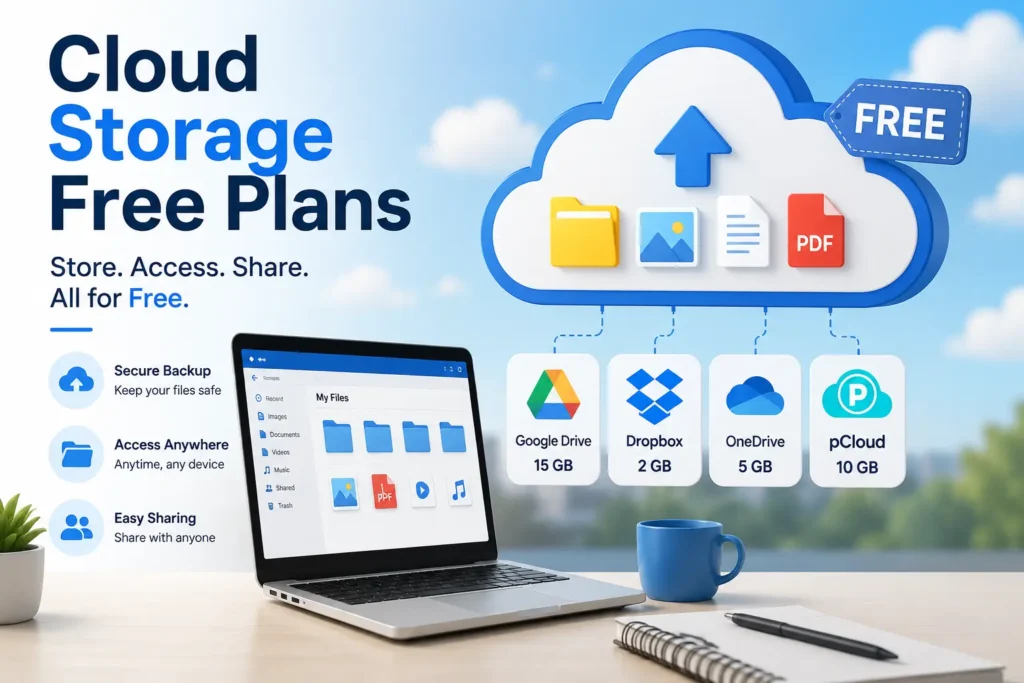
Cloud storage free plans let you store files at no cost, but the space you get is very different from one service to the next. Most big names give you about 2GB to 20GB. A few offer far more, but only if you accept ads or lower file quality. The best free plan depends on how much space you need, how private you want to be, and which devices you use. Always check the storage limits before you sign up, and think about mixing a few free tiers together.
Almost everyone keeps files in the cloud now. In fact, 88% of people store personal files online, and the average person pays about $70 a year for extra space. But here is the thing: you may not need to pay at all. Good cloud storage free plans can cover your photos, school work, and backups without costing a cent.
In this guide, you will see the best free cloud storage plans for 2026, how much space each one gives, the hidden catches to watch for, and how to pick (or even stack) the right one. Let’s compare your options.
Best Free Cloud Storage Plans at a Glance (2026 Comparison Table)
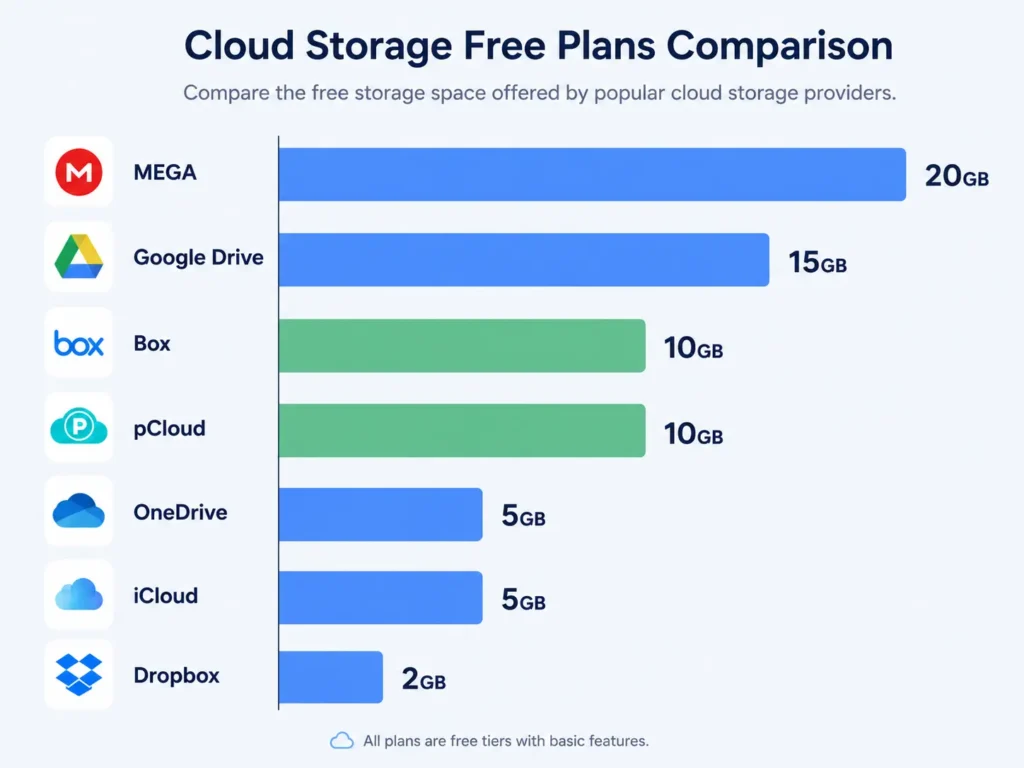
Here is a quick look at the top free cloud storage plans. This table shows how much free storage you get, whether your files are encrypted, what each service is best for, and the main limit to know about.
| Provider | Free Storage | Encryption | Best For | Key Limit |
| MEGA | 20GB | Zero-knowledge (end-to-end) | Most free space + privacy | Transfer limits on free tier |
| Google Drive | 15GB | Standard + 2FA | Google users, collaboration | Shared with Gmail and Photos |
| Box | 10GB | Standard | Personal file sharing | Small file size limit |
| pCloud | Up to 10GB | Optional client-side | Clean design, lifetime plans | Encryption is a paid add-on |
| IDrive | 10GB | Standard | Backups | Setup takes a few steps |
| OneDrive | 5GB | Enterprise-grade + 2FA | Windows and Microsoft users | Low free space |
| iCloud | 5GB | Standard | Apple users | Fills up fast on iPhone |
| Proton Drive | 5GB | End-to-end | Privacy-first users | Fewer collaboration tools |
| Sync.com | 5GB | Zero-knowledge | Private backups | Slower free uploads |
| Dropbox | 2GB | Secure sync + 2FA | Simple file sharing | Very small free tier |
Sources: Cloudslinker, Zapier, and RateTheTool.
As you can see, MEGA leads on raw space, while Google Drive wins on ease of use. This free cloud storage 2026 comparison focuses only on the free tier of each service, so you can pick the most free cloud storage for your needs. Now let’s dig into the details.
Which Free Cloud Storage Gives the Most Space?
Among the major providers, MEGA offers the most at 20GB of free storage, followed by Google Drive at 15GB. A few smaller services claim even bigger numbers, but they come with strings attached. So the real winners for the most free cloud storage with no strings are MEGA and Google Drive.
Before you pick, it helps to understand how a cloud storage free tier actually works. A free tier is a permanent plan that costs nothing but caps your space. It is not a short trial. Most stay free forever as long as you follow the rules. This is different from a free trial, which ends after a set time and then charges you.
Here is the ranking by free space among trusted services:
- MEGA: 20GB of free storage
- Google Drive: 15GB of free storage (shared)
- Box, pCloud, IDrive: about 10GB of free storage each
- OneDrive, iCloud, Proton Drive, Sync.com: 5GB of free storage each
- Dropbox: 2GB of free storage
You may also see offers for 100GB or even 1TB free. Degoo advertises up to 100GB, and TeraBox claims 1TB. These sound amazing, but they are ad-supported and often compress your files. We will cover those catches soon.
Free Cloud Storage Compared, Provider by Provider
Now let’s look at each free plan up close. This is the heart of the comparison, so take your time here.
Google Drive: 15GB Free (Shared With Gmail and Photos)
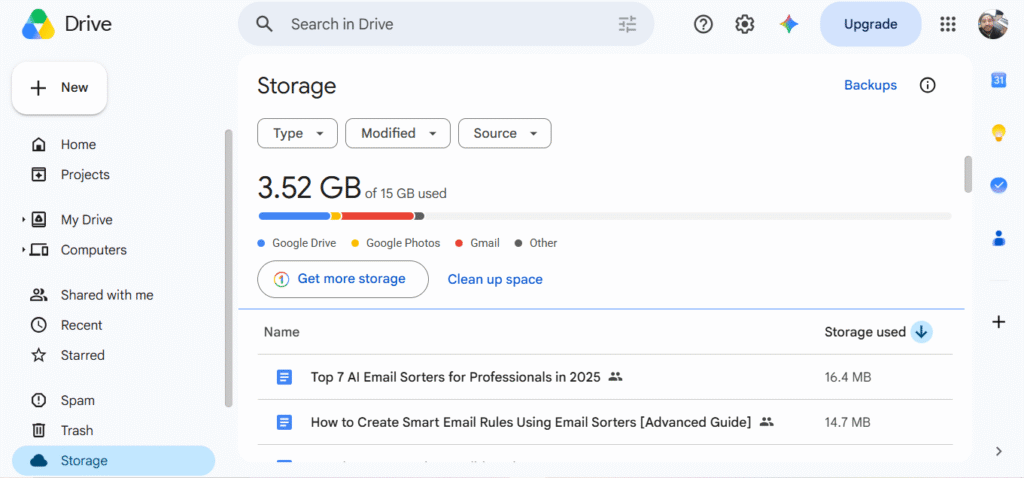
Google Drive is the most popular cloud storage service in the world, with over 1 billion users. It gives you 15GB of free storage. But there is a twist: that space is shared across Google Drive, Gmail, and Google Photos. So if your inbox is full, your Drive space shrinks too.
Still, Google Drive is a great pick for most people. It works on every device, syncs fast, and comes with free office tools like Docs, Sheets, and Slides. It earns a 4.6 out of 5 rating for value. If you already use Gmail, this is the easiest free plan to start with. Keep in mind that Gmail’s shared 15GB storage can run out faster than you expect if you get lots of email.
MEGA: 20GB Free With Strong Privacy
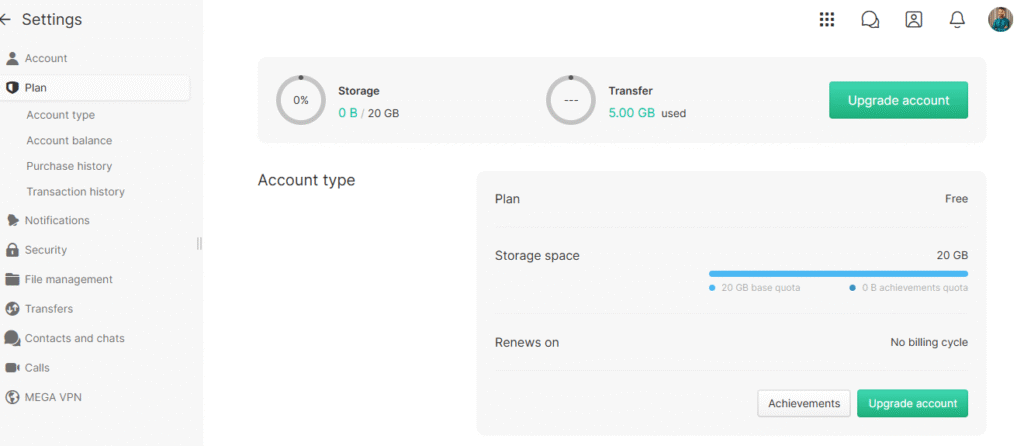
MEGA offers the most free space of any major service at 20GB. Even better, it uses zero-knowledge encryption, also called end-to-end encryption. That means your files are locked in a way that even MEGA cannot read them. For anyone who cares about data privacy, that is a big deal.
The one catch is that free accounts have transfer limits. If you move a lot of files at once, you may hit a cap and need to wait. For everyday backups and file sharing, though, MEGA is hard to beat on the free tier.
OneDrive and iCloud: 5GB Free Each
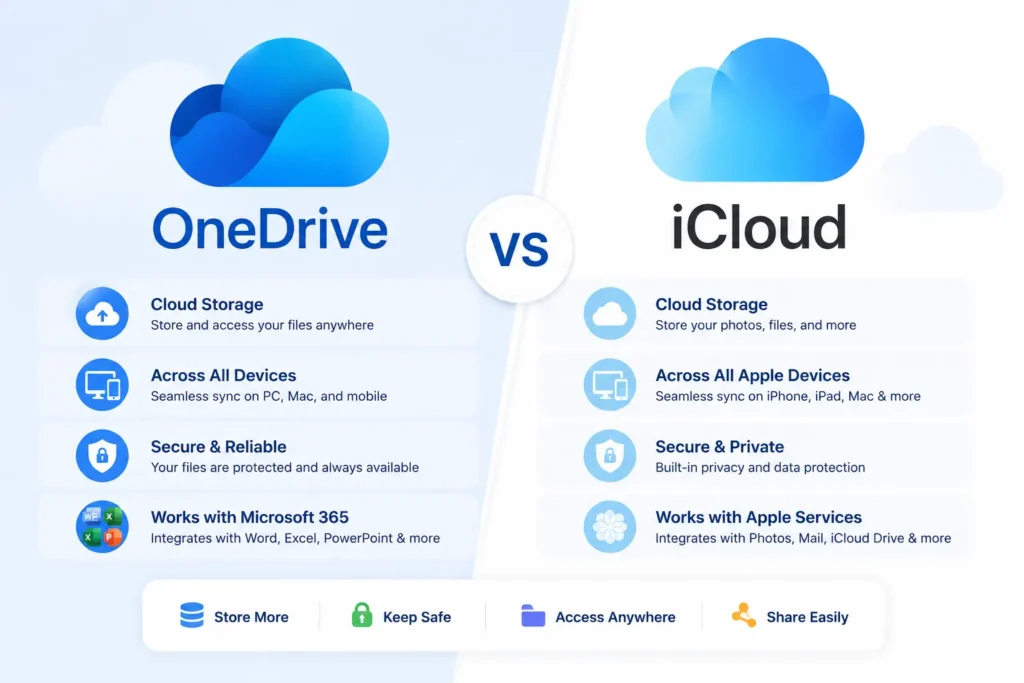
Microsoft OneDrive and Apple iCloud both give you 5GB of free storage. That is on the smaller side, but each shines inside its own world.
OneDrive fits Windows and Microsoft users best. It has enterprise-grade security, two-factor login, and works with Word, Excel, and PowerPoint. iCloud is built right into Apple devices, so it feels seamless on an iPhone or Mac. The downside for both is space. On an iPhone, 5GB fills up fast once you back up photos.
Dropbox: 2GB Free (Plus Referral Bonuses)
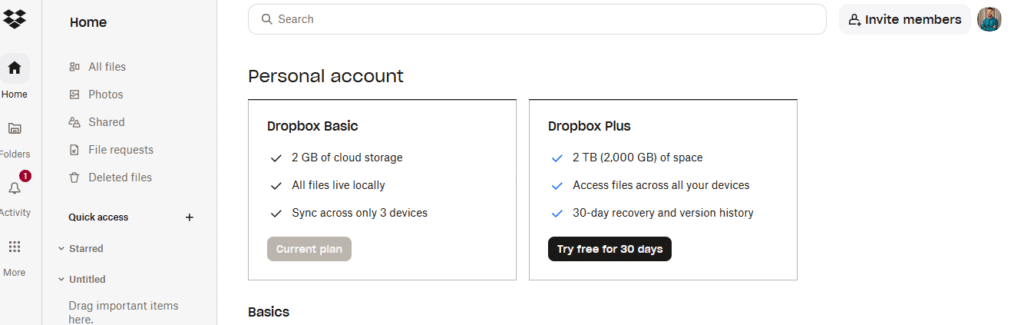
Dropbox has the smallest free tier of the big names at just 2GB. In 2026, that holds only about 500 photos or a handful of documents. The good news is that Dropbox syncs smoothly across every platform and handles large file uploads well.
You can also earn a referral bonus. Dropbox gives you extra space for each friend who signs up, up to a set limit. So while the starting free storage is tiny, you can grow it over time.
Privacy-First Picks: pCloud, Proton Drive, and Sync.com
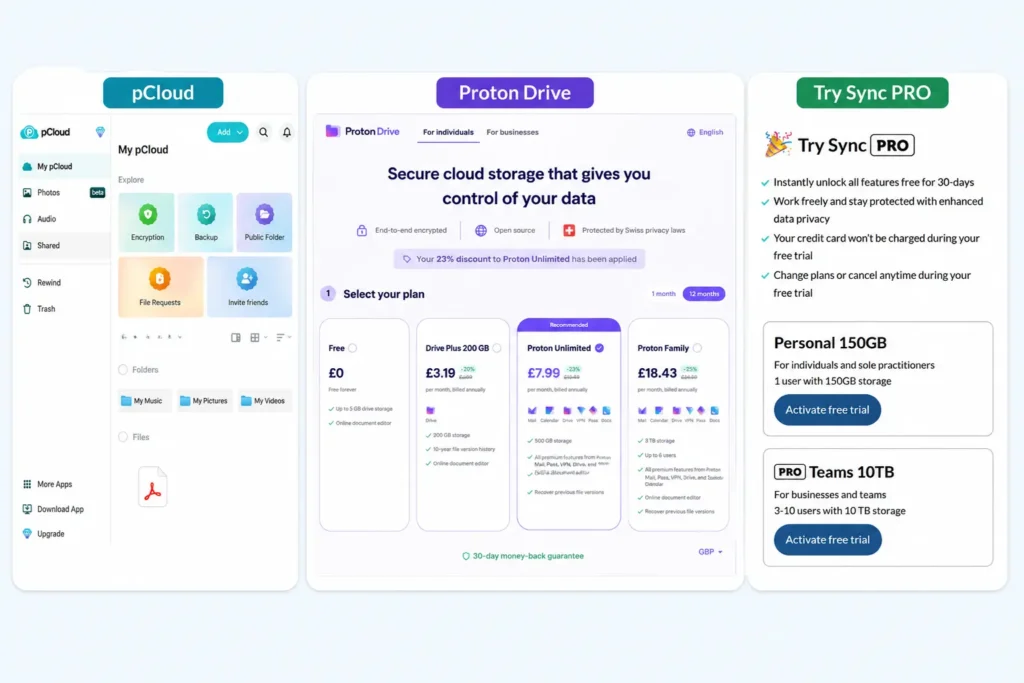
If keeping your files private matters most, look at these three. pCloud gives up to 10GB of free storage and offers optional client-side encryption. Proton Drive and Sync.com each give 5GB of free storage with strong end-to-end or zero-knowledge encryption.
These services put data privacy first. They are a smart choice for tax forms, IDs, or anything sensitive. Many of them are based in privacy-friendly regions and follow strong data rules like GDPR, which gives users more control over their own information. The trade-off is that free space is smaller and some collaboration tools cost extra.
File syncing is another feature to weigh here. Syncing keeps the same files updated across your phone, laptop, and tablet at once. Most free plans include basic file syncing, but privacy-first services sometimes sync a bit slower on the free tier. If fast file syncing matters to you, Google Drive and Dropbox lead the pack, while MEGA and pCloud focus more on secure storage than raw speed.
Are Free Cloud Storage Plans Safe and Private?
Free plans are generally safe for everyday files, but privacy is not the same everywhere. Services with zero-knowledge or end-to-end encryption, like MEGA, pCloud, and Proton Drive, keep your files unreadable even to the provider. Other services can scan or access your data. So always check the encryption type and read the free-tier terms before you upload private files.
There is one more smart privacy habit. When you sign up for a new storage account, you can use a disposable email instead of your real inbox. This keeps marketing messages away from your main email and gives the service fewer clues about who you are. A free tool like FreeMail.ai lets you use a disposable email to sign up in one click, with no registration needed. It is a simple way to protect your privacy while you test different free plans.
What Are the Hidden Limits of Free Cloud Storage?
Free tiers often carry catches beyond the headline GB number. Many roundups skip these, but you should know them before you commit. Here are the common ones to watch for:
- Transfer or bandwidth limits. Some free plans cap how much you can upload or download in a day, so big moves get slow or blocked.
- File size limits. A single large video or backup file may be too big for the free tier.
- Ads. High-capacity free offers often pay for that space by showing you ads.
- Referral requirements. Some “big” free storage numbers only appear after you invite many friends.
- File compression. A few services shrink your photos and videos to lower quality to save room.
- Account expiry. A handful of services reclaim your space if you do not log in for a long time.
The lesson is simple. Read the fine print so a free plan does not cost you convenience later. A 1TB free offer means little if your files get compressed or the account expires. A good rule is to test a service with a few unimportant files first. Upload a photo, share a link, and download it back. If everything feels smooth, then trust it with more. This quick test saves you from surprises down the road and helps you learn each plan’s real storage limits before you rely on it.
How to Get More Free Cloud Storage (Stack Free Tiers to 50GB+)
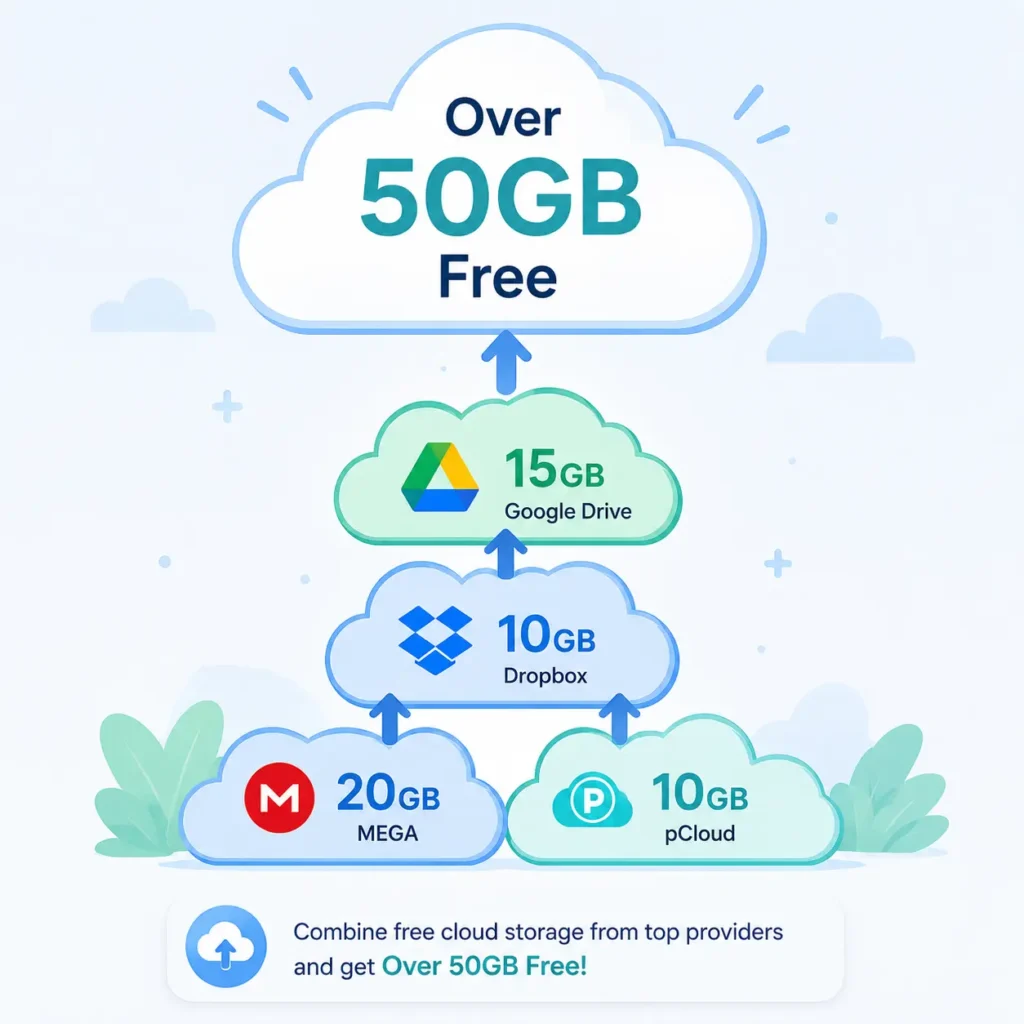
Here is a trick most guides skip. You do not have to rely on one service. The average person already uses about 2.67 different cloud services . By combining several free tiers, you can reach 50GB or more without paying anything.
Follow these steps to stack your free storage the smart way:
- Sign up for the biggest free plans first. Start with MEGA (20GB) and Google Drive (15GB). That alone gives you 35GB.
- Add mid-size tiers. Layer on Box, pCloud, or IDrive for about 10GB each. Now you are past 50GB.
- Use referral bonuses. Earn extra space on services like Dropbox by inviting friends.
- Keep separate accounts organized. Give each service its own login so nothing gets mixed up. You can create separate accounts using different email aliases to keep them tidy and spam-free.
- Match files to services. Put photos on one, documents on another, and backups on a third.
This stacking method takes a little setup, but it turns several small free plans into one large, free storage system. Just remember to note which files live where.
Which Free Cloud Storage Is Best for You? (By Use Case)
The best free plan depends on your main need. Since 71% of people use cloud storage for photos and 53% use it for backups, your goal matters more than the raw GB number. Here is a quick guide:
- For photos: Pick a service with lots of space and easy mobile backup, like MEGA (20GB) or Google Drive (15GB).
- For documents and collaboration: Choose a plan with built-in office tools, like Google Drive or OneDrive.
- For sensitive files: Go with zero-knowledge encryption from MEGA, pCloud, or Proton Drive.
- For maximum space: Combine several free tiers using the stacking method above.
Match the service to the job, and your free cloud storage will feel much bigger than any single plan.
One more tip: think about your devices. If you live on an iPhone, iCloud will feel the smoothest even at 5GB. If you use Windows, OneDrive fits right in. Android users often lean on Google Drive because it comes built in. The best free plan is the one that works quietly in the background on the devices you already own. When file syncing feels invisible, you know you picked the right fit.
Free vs Paid: Do You Even Need to Upgrade?
Before you buy anything, ask if you really need a paid plan. Many people upgrade out of habit. Yet 62% of users pay for cloud storage, spending about $5.92 a month on average. If your files fit inside free tiers, that is money saved.
Paid plans make sense when you store huge photo libraries, big video files, or years of backups. But for light users, students, and freelancers, cloud storage free plans are often more than enough. Start free, watch your usage, and only upgrade if you truly run out of room. Trusted tech reviewers like PCMag test these services hands-on each year, and the free tiers keep getting better. The cloud storage market is also growing fast and is set to pass $376 billion by 2029, which pushes providers to offer more free space and better file sharing over time.
Final Thought
Cloud storage free plans have never been better. MEGA leads on space with 20GB, Google Drive wins on ease with 15GB, and privacy-first picks like pCloud, Proton Drive, and Sync.com keep your files locked tight. The smartest move is to match the service to your need, watch out for hidden limits, and stack a few free tiers to reach 50GB or more without paying.
And whenever you sign up for a new free storage account, protect your main inbox at the same time. Use a disposable email from FreeMail.ai to keep spam out and your privacy in. It is fast, private, and 100% free, just like the storage plans in this guide.
Frequently Asked Questions
Is there any cloud storage for free?
Yes, and there are more options than most people think. Almost every major provider offers a permanent free plan, not just a short trial. These free tiers usually give you 2GB to 20GB of space at no cost. MEGA gives the most among the big services at 20GB, while Google Drive offers 15GB shared across Drive, Gmail, and Photos. Smaller names like Box, pCloud, and IDrive sit in the middle with about 10GB each. You can sign up and start uploading files right away with no payment and no credit card. The main thing to remember is that free plans have caps, so once you fill the space, you either delete old files or move to another service.
What’s the best free cloud storage?
The best free cloud storage depends on what you plan to store and which devices you use. For most people, MEGA (20GB with zero-knowledge encryption) and Google Drive (15GB with great collaboration tools) are the strongest all-round free options in 2026. Google Drive is the easiest to start with because it works everywhere and includes free Docs, Sheets, and Slides. MEGA is the better pick if you want the most space and strong data privacy. Privacy-first users often prefer pCloud, Proton Drive, or Sync.com for their strong end-to-end encryption. Windows users may lean toward OneDrive, while Apple fans usually stick with iCloud since it is built into their devices.
How do I get 1TB of free cloud storage?
Real 1TB free cloud storage is rare, so be careful with big promises. TeraBox advertises 1TB free, but it shows ads and compresses your videos to lower quality, which can hurt your files. Some student and school programs also offer 1TB through Microsoft 365, but you need a valid student email to qualify. For most people, reliable free space tops out around 20GB per service. That is why stacking several free tiers is a safer and smarter route than chasing one giant free offer. If you truly need 1TB and want no strings, a low-cost paid plan is often more dependable than a free 1TB deal.
How can I get 100GB free?
Getting 100GB free is possible, but it comes with trade-offs. Degoo offers up to 100GB free, yet it is ad-supported and limits how much you can upload at a time. Some services also hand out extra space through referral bonuses when you invite friends, which can add up over time. The most dependable way to reach large free storage is to stack several free tiers from different providers. Start with MEGA and Google Drive, then add Box, pCloud, or IDrive. With this method you can pass 50GB and even approach 100GB without paying, and your files stay at full quality instead of being compressed.
Is free cloud storage safe?
For everyday files like school work, photos, and documents, free cloud storage is generally safe. For sensitive data such as tax forms, IDs, or private records, pick a service with zero-knowledge or end-to-end encryption, like MEGA, pCloud, or Proton Drive. That kind of encryption keeps your files unreadable even to the provider. It also helps to turn on two-factor login and to use a disposable email when you sign up, so you share less personal info and keep spam out of your main inbox. Always read the free-tier terms too, since some services can scan or access files that are not encrypted.
Do free cloud storage plans expire?
Some free cloud storage plans can expire or shrink, so it pays to know the rules. A few services reclaim your space after long periods of inactivity, which means files could be at risk if you stop logging in for months. Referral bonuses can also lapse over time, so the extra space you earned might disappear. To stay safe, log in every so often, keep a backup of your most important files on a second service, and read each provider’s free-tier terms. That way you do not lose files or space by surprise.
Which free cloud storage is best for photos?
For photos, you want lots of space and easy mobile backup. MEGA (20GB) and Google Drive (15GB) are top choices because they hold plenty of images and back up automatically from your phone. Google Photos also ties into your Drive space, which makes it simple for Android users. Just remember that photo and video files are large, so even a generous free tier can fill up. Stacking a second service is a smart backup plan if you take a lot of pictures.
Can I use more than one free cloud storage service at once?
Yes, and many people do. The average person already uses about 2.67 different cloud services. Using more than one free plan lets you stack free tiers and reach 50GB or more without paying. The trick is to stay organized. Give each service its own login, and decide what type of file goes where, such as photos on one and documents on another. Using separate email aliases for each account keeps everything tidy and spam-free.