

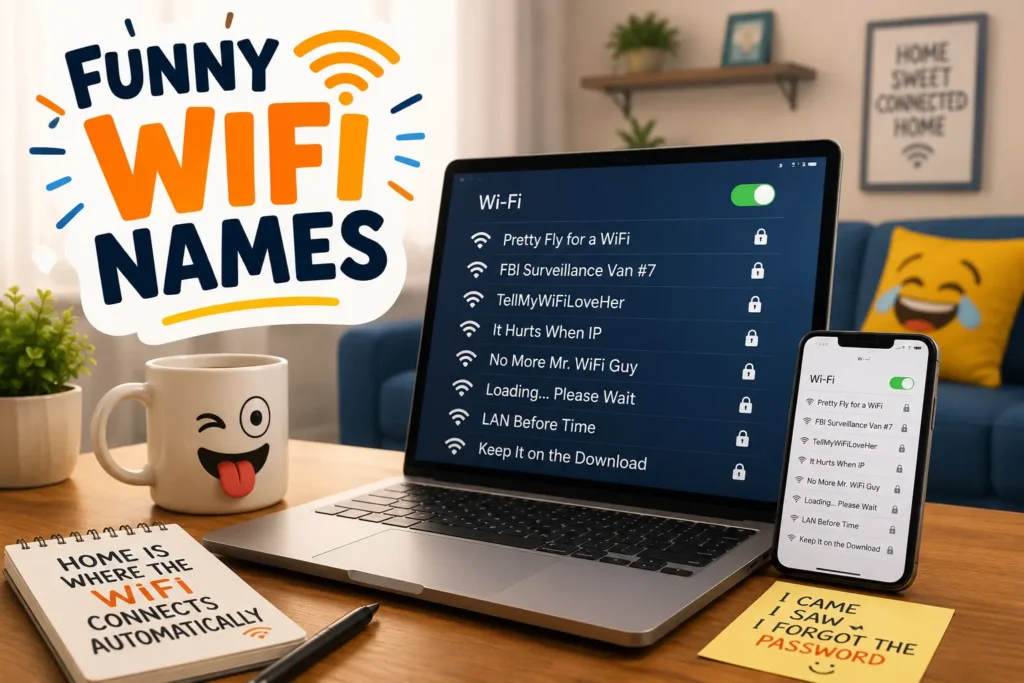
Funny WiFi Names can turn an ordinary wireless network into something that makes friends, guests, and even nearby neighbors smile. Whether you’re looking for clever WiFi name ideas, hilarious funny hotspot names, or creative hotspot name ideas for your phone, the right name adds personality to your internet connection without revealing any personal information.
Your WiFi network appears on nearby phones, laptops, tablets, smart TVs, and gaming consoles, so there’s no reason to settle for a boring default SSID. A funny network name can break the ice, spark conversations, or simply show off your sense of humor. The best Funny WiFi Names are short, memorable, family-friendly, and easy to recognize while keeping your actual network password strong, private, and completely different from your WiFi name.
In this collection, you’ll find 250+ Funny WiFi Names for every style, including funny network names for neighbors, apartments, gamers, couples, families, students, and tech lovers. We’ve also included clean WiFi name ideas and funny hotspot names that are perfect for kids, shared homes, offices, and public hotspots.
Browse the list, choose your favorite WiFi name idea, then update your router’s SSID or mobile hotspot name in just a few minutes. Whether you want something witty, pun-filled, geeky, or completely ridiculous, you’ll find plenty of hotspot name ideas and Funny WiFi Names to give your network a memorable identity.
Best Funny WiFi Names to Pick for Your Router or Hotspot
Looking for the perfect Funny WiFi Name? These WiFi name ideas are short, clever, and easy to recognize on any device. Whether you’re naming your home router, apartment internet, or mobile hotspot, these funny hotspot names add personality without revealing personal information. Browse the list below and pick the one that best matches your sense of humor.
- Pretty Fly for Wi-Fi
- Get Off My LAN
- The LAN Before Time
- Nacho Wi-Fi
- It Hurts When IP
- No More Mister Wi-Fi
- Router? I Hardly Know Her
- Wi Believe I Can Fi
- Tell My Wi-Fi Love Her
- House of the LAN
- Hide Yo Kids Hide Yo Wi-Fi
- Loading Please Wait
- The Password Is Nope
- Connection Lost Again
- Drop It Like Its Hotspot
- LAN Solo
- Winternet Is Coming
- The Promised LAN
- Silence of the LANs
- The Internet Is Lava
- FBI Surveillance Van
- Totally Not the FBI
- Virus Distribution Center
- Free Public Wi-Fi
- Definitely Not Free
- Click Here for Virus
- This Is Not Wi-Fi
- Searching for Signal
- Buffering Forever
- The Wi-Fi Awakens
- The Router Rangers
- Internet and Chill
- Lord of the Pings
- Ping Me Maybe
- You Shall Not Password
- Password Is Password
- The Bandwidth Bandits
- Wi-Fight the Feeling
- No Signal No Problem
- The Wi-Fi Wizard
- Modem Family
- Keep It on the Download
- The Fast and Curious
- Data by Daylight
- The Streaming Service
- Let Me Connect
- Internet of Things
- The Secret Network
- Please Use Your Data
- Signal and the City
These funny router names work well because they are easy to understand at a glance. A good SSID should make people laugh, but it should also be easy to find when you need to connect a new phone or laptop.
What Makes a Funny Wi-Fi Name Work?
A funny Wi-Fi name works when it is short, clear, and easy to recognize in a list of nearby wireless networks. A smart joke, a simple pun, or a familiar phrase usually works better than a long sentence.
A Wi-Fi name is also called an SSID, which means Service Set Identifier. It is the public name that your router shares with nearby devices. That means people near your home may see it when they search for a wireless network.
Use these simple rules when choosing clever Wi-Fi names:
- Keep the name short enough to read on a phone screen.
- Make sure guests can spell it if they need to join your network.
- Avoid your full name, address, apartment number, birthday, or phone number.
- Do not make your SSID look like an emergency warning or official network.
- Use a strong password that is different from your network name.
Reader’s Digest also recommends avoiding personal details in a Wi-Fi network name, such as an address, birthday, or phone number.
Funny Wifi Names for Neighbors
Funny Wi-Fi names for neighbors can be playful without being rude. The best neighbor jokes are light, harmless, and easy to understand. Avoid names that threaten people, copy another network, or make someone think your network belongs to a business or government office.
Here are 40 Wi-Fi name ideas your neighbors may notice:
- Neighbor Please
- Knock Knock Wi-Fi Here
- Borrowing Your Wi-Fi
- Nice Plants Next Door
- Your Dog Is Cute
- We Can Hear You
- Please Return My Package
- Stop Parking There
- Bring Back My Ladder
- Can You Mow Mine
- The Loud Neighbors
- Quiet Hours Start Now
- We Saw That
- Wave If You Can Read This
- Nice Fence Friend
- The Good Side of Town
- Your Wi-Fi Is Weak
- Please Stop Drilling
- Is That Your Cat
- Neighbor Net One
- Neighbor Net Two
- Who Moved My Bin
- Lawn Chair Patrol
- Package Watch Team
- Not Your Internet
- Ask Before Streaming
- We Love Quiet Nights
- The Friendly Network
- Friendly But Private
- Please Use Your Own
- The Porch Light Club
- The Weekend Grillers
- The Cookie Exchange
- Block Party Signal
- Next Door Online
- Nice To Meet Wi-Fi
- The Neighbor Zone
- Please Do Not Guess
- No Free Passwords
- Shared Wall Signal
These funny Wi-Fi names for neighbors are best when they feel friendly. A small joke can be memorable. A mean joke can cause stress in a shared building or neighborhood.
Which Funny Wi-Fi Names Are Best for Apartments?
Apartment Wi-Fi names should be simple, friendly, and private. In an apartment building, many wireless networks can appear at the same time. Your network name should stand out without showing your unit number, street name, or other personal information.
Here are 30 funny Wi-Fi names for apartments:
- Apartment 404 Not Found
- Small Space Big Signal
- Rent Is Too High
- Upstairs Internet
- Downstairs Signal
- Shared Wall Wi-Fi
- Tiny Kitchen Network
- Elevator Music Online
- Laundry Room Legends
- The Lease Holders
- One Bedroom Bandwidth
- Balcony Browsers
- Hallway Hotspot
- Apartment Life Online
- The Rent Payers
- Mailbox Mystery Network
- Noisy Floor Five
- The Cozy Connection
- Late Rent Loading
- Small Fridge Big Dreams
- Studio Signal Club
- The Roommate Router
- Lease and Let Stream
- Thin Walls Fast Wi-Fi
- Stairs Before Streaming
- Shared Building Signal
- The Hallway Heroes
- Elevator Takes Forever
- Home Sweet Rental
- Balcony Buffering
Avoid putting your building name, flat number, or street address in Wi-Fi SSID names. Your SSID is visible to people nearby, so it should not help strangers identify your home.
Funny Wi-Fi Names for Gamers and Tech Fans
Gamers, coders, and tech fans often enjoy Wi-Fi name ideas based on LAN, bandwidth, lag, servers, and loading screens. These names can make your wireless network feel more personal without making it hard to find.
Gaming Wi-Fi Names
- Lag Happens Here
- Respawn the Router
- Game Over Internet
- Noobs Need Passwords
- Level Up Your Signal
- The Final Boss Router
- Campers Use Data
- Press Start to Connect
- Loading Next Match
- Victory Royale Wi-Fi
- The Lag Lobby
- Pixel Perfect Signal
- Console Connection Club
- One More Game
- Save Point Network
Tech and Coding Names
- Byte Me Please
- Ctrl Alt Connect
- The Debug Den
- Code Red Router
- Cache Me Outside
- Syntax Error Network
- The Cloud Is Here
- Reboot and Relax
- Wi-Fi Not Found
- Error 404 Signal
- The Server Room
- Bits and Giggles
- Java the Hut
- Python Powered
- The Cookie Cache
LAN and Bandwidth Puns
- LAN Down Under
- LAN of Milk and Honey
- The LAN King
- LAN-don Calling
- Bandwidth Together
- Unlimited Data Club
- Ping Pong Network
- Packet Party
- Byte Club
- The Upload Zone
Funny Wi-Fi names for gamers work best when they are easy to read. A complicated coding joke may be funny to you, but guests may struggle to find the network. Keep the name clear, even if the joke is nerdy.
Can You Use a Clean Funny Wi-Fi Name?
Yes. Clean funny Wi-Fi names can still be clever. You do not need rude words, adult jokes, or embarrassing messages to make people smile. Family-friendly names are useful for homes with children, shared apartments, schools, guest networks, and places where visitors may see the SSID.
Here are 30 clean funny Wi-Fi names:
- The Cookie Network
- Snack Time Signal
- The Happy Router
- Pancake Internet
- Cereal Connection
- Pizza Loading
- The Donut Network
- Taco Tuesday Wi-Fi
- Soup and Signal
- The Waffle House
- Friendly Neighborhood Wi-Fi
- The Homework Hub
- The Reading Room
- Family Movie Night
- The Living Room LAN
- The Cozy Couch Club
- Socks and Sandals
- The Pillow Fort
- The Blanket Network
- The Happy Place
- The Cat Approves
- Dog Hair Everywhere
- The Snack Drawer
- Laundry Can Wait
- The Tea Time Network
- Coffee First Wi-Fi
- The Sunday Signal
- The Weekend Network
- Good Vibes Only
- The Smile Zone
Clean funny Wi-Fi names are also a smart choice for a guest network. Guests can find the name easily, and you do not have to worry about awkward questions from family members or visitors.
Pop Culture-Inspired Wi-Fi Name Ideas
Pop culture Wi-Fi name ideas can be fun when they use simple references people recognize. Keep the joke short. Do not copy full song lyrics, movie lines, or long quotes. A small reference is usually enough.
Film and Fantasy Style Names
- The Fellowship of Wi-Fi
- The Wi-Fi Knight
- Return of the Signal
- The Router Strikes Back
- The Network Awakens
- House of Streaming
- The Magic Modem
- Wizarding Wi-Fi
- The Signal Games
- The Internet Chronicles
- The Secret Spellbook
- The Pixel Kingdom
Music and TV Style Names
- Stream Team Supreme
- The Signal Show
- Dance Floor Data
- The Mystery Channel
- The Comedy Connection
- The Drama Download
- The Movie Night Network
- The Remote Control Club
- The Binge Watch Base
- The Weekend Watchlist
- The Streaming Squad
- The Signal Session
- The Playback Palace
- The Screen Time Network
- The Channel Chasers
- The Episode Experts
- The Series Signal
- The Popcorn Portal
These cool Wi-Fi names can fit a home with movie fans, music lovers, or people who enjoy streaming. Pick a reference that will still make sense a year from now.
Funny Wi-Fi Names for Couples, Families, and Housemates
A shared home can use a Wi-Fi name that feels personal without sharing personal information. Do not use your family surname, your children’s names, or your exact home address. A funny household name should be fun for everyone who uses the internet connection.
Here are 30 funny Wi-Fi names for couples, families, and housemates:
- Love and Wi-Fi
- The Better Half Network
- Couples Connect Here
- Together We Stream
- The Shared Password
- The Housemates Hub
- Roomies Online
- The Family Firewall
- Mom Said Ask First
- Dad Pays for Internet
- Ask Your Sister
- The Chore Chart Network
- Dishes Before Downloads
- The Family Plan
- The Snack Tax Network
- The House Rule Router
- The Group Chat Signal
- The Shared Fridge Club
- The Living Together LAN
- The Couch Commanders
- The Remote Is Missing
- The Dinner Table Wi-Fi
- Bedtime Means Offline
- The Family Stream Team
- The Roommate Agreement
- Please Take Out Trash
- The House Wi-Fi Club
- Everyone Knows Password
- The Shared Signal
- Home Team Internet
Funny Wi-Fi names for couples can be sweet, silly, or simple. If you live with housemates, choose something everyone is comfortable seeing when they connect a phone, laptop, or game console.
How Do You Choose a Wi-Fi Name Safely?
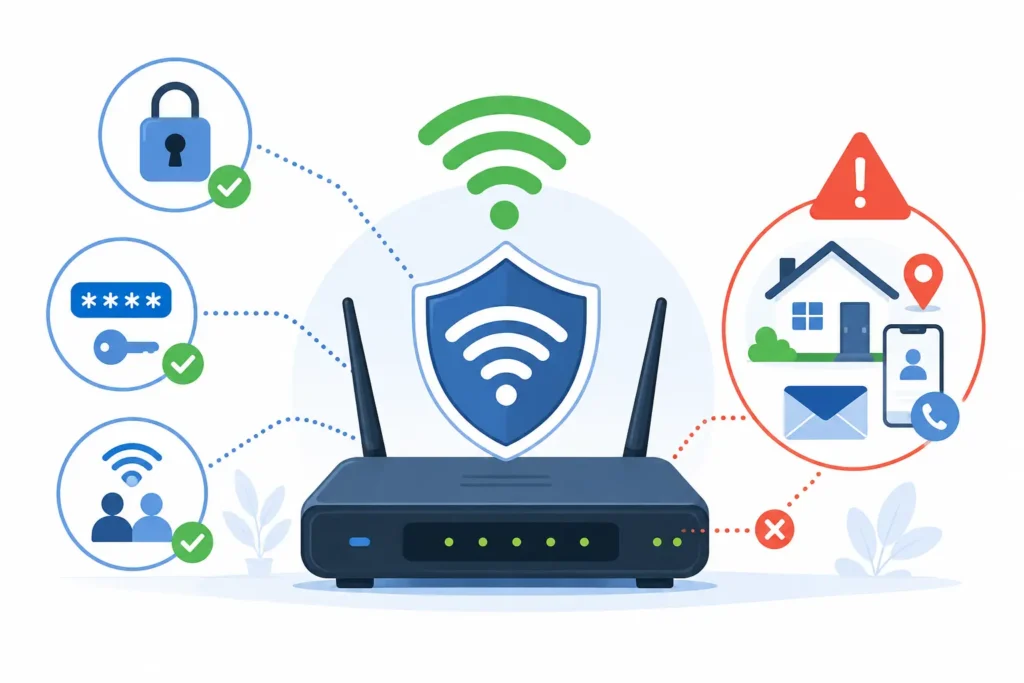
Treat your Wi-Fi name as public information. It is not private like your password. People near your home may see your wireless network name when they look for a connection.
A funny SSID is fine, but it should not give away important details. The FTC, CISA, and other security groups stress the value of protecting home network settings and using secure passwords.
Follow these simple network security tips:
- Do not share personal details. Avoid your full name, street address, apartment number, birthday, phone number, or email address.
- Do not use the default password. Many routers come with a default password. Change it to a strong password that is long and unique.
- Use WPA3 when available. WPA3 is a modern Wi-Fi security option. Check your router settings or ask your internet provider if you are unsure which security setting to use.
- Create a guest network. A guest network gives visitors internet access without putting them on the same network as your personal devices. This can be useful for smart home devices, visitors, and temporary guests.
- Keep router software updated. Router updates can fix security problems and improve performance. A network administrator should check for updates from the router maker.
- Do not share your password in the SSID. Names like “PasswordIs1234” may look funny, but they can weaken your home network security.
The Wi-Fi Alliance, NIST, CISA, FTC, and FCC all provide guidance related to Wi-Fi safety, home network protection, and secure technology use. For most homes, the basic goal is simple: use a strong password, update your router, and avoid personal details in public network names.broadbandnow+1
How Do You Change Your Wi-Fi Name?
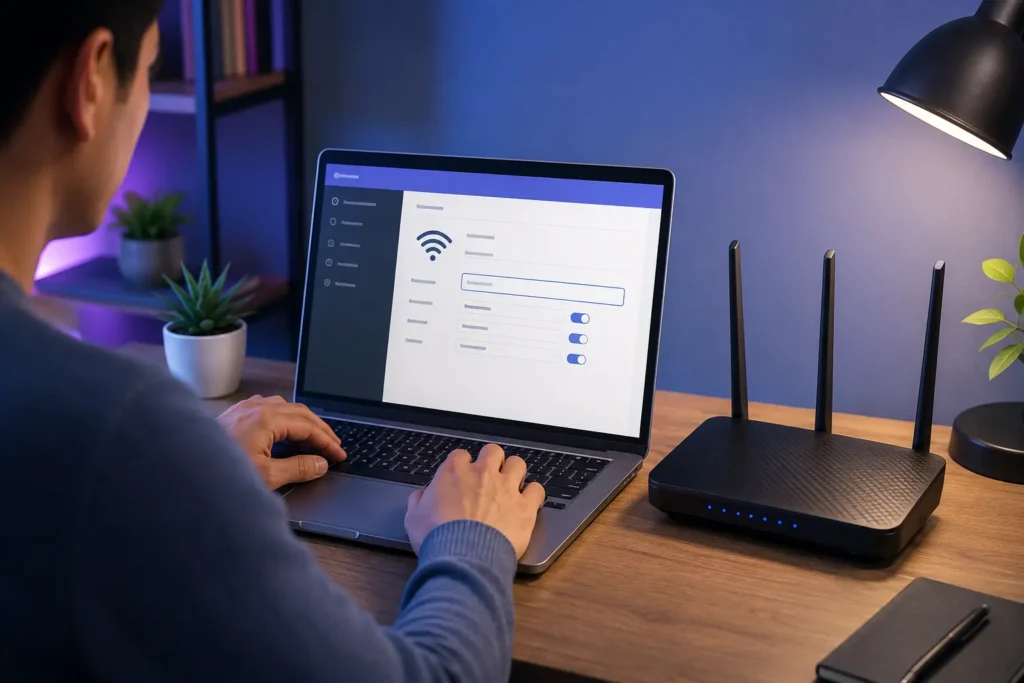
To change your Wi-Fi name, open your router settings or your mesh Wi-Fi app, find the wireless settings, edit the SSID, save your changes, and reconnect your devices.
The exact steps can look different depending on your router, modem-router, mesh Wi-Fi system, or internet provider. Still, the process is usually simple.
1. Connect to your home network
Use a phone, tablet, or computer that is already connected to your Wi-Fi. You may also connect a computer to the router with an Ethernet cable if needed.
2. Open your router settings
Many routers use a browser-based settings page. Others use a mobile app. Check the label on your router, your internet provider’s app, or the router manual for the correct login method.
3. Find wireless settings
Look for a menu called Wi-Fi, Wireless Settings, Network Settings, or SSID Settings. Some routers show separate settings for 2.4 GHz and 5 GHz networks.
4. Change the network name
Replace the old network name with one of your new funny Wi-Fi names. Keep it short, clear, and free of private information.
5. Save your changes
Select Save, Apply, or Update. Your router may restart for a few moments after you change the SSID.
6. Reconnect your devices
After the name changes, phones, laptops, smart TVs, speakers, and game consoles may disconnect. Open Wi-Fi settings on each device, choose the new network name, and enter your password again.
BroadbandNow describes a similar process: access the router’s admin controls, locate wireless settings, update the SSID, save, and reconnect devices.
Ready to Pick Your New Network Name?
Funny Wifi Names are an easy way to give your home internet connection more personality. Choose a name that is easy to spot, funny without being mean, and safe enough to share with nearby devices. Then update the SSID in your router settings, reconnect your devices, and keep your password strong.
If you need a temporary inbox for a one-time sign-up, download, or test account, you can create a temporary email with FreeMail AI.