

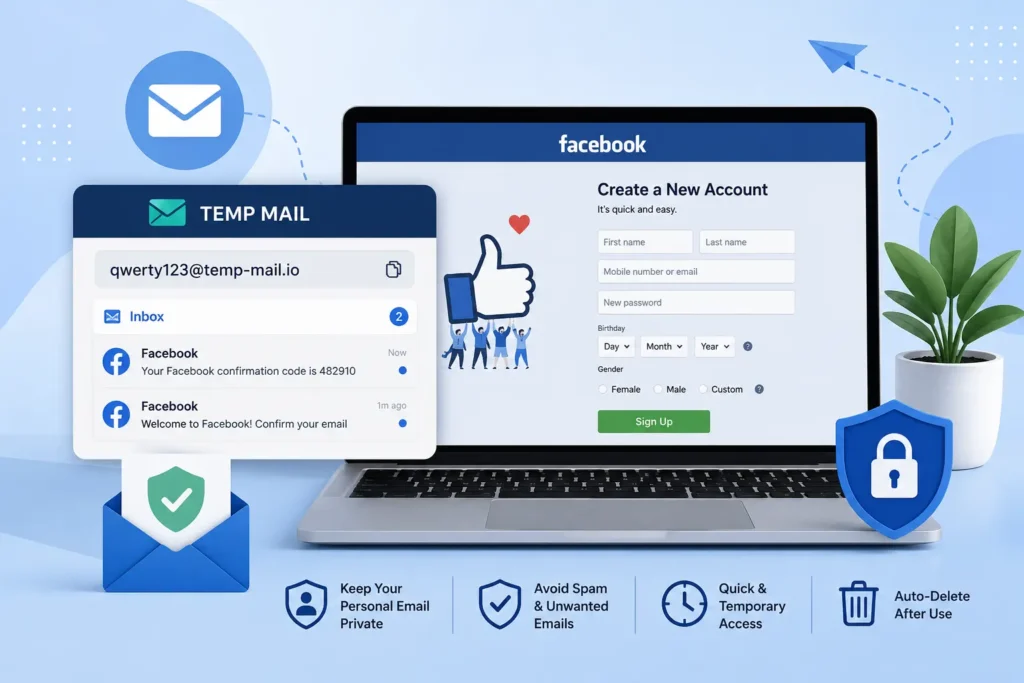
Temp mail can work for a Facebook signup. If Facebook accepts the address, the verification code lands in the disposable inbox just like a normal email. It does not work every single time. Facebook looks at your signup behavior and IP reputation more than the type of email you use. A temp email is a good choice for testing or a secondary account. It is a poor choice for any account you want to keep and recover later.
Signing up for Facebook with your main email can lead to spam. It can also link your inbox to years of tracking. Many people now search for a disposable email for Facebook signup instead of using their personal address. This guide answers the real question people ask: does temp mail for Facebook actually work, and when should you use it? We will look at how it works, when it is safe, and when a real email is the smarter choice.
Does Temp Mail Actually Work for Facebook?
Yes, in most cases. If Facebook accepts the address you use, the facebook verification code lands in your temp inbox just like it would in Gmail or any other email service. The results are not the same every time. Some domains work fine. Others get blocked before the message even arrives.
This is why so many people search for temp mail for facebook verification instead of just “temp mail.” They want to know if this exact platform will accept a disposable address. The short answer is that it often does, but it depends on the domain and your signup behavior. We will explain both parts below.
If you want to try it yourself, you can generate a temporary email address in seconds using most free temp mail tools.
Why People Use a Temp Email for Facebook
There are good reasons people choose a burner email for Facebook instead of their personal inbox. Here are the most common ones:
- Less spam. A personal inbox often fills up with ads and notifications once it is tied to a social account.
- Less tracking. Facebook can use your email as a way to connect your activity across apps and websites.
- Testing accounts. Developers and marketers often need a fresh account to test a feature without using their own email.
- Short-term access. Some people just need to join a group or check a page one time.
- Protecting your main inbox. If Facebook ever has a data breach, your real email stays out of it.
Privacy worries like these are common. A Pew Research Center survey of over five thousand U.S. adults found that 79 percent of people are at least somewhat concerned about how companies use their data. The same study found that 67 percent of people say they understand very little about what companies actually do with the data they collect. That gap between concern and understanding is a big reason disposable email tools have grown in the past few years.
Spam plays a part too. Email traffic worldwide adds up to hundreds of billions of messages every day, and a large share of that is spam. Using a temp email for a low-stakes signup like Facebook can keep that noise away from your real inbox.
Is It Against Facebook’s Rules to Sign Up This Way?
Facebook does not ban temporary email addresses outright. Its Terms of Service focus on behavior, not the type of inbox you use. What actually breaks the rules is deceptive behavior, such as pretending to be someone else or creating many fake accounts in a network. A single, honest signup using a temp email is not the same thing as that kind of abuse.
Meta, the company that owns Facebook, has said its enforcement targets accounts that “seek to cause harm,” and that many of these accounts are tied to spam campaigns. Meta also reports blocking millions of fake account attempts every day through automated checks. These systems are built to catch coordinated abuse, not a single person who wants a private inbox for one account.
So if you are wondering about a temporary email Facebook ban, the risk is low for a normal, one-time signup. The risk goes up if you are creating many accounts at once or trying to hide who you are for harmful reasons. This guide will not walk you through ways to get around Facebook’s fraud checks, because that is not what a temp email is meant to do. It is a privacy tool, not a way to trick a platform’s safety systems.For businesses using Facebook Ads, keeping account activity transparent and consistent can also help reduce the risk of triggering platform security reviews.
How Facebook Actually Checks a New Signup
Facebook does not decide whether to trust a new signup based only on the email address. It looks at a mix of signals during account creation. Three of the most common are:
- IP address and IP reputation. This shows where the connection is coming from and whether that IP has a history of spam.
- Device signals. This shows whether the signup looks like it came from a normal device or an automated tool.
- Signup behavior. This includes how fast the form was filled out and whether many accounts were created in a short time.
What This Means for You
For a normal person making one account, none of this should cause a problem. These checks exist to catch large, coordinated fake account networks, not someone using a private inbox for their own Facebook profile. You do not need to change your IP address or try to “look human” to sign up safely. Just fill out the form the way you normally would, using accurate basic details, and let the process run its course.
What If Your Temp Mail Doesn’t Work for Facebook?
If your temp mail Facebook not working problem shows up, it is usually one of these common causes:
- The domain has already been flagged because too many people have used it before.
- The message is delayed and just needs a minute to arrive.
- The inbox was closed or expired before the code came through.
If this happens, try a different provider or a different domain from the same provider. Wait a short time before asking for a new code, since asking again and again in a row can slow things down further. If the address still gets rejected, that domain may simply be on Facebook’s block list, and switching to a fresh one usually solves it.
Temp Mail vs Gmail Alias vs Your Real Email
Each option fits a different need. Here is how they compare:
| Option | Privacy | Can You Recover the Account? | Best For |
| Temp mail (disposable email) | High | No, once the inbox expires | Testing, one-time signups, short-term accounts |
| Gmail alias | Medium | Yes, it still leads back to your main inbox | Secondary accounts you want to keep organized |
| Real email | Lower | Yes, easiest to recover | Your main personal or long-term account |
A Gmail alias is a small change to your normal Gmail address, like adding a plus sign and a word before the “@” symbol. It still delivers to your main inbox, so it gives some separation without full privacy. A one-time password, also called an OTP, will reach any of these three options the same way. The real difference is not the code itself. It is what happens to that account later.
Can You Recover a Facebook Account Made With a Temp Email?
In most cases, no. Once a temporary inbox closes or expires, any password reset link or new verification code sent to it will never reach you. This is the single biggest downside of using a disposable email for Facebook signup.
If you plan to keep the account for more than a short time, use a real email address or a Gmail alias instead. Save the temp email option for accounts you are fine with losing access to.
When a Temp Email Is a Good Fit (and When It Isn’t)
Good fit:
- Testing a new feature or app before you commit to it
- A one-time signup to join a group or claim an offer
- A short-term secondary account for a specific task
- Any case where you do not need to recover the account later
Not a good fit:
- Your main personal Facebook account
- A business page or ads account you plan to run long-term
- Any account where you might need password recovery in the future
FAQ: Temp Mail for Facebook
Is temp mail allowed for Facebook?
Facebook does not explicitly ban disposable addresses. It pays more attention to signup behavior and IP signals than to the type of email used. A single honest signup is different from bulk or deceptive account creation, which is what enforcement actually targets.
Does temp mail work for Facebook?
Usually, yes, as long as the platform accepts that domain. Results can vary between providers, so it is not guaranteed for every single signup attempt.
Why is Facebook not sending my verification code?
This is often caused by a flagged domain or a short delivery delay. Switching providers or waiting a bit before requesting another code solves most cases.
Can Facebook detect temporary emails?
It can recognize some widely used disposable domains. Even so, detection leans more on account creation behavior and IP signals than on the email address by itself.
Can I recover a Facebook account made with a temp email?
Generally, no. Once the temporary inbox expires, any reset link or code sent to it will not reach you. Use a permanent email for any account you plan to keep.
Is temp mail safe for Facebook and other social media?
For short-term or low-stakes signups, yes, it limits how much of your personal inbox gets tied to the platform. It is not the right choice for long-term or important accounts.
What is the difference between temp mail and a Gmail alias?
A temp mail address is fully disposable and not linked to you. A Gmail alias still traces back to your main inbox but can be recovered. Choose based on whether privacy or long-term access matters more to you.
If you want to keep your personal inbox clean, generate a free temporary email address before your next Facebook signup. It takes seconds, and you can always switch to a real email later if you decide to keep the account.