
 FreeMail AI
Free Mail: Create a Temporary Email in 1 Click
Generate a free mail address instantly with a single click. Use our temporary email for any sign-up to protect your real inbox from spam. No registration needed. It's fast, private, and 100% free.
Your inbox is empty
Waiting for incoming emails... Send any email to your address above to see it arrive in real-time!
Finding the right email address shouldn’t be a struggle. Whether you are a developer building a new app, a marketer testing a signup flow, or a founder trying to pick a professional name for a new hire, you often need a quick placeholder. Most of us have wasted time typing “test12345@gmail.com” only to find it’s already taken or doesn’t look right in a layout.
This tool fixes that. It creates a list of addresses you can use for mockups, software testing, or naming inspiration. You don’t have to overthink the format or worry about duplicates. Just click a button and get a list of addresses that look and feel real.
What Is an Email Generator?
An email generator is a tool that creates valid-looking email addresses for testing, privacy, or brainstorming. It helps developers generate mock data for software and helps professionals find the right format for a new business address. It saves time by providing instant options without requiring a manual setup.
Why People Use This Tool
Most people use this tool when they need to fill a database with dummy data. If you are building a website, you need to see how the user profile page looks with twenty different users. Typing those in by hand is a slow, boring task.
Others use it for privacy. If you are signing up for a service that you don’t fully trust yet, you might want to generate a random string of characters to use as a placeholder. It is also great for testing “edge cases” in software, like how your system handles very long addresses or those with dots and dashes.
Testing vs. Functional Use
It is worth distinguishing between a name idea and a working inbox. If you need non-functional addresses for testing, you can also try our fake email generator. Those are perfect for when you need a list of names that won’t ever receive a real message. If you need an address that can actually open a link or verify a code, you will need a temporary inbox service instead.
Using this generator keeps your real inbox clean. You can map out your entire company’s email structure or fill a spreadsheet with five hundred “customers” in less than a minute. It takes the guesswork out of formatting and lets you get back to the work that actually matters.
How To Generate Email Addresses Instantly?
To generate email addresses instantly, select your preferred format, such as professional, random, or Gmail-style, and click the “Generate” button. The tool immediately produces a list of unique addresses based on your criteria. You can then copy these directly into your software, database, or document for immediate use.
Getting a list of fresh addresses should not take more than a few seconds. Most tools force you to fill out long forms or solve puzzles before they give you what you need. This tool is built to be fast so you can stay focused on your actual project. Whether you need one name or one hundred, the process stays the same.
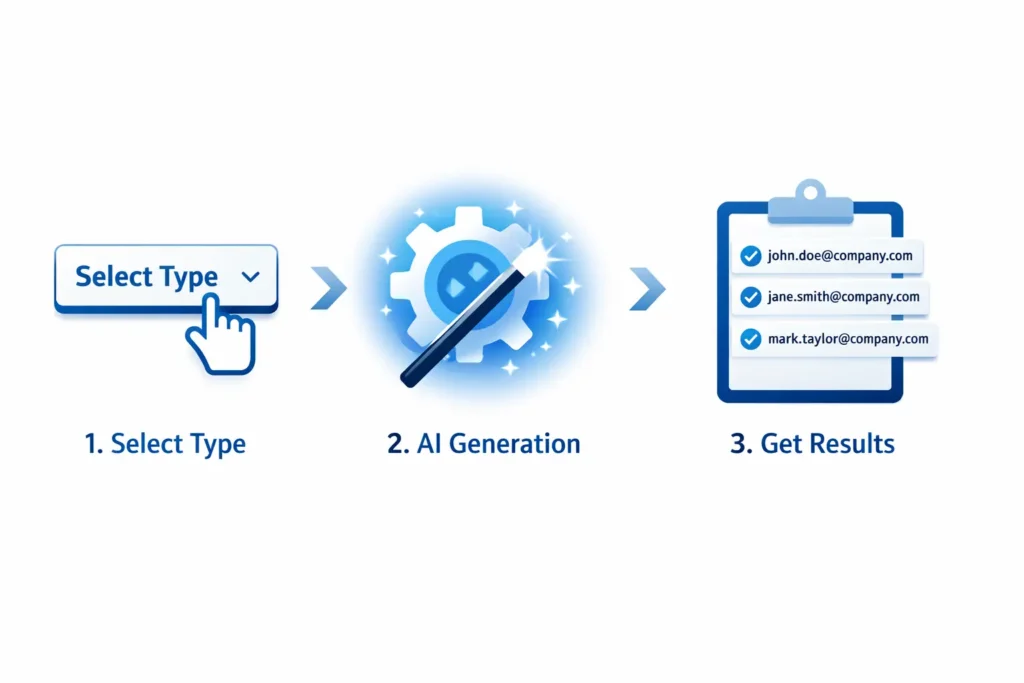
Step 1 – Choose Email Type
Before you hit the button, you need to decide what “vibe” you are going for. If you are building a corporate directory for a demo, you probably want something that looks like a real office. For that, you should use the professional email address generator.
If you are testing how your app handles different providers, you might want a mix of Yahoo, Outlook, or custom domains. If you specifically need to test Gmail’s unique features, like how it handles dots in the username, the Gmail generator is your best bet. Choosing the right type now saves you from having to edit the list later.
Step 2 – Generate Email
Once you have picked your settings, click the “Generate” button. The tool runs through a massive database of names, common words, and domain patterns to create something that looks authentic. It doesn’t just put random letters together; it follows the logic of how real people and companies name their accounts. This makes your test data look much more convincing when you show it to clients or stakeholders.
Step 3 – Copy and Use
After the names appear on your screen, you can grab them all at once. There is usually a “Copy to Clipboard” button that saves you from highlighting text like it’s 2005. From there, you can paste them into a CSV file, a SQL database, or directly into your signup form. It is a simple “one-and-done” workflow.
What Is an AI Email Generator?
An AI email generator uses machine learning to create realistic email addresses or draft entire messages based on short prompts. Instead of just picking random words, it analyzes patterns to suggest addresses that sound human and professional. This helps create outreach campaigns that feel personal and targeted.
The world of email is changing. We are moving past simple random strings of text. AI can now look at a brand name or a job title and suggest an address that a real person would actually choose. This is useful for founders who are struggling to pick a handle for their first hire or for marketers who need to create “persona” accounts for social proof.
Beyond just names, AI can also help with the words inside the message. If you are tired of staring at a blank screen trying to write a pitch, you should try our AI sales email generator. It helps you move from “random address” to “ready-to-send campaign” in a few minutes.
What is a Gmail Email Generator?
A Gmail email generator specializes in creating variations of a single Gmail address using the “dot” or “plus” symbol trick. This allows you to have multiple aliases that all feed into one primary inbox. It is a favorite tool for power users who want to track where their spam is coming from.
Gmail is unique because it ignores periods in your username. If your email is johnsmith@gmail.com, you also own j.ohn.smith@gmail.com. This tool helps you map out all those variations instantly.
This is incredibly useful for:
- Tracking Signups: Use a different “dot” variation for every newsletter you join to see who sells your data.
- Managing Groups: If you need to organize a team, check out how to create a Gmail group to keep everyone in the loop.
- Testing: If you need a quick, working inbox for a one-time verification, you might prefer a temp Gmail instead of using your real one.
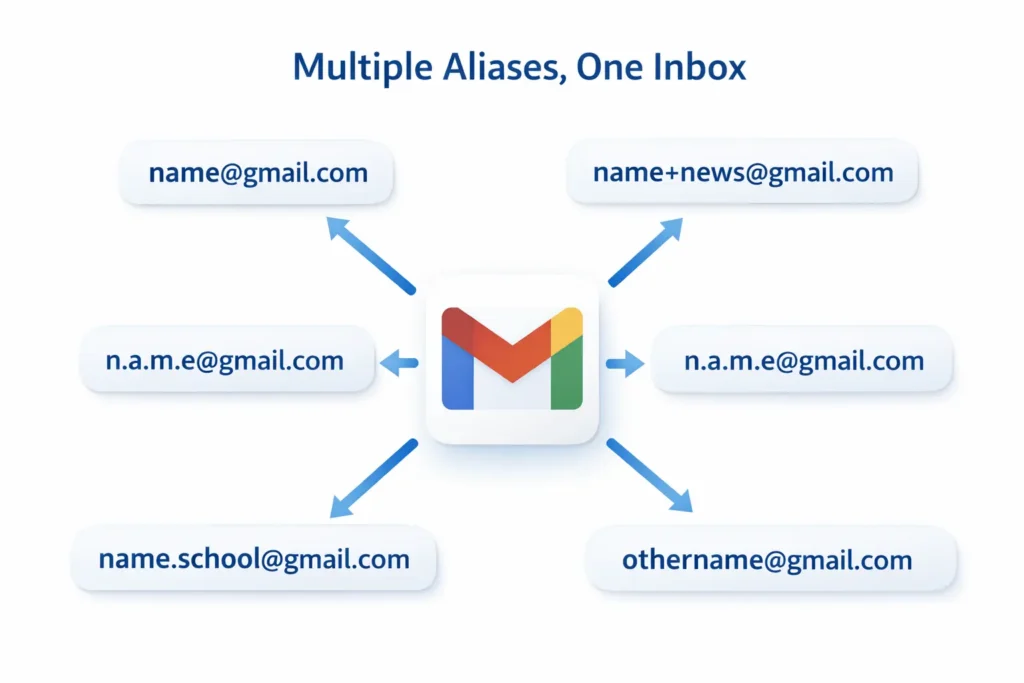
What is a Business Email Generator?
A business email generator helps you establish a professional identity by suggesting standard corporate formats like first.last@company.com. By entering your name and brand, the tool shows you the most common and authoritative ways to set up your team’s communication, ensuring a consistent look across the board.
When you start a company, your email address is often the first thing a client sees. If it looks messy, it hurts your credibility. Using a business email generator ensures you pick a format that scales as you hire more people.
Common formats you should consider:
- The Standard: firstname.lastname@company.com (Best for large teams)
- The Friendly: firstname@brand.com (Great for small startups)
- The Department: sales@company.com or contact@brand.com (Essential for professional websites)
By sticking to these patterns, you make it easy for people to guess your email address, which, believe it or not, is actually a good thing for networking.
Email Generator vs Fake Email Generator
While both tools create email addresses, the main difference is that an email generator is often used for naming ideas or creating realistic data, whereas a fake email generator is specifically for “dead” addresses that do not exist. If you need a name to put on a business card mockup, you want a generator. If you need a string of text to test a “invalid email” error in your code, you want the fake version.
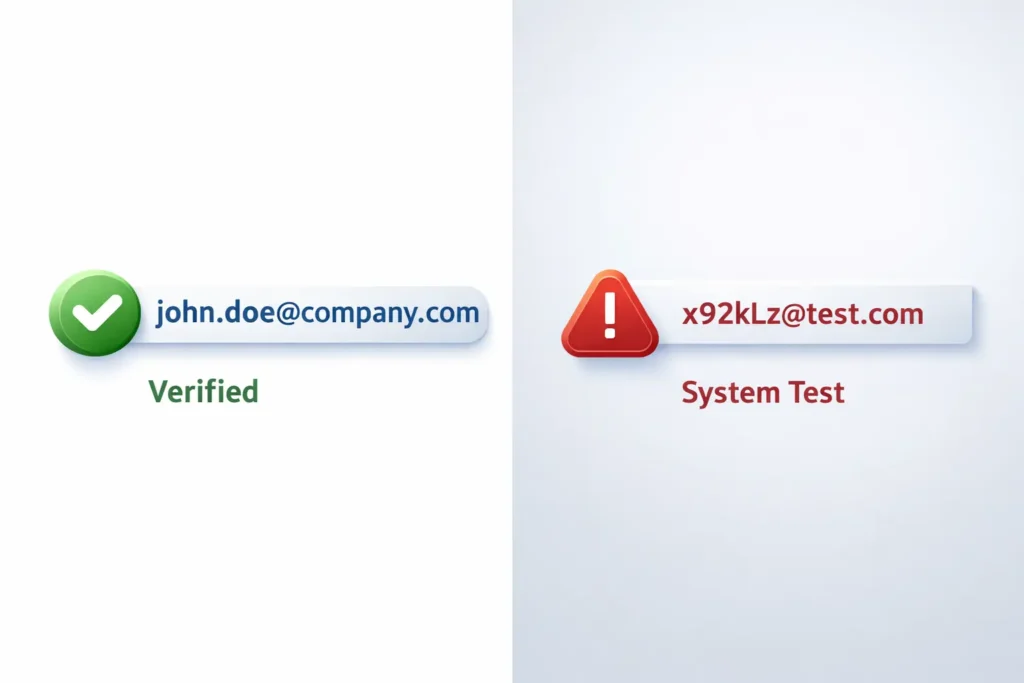
| Feature | Email Generator | Fake Email Generator |
| Creates email ideas | Yes | Yes |
| Connected inbox | No | No |
| Used for testing | Yes | Yes |
| Ideal for | Naming & Mockups | Dummy Data & Stress Testing |
If you are looking for addresses that purposefully fail verification, you should check out our fake email generator.
When Should You Use an Email Generator?
You should use an email generator whenever you need to separate your real identity from a digital task or when you need to populate a system with realistic information. It is a tool for organization and privacy. Instead of cluttering your brain (or your database) with “asdf@asdf.com,” you get data that actually looks like it belongs to a human being.
Software Testing
Developers use these tools to ensure their signup forms work correctly. You need to know if your system can handle long usernames, special characters, or different domain extensions. Using a generator allows you to create hundreds of unique accounts in seconds. To take your testing a step further, you can use a spam checker test email to see how your outgoing messages are being handled by filters.
Mock Data Creation
If you are a UI/UX designer, nothing ruins a beautiful dashboard mockup faster than “test1,” “test2,” and “test3.” Using a generator allows you to fill your designs with realistic names and domains. This makes the final product look much more professional when you present it to a client. It helps them focus on the design rather than the placeholder text.
Creating Business Emails
If you are starting a new project, you might not know what your team’s email structure should look like. Should it be first.last@company.com or just first@company.com? Running a few names through a generator helps you see which format looks the most authoritative and clean before you commit to a paid Google Workspace or Outlook plan.
Related Email Tools
To help you manage your digital communication effectively, we offer a suite of tools designed for privacy, testing, and organization. Google and other search engines reward sites that provide a full “ecosystem” of solutions, and these tools are built to work together.
You may also find these tools helpful when working with email addresses:
- 10 Minute Mail: For a working inbox that self-destructs after ten minutes.
- Temp Gmail: A temporary address specifically using the Gmail domain.
- Disposable Mail: Perfect for bypassing “verify your email” walls on untrusted sites.
- Email Alias Creator: Learn how to create multiple names for a single inbox.
- Find Email Address by Name: A tool for finding real contact info for outreach.
Frequently Asked Questions
1. What is a random email generator used for?
A random email generator is primarily used by developers and designers to create placeholder data for software testing. It allows you to fill signup forms and databases with realistic-looking addresses without using real user information. It is also a popular tool for protecting privacy when you need a dummy address for a non-functional signup.
2. Can I use a generated email to sign up for websites?
It depends on the tool. If you use a standard email generator, it creates a “name” only, which won’t be able to receive a verification code. If you need to actually confirm a signup or click a link, you should use a “Temporary” or “10-Minute” mail service that provides a working, short-term inbox.
3. How do I create a professional email address for my business?
To create a professional address, use a business email generator to test different formats. The most common standard is firstname.lastname@brand.com. Using a generator helps you see how these formats look across your entire team before you set up your official domain with a provider like Google Workspace.
4. What is the difference between an email generator and temporary email?
An email generator creates names and formats for testing or brainstorming, but it does not come with an inbox. A temporary email (or “burnable” mail) provides a real, functional inbox that lasts for a short time. Use a generator for mockups and a temporary email for actual account verifications.
5. Is it legal to use a generated email address?
Yes, using a generated email address for testing, design mockups, or privacy is completely legal. It is a common practice in the tech industry to ensure systems work correctly. However, you should never use these tools to impersonate others or engage in fraudulent activities.
6. Can I create multiple Gmail aliases with a generator?
Yes. A Gmail-specific generator uses the “plus” and “dot” symbols to create dozens of variations of your single address. For example, yourname+test@gmail.com will still send mail to yourname@gmail.com. This is a powerful way to track which websites are sharing your data or to manage different types of newsletters.
← Back to FreeMail.ai Homepage