

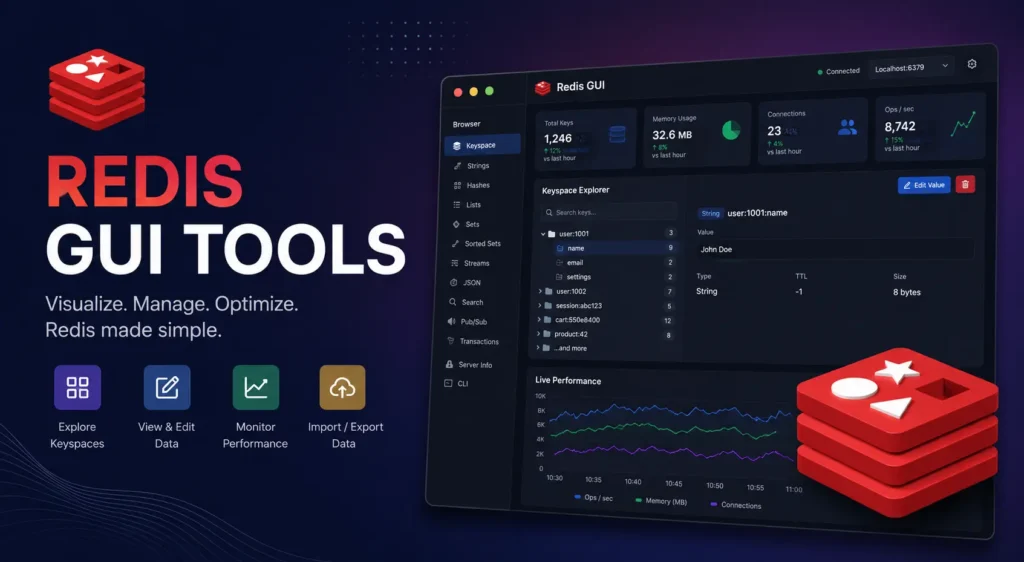
Managing Redis through the command line works fine for simple tasks. But when you need to inspect hundreds of keys, track TTL values, or manage a Redis Cluster across multiple environments, the command line slows you down fast. That is where Redis GUI tools make a real difference. This guide covers the 10 best Redis GUI clients available in 2026, including free, open-source, and paid options, with honest trade-offs so you can pick the right one quickly.
The best Redis GUI tools in 2026 include RedisInsight (official, free, feature-rich), Another Redis Desktop Manager (lightweight, cross-platform, open source), Tiny RDM (modern and fast), Redis Commander (browser-based, no install needed), and Medis (macOS-only). The right choice depends on your operating system, whether you need SSH tunnel support, and whether you prefer a desktop app or a web-based Redis admin panel. All top options are free or have a generous free tier.
What Is a Redis GUI Tool and Do You Actually Need One?
A Redis GUI tool gives you a visual interface for browsing keys, running Redis commands, and managing your Redis database without typing everything into redis-cli. Instead of memorizing command syntax, you get a clickable data browser, visual TTL management, and a Redis connection manager for multiple instances.
Here is why most developers find a Redis GUI worth using:
- It speeds up key inspection when working with large key spaces
- It makes Redis data structures like hashes, sets, lists, and streams easier to read
- It simplifies managing Redis Cluster and Redis Sentinel connections visually
If you work with Redis every day, a good Redis database manager is not a luxury. It is a time saver.
The 10 Best Redis GUI Tools in 2026
Here is the full list, ranked from most feature-rich to most specialized.
1. RedisInsight: Best Overall Redis GUI (Free and Official)
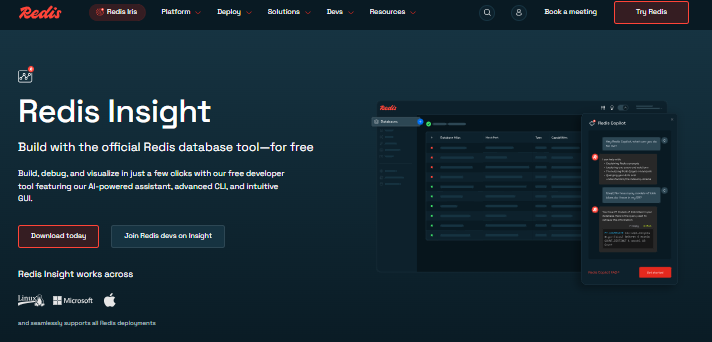
RedisInsight is the official Redis GUI tool built and maintained by Redis Ltd. It is 100% free for all users, including commercial use, and works on Windows, macOS, and Linux.
Key features:
- Visual Redis data browser with support for all data types (strings, hashes, sets, lists, streams, JSON)
- Built-in AI-powered assistant added in 2024 and 2025 for query help and debugging
- Advanced Redis CLI with command history and autocomplete
- Redis Cluster and Redis Sentinel support built in
- SSH tunnel support for remote server connections
RedisInsight is the best starting point for almost every developer. It combines a Redis admin panel with a professional CLI alternative in one free package. The AI assistant feature puts it ahead of every other free Redis management tool in 2026.
Best for: Most developers on any operating system who want the most features for free.
2. Another Redis Desktop Manager (ARDM): Best Free Desktop Alternative
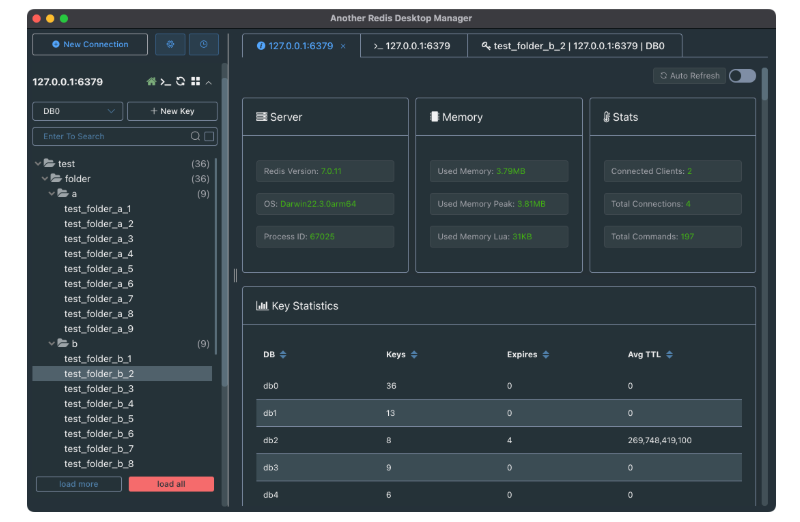
Another Redis Desktop Manager, often called ARDM, is one of the most popular open-source Redis desktop clients available. It has more than 30,000 stars on GitHub, which shows how widely trusted it is in the developer community.
Key features:
- Supports standalone Redis, Redis Sentinel, and Redis Cluster configurations
- SSH tunnel support with ACL credential handling
- Tree view and table view for Redis key management
- Runs on Windows, macOS, and Linux
- Lighter on system resources than RedisInsight
ARDM is the top free redis desktop manager alternative for developers who find RedisInsight too heavy on older machines or in low-memory environments. If you are looking for a fast, reliable Redis client 2026 option that does not require official support, ARDM is the answer.
Best for: Developers who want a lightweight desktop Redis GUI with full cluster and SSH support.
3. Tiny RDM: Best Lightweight Modern Redis GUI
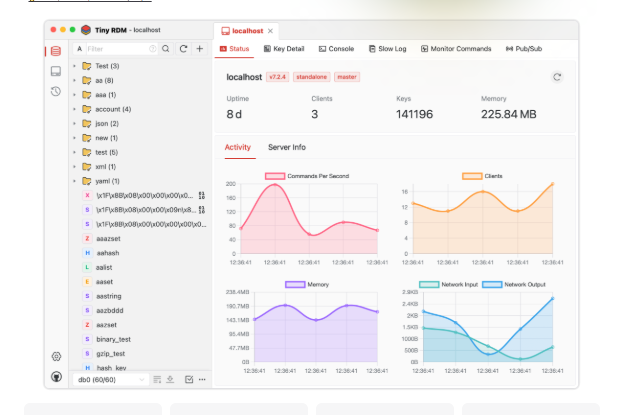
Tiny RDM is a newer entry in the Redis GUI space and has been gaining real traction through 2025 and 2026. It focuses on a modern user interface design with a fast startup time and low resource usage.
Key features:
- Clean, modern UI with fast load times
- Supports SSH tunnel and Redis Cluster connections
- Runs on Windows, macOS, and Linux
- Active development with regular updates through 2025 and 2026
Tiny RDM is a great choice if you want a Redis database manager that feels current and does not carry the weight of older codebases. It fills the gap between the full power of RedisInsight and the simplicity of ARDM.
Best for: Developers who want a modern, lightweight Redis CLI alternative with a polished interface.
4. Redis Commander: Best Web-Based Option (No Install Required)
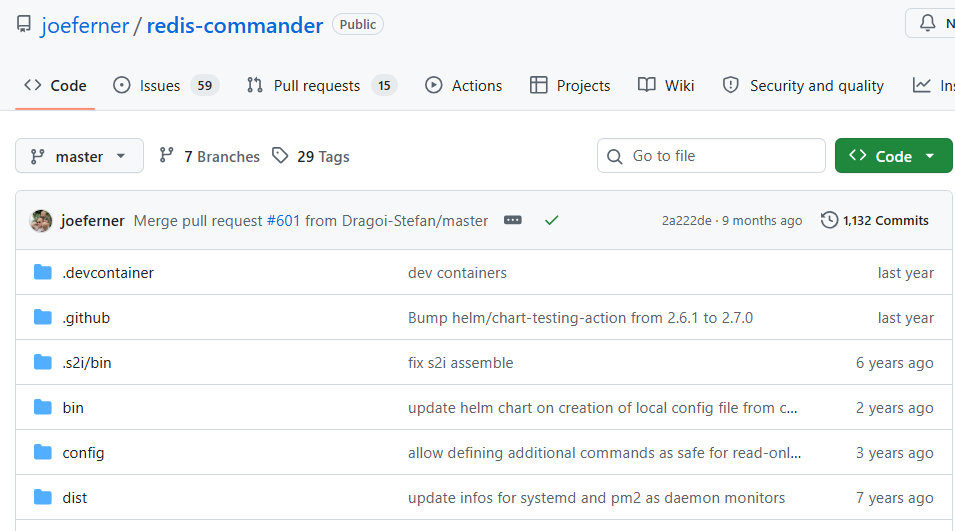
Redis Commander is a web-based Redis management tool that runs in your browser. You deploy it via npm or Docker, and then access it through any browser. No desktop installation is needed.
Key features:
- Full CRUD support (create, read, update, delete) for Redis keys
- Works in any browser on any operating system
- Easy deployment with Docker or npm
- Supports Redis key browsing and command execution
One honest note: Redis Commander is less actively maintained than RedisInsight or ARDM. Before using it in production, check the current version for compatibility with your Redis version.
Best for: Developers who want a no-install Redis GUI for Docker-based or quick browser access setups.
5. Medis: Best Redis GUI for macOS Users
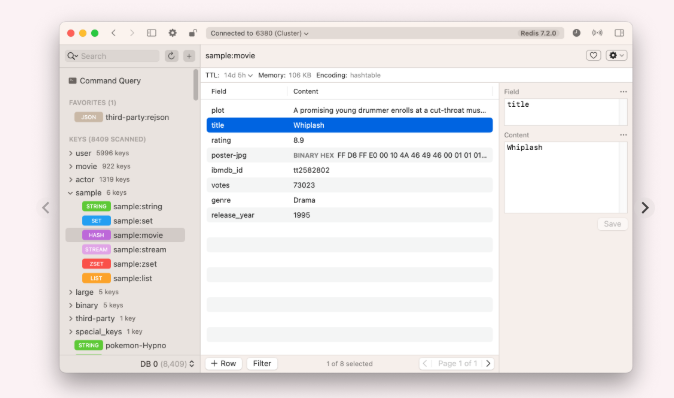
Medis is a macOS-native Redis GUI client with a clean, polished design built specifically for Apple users. It is available on the Mac App Store, which makes installation simple.
Key features:
- Native macOS design with smooth performance
- Supports common Redis data types with a visual browser
- SSH tunnel support for remote Redis connections
- Clean and minimal Redis data browser interface
The main limitation is that Medis only works on macOS. If you work on Windows or Linux, this is not the right tool. But for Mac users who value a native-feeling Redis admin panel, Medis is a strong choice.
Best for: macOS developers who want a native, polished Redis desktop client.
6. RESP.app (Formerly Redis Desktop Manager): Best Paid Option
RESP.app is the direct successor to the original Redis Desktop Manager (RDM). The original RDM free version is no longer actively maintained and should not be used for new projects. RESP.app is the rebranded, paid version that continues that codebase with professional support.
Key features:
- Full support for Redis Cluster, Redis Sentinel, and SSH tunnel connections
- Professional enterprise-grade Redis connection manager
- Works on Windows, macOS, and Linux
- Regular updates and commercial support included
If your team previously used the classic Redis Desktop Manager, migrating to RESP.app or switching to RedisInsight are your two best paths forward.
Best for: Teams or enterprises that need paid commercial support and professional-grade Redis client tools.
7. P3X Redis UI: Best Redis GUI for Docker Environments
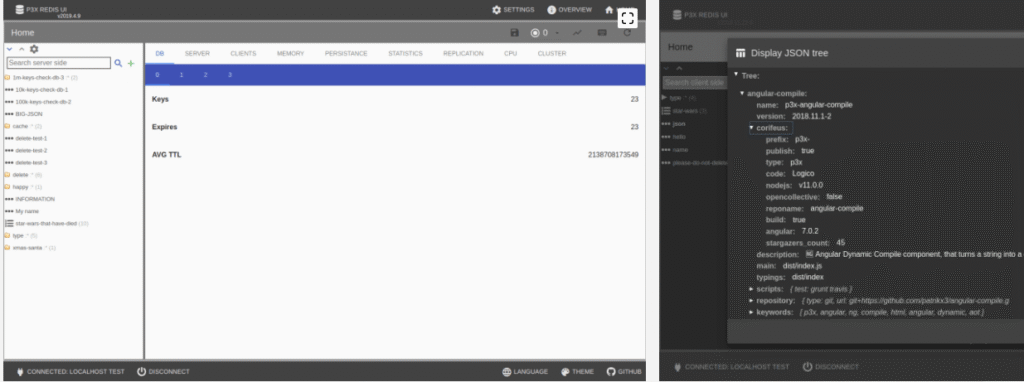
P3X Redis UI is a self-hosted, web-based Redis management tool designed for containerized environments. It runs well in Docker setups and gives you a browser-accessible Redis admin panel without needing a desktop app.
Key features:
- Docker-native deployment for easy self-hosting
- Web-based interface accessible from any browser
- Supports key browsing and basic CRUD operations
- Useful for DevOps pipelines and container-based Redis setups
P3X Redis UI is not a full-featured Redis database manager, but it fits well in environments where you want a lightweight Redis web interface running alongside your containerized services.
Best for: DevOps engineers running Redis in Docker who want a simple browser-based Redis GUI.
8. phpRedisAdmin: Best for PHP Stack Environments
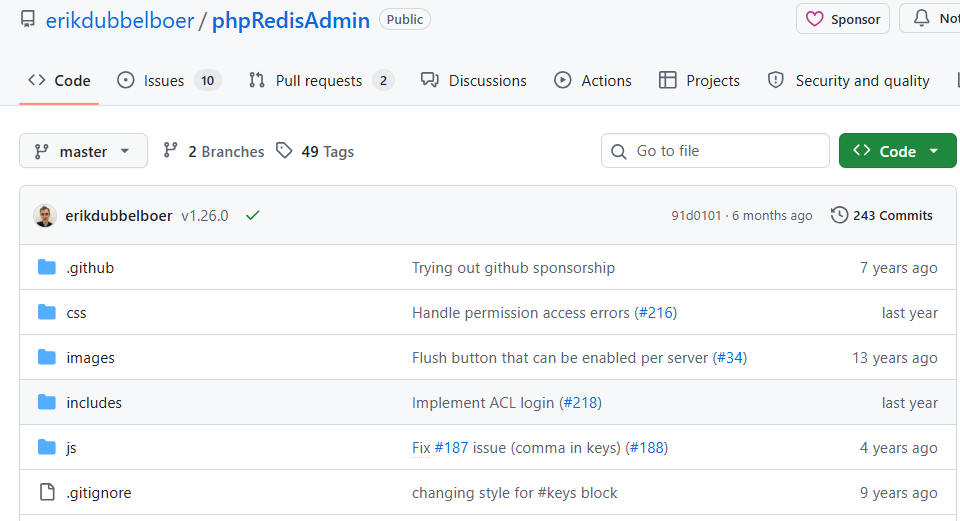
phpRedisAdmin is a classic web-based Redis GUI built for PHP environments. It has been around for years and remains functional for PHP-based stacks that already run a web server.
Key features:
- Web-based interface with PHP dependency
- Browse and edit Redis keys through a browser
- Supports basic Redis data structures
- No desktop installation needed if a PHP server is already running
phpRedisAdmin works best for legacy PHP projects or teams already running PHP on their servers. It does not support Redis Cluster or SSH tunneling, so it is limited for modern infrastructure setups.
Best for: PHP developers with an existing PHP stack who need a basic Redis key management interface.
9. Redmon: Best for Redis Performance Monitoring
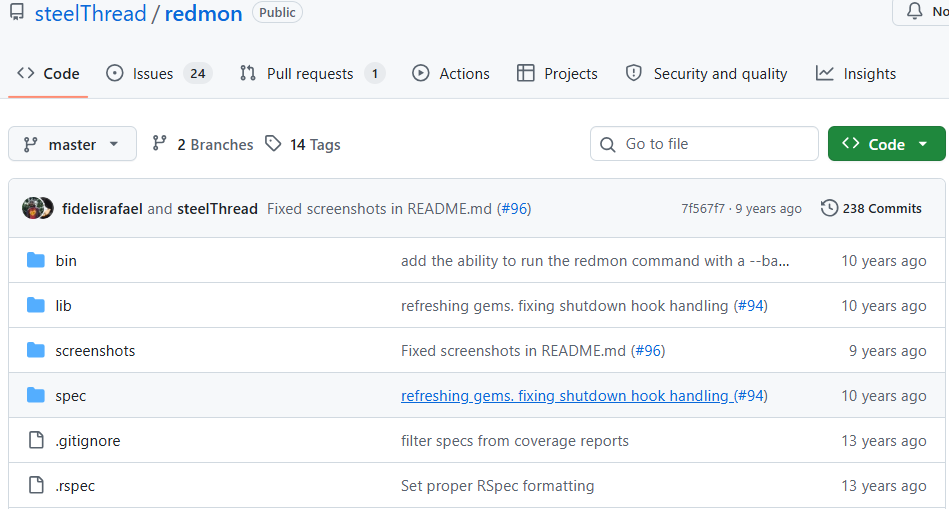
Redmon is a web-based Redis monitoring tool rather than a full Redis management client. It focuses on giving you a real-time dashboard of your Redis server’s performance metrics.
Key features:
- Real-time tracking of memory usage, key distribution, and command statistics
- Simple web interface with no complex setup
- Useful for tracking Redis server health and spotting slow queries
- Works as a lightweight Redis monitoring tool alongside other GUI clients
Redmon does not replace a full Redis data browser or key management tool. Think of it as a Redis stream viewer for performance data. Use it alongside RedisInsight or ARDM for complete coverage.
Best for: Developers and system administrators who need a quick Redis performance dashboard.
10. DbGate: Best Multi-Database Manager with Redis Support
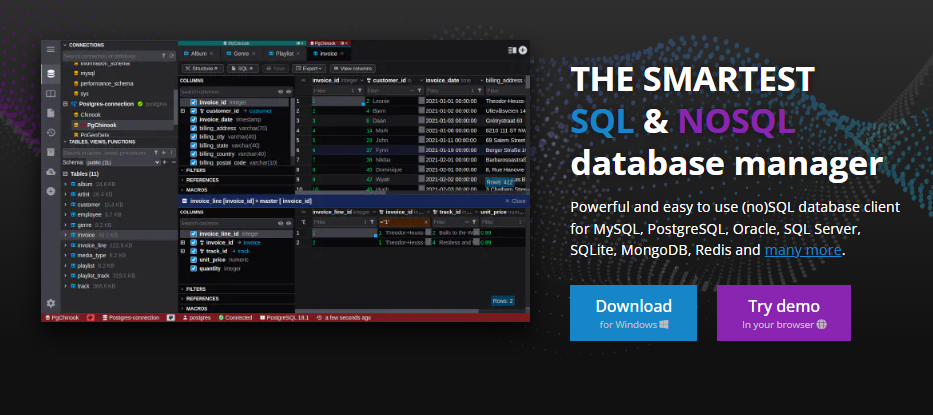
DbGate is a cross-platform database manager that supports MySQL, PostgreSQL, MongoDB, and Redis in a single application. If your project uses more than one database type, DbGate is a practical all-in-one Redis CRUD interface.
Key features:
- Single app for Redis, SQL, and NoSQL databases
- SSH tunnel support for remote connections
- Works on Windows, macOS, and Linux
- Free and open-source version available
DbGate is a smart choice for full-stack developers who work across multiple database types and want to reduce the number of separate tools they manage.
Best for: Full-stack developers working in polyglot database environments who want one Redis client for all databases.
Redis GUI Tools Comparison Table
Use this table to compare all 10 tools side by side before making your choice.
| Tool | Price | OS Support | SSH Tunnel | Redis Cluster | Best Use Case |
| RedisInsight | Free | Win / Mac / Linux | Yes | Yes | Most developers |
| ARDM | Free / Open Source | Win / Mac / Linux | Yes | Yes | Lightweight desktop use |
| Tiny RDM | Free | Win / Mac / Linux | Yes | Yes | Modern UI preference |
| Redis Commander | Free | Web (npm/Docker) | No | Limited | No-install browser access |
| Medis | Free | macOS only | Yes | No | Mac-native experience |
| RESP.app | Paid | Win / Mac / Linux | Yes | Yes | Enterprise and teams |
| P3X Redis UI | Free | Web / Docker | No | Limited | Docker-based setups |
| phpRedisAdmin | Free | Web (PHP) | No | No | PHP stack environments |
| Redmon | Free | Web | No | No | Monitoring only |
| DbGate | Free / Paid | Win / Mac / Linux | Yes | Yes | Multi-database environments |
Which Redis GUI Tool Should You Choose?
The comparison table shows your options. Now here is how to make the final call based on your actual situation.
Pick RedisInsight if you want the most complete Redis management tool for free. It covers everything from Redis data browser and Redis CLI to Redis Cluster, Redis Sentinel, SSH tunnel connections, and an AI assistant. There is no reason to look elsewhere unless you have a specific limitation.
Pick ARDM if RedisInsight feels too heavy for your machine. ARDM is faster to launch, uses less memory, and handles Redis Cluster and SSH tunneling just as well. It is the best free Redis desktop manager alternative for everyday use.
Pick Tiny RDM if you want a modern, actively developed Redis client with a clean interface and you find both RedisInsight and ARDM dated in design.
Pick Redis Commander or P3X Redis UI if you are working in a Docker environment and want a Redis GUI that runs in the browser with no desktop installation. Redis Commander fits general use, while P3X Redis UI works better for self-hosted container setups.
Pick Medis if you are on macOS and prefer a native Mac app with a polished look over a cross-platform client.
Pick RESP.app if your team needs paid commercial support or you are migrating from the original Redis Desktop Manager and want continuity with enterprise-level features.
Pick DbGate if you manage Redis alongside MySQL, PostgreSQL, or MongoDB and want one Redis CRUD interface to handle all your databases.
Redis GUI Tools: Maintenance Status in 2026
One thing most tool lists skip is telling you which tools are still actively maintained. This matters a lot because an abandoned Redis client can break when you upgrade your Redis server version.
Here is the honest status for 2026:
- RedisInsight: Actively maintained by Redis Ltd. Regular updates. Safe to use.
- ARDM: Actively maintained. Regular GitHub releases. Safe to use.
- Tiny RDM: Actively maintained. Fast-growing community. Safe to use.
- Redis Commander: Slower maintenance pace. Works but verify compatibility before using.
- Medis: Maintained for macOS. Check for latest App Store version.
- RESP.app: Paid product with active commercial support. Safe to use.
- Original Redis Desktop Manager (RDM): Deprecated. Do not use for new projects. Migrate to RESP.app or RedisInsight.
- P3X Redis UI, phpRedisAdmin, Redmon: Community-maintained. Functional but with limited active development tools.
Choosing a tool that is actively maintained protects you from sudden compatibility failures. Start with the top three options if you want long-term stability.
Final Thoughts
The best Redis GUI for most developers in 2026 is RedisInsight. It is free, official, actively developed, and covers every common use case from Redis key management to Redis Cluster monitoring and SSH tunneling. If you want something lighter, ARDM and Tiny RDM are both excellent free alternatives with strong cross-platform support.
For Docker-heavy workflows, Redis Commander or P3X Redis UI fit right in without any desktop installation. And if you work across multiple database types, DbGate gives you a single Redis CRUD interface that handles everything.
Pick the tool that fits your environment, not the tool with the longest feature list. A Redis GUI that launches fast and connects reliably is worth more than one loaded with features you will never use.
When you are testing Redis-connected applications and need to sign up for staging services, sandbox accounts, or developer tool trials, keep your real inbox clean. FreeMail.ai lets you create a disposable email in one click with no sign-up needed, so your developer inbox stays free of spam while you test.