

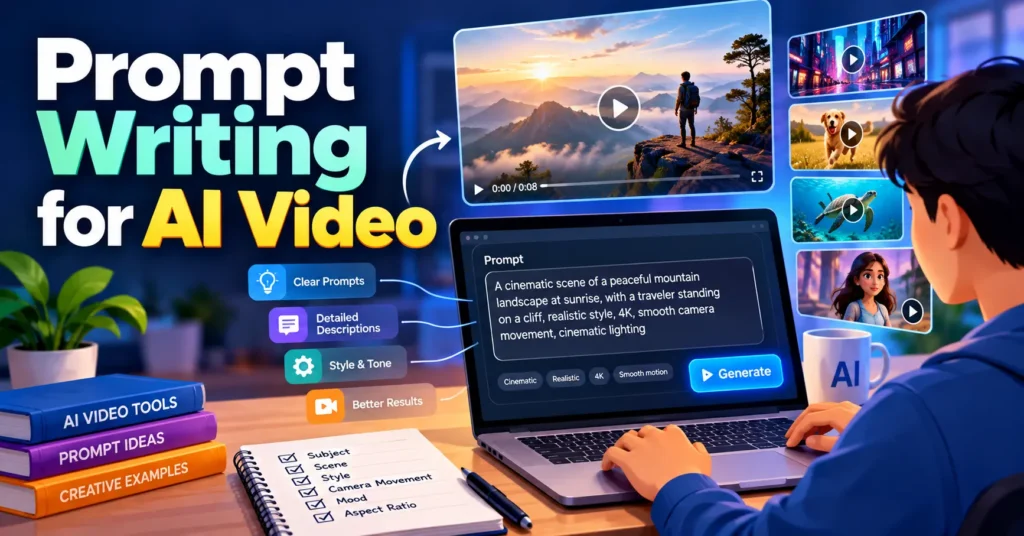
You type a prompt into an AI video tool, wait for it to render, and get something that looks nothing like what you imagined. The character drifts, the camera wanders, and the lighting feels random. If that sounds familiar, the problem is usually not the software. It is the prompt.
AI video generation has improved quickly. Today’s models can produce realistic motion, cinematic lighting, and convincing camera work from a few lines of text. However, they still depend entirely on the instructions you give them. A vague prompt leaves the model guessing, while a clear, structured prompt gives it a precise creative brief.
In this guide, you will learn how AI video models interpret prompts, the core elements every strong prompt needs, and a reusable formula you can apply to any project. You will also find practical techniques, common mistakes, and real prompt examples. Whether you create social content, ads, or short films, these methods will help you get better results with fewer wasted generations.
Why Your Prompt Matters More Than Your Tool
Many creators spend hours comparing platforms, searching for the Best Video Generator on the market. Choosing a capable tool matters, but even the most advanced model can only work with the information you provide. Two creators using the same software can get dramatically different results based on how they write their prompts.
Think of an AI video model as a talented film crew that has never read your script. It knows how to light a scene, move a camera, and animate a subject. What it does not know is your vision. Your prompt is the script, the storyboard, and the director’s notes combined into a few sentences.
Strong prompts also save time and money. Most platforms use credits or generation limits, so every failed attempt has a cost. When your prompts are specific from the start, you spend less time rerolling and more time refining clips that are already close to what you want.
How AI Video Models Read Your Prompt
Understanding how models process text helps you write better instructions. AI video generators are trained on large collections of videos paired with descriptions. When you enter a prompt, the model looks for patterns that match your words and builds a clip that reflects those patterns.
This has three practical implications:
- Specific words produce specific results. “A dog” could be any breed in any place, while “a golden retriever puppy running across a sunlit meadow” narrows the possibilities dramatically.
- Visual language works better than abstract ideas. Models understand what they can see, such as colors, objects, movement, and light. Concepts like “success” or “nostalgia” need to be translated into visible details.
- Clarity beats length. A long prompt filled with conflicting ideas often confuses the model. A focused prompt with a clear subject and action usually performs better.
In short, write the way a cinematographer thinks. Describe what the camera sees, how it moves, and what the viewer should feel.
The Anatomy of a Strong AI Video Prompt
Almost every successful AI video prompt includes the same core building blocks. You do not need all of them every time, but the more you include, the more control you have over the final clip.
- Subject: Who or what is the focus of the shot? Include identifying details such as age, clothing, color, or material.
- Action: What is the subject doing? Use clear, physical verbs like walking, pouring, spinning, or turning.
- Setting: Where does the scene take place? Mention the location, time of day, and relevant background details.
- Camera: How is the shot framed, and how does it move? Examples include close-up, wide shot, slow dolly-in, aerial view, or handheld tracking shot.
- Lighting: What kind of light shapes the scene? Golden hour, soft studio lighting, neon glow, and overcast daylight each create a different look.
- Style: What visual aesthetic should the clip follow? Options include photorealistic, cinematic, 3D animation, anime, or vintage film.
- Mood: What emotion should the viewer feel? Calm, energetic, mysterious, and joyful are all useful mood cues.
Motion deserves special attention. Unlike image prompts, video prompts must describe change over time. A beautiful scene with no clear movement often produces a clip that feels static or unnatural. Always tell the model what moves, how fast it moves, and in which direction.
A Simple Prompt Formula You Can Reuse
When you are unsure where to start, use this formula:
[Camera shot] of [subject] [action] in [setting], [lighting], [style], [mood].
Here is how it transforms a weak prompt into a strong one.
Weak prompt: “A woman drinking coffee in a cafe.”
Strong prompt: “Medium close-up of a young woman in a cream sweater slowly sipping coffee at a window seat in a cozy cafe, soft morning light streaming through the glass, photorealistic cinematic style, calm and peaceful mood.”
The second version tells the model exactly what to show and how to show it. It defines the framing, the subject’s appearance, the pace of the action, the environment, and the emotional tone. As a result, the output is far more predictable.
You can adjust the order of the formula based on what matters most. Many models give extra weight to the words that appear first, so lead with the element you care about most.
7 Proven Techniques for Better AI Video Results
These techniques will help you refine your prompts further.
1. Keep One Main Action per Shot
AI video clips are usually short, often lasting only a few seconds. Asking for several actions in one prompt, such as “a man opens a door, walks inside, sits down, and reads a book,” often produces rushed or broken motion. Instead, create one clip per action and combine them during editing.
2. Use Cinematic Vocabulary
Film terms give models precise instructions. Phrases like “shallow depth of field,” “rack focus,” “low-angle shot,” and “slow push-in” are widely understood and produce more professional results than general descriptions like “make it look good.”
3. Describe Camera Movement Separately From Subject Movement
Models can confuse who is moving. Make the distinction clear. For example: “The camera slowly orbits around a still marble statue while leaves drift past in the foreground.”
4. Anchor Your Characters for Consistency
If a character appears in multiple clips, reuse the exact same description every time. Repeating details like “a man in his 30s with short black hair, a denim jacket, and round glasses” helps maintain visual consistency across scenes.
5. Start With an Image When Precision Matters
Image-to-video generation gives you more control than text alone. When you start from a reference image, the model already knows the composition, colors, and subject. Your prompt only needs to describe the motion.
6. Control Speed and Timing
Words like “slowly,” “gradually,” “suddenly,” and “in slow motion” have a strong effect on pacing. Without them, the model chooses its own speed, which may not match your vision.
7. Change One Variable at a Time
When a result is close but not perfect, avoid rewriting the entire prompt. Adjust one element, such as the lighting or camera angle, and generate again. This approach shows you exactly which change improved the clip. In my own testing, adjusting only the camera direction between two generations often makes a bigger difference than rewriting the entire scene.
Refine Your Prompts Through Conversation
Traditional prompting follows a one-shot pattern: write, generate, review, and start over. A more efficient approach is to treat prompting as an ongoing creative conversation.
ImagineArt’s Imagine Computer is built around this idea. It is an agentic AI workspace where you describe your goal in a chat, and the AI agent plans the steps and generates images, videos, and music within the same thread. Instead of rewriting a prompt from scratch, you can give follow-up directions like “make the lighting warmer” or “slow down the camera movement,” and the agent keeps the context of your project.
This conversational workflow is especially helpful for beginners. You can start with a simple idea, let the AI expand it into a detailed prompt, and then guide the result step by step. Over time, you will also learn which words and details consistently lead to better outputs.
Build Your Own Prompt Library
Professional creators rarely start from a blank page. Instead, they keep a library of prompts that have already produced strong results. This habit turns every successful generation into a reusable asset.
Create a simple document or spreadsheet and save each prompt that works well. Next to it, note the platform you used, the settings you selected, and what you liked about the result. Over time, organize your prompts into categories such as product shots, landscapes, character scenes, and transitions.
A prompt library offers several benefits:
- Faster production: You can adapt a proven prompt in seconds instead of writing a new one from scratch.
- Consistent branding: Reusing the same style, lighting, and mood terms keeps your videos visually aligned.
- Better learning: Comparing successful and unsuccessful prompts reveals patterns you can apply to future projects.
Review your library regularly and remove prompts that no longer perform well.
Common Prompt Mistakes to Avoid
Even experienced creators make these errors:
- Being too vague: Prompts like “a cool video of a city” leave too many decisions to the model.
- Overloading the prompt: Too many subjects, actions, or styles in one prompt can produce chaotic results.
- Using contradictory instructions: Asking for “bright sunny daylight” and “dark moody atmosphere” in the same shot confuses the model.
- Ignoring motion: Forgetting to describe movement often results in stiff or unnatural clips.
- Skipping the aspect ratio: Always choose the right format for your platform, such as 9:16 for vertical social content or 16:9 for YouTube.
Prompt Examples for Popular Use Cases
Use these examples as starting points.
Product ad: “Slow 360-degree orbit around a matte black wireless earbud case on a reflective surface, soft studio lighting with blue rim light, sleek commercial style, premium and modern mood.”
Travel content: “Aerial drone shot gliding over turquoise water toward a white sand beach at sunrise, gentle waves rolling onto the shore, photorealistic cinematic style, peaceful and inspiring mood.”
Food video: “Extreme close-up of warm honey slowly drizzling onto a stack of fluffy pancakes, steam rising, natural window light, shallow depth of field, cozy and appetizing mood.”
Short film scene: “Low-angle tracking shot of a detective in a long gray coat walking down a rain-soaked alley at night, neon signs reflecting in puddles, film noir style, tense and mysterious mood.”
Final Thoughts
Great AI videos start with great prompts. When you describe your subject, action, setting, camera, lighting, style, and mood clearly, you give the model everything it needs to bring your vision to life. Pair those skills with the Best Video Generator for your needs, such as ImagineArt, and you will spend less time guessing and more time creating.
Start by rewriting one of your recent prompts using the formula in this guide. Then refine it through conversation with a tool like Imagine Computer, change one variable at a time, and note what works. With practice, writing effective prompts will become second nature, and your results will improve with every generation.
Frequently Asked Questions
How long should an AI video prompt be?
Most effective prompts are one to three sentences long. Focus on including the key elements rather than adding extra words.
Do the same prompts work on every AI video platform?
The core principles apply everywhere, but each model responds slightly differently. Test your prompts and adjust your wording based on the results.
Can AI help me write better video prompts?
Yes. Conversational AI tools can expand a simple idea into a detailed prompt, suggest camera terms, and rewrite unclear instructions. Always review the result to make sure it still reflects your creative vision.
Should I use negative prompts?
If your tool supports them, negative prompts can help remove unwanted elements such as blur, distortion, or extra objects. Use them sparingly and focus on the most common issues.