

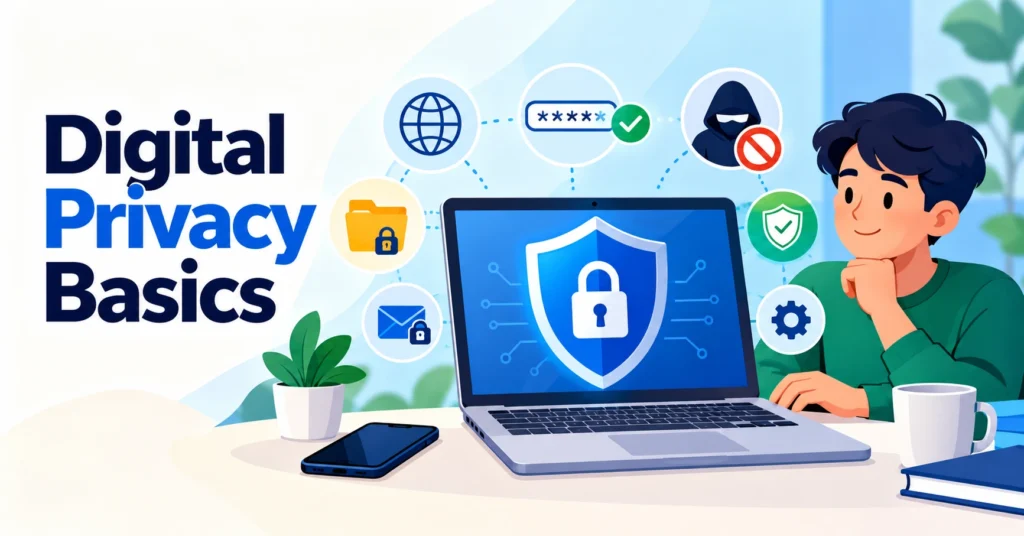
Sound digital privacy starts from an elementary premise: web users must track what personal details they hand over to apps, portals, and online services. Daily habits leave trails: saved passwords, active mailboxes, browser cookies, and search queries swiftly merge into an extensive personal digital footprint. Therefore, digital privacy requires more than a single specialized tool; it requires a set of everyday practices. NIST considers privacy risk management a distinct practice related to how organizations collect, use, and store information about individuals.
Why Digital Privacy Depends on the Amount of Data Shared
The more information an online service receives, the larger the amount of data that users need to control. Users cannot always change a company’s internal processes, but they can pay closer attention to the information they provide themselves. This approach follows the principle of data minimization: NIST recommends limiting the collection, use, and retention of personal information to what is necessary.
A practical digital privacy model can begin with several questions:
- What information is actually required to create an account?
- Can a separate email address be used for newsletters and secondary registrations?
- What permissions does an application receive after installation?
- How long does a service retain the provided information?
- What privacy settings are available within an account and browser?
The answers can help reduce the personal data footprint without complicated technical measures. Email deserves particular attention because a single address often connects numerous registrations. The fewer services that use the primary address, the easier it becomes to control incoming messages and identify the source of individual communications.
How Temporary Email Helps Separate Secondary Online Registrations
When completing short-term forum sign-ups, downloading trial files, or grabbing promo codes, Internet users frequently deploy disposable email addresses. A temporary address makes it possible to avoid using the primary mailbox where permanent correspondence is unnecessary. This approach can also help reduce unwanted messages and separate secondary online activities from primary correspondence.
When using a temporary address, it is important to consider the purpose of the specific service. If an account is connected to financial transactions, account recovery, or another long-term task, a permanent protected address is generally more appropriate. For ordinary registrations, temporary email can provide an additional layer of spam inbox protection.
Creating a throwaway mailbox marks only the first phase of digital privacy. Daily inbox hygiene demands complex passwords, operating system patches, and extreme caution around unexpected file attachments. To minimize account takeover risks, the FTC explicitly urges consumers to construct lengthy credentials and activate two-factor authentication across essential services.
Practical Privacy Tools That Complement Temporary Email Services
Savvy consumers build their security stack around concrete threats instead of collecting redundant browser extensions. A basic toolkit can include:
- a password manager for creating and storing unique passwords (learning password manager basics takes minutes);
- two-factor authentication for additional verification during login;
- browser tracking protection to limit certain tracking mechanisms;
- data broker opt-out procedures where they are available in the relevant jurisdiction;
- secure browsing habits, including software updates and caution when dealing with unexpected messages.
Proxies are the next logical tier for people who want more control over how their connection reaches websites. Prior to adopting network routing solutions, buyers should carefully study operator logging rules, encryption standards, and jurisdiction disclosures. A good starting point would be taking a look at the best proxies on Proxy-Seller, a provider that offers a broad range of options.
How Your Passwords and Account Security Settings Impact Digital Privacy
Data defense remains impossible without robust account security. Reusing passwords across multiple services and accounts can create a vicious domino effect. Hackers only need to breach one database to instantly acquire access to plenty of other services in your name. Distinct login-password combos are essential, and it’s always best to combine them with multi-step verification wherever possible.
An effective protective routine follows several straightforward steps:
- A unique, long password is created for each important service.
- Users store credentials inside encrypted vault applications rather than unshielded desktop notes.
- Account holders activate multi-factor authentication across all supported platforms.
- Software and browsers are updated regularly.
- Individuals inspect suspicious alerts and questionable URLs before clicking through.
This layered regimen anchors personal digital privacy by shutting down unauthorized entry attempts. Naturally, two-step approvals cannot stand alone; they succeed alongside complex passphrases, regular patching, and thoughtful link handling.
How to Build Digital Privacy: Habits That Fit Even in the Busiest Lives
In the long run, people achieve consistent digital privacy and security by committing to equally consistent routines. Here’s a list of habits worth incorporating into your lifestyle:
- Once you’re done sharing data via any channel (such as Bluetooth), disable it.
- Every few weeks review your app permissions and if you see any that don’t seem necessary, disable them at once.
- When you decide to abandon a web service, delete your account rather than letting it float in the digital space.
Reviewing what personal data already lives inside cloud profiles prevents silent exposure over time. As NIST points out, privacy hazards stem not just from malware or hacking, but from how third parties harvest, trade, and store personal records. Consequently, real digital privacy requires governing personal data through every phase of its lifecycle.
For identity theft prevention, accounts with high value deserve particular attention, including email, financial services, cloud storage, and primary user accounts. These accounts should use the strongest available authentication methods. If a service offers several additional verification options, their differences should be reviewed before selecting an appropriate method based on the nature of the account.
How to Maintain Internet Privacy During Everyday Web Browsing Sessions
Preserving Internet privacy rests on countless micro-decisions made during routine surfing. Websites constantly ask for unnecessary phone numbers, programs demand camera access without cause, and recycling a single inbox ties disparate web footprints together.
Several practical rules can help:
- provide only the information that is necessary;
- regularly review application permissions;
- separate important and secondary accounts;
- use unique passwords;
- enable multifactor authentication;
- keep browsers and operating systems updated.
Browser settings also deserve particular attention. Most modern applications of this type offer really granular controls for cache, cookies, and site permissions out of the box. You don’t even need to install any third-party extensions. Just find the time to learn your way around these settings, and you’ll be easily intercepting any trackers or similar scripts trying to run in the background.
At the end of the day, knowing how to protect online privacy fully comes down to building consistent habits and getting the hang of whichever specific security tools fit your specific everyday Internet use scenarios best. Daily discipline trumps collecting endless privacy apps.