

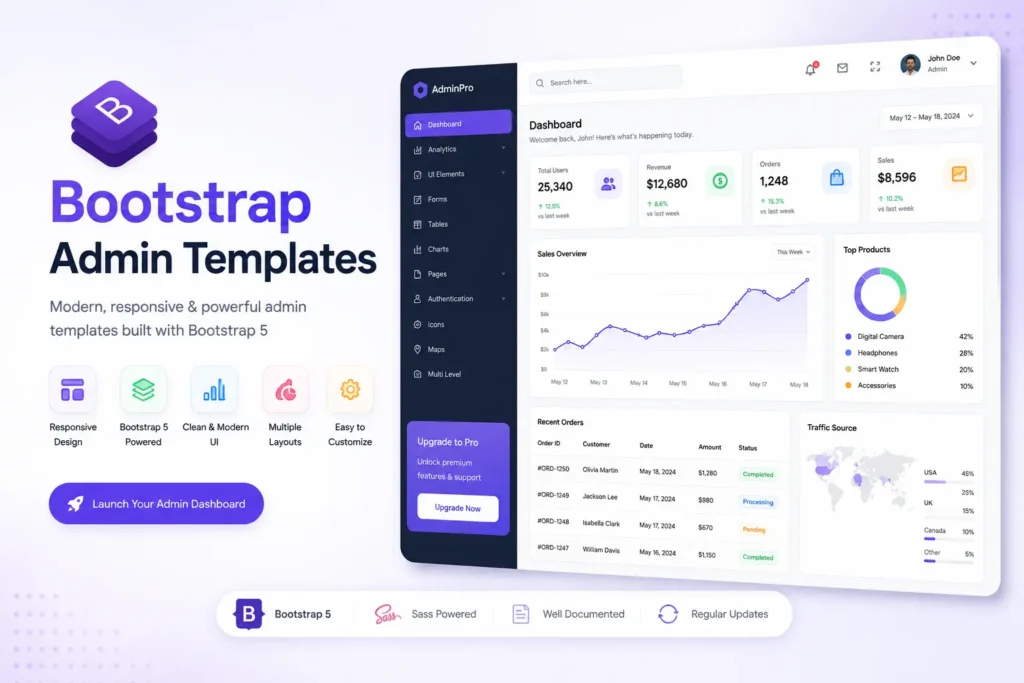
Finding a high quality, truly free Bootstrap admin template can be hard because of hidden paywalls. This guide reviews the best open source and freemium Bootstrap 5 admin templates available today. We group them by use case like SaaS and e-commerce. We check their design, framework support, and license types. This helps you pick the right dashboard for your project without any guesswork.
Building an admin panel from scratch takes too much time. While Bootstrap solves the design problem, finding a truly free template is frustrating. Many templates lock key features behind a paywall. When searching for the best free Bootstrap admin templates, you must check the license and code quality.
This article cuts through the noise. We will cover the top vetted templates, compare their features, and help you pick the right one for your stack.
Quick Comparison: Top Free Bootstrap Admin Templates at a Glance
Before we dive into the details, here is a quick look at the top choices. This table helps you compare the most important features at a glance.
| Template Name | Bootstrap Version | License Type | Framework Support | Best For |
| AdminLTE | Bootstrap 5 | MIT | Vanilla JS, jQuery | Traditional enterprise dashboards |
| Tabler | Bootstrap 5 | MIT | Vanilla JS | Modern SaaS and lightweight apps |
| CoreUI Free | Bootstrap 5 | MIT | React, Vue, Angular | Apps needing framework integration |
| Material Dashboard | Bootstrap 5 | Freemium | Vanilla JS | Projects needing Material Design |
| Volt | Bootstrap 5 | MIT | Vanilla JS | Clean, minimalist SaaS dashboards |
What to Look for in a Free Bootstrap Admin Template?
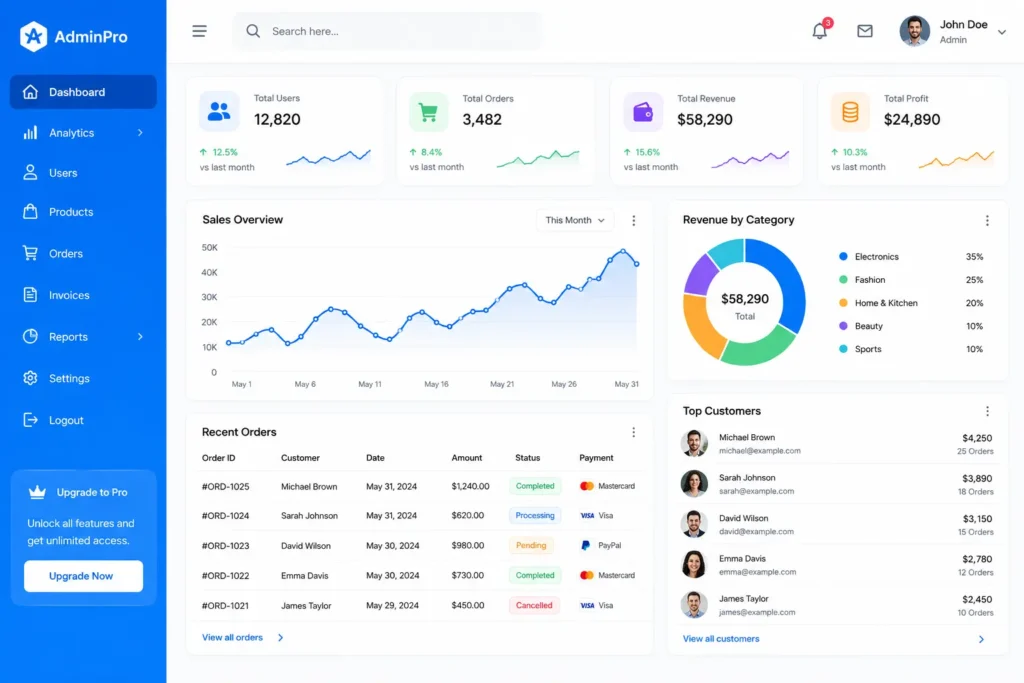
A high quality free Bootstrap admin template must use Bootstrap 5 for modern code. It should offer a clear open source license like MIT for commercial use. It must include key UI parts like data tables and charts. It should also support modern frameworks like React or Vue.
When you start looking for a new CSS framework for your project, you need to know what matters. Here are the main things to check.
Bootstrap 5 vs Older Versions Always pick a template built on Bootstrap 5. Older versions use jQuery, which is now deprecated. Bootstrap 5 uses vanilla JS. This means your code is faster, cleaner, and easier to maintain. It also has a better responsive grid system that looks great on phones and computers.
Understanding the License This is the most important part. Many sites offer “free” templates. But they use a custom license that blocks you from using the template for a paid client project. You want an MIT license. An MIT license means you can use the open source admin dashboard for personal or commercial projects for free.
Essential UI Components A good dashboard UI needs more than just a nice layout. Look for built in widgets, data tables, and form elements. If you are building an e-commerce backend, you need good product tables. If you are building a SaaS dashboard, you need clean charts and user profile cards.
The 5 Best Free Bootstrap Admin Templates by Use Case
Now that you know what to look for, let us explore the actual templates. We have tested these to ensure they are high quality and truly useful.
1. AdminLTE: The Industry Standard for Traditional Dashboards
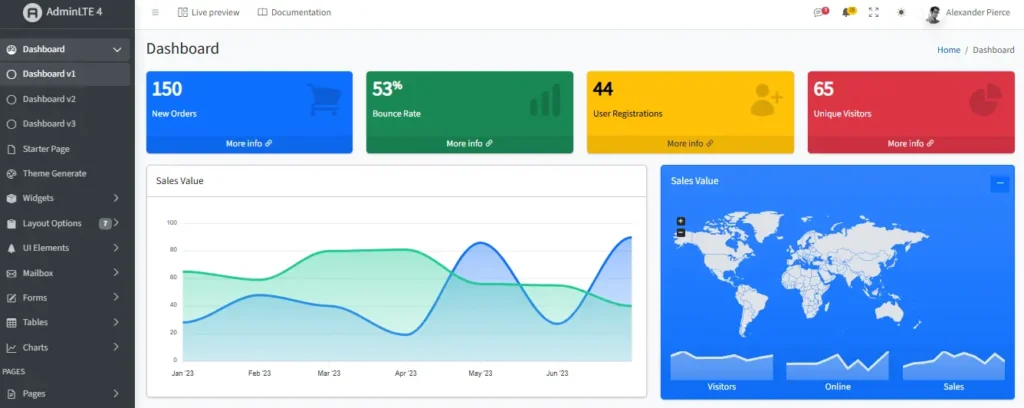
AdminLTE is one of the most famous templates on GitHub. It has over 40,000 stars, which shows how much developers trust it. It recently updated to Bootstrap 5, making it faster and more modern.
Key Features:
- Huge library of plugins and widgets.
- Excellent support for complex data tables.
- Multiple layout options and sidebar styles.
- Built in support for Chart.js and other graph tools.
Pros and Cons:
- Pros: Massive community support, very detailed documentation, completely free under the MIT license.
- Cons: The design can feel a bit traditional or heavy. It has so many features that it might be overkill for a simple app.
Best Use Case: AdminLTE is perfect for traditional enterprise dashboards. If you are building a complex internal tool with lots of data, charts, and user management, this is a top choice.
2. Tabler: The Best Lightweight and Modern UI Kit
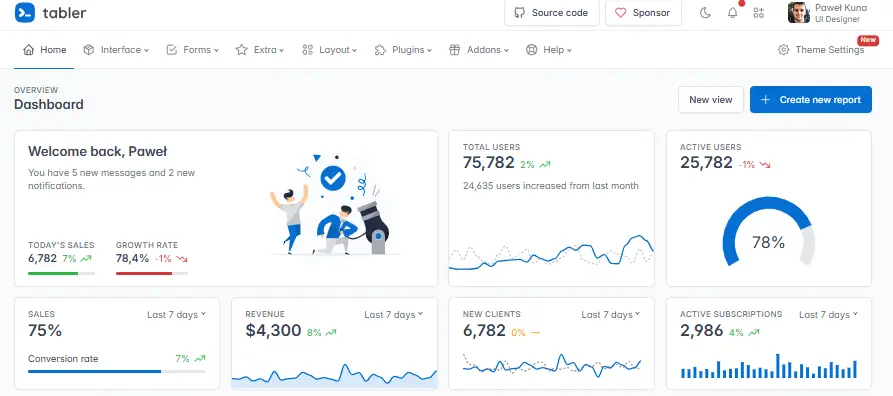
If you want something that looks fresh and loads fast, Tabler is amazing. It is a modern UI kit that focuses on clean design and simple code. It does not rely on heavy scripts, making it very fast.
Key Features:
- Over 200 individually crafted UI components.
- Beautiful, modern form elements and inputs.
- Excellent responsive design for mobile devices.
- Very clean and readable code structure.
Pros and Cons:
- Pros: Extremely lightweight, beautiful modern design, great developer experience.
- Cons: Fewer pre-built page layouts compared to AdminLTE. You might need to build some custom pages from scratch.
Best Use Case: Tabler is the best choice for modern SaaS applications. If you want your frontend framework to look sleek, professional, and up to date, Tabler gives you a great head start.
3. CoreUI Free: Best for Framework Integration
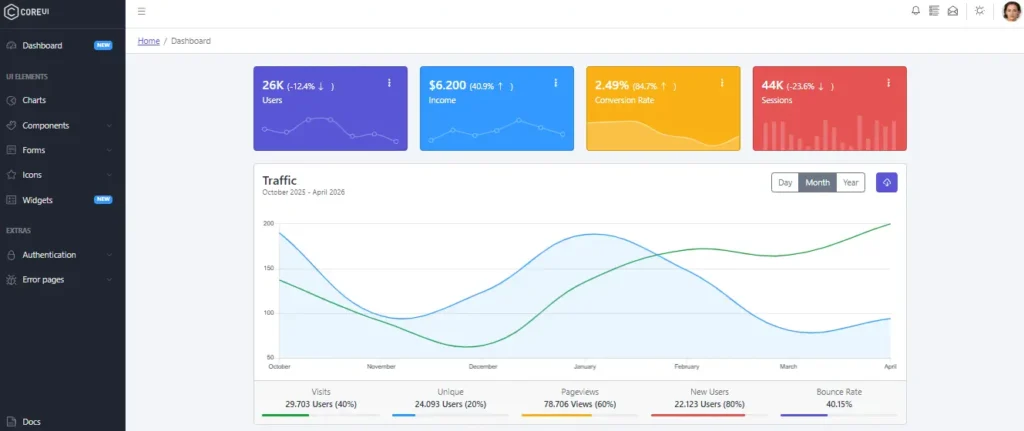
Most free templates only give you HTML, CSS3, and HTML5 files. But what if you use React or Vue? CoreUI Free solves this problem. It offers dedicated versions for the most popular frontend frameworks.
Key Features:
- Native support for React, Vue.js, and Angular.
- Pre-built components that match framework best practices.
- Easy installation using an npm package.
- Great documentation for framework specific setup.
Pros and Cons:
- Pros: Saves hours of work if you use React or Vue, clean component structure, active development.
- Cons: The free version has some limits compared to the Pro version. You must use Webpack or a similar bundler to set it up properly.
Best Use Case: If you are searching for free react admin templates bootstrap or Vue templates, CoreUI is your best bet. It is ideal for developers who want to use a modern JS framework instead of plain HTML.
4. Material Dashboard: Best for Material Design Fans
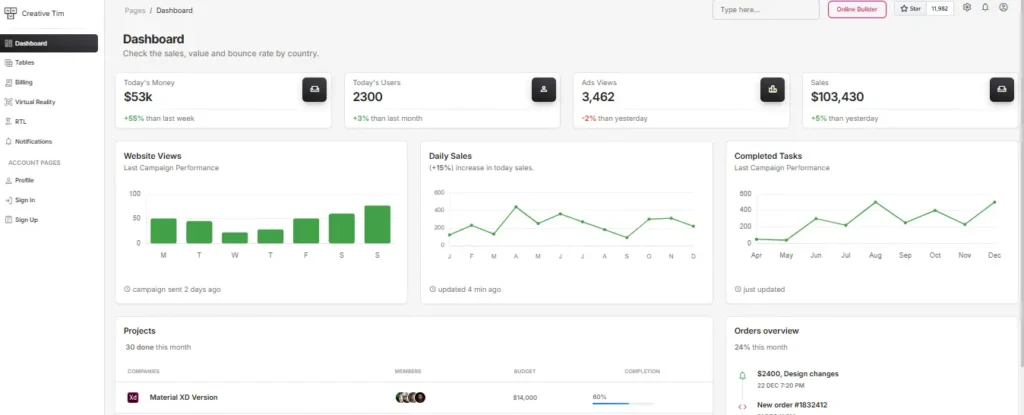
Material Dashboard follows the official Google Material Design guidelines. If you love the look of Google apps, this template brings that exact style to your project. Note that this is a freemium template. The free version is great, but some advanced features require a paid upgrade.
Key Features:
- Authentic Material Design colors, shadows, and typography.
- Smooth animations and transitions.
- Great pre-built pages for user profiles and settings.
- Responsive and mobile friendly layout.
Pros and Cons:
- Pros: Stunning visual design, very polished look, great for client presentations.
- Cons: It is not fully open source. The free version restricts some features. You cannot use the free version for a commercial SaaS product without buying a license.
Best Use Case: This is best for personal projects, portfolios, or internal tools where you want a beautiful, polished look. It works well as an e-commerce backend admin panel for small to medium businesses.
5. Volt Bootstrap 5: Best for Clean, Minimalist SaaS
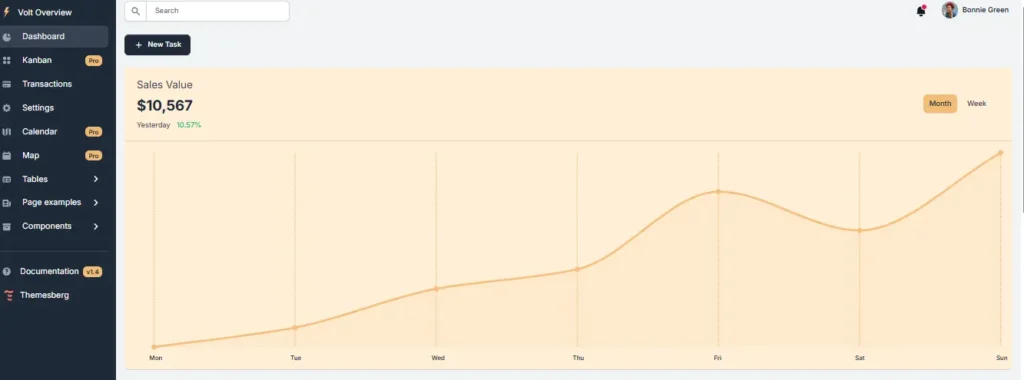
Volt is a newer template that focuses on a minimalist approach. It strips away the clutter and gives you a very clean, modern dashboard. It is built entirely with vanilla JS and Bootstrap 5.
Key Features:
- Very clean, minimalist design with lots of white space.
- Built entirely with vanilla JS, no jQuery needed.
- Includes a great selection of free premium looking pages.
- Fully open source under the MIT license.
Pros and Cons:
- Pros: Beautiful minimalist design, very fast load times, completely free for commercial use.
- Cons: Fewer complex widgets out of the box. You will need to add your own charts or complex data tables if needed.
Best Use Case: Volt is perfect for a clean SaaS dashboard. If you want your app to look like a modern startup product without any visual clutter, this is the template to download.
How to Choose the Right Template for Your Project
Choose your template based on three things. First, check your tech stack like vanilla JS or React. Second, look at your design style like Material or minimalist. Third, check your license needs like MIT for commercial apps.
Making the final choice can be hard. Here is a simple guide to help you decide.
Check Your Tech Stack If you are building a simple website or a traditional web app, pick a template that uses vanilla JS. AdminLTE, Tabler, and Volt are great for this. But if you are building a complex single page application, you need a framework. In that case, choose CoreUI Free so you can use React or Vue.js.
Think About Your Design Style Do you want a traditional, data heavy look? Go with AdminLTE. Do you want a modern, sleek look? Choose Tabler or Volt. Do you love the Google Material style? Pick Material Dashboard. Your users will interact with this dashboard UI every day, so make sure it looks good to them.
Verify the License for Your Needs If you are building a free tool for yourself, any template is fine. But if you are building a paid SaaS dashboard or a site for a client, you must check the license. Always choose an MIT license for commercial projects. This keeps you safe from legal issues.
Look for Extra Features Think about what your app needs. Do you need a bootstrap admin template with dark mode? Check the documentation to see if it is included. Do you need complex data tables? Make sure the template has them built in. Checking these small details early saves you a lot of time later.
Final Thoughts and Next Steps
Finding the right starting point for your project is crucial. The best free Bootstrap admin templates save you weeks of coding time. They give you a beautiful, responsive, and functional dashboard UI right out of the box. Whether you choose the heavy duty AdminLTE, the modern Tabler, or the framework friendly CoreUI, you are starting with a solid foundation.
Remember to always check the license and make sure it fits your project goals. A good template should make your work easier, not cause legal headaches down the road.
Building a great dashboard is just the first step. Once your admin panel is set up, you need to manage your workflows, emails, and communications. If you want to automate your daily tasks and save even more time, explore the Free AI Tools Directory at freemail.ai. You will find amazing free tools to help you work smarter and faster.
Frequently Asked Questions
Here are answers to the most common questions people ask about these templates.
1. What is the best free Bootstrap admin template?
The best choice depends on your needs. AdminLTE is best for complex data dashboards. Tabler and Volt are best for modern, clean SaaS apps. CoreUI is best if you need React or Vue integration. Always check the license before starting your project.
2. Are Bootstrap templates really free?
Many are free, but you must check the license. A true open source admin dashboard with an MIT license is 100 percent free for any use. However, some “free” templates are actually freemium. They block key features unless you pay for a premium upgrade.
3. How do I use a Bootstrap admin template?
First, download the template files from GitHub or the official site. Next, open the HTML files in your code editor. You can edit the CSS3 and HTML5 directly. If it is an npm package, you will need to run the install command in your terminal first.
4. What is the difference between Bootstrap 4 and 5 admin templates?
Bootstrap 5 is the newest version. It removes jQuery and uses vanilla JS, making it much faster. It also has a better responsive grid and new utility classes. Bootstrap 4 is older and relies on jQuery, which is now deprecated and slower.
5. Can I use Bootstrap templates for commercial projects?
Yes, but only if the template has an MIT license or a similar open source license. If the template has a custom free license, it might block commercial use. Always read the license file included in the download folder before using it for a client or paid app.