

AdGuard Temp Mail is a free, receive-only disposable email service that gives you a random address right away with no account needed. It protects your real inbox from spam, hides your IP address from senders, and works in any browser. Key limits include no attachments, no custom domains, and inbox addresses that expire after 7 days without activity. If you need more domain choices, longer inbox life, or a reusable address, a purpose-built temp mail alternative may serve you better.
More than 45% of all email sent every day is spam. That is billions of unwanted messages every single day. A disposable mail address stops that mess from ever reaching your real inbox.
AdGuard Temp Mail is one of the most well-known free temporary email services out there. The company behind it has spent over 17 years building privacy tools and serves more than 160 million users across its ad blocker, VPN, and DNS products. So when AdGuard released a free throwaway email tool, people paid attention.
This page explains what AdGuard Temp Mail does, where it hits a wall, and how it compares to FreeMail.ai as a free disposable email alternative you can use right now with no sign-up.
What Is AdGuard Temp Mail?
AdGuard Temp Mail is a free web-based random email generator. You open the page, a new throwaway email address appears automatically, and you can start receiving messages right away. No account. No password. No personal details required.
It is part of a bigger family of AdGuard products, but it stands alone from the others. This matters because a lot of users mix it up with AdGuard Mail, which is a separate app. When comparing AdGuard Mail vs temp mail, the difference is this: AdGuard Mail creates persistent email aliases that forward messages to your real inbox and requires an account to use. AdGuard Temp Mail is the simpler, standalone tool meant for quick, one-time use only.
According to AdGuard’s own published numbers, around 14,000 new temporary mailboxes are created every single day on their platform. Their anonymous email addresses collectively receive about 60,000 emails on a typical day. This is not a small experiment. It is a widely used service with real demand.
The tool is free, has no ads, and does not ask who you are. For basic spam protection, email privacy, and email tracking protection on one-off sign-ups, it does the job.
How Does AdGuard Temp Mail Work?
Using AdGuard’s free adguard disposable email tool takes about ten seconds.
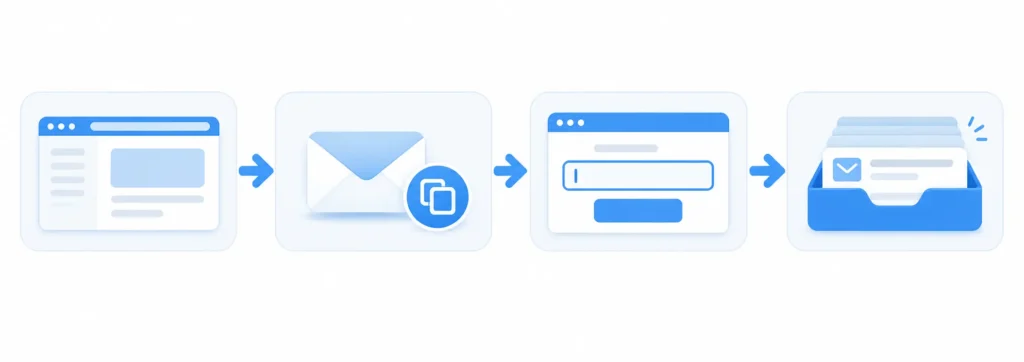
- Go to the AdGuard Temp Mail page. A random disposable email address is generated for you the moment the page loads.
- Copy the address and paste it into any sign-up form, download page, or registration box that asks for an email.
- Head back to the AdGuard Temp Mail page. Any messages sent to that address show up in your temporary inbox.
- When you are done, close the tab. The inbox will clean itself up on its own.
There is nothing to install or configure.
The service uses a browser cookie to remember your address between visits. If you clear your cookies, the connection to your inbox is gone. The inbox itself deletes after 7 days of no activity. If you keep opening it regularly, it stays alive for up to 6 months at most.
AdGuard Temp Mail also hides your IP address from anyone who sends you email. That is useful when you are signing up for websites you have never heard of before. It means the sender cannot trace the message back to your physical location.
The whole system works over standard SMTP delivery behind the scenes. Messages come in, get stored briefly, and show up in your browser.
What Are the Limitations of AdGuard Temp Mail?
AdGuard Temp Mail works well for short, low-risk tasks. But it has real gaps that are worth knowing before you count on it.
Here is what the service cannot do:
- No attachments. Emails with files will not come through. The inbox is built for text messages and one-time verification codes, not document exchange.
- No sending or replying. This is a receive-only inbox. You can read incoming messages but you cannot respond to any of them.
- No custom address. The username and domain are chosen at random. You get what you are given.
- One inbox at a time. If you generate a new address, the previous inbox and every message inside it are deleted right away. There is no recovery option.
- No custom domain support. You cannot point your own domain to this service.
- Small domain pool. AdGuard does not publish how many temp mail domains it uses. A smaller pool means some websites are more likely to recognize and block the domain before your message goes through.
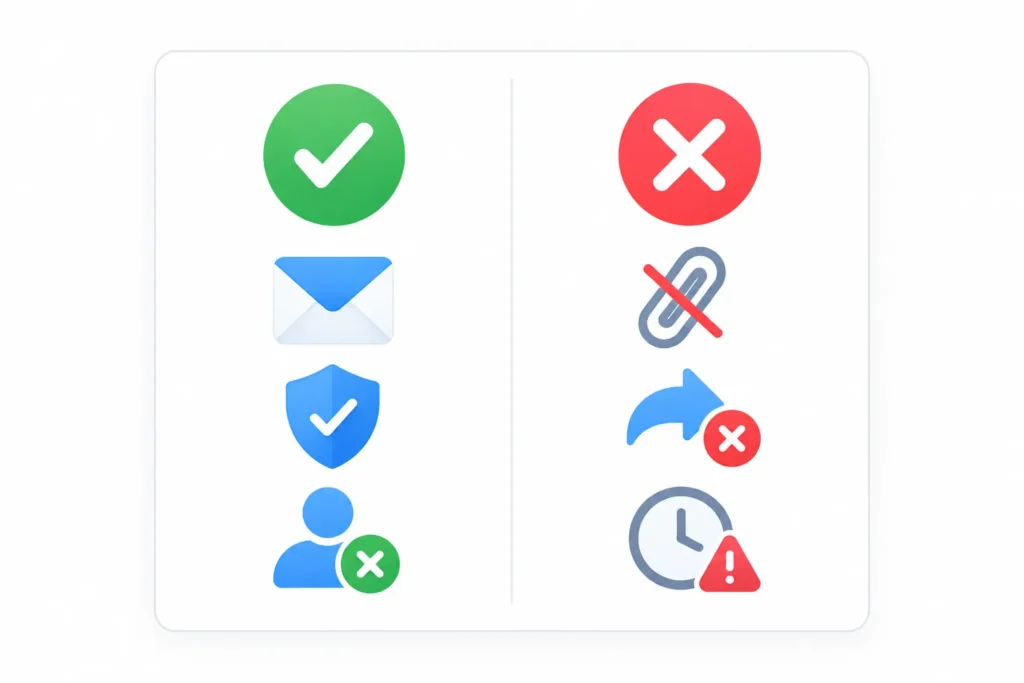
There are also two size limits that apply. Any email over 2 MB is rejected. Your inbox stops accepting new mail once it reaches 100 MB total storage.
What Happens If a Website Rejects My AdGuard Temp Mail Address?
Websites sometimes keep private lists of known disposable email domain names. If a site rejects your AdGuard address, it may have flagged the domain before even attempting to send a confirmation email.
A check against the public disposable-email-domains domain blocklist in August 2026 found zero AdGuard-related domains listed. That is a good result. But private blocklists exist that no one publishes, so the public check does not cover everything.
If one address gets rejected, try generating a new one. A fresh address might use a different domain that slips through. If every address you try gets rejected, the site is likely blocking all anonymous email address services by policy, and no temp mail service will work there.
Is AdGuard Temp Mail Safe?
For low-risk, short-term use, yes.
AdGuard’s published privacy notice for Temp Mail states that no IP address is collected, and no mailbox is linked to any personal information. The mailbox name is randomly generated and created fresh at first use. Emails are deleted when the inbox expires. AdGuard does not sell or share this data with third parties.
The service also qualifies as GDPR-aware in how it handles data deletion. When a mailbox is removed, the emails inside it are physically deleted and cannot be recovered.
That said, safe does not mean suitable for everything.
Do not use AdGuard Temp Mail for:
- Bank or payment accounts
- Social media accounts where you may need to recover your login later
- Government or healthcare sign-ups
- Any service that ties two-factor authentication to your email address
The inbox is temporary by design. If a site sends a password reset to your old throwaway email six months from now, you will not get it. The Verizon Data Breach Investigations Report 2026 found that 62% of breaches involved a human element including phishing. A burner email helps protect your main address from that risk, but only when you use it in the right situations.
AdGuard Temp Mail Not Working? Here Is Why
Most AdGuard Temp Mail problems fall into three groups. Knowing which one you are dealing with saves a lot of time.
The Inbox Will Not Load
If the page opens but the inbox does not appear, a content blocker or browser extension is likely the cause.
Try these steps:
- Open the page in a private or incognito window.
- Temporarily turn off any content blockers or ad filters and reload the page.
- Check if AdGuard’s own DNS filtering or browser extension is blocking a resource the page needs to function.
AdGuard Temp Mail loads as a web app inside an iframe and talks to a backend server. Aggressive filtering can quietly block these requests without showing any error message. If the inbox appears after you disable a blocker, add the AdGuard Temp Mail domain to your allowlist and re-enable the filter.
Verification Emails Are Not Arriving
This is the most common issue people run into.
Wait a few minutes first. Some verification systems are slow to send.
If nothing arrives, the most likely explanation is that the destination website rejected the disposable mail domain before sending anything out. AdGuard themselves warn about this on their product page. Try generating a new adguard temporary email address and submitting the form again. A new address may use a different domain that the site accepts.
Two less common causes: emails over 2 MB are rejected on delivery, and an inbox that has already hit 100 MB will stop accepting new messages.
Your Address Disappeared
If you return to AdGuard Temp Mail and your old inbox is gone, one of these things happened:
- You cleared your browser cookies, which removed the session data that kept your address active.
- The inbox expired after 7 days without being opened or refreshed.
- You clicked “Change address,” which permanently deletes the previous inbox and all its messages right away.
There is no way to get a deleted inbox back. If you received a message with information you need, save it somewhere else before closing the tab.
AdGuard Temp Mail vs. FreeMail.ai
Both services give you a free temp mail no account needed, and neither asks for personal details. Here is how they compare on the features that matter most.
| Feature | AdGuard Temp Mail | FreeMail.ai |
| Price | Free | Free |
| Account required | No | No |
| Domain pool | Small, rotating | Broader, AI-powered options |
| Inbox lifetime | 7 days inactive / 6 months max | Auto-expiring, clean inbox |
| Custom username | No | No |
| Attachments | No | No |
| Send or reply | No | No |
| Mobile access | Requires AdGuard account | Browser-based, no login |
| Custom domain | No | No |
| IP address hidden | Yes | Yes |
| Ads on page | No | No |
The day-to-day experience is similar for basic tasks. You visit the site, copy the address, and receive messages.

Where FreeMail.ai has an edge is in domain variety. Powered by AI, it can serve addresses across a broader range of domains. That matters when you keep running into blocked addresses on specific websites. More choices mean a better chance of finding a domain that gets through.
If you are already inside the AdGuard ecosystem and just want a quick browser-based inbox, AdGuard Temp Mail is a natural pick. If you are hitting walls with blocked domains or want a free temporary email no account option outside of AdGuard’s world, FreeMail.ai is worth trying.
When Should You Use AdGuard Temp Mail, and When Should You Use Something Else?
Use AdGuard Temp Mail when:
- You need a single OTP or one-time verification code from a site you will never visit again
- You want to test a product sign-up flow as a developer without using a real address
- You are downloading a gated resource and do not want follow-up marketing emails
- You are already using AdGuard products and want everything in one place
Use a different service when:
- A website keeps rejecting your AdGuard domain even after trying a new address
- You need to receive emails with files or attachments
- You want to reuse the same temporary inbox across different devices or sessions
- You need to write back to someone from the disposable address
For accounts you plan to keep long-term, an email alias is a smarter choice. An alias keeps a fake address active and forwards real messages to your inbox. AdGuard offers this through AdGuard Mail. Other options in this space include addy.io and Guerrilla Mail, which handle slightly different use cases like longer retention or attachment support.
For quick one-off tasks, a burner email from AdGuard or FreeMail.ai covers you.
Frequently Asked Questions
Is AdGuard Temp Mail safe to use?
For low-risk, short-term use, yes. AdGuard does not store your IP address or link your mailbox to any personal data. Once the inbox expires, it is gone for good and cannot be recovered. Do not use it for banking, social media recovery, or any account where you may need to receive emails in the future.
Why is AdGuard Temp Mail not working?
Three common causes: the inbox will not load because a content blocker is interfering with the page; the verification email never arrives because the destination site blocks disposable email domains; or the inbox expired after 7 days without being opened and the browser cookie was cleared. Try a private window, check your content-blocking settings, and generate a new address if one domain keeps getting rejected.
How long do AdGuard Temp Mail addresses last?
An inbox is removed after 7 days if you do not open or refresh it. If you use it regularly, it can stay active for up to 6 months. If you generate a new address, the old inbox and every message inside it are deleted right away with no way to bring them back.
Can I receive attachments with AdGuard Temp Mail?
No. AdGuard Temp Mail only accepts plain text messages. Emails with attached files will not come through. If you need to receive attachments, AdGuard Mail with email aliases is the better fit. Those aliases forward full emails, including files, directly to your personal inbox.
What is the best adguard temp mail alternative?
The right pick depends on what AdGuard Temp Mail is missing for your situation. If you need broader domain options and a clean, no-account inbox, FreeMail.ai is a strong starting point. You visit the page, copy a free temporary email address, and start receiving messages right away, no registration required.
Try a Free Temp Mail Address Right Now
If you keep running into blocked domains with AdGuard Temp Mail, need a clean backup option, or just want a simple anonymous email address without the AdGuard account requirement, FreeMail.ai is worth a look.
No account. No personal information. One click and you have a working free temp Gmail address ready to use.