

Business owners spend so much time talking about firewalls, multi-factor authentication, endpoint detection, and zero-trust architectures that they forget the most basic truth.
If someone can walk into your building, touch your servers, steal a laptop, or plug a rogue device into your network, your digital defenses become far less effective.
Microsoft CEO Satya Nadella put it simply on the Official Microsoft Blog. He stated, “If you’re faced with the tradeoff between security and another priority, your answer is clear: Do security.”
That strong mindset must extend beyond software code. It must apply directly to the physical spaces where our hardware lives.
According to IBM’s findings, the average global cost of a data breach hit an all-time high of $4.99 million in 2026. That is up 12% from 2025.
That is why physical security must be the starting point for every strong defense. When a criminal steals an unencrypted drive or attaches a rogue USB device, digital passwords cannot stop them. Physical barriers protect hardware from hands-on tampering.
Below, we’ll discuss how physical security supports a strong cybersecurity strategy.
Securing the Front Line at Every Entry Point
Every good security plan starts right at the front door. If an intruder cannot step inside your building, they cannot steal your laptops or plug malicious drives into your servers.
The front desk is your first chance to check who comes inside. Every visitor must sign in at the front desk before moving further.
Unannounced guests need to show a valid photo ID card. Employees must always wear visible security badges while inside the building. These simple steps stop unauthorized people from wandering into sensitive work areas.
High-security sites need even stronger checks at main entry doors. Guard posts and automatic barrier gates stop strangers from entering private areas.
For advanced protection, facilities often install a high-quality walk-through metal detector at main lobby entrances. This tool scans incoming individuals for unauthorized metal items and concealed devices.
According to GXC Inc., these include weapons like guns and knives, as well as smaller metal items like razor blades, tools, and electronics. This helps keep dangerous objects out and ensures a safer environment for everyone.
Protecting Hardware Against Physical Tampering and Theft
A 2024 analysis published by McKinsey points out that containing a data breach takes companies an average of 73 days.
When physical hardware is stolen or altered, tracking down the leak becomes even harder. The damage spreads before anyone realizes the machine is gone.
Since server rooms hold the heart of your entire IT system, they need strict physical access controls at all times. The door to a server room should remain locked around the clock. Only specialized IT employees should have keys or access cards for that room.
Equipment should be placed inside locked server racks in server rooms. Locking server cabinets adds an extra layer of real protection. This prevents unauthorized staff from unplugging cables or inserting foreign devices.
Hardware tampering is a huge risk for modern organizations. A sneaky attacker can plug a tiny malicious USB drive into an open port. That tiny drive can steal passwords or install dangerous spyware in seconds.
To prevent this, you can use physical USB port locks on unused computer slots. They also disable unused network ports inside wall outlets across the office.
Mitigating Internal Risks and Supporting Least-Privilege Access
Security risks don’t always come from evil outside hackers. Sometimes, the biggest threats come from inside our own walls. A 2025 research survey published on ResearchGate found that 74% of security leaders report growing insider risks.
This does not always mean an employee is bad or wants to steal. Sometimes, people just make honest mistakes. Or they get curious and wander into places they should not be.
Physical security helps manage these internal risks by following the principle of least privilege. This means giving people access only to what they need to do their job.
You would not give the receptionist a master key to the CEO’s office or the main server room. They do not need it to do their daily work. Likewise, a janitor needs access to clean office hallways. But they do not need access to the room that contains customers’ financial records.
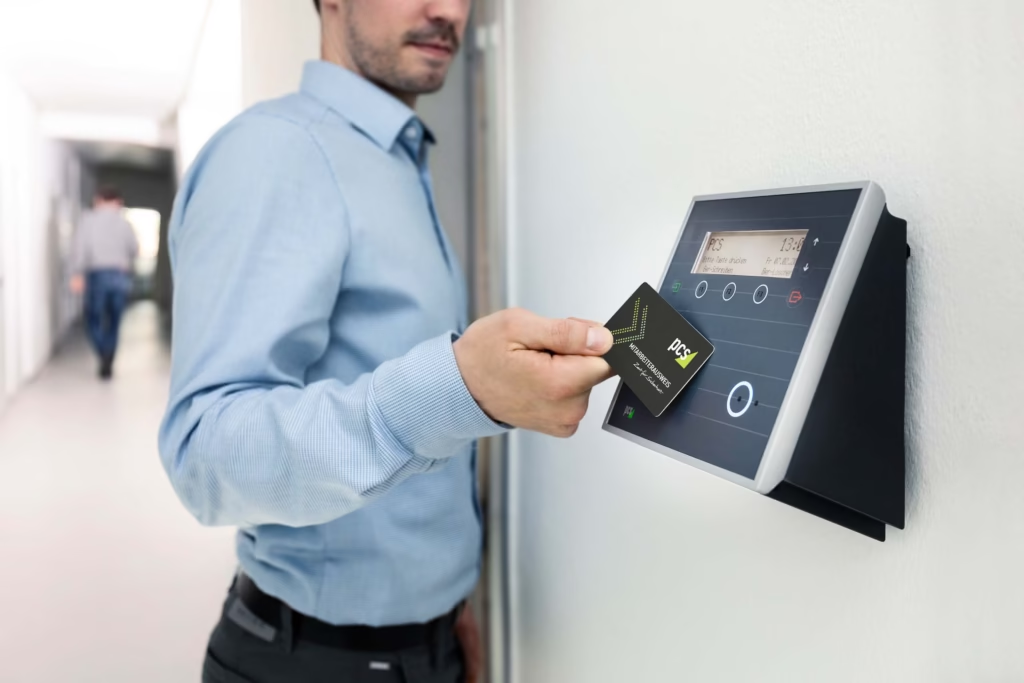
When you combine physical badge access with digital permissions, you significantly reduce risk. You can lower internal risks by setting up physical zones with smart badges that restrict employee access to specific departments. You must also instruct employees to lock away sensitive paper files and USB drives before leaving their desks at night.
FAQs
How does physical security integrate with a zero-trust network model?
Zero-trust assumes no user is inherently safe. Physical security enforces this by verifying identity before allowing access to any server room or workstation.
What is the role of surveillance cameras in cyber incident forensics?
Security cameras provide visual timelines during breach investigations. They confirm exactly who physically touched compromised hardware, network ports, or server racks.
How do clean desk policies protect against digital threats?
Clean desk rules prevent visitors or unauthorized staff from seeing passwords, finding sensitive printouts, or stealing unattended flash drives containing sensitive data.
Key Statistics
| Statistic / Metric | Value / Finding | Source |
| Average Global Cost of a Data Breach | $4.99 million in 2026 (a 12% increase from 2025) | IBM |
| Average Time to Contain a Data Breach | 73 days | McKinsey (2024) |
| Security Leaders Reporting Growing Insider Risks | 74% | ResearchGate (2025) |
At the end of the day, physical safety and cybersecurity are two sides of the same coin. You cannot have true digital safety if anyone can walk in and steal a computer. And you cannot have physical safety if a remote hacker can unlock your front doors from far away.
Implement these practices, and you build a safety shield that works. You protect your business, your data, and your peace of mind.