

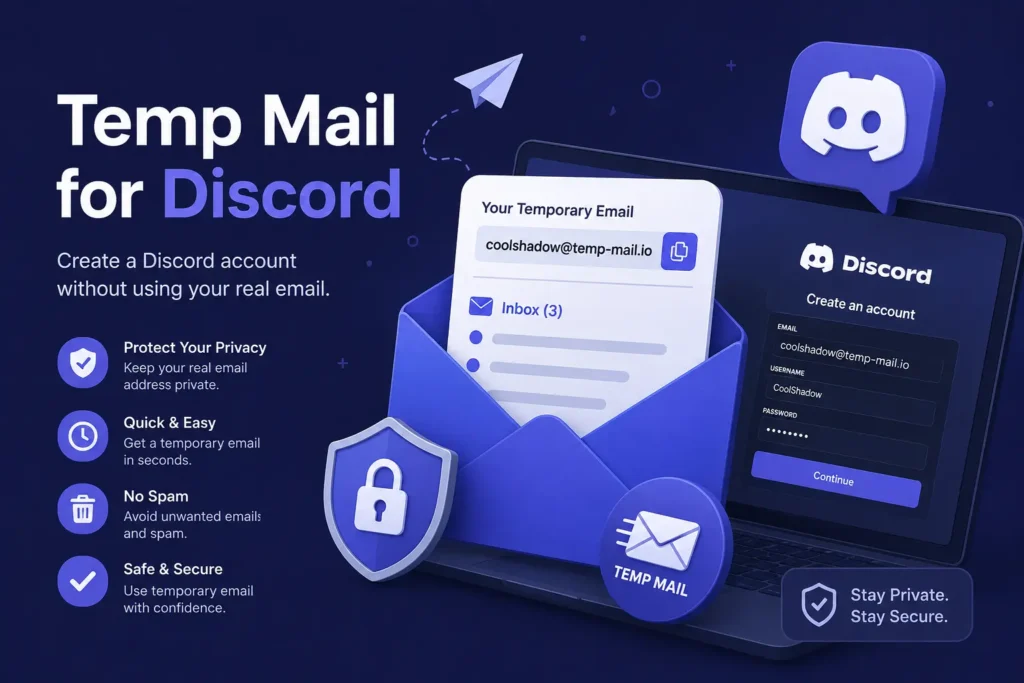
Temp mail lets you verify a Discord account with a throwaway email address instead of your personal inbox. Discord accepts a disposable email address at sign-up. What decides if you need extra steps, like phone verification, is your account activity and the server’s own settings, not the type of email you used. This guide covers how Discord account verification works, how to use a temp mail address for it, and what to avoid so your account stays in good standing.
Introduction
Every new Discord account needs a verified email before you can join servers, use voice chat, or turn on two-factor authentication (2FA). Maybe you want a throwaway email for Discord to keep your main inbox clean. Maybe you are setting up an alt account, or testing a bot. A temp mail address can finish that step in under a minute. This guide walks through how Discord account verification actually works, how to use a temp mail Discord verification address the right way, and when Discord asks for more than just an email.
Generate Your Temporary Email for Discord
Copy a fresh, ready-to-use disposable email address below. Paste it into Discord’s sign-up form, then come back here to grab your code or verification link.
Generate a Free Temporary Email → We’re launching soon
This address works like any other disposable email for Discord sign-ups. It is not tied to your name, your phone number, or your real inbox. No sign-up needed on your end either.
What Is Temp Mail for Discord, and Why Do People Use It?
A temp mail address, also called a disposable email or a burner inbox, is a free email you use once and then let go. Think of it as a self-destructing inbox. Most temp mail addresses last anywhere from ten minutes to a few days, just long enough to receive a verification code or a confirmation link.
Behind the scenes, most temp mail tools run on a catch-all inbox. One mail server, tied to an MX record, is set up to accept messages sent to many different addresses at once. The tool then shows you only the messages meant for your specific address. This setup is what makes an anonymous sign-up possible without creating a real account first.
Discord has grown into one of the biggest chat platforms around, with more than 200 million people using it every month. That kind of scale means Discord also sends out a lot of notifications, server pings, and account emails. Some people would rather keep that traffic out of their main inbox.
Here are the three main reasons people search for temp mail Discord verification:
- Spam protection. A disposable email keeps Discord notifications, and any spam tied to a busy server, away from your personal inbox.
- Alt accounts. Gamers and community members often keep a second, separate Discord identity for testing, moderation, or a bit of privacy.
- Bot and server testing. Developers building a Discord bot need several test accounts fast, without opening a new Gmail or Outlook account each time.
Privacy plays a part too. Discord has had its own data problems in the past, including a breach at an outside customer service vendor that exposed government ID photos for around 70,000 users. News like that is part of why many people would rather keep their real email address out of it when they can.
The research backs this up. Email checking company ZeroBounce found more than 5 million disposable email addresses in its 2025 data, and only 62% of all emails typed into online forms were even valid. Other industry research puts the share of online sign-ups using a disposable email at around 12%. Using a burner email for Discord, or for any other site, is a normal part of protecting your inbox today, not something unusual.
Want to know more about how the tech behind this works? Read how disposable mail works for a closer look.
Does Discord Allow Temporary Email Addresses?
Yes. Discord’s Terms of Service do not say you cannot use a temporary email address, and email verification usually accepts a working disposable address without any trouble.
What can change your experience is the server verification level, which each server owner sets on their own. These levels run from None up to Highest. The higher levels can ask for a verified email, a minimum account age, time spent in the server, or even a verified phone number before you are allowed to chat.
There is also a fresh update worth knowing about. Discord planned a global age verification rollout for early 2026, then delayed it to the second half of the year after users pushed back over privacy concerns. Discord has said more than 90% of users will never see an age verification prompt at all. This does not change how email verification works for most sign-ups, but it is good context if you notice new prompts on your account this year.
So, does Discord block temp mail? Not as a blanket rule. What matters more is the server’s own settings and your account’s activity, which we cover next.
How Do You Verify a Discord Account With Temp Mail?
Using a temp mail Discord verification address is simple. The steps are close to the same whether you are starting a brand new account or adding a temporary address to one you already have.
For a New Account
- Generate a temporary email address using a temp mail tool.
- Go to Discord’s sign-up page and enter your username, password, and birth date.
- Paste your temp mail address into the email field and finish sign-up.
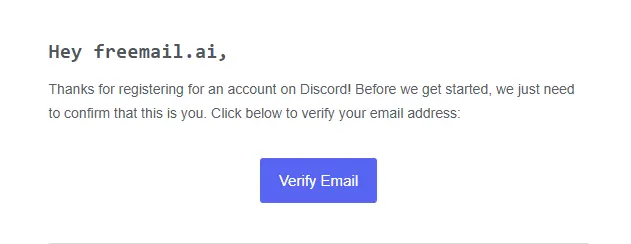
- Go back to your temp mail inbox and open the message from Discord.
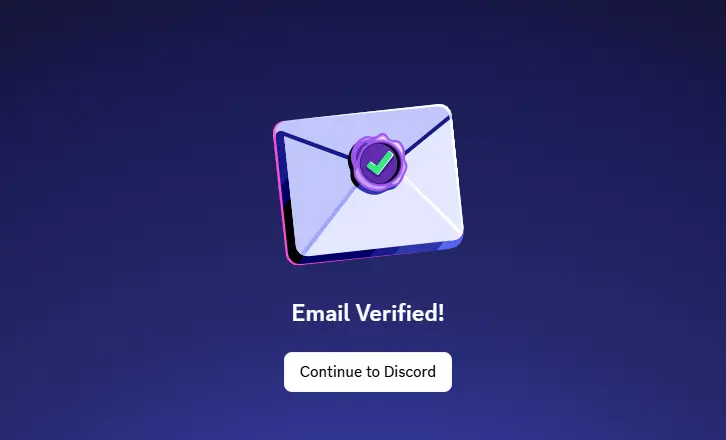
- Click the verification link inside. Your account should show as verified right away.
For an Existing Account
- Open Discord and go to User Settings, then My Account.
- Select Change Email or Add Email.
- Paste your temporary address and confirm with your current password.
- Check your temp mail inbox for the new verification email and click the link.
Keep in mind that each Discord account needs its own unique email address at sign-up. You cannot reuse an email that is already tied to another Discord account, temporary or not.
Email Verification vs. Phone Verification on Discord
Email verification and phone verification are two separate systems on Discord, and different things trigger each one. Here is a simple breakdown:
| What Triggers It | What It Requires | Notes |
| New account sign-up | Verified email | Standard step for almost every new account |
| Joining a Medium or High verification server | Verified email, minimum account age | Set by the server owner, not Discord itself |
| Joining a Highest verification server | Verified email, account age, verified phone number | The strictest tier a server can set |
| Unusual activity, like fast server joins or odd login patterns | Phone verification, sometimes with a one-time password (OTP) sent by SMS | Triggered by Discord’s own safety system, not by email type |
| Turning on two-factor authentication (2FA) | Verified email, plus an authenticator app or security key | A separate, optional layer you turn on yourself |
A temporary email address does not skip phone verification if your account activity or a server’s settings call for it. The two checks run on their own, apart from each other.
Will Using Temp Mail Get Your Discord Account Banned or Restricted?
Not on its own. Discord’s Trust & Safety team builds its systems around spam-like behavior, not the kind of email domain you used. Things like joining dozens of servers in a few minutes, sending repeated messages, or acting like a bot are what actually get flagged.
To put the scale in perspective, Discord’s own Transparency Report showed the platform removed close to 33 million spam accounts in a single quarter back in late 2023. A system built to catch that much spam activity is watching patterns across accounts, not just checking whether your email domain looks disposable.
If you plan to run more than one account, it also helps to know how Discord’s Account Switcher works. It lets you log into up to five accounts on desktop at once, and Discord has said that if one linked account breaks the rules, action can reach any accounts it can tie back to the same person. So even with a temp email Discord ban concern in mind, the real risk usually comes down to what an account does, not what address it used to sign up.
A few habits keep any account, temp mail or not, in good standing:
- Avoid joining a large number of servers in a short window.
- Space out messages and reactions instead of sending them in bursts.
- Do not use a second account to get around a ban or to bother someone.
Why Isn’t Your Discord Verification Email Arriving?
If your discord temp mail not working problem comes down to a missing verification email, it usually points to one of three things.
- The domain got blocked. Some disposable email domains end up on a domain blocklist after heavy use. Switching to a fresher domain often fixes this right away.
- The email is just delayed. Give it a minute or two, then refresh your temp mail inbox.
- It landed in a spam folder your tool does not show. Not every temp mail service displays every folder, so check for a spam or junk tab if one is there.
You can also check if a domain is already flagged with a disposable email checker before you even try to sign up.
Common Ways People Use Temp Mail on Discord
People turn to a temporary email Discord alt account setup for more reasons than you might expect. Here are the most common ones:
- Keeping a separate alt account. Many gamers keep a second Discord identity apart from their main one, whether for privacy, testing a new server, or checking out a community before they commit to it.
- Discord bot testing. Building or testing a Discord bot often means creating several accounts fast to check permissions and commands. A temp mail address does this quicker than setting up new Gmail accounts one at a time. Just make sure you pick a real, live inbox and not a fake email for Discord that never actually receives anything, since a bot needs to receive the one-time password (OTP) Discord sends.
- Joining a one-off server. Sometimes you just want to check out a server for a single event or a short-term group project without tying it to your main account.
- Cutting down on notification spam. A busy server can send a lot of pings. A separate inbox keeps that traffic away from your everyday email.
What Should You Avoid Doing With a Temp Mail Discord Account?
A temp mail account works well for short-term use, but it has real limits. Keep these in mind before you rely on one:
- Do not use it for an account you plan to keep. Once your temp inbox expires, it is gone for good, along with any password reset emails sent to it.
- Do not use it to get around a ban. Creating a new account to dodge a suspension breaks Discord’s Terms of Service and Community Guidelines, and Discord can act across any accounts it links back to you.
- Do not use it for anything tied to payment or Nitro purchases. Order confirmations and billing emails need a real, lasting inbox.
- Do not treat the inbox as private. Many temp mail inboxes are public or semi-public, so never send anything sensitive to one.
How Long Should Your Temp Mail Inbox Last for Discord Verification?
For most sign-ups, a short inbox is enough. Discord’s verification email usually arrives within seconds, so even a 10 minute mail address gives you plenty of time to finish the process.
A slightly longer inbox, closer to a few hours, is a safer pick if you are verifying during a busy period, setting up more than one account back to back, or want a buffer in case the first email is slow. There is no need to choose a service that keeps your inbox alive for days just to verify a single Discord sign-up.
Choosing a Reliable Temp Mail Service for Discord
Not every temp mail tool works equally well for Discord. A few things are worth checking before you pick one:
- Fresh domains. Services that add or rotate new domains often are less likely to already be blocked.
- Fast delivery. Look for a tool that shows new mail within seconds, not minutes.
- No sign-up required. You should not need to create an account just to get a disposable one.
- A real inbox, not just a placeholder. Make sure the tool actually receives mail instead of only generating an address.
Freemail.ai’s disposable mail tool and AI Mail Generator are both built around these basics, with no sign-up needed and a live inbox ready as soon as you land on the page.
Frequently Asked Questions
Will Discord ban my account for using temp mail? Not just for using it. Discord’s enforcement focuses on spam-like behavior, like fast server joins or repeated actions, not the type of email domain you signed up with. An account that behaves normally is unlikely to get flagged for that reason alone.
Does Discord block temp mail domains? Discord filters some heavily used disposable domains, the same way it filters other spam signals. It does not ban temporary email as a whole category. If one domain gets rejected, a different provider or a fresher domain usually works.
Does Discord require a phone number too? Not by default. Phone verification gets triggered on its own, usually by a server’s own verification settings or by Discord’s safety system picking up on unusual activity, not automatically just because your email is temporary.
Can I use temp mail for Discord bot testing? Yes. It is a common way to create test accounts without linking them to your personal inbox. Just confirm the tool gives you a real, live inbox so it can actually receive Discord’s verification email.
Why isn’t my Discord verification email arriving? Usually it is a blocked domain, a short delivery delay, or a spam folder your temp mail tool does not show. Refresh the inbox, wait a minute, and try a different provider or domain if nothing shows up.
What happens if I lose access to my temp mail account? The inbox and its messages are gone once it expires, and there is no password reset option. That is why temp mail works best for accounts you do not plan to keep long term.
Can I switch from temp mail to a real email on Discord later? Yes. Discord lets you update the email tied to your account any time from Settings, then My Account. An account that started with a temporary address can move to a permanent one later if it turns out to be worth keeping.
Ready to Verify Your Discord Account?
Grab a free temporary email address now and finish your Discord sign-up in under a minute. No sign-up, no waiting, just a working inbox when you need one.
Generate Your Free Temporary Email → We’re launching soon