

YouTube gets blocked on school and work networks, and in several countries, using DNS filters or IP-level restrictions. The fastest working methods in 2026 include browser-based web proxies, VPN apps, mobile hotspot, Chrome extensions, and Tor Browser. Each method requires different levels of technical access. Some require account registration, and how you register matters for your privacy. Choose the method that fits your device, your network, and your privacy needs.
You open your laptop, type in YouTube, and get a blocked page. Again. Whether you are at school, at work, or traveling in another country, it is one of the most frustrating things online. The good news is that getting YouTube unblocked is easier than most people think.
This guide covers 7 methods that actually work in 2026. They are ranked by ease, device compatibility, and privacy risk. We also cover one step that almost every other guide skips completely, and it might be the most important part.
Why Is YouTube Blocked in the First Place?
Before jumping into the fixes, it helps to know what kind of block you are dealing with. There are three main types.
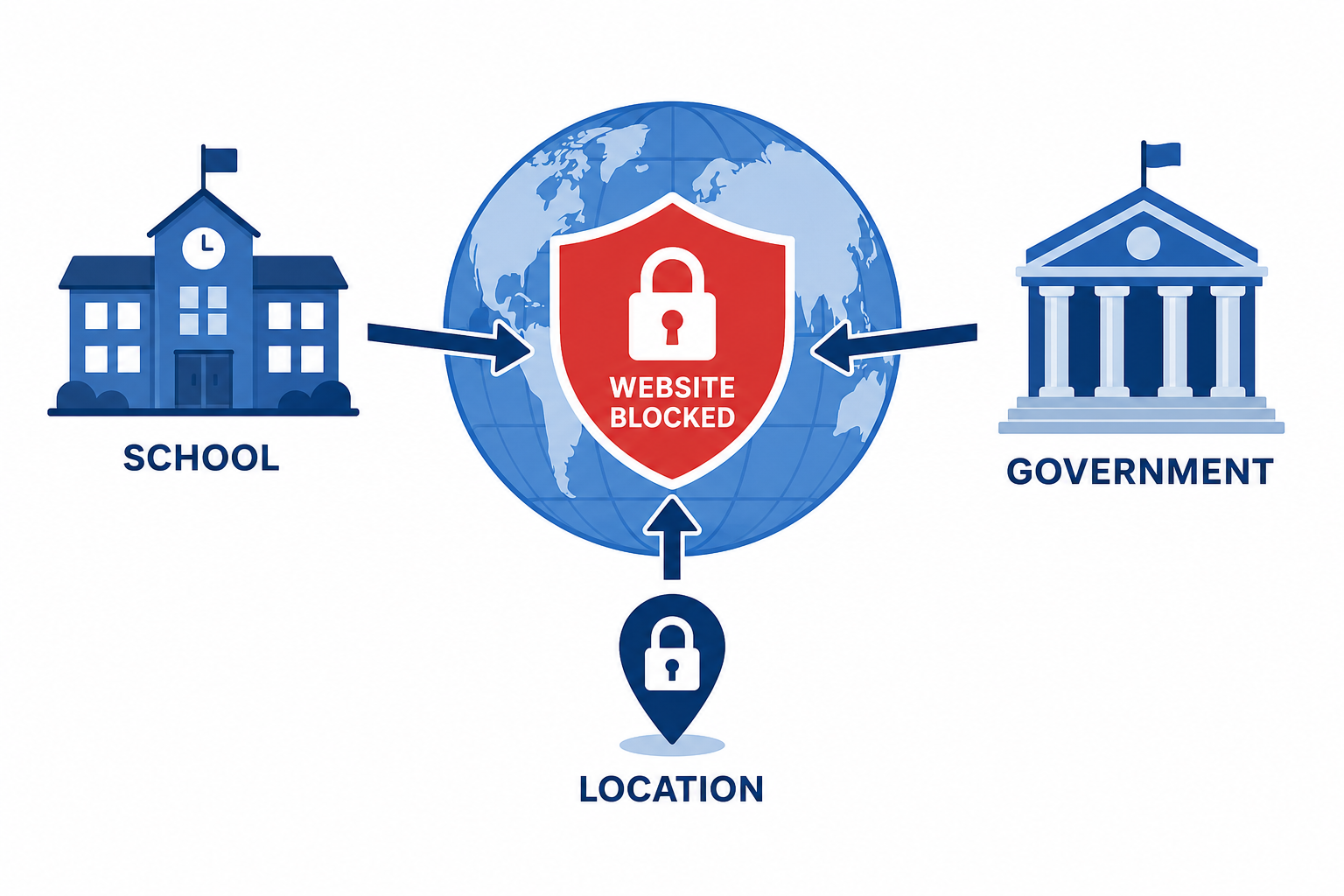
1. School or workplace network filters
Most schools and offices use content filtering software like GoGuardian or Securly. These tools block specific websites at the network level. Your device connects to their Wi-Fi, and their system stops YouTube traffic before it reaches you.
2. Country-level censorship
Some governments block YouTube entirely at the internet service provider level. YouTube is fully banned in China, North Korea, Iran, and Turkmenistan. If you are visiting or living in one of these countries, the block is much deeper than a simple network filter.
3. Geo-restricted videos
Sometimes YouTube itself works fine, but a specific video is unavailable in your country. This is a different kind of block, caused by copyright or licensing rules tied to your IP address.
Knowing which type applies to you will help you pick the right fix from the list below.
7 Ways to Get YouTube Unblocked in 2026
Here is a quick overview of every method before we go into the details.
| Method | Difficulty | Needs Install? | Free? | Privacy Level |
|---|---|---|---|---|
| VPN | Easy | Yes | Partially | High |
| Web Proxy | Very Easy | No | Yes | Low to Medium |
| Chrome Extension | Easy | Minimal | Yes | Medium |
| Mobile Hotspot | Very Easy | No | Uses data | High |
| Tor Browser | Medium | Yes | Yes | Very High |
| DNS Change | Medium | No | Yes | Low |
| Different URL | Very Easy | No | Yes | None |
Now let us go through each one step by step.
Does a VPN Really Unblock YouTube?
Yes, a VPN is the most reliable way to get YouTube unblocked. A VPN, or Virtual Private Network, encrypts your internet traffic and sends it through a server in a different location. To your school or workplace network, it just looks like encrypted data, not a YouTube connection.
VPNs work on most devices including phones, laptops, and school Chromebooks.
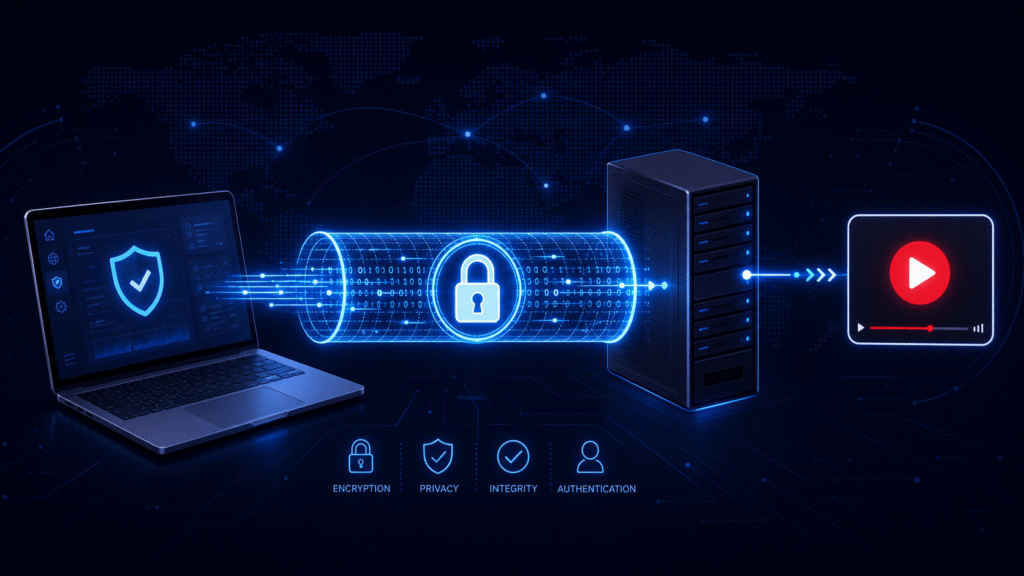
How to use a VPN to unblock YouTube:
- Pick a VPN service. Good options include NordVPN, ExpressVPN, and ProtonVPN. ProtonVPN is the only major free VPN with no speed or data limits.
- Download and install the VPN app on your device.
- Open the app and connect to a server. Choose a country where YouTube is not blocked.
- Open your browser and go to YouTube.
That is it. VPNs using the WireGuard protocol can maintain speeds up to 1Gbps, which is more than enough for 4K YouTube streaming. Forbes evaluated over 30 factors to rank NordVPN, TorGuard, and TunnelBear as top options for bypassing YouTube restrictions.
One important note: VPN sign-ups require an email address. More on why this matters in Section 5.
Pros: Works almost everywhere, fast speeds, protects all traffic
Cons: Free versions have limits, some networks block VPN connections
Can I Unblock YouTube Without Downloading Anything?
Yes. A web proxy lets you access YouTube directly inside your browser with no software install needed.
Web proxies route your browser traffic through an outside server. The school or workplace network sees a connection to the proxy, not to YouTube. The best working options in 2026 are CroxyProxy, Hide.me, and Proxysite.
How to use a web proxy:
- Open your browser and go to a proxy site like CroxyProxy.com or Hide.me.
- In the address bar on the proxy site, type youtube.com.
- Press enter or click Go.
- YouTube will load through the proxy.
Pros: No install needed, works on school computers, completely free
Cons: Slower than a VPN, some free proxies log your traffic, many proxy sites get blocked quickly
Always use a reputable proxy service. Some unknown free proxy sites log your browsing data and sell it to advertisers. Stick to well-known names like Hide.me, which is transparent about its privacy policy.
How Do I Unblock YouTube on a School Chromebook?
A Chrome extension proxy is the best option for a school Chromebook because it installs directly in the Chrome browser with no admin access needed.
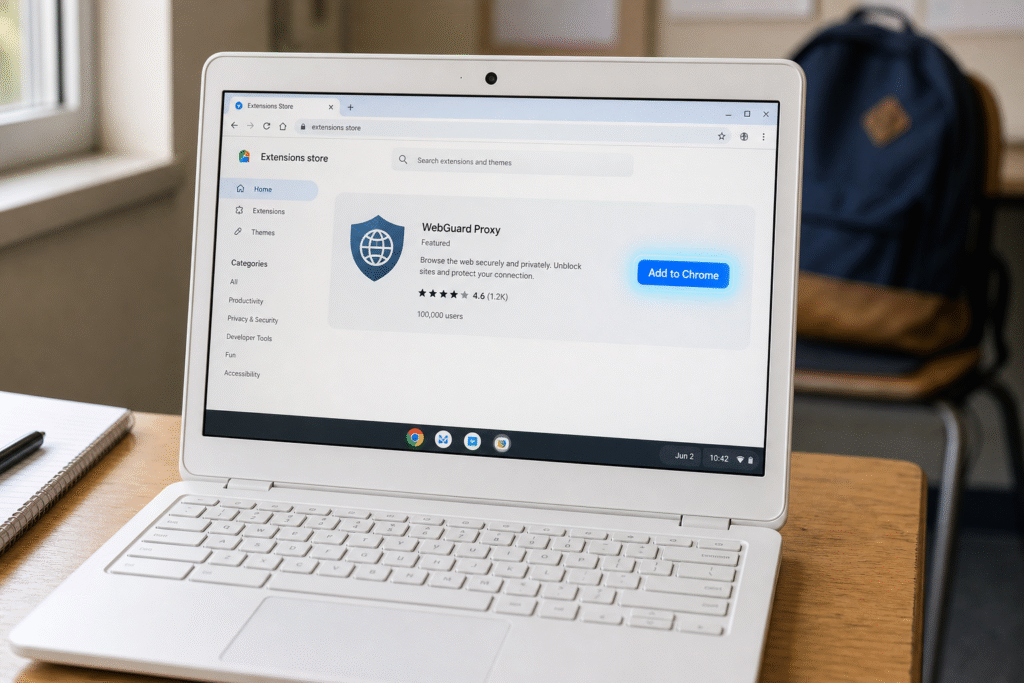
How to install a Chrome extension proxy:
- Open the Chrome Web Store on your Chromebook.
- Search for “CroxyProxy” or “Hide.me proxy.”
- Click “Add to Chrome.”
- Click the extension icon in your browser toolbar.
- Go to YouTube.
This method bypasses the content filtering software on your school network by routing traffic through an outside server at the browser level.
Note: If your school has blocked the Chrome Web Store itself, this method will not work. In that case, try the mobile hotspot method below.
Pros: Easy to install, works on managed Chromebooks in many cases, free
Cons: Some schools block Chrome Web Store access, slower than a VPN
What If I Just Want Quick Access Right Now?
Use your mobile hotspot. This method bypasses school or work Wi-Fi entirely by using your phone’s cellular data connection.
Mobile hotspot works about 90% of the time for bypassing school and workplace network blocks because it completely skips their network infrastructure.
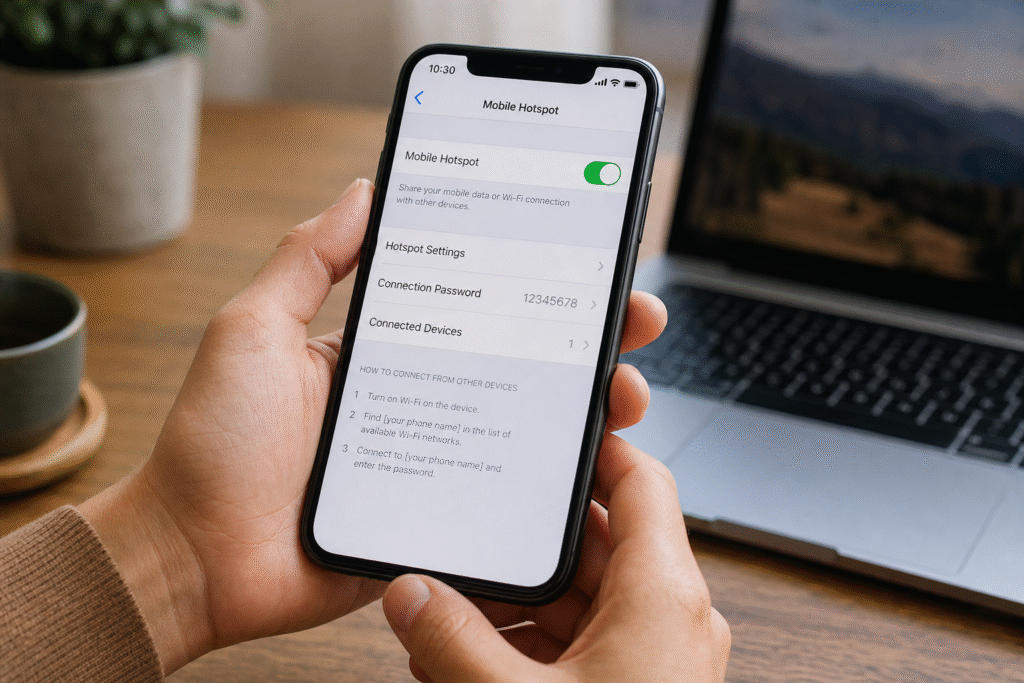
How to do it:
- On your phone, go to Settings and turn on Mobile Hotspot or Personal Hotspot.
- On your laptop or Chromebook, connect to your phone’s hotspot instead of the school Wi-Fi.
- Open YouTube normally.
Pros: No software needed, very reliable, fast if you have good cell signal
Cons: Uses your mobile data, may be slow in areas with weak signal
Is Tor Browser Safe for Unblocking YouTube?
Tor Browser is one of the most private ways to access blocked content. It routes your traffic through multiple encrypted relay nodes around the world, making it very hard to trace.
How to use Tor:
- Download Tor Browser from the official torproject.org website.
- Install and open it.
- Click Connect.
- Go to youtube.com.
Tor is free and does not require an account. However, it is slower than a VPN because of the multi-node relay system. Also, some school networks block known Tor relay IP ranges, so this method does not work on every network.
Pros: Very high anonymity, completely free, no sign-up needed
Cons: Slower speeds, some networks block it, may not work well for video streaming
Does Changing DNS Settings Unblock YouTube?
Changing your DNS settings can unblock YouTube, but only if the block is DNS-based. Many school and country-level blocks work at the DNS layer, so this is worth trying.
How to change DNS settings:
- Go to your device’s network settings.
- Find the DNS field.
- Change it to Google DNS (8.8.8.8) or Cloudflare DNS (1.1.1.1).
- Save the settings and reload YouTube.
Important: This method will not work if your school uses deep packet inspection or a proxy-based filter like GoGuardian. It works best for basic country-level DNS censorship.
Pros: No install, free, fast if it works
Cons: Does not bypass most school network filters, requires device settings access
Try Switching From HTTP to HTTPS First
This is the simplest thing to try and takes five seconds. Some basic network blocks only filter plain HTTP traffic. Switching to the HTTPS version of YouTube can bypass them.
In your browser address bar, make sure the YouTube URL starts with https:// not just http://. If YouTube was loading on http://, try typing https://www.youtube.com directly.
This only works on very outdated or lazy network configurations. Most modern school filters will not be bypassed this way. But it is always worth trying first before anything else.
Which Unblocking Method Should You Use?
The right method depends on your device, your network, and how much privacy matters to you.
Use a VPN if: YouTube is blocked at the country level, or you need a reliable long-term solution for work or travel. VPNs using WireGuard are hard to detect and fast enough for streaming.
Use a web proxy if: You are on a school computer and cannot install anything. No sign-up, no download, just open a browser tab.
Use a Chrome extension if: You are on a school Chromebook and can access the Chrome Web Store.
Use a mobile hotspot if: You want the quickest fix right now and have cellular data. It skips the school network entirely.
Use Tor if: Privacy is your top concern and you are not in a hurry. Slower but very anonymous.
Use DNS change if: You are dealing with a basic country-level DNS block and want a quick no-install fix.
Is It Safe to Use These Methods?
Most methods are safe if you use reputable tools. The risks mainly come from poor tool choices and one step that most people overlook.
The three main risks to know:
- Traffic logging by free proxies: Some free proxy sites record your browsing history and sell it. Always use well-known proxy services with a published privacy policy.
- Legal considerations: Using a VPN is legal in most countries. However, in places where YouTube is officially banned, like Iran or China, bypassing the block may violate local laws. Always check local regulations before using bypass tools.
- School or work policy: Unblocking YouTube using a proxy or VPN may violate your school’s acceptable use policy. What is technically possible is not always institutionally permitted. Know the rules at your institution.
The Privacy Step Most Guides Skip: Protect Your Email When Signing Up
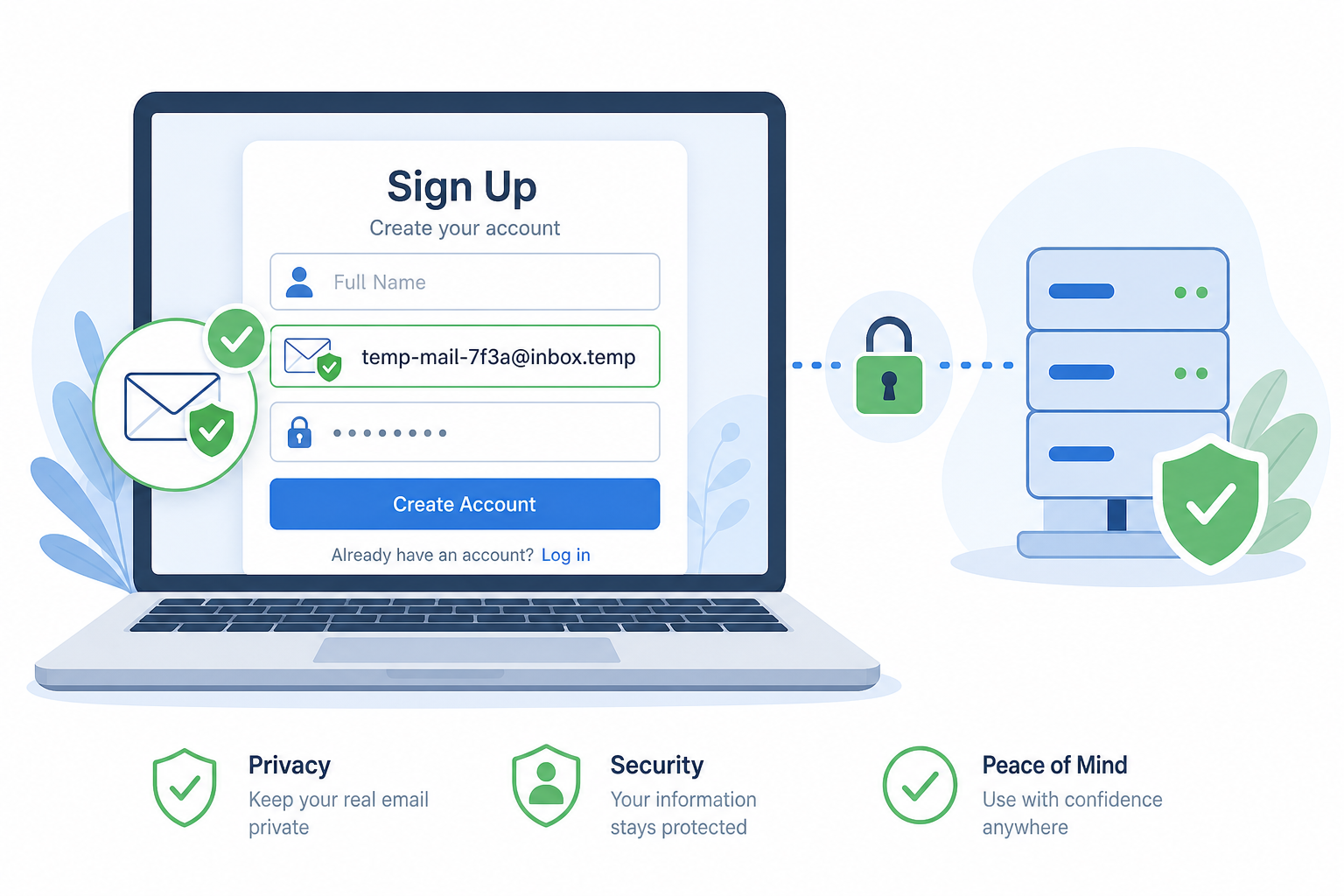
You have picked your method. Maybe it is a VPN. Maybe it is a proxy service. Before you sign up, there is one more thing to think about.
Almost every VPN and many proxy services require an email address to create an account. If you sign up with your real school email or personal email, you create a traceable record. On a shared or school device, that record could link back to you.
The fix is simple: use a disposable email address for VPN and proxy sign-ups.
A temporary email address generates a real, working inbox in seconds. No name, no password, no personal details required. You use it to receive the confirmation email from the VPN service, verify your account, and then walk away. The temporary inbox expires on its own.
How to do it in three steps:
- Go to freemail.ai and generate a free temporary email address. It takes about five seconds.
- Copy the temporary email address and use it as your sign-up email when registering for your VPN or proxy service.
- Wait for the confirmation email to arrive in your freemail.ai inbox, click verify, and you are done.
Your real email address stays out of the picture completely. No spam follows you home. No data trail connects your real identity to the VPN account.
This is the step that every guide on YouTube unblocking skips, because no VPN company is going to tell you to use a disposable email to sign up for their service. But for anonymous browsing and protecting your online privacy, it is one of the smartest moves you can make.
One Last Privacy Tip Before You Go
Whichever method you choose, protect yourself at the sign-up step. If your unblocking method needs an account, do not hand over your real email address. Generate a free disposable email at freemail.ai in seconds. Use it to register for your VPN or proxy service and keep your real identity completely out of the equation.
No personal details. No spam that follows you. No traceable record on a school device.
Getting YouTube unblocked is only half the job. Staying private while you do it is the other half.
Frequently Asked Questions
How do I unblock YouTube at school without downloading anything?
Use a browser-based web proxy like CroxyProxy or Hide.me. Go to the proxy site, type youtube.com in the address bar, and click connect. No software installation is needed. Note that some school networks block known proxy sites, so try a few options if the first one does not work.
Does a VPN unblock YouTube everywhere?
VPNs reliably bypass most network-level and country-level YouTube blocks. They work by routing your traffic through a server in an unrestricted location. However, some networks use deep packet inspection to detect and block VPN connections. A VPN using the WireGuard protocol is harder for content filtering software to detect.
Is it illegal to unblock YouTube with a VPN?
In most countries, using a VPN for anonymous browsing is legal. However, in countries where YouTube is officially banned, such as China, Iran, or North Korea, bypassing the block may violate local laws. Always check the rules in your specific country or institution before using any bypass method.
Can I unblock YouTube on a school Chromebook?
Yes. Install a Chrome extension proxy from the Chrome Web Store, such as CroxyProxy. If the Web Store is blocked by your school, use your mobile hotspot to bypass the school network entirely. Some managed Chromebooks restrict extension installs, so not every method will work on every device.
What is the safest free way to unblock YouTube?
ProtonVPN is the only major free VPN with no speed or data limits, making it the safest free option for encrypted traffic. For browser-only access, Hide.me is a reputable proxy that publishes a clear privacy policy. Avoid unknown free VPN or proxy services that may log and sell your browsing data.
Why does YouTube keep getting blocked even after I use a proxy?
Some schools use advanced content filtering software like GoGuardian that blocks known proxy IP addresses in real time. If a proxy stops working, try a different proxy service, switch to a VPN, or use your mobile hotspot to bypass the school network entirely and connect through cellular data instead.
Should I use my real email to sign up for a VPN?
It is not necessary. Using a disposable email address for VPN sign-up keeps your real identity separate from the service. This matters especially if you are registering on a shared school or workplace device. A temporary email generates a working inbox with no personal information required and takes under 30 seconds to set up.