

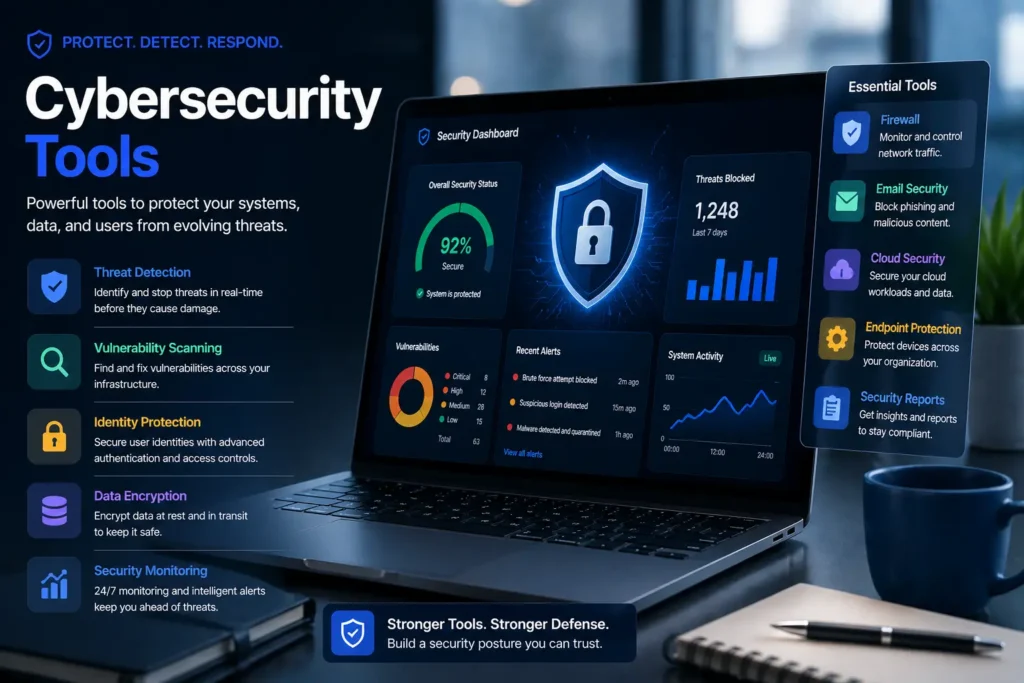
Cybersecurity tools are software programs that protect your devices, networks, passwords, and online accounts from hackers and digital threats. The best security setups use more than one tool type, including endpoint protection, network monitoring, password managers, and email hygiene habits. This guide covers the most useful cybersecurity tools in each category, with free options included throughout, so you can build real protection no matter your budget or tech skill level.
Cybercrime is expected to cost the world $10.5 trillion every year by 2025, according to Cybersecurity Ventures. That number is not slowing down. For individuals, small businesses, and large companies alike, getting the right cybersecurity tools in place is no longer optional.
But here is the real problem: there are hundreds of tools out there. Knowing which ones actually matter, and which ones are worth paying for, is the hardest part. This guide cuts through the noise. You will find the most effective cybersecurity tools organized by what they protect, with free options highlighted in every category, plus a simple checklist to help you decide where to start.
Why Cybersecurity Tools Matter More Than Ever in 2026
The threat landscape has changed a lot in the past few years. Attackers now use AI-powered tools to find weak spots faster than ever before. Ransomware, phishing attacks, and data breaches have all increased year over year.
Here are a few numbers that show just how serious this has become:
- 60% of small businesses shut down within six months of a cyberattack, according to the U.S. National Cyber Security Alliance
- 43% of all cyberattacks specifically target small businesses
- Over 15 billion credentials were exposed in data breaches as of 2024, based on SpyCloud’s annual identity exposure report
These are not just problems for big companies. Anyone with an email address, an online account, or a device connected to the internet is a potential target. That is exactly why having even a basic set of cybersecurity tools makes such a big difference.
What Types of Cybersecurity Tools Do You Actually Need?
Most people think cybersecurity is just about having an antivirus program. But protecting yourself online covers several different problem areas, and each one needs its own tool.
Here are the main categories of cybersecurity tools to know about:
- Endpoint protection tools protect the devices you use every day, like your laptop, phone, or desktop, from malware and viruses
- Network security tools watch your internet traffic and flag anything suspicious coming in or going out
- Vulnerability scanners check your systems for known weaknesses before attackers can find them
- Password and identity management tools keep your login credentials safe and make it much harder for hackers to break in
- Email security tools block phishing emails and protect your inbox from being used as an attack entry point
- SIEM and threat intelligence platforms collect and analyze security data across your entire system, mostly used by business teams
Most individuals and small businesses need at least one reliable tool from the first four categories. Enterprise teams then layer in SIEM, extended detection and response (XDR), and threat intelligence platforms on top of that.
The good news is that many of the best options in each category have a solid free version. You do not need a big budget to build a strong security posture.
Best Endpoint Security Tools
Endpoint security protects the devices you actually use every day. It catches malware, blocks suspicious programs from running, and in many modern tools, uses AI-driven threat detection to stop threats your antivirus might miss.
Free Option: Microsoft Defender
Microsoft Defender comes built into Windows and has improved significantly over recent years. For most home users and small businesses on a budget, it provides solid real-time antivirus software protection with no extra cost. It now includes basic phishing protection and firewall integration, making it a strong starting point.
Paid Option: CrowdStrike Falcon
CrowdStrike Falcon is one of the most powerful endpoint detection and response (EDR) tools available. It uses artificial intelligence to process over 2 trillion security events per week, catching threats that traditional antivirus tools would miss. It is built for enterprise teams but also offers scaled options for growing businesses.
Paid Option: SentinelOne
SentinelOne takes an autonomous response approach to endpoint security. Instead of just alerting your team, it can isolate and neutralize threats on its own. It is widely used by security operations centers (SOC) teams and is part of the broader shift toward XDR consolidation in 2026.
Best for: Anyone who wants device protection that goes beyond basic antivirus. Start with Microsoft Defender for free, then move to CrowdStrike or SentinelOne when your needs grow.
Best Network Security and Monitoring Tools
Your network is the road all your data travels on. Network security tools watch that road for anything that should not be there, whether that is an intruder scanning your ports, suspicious outbound traffic, or unusual activity on your Wi-Fi.
Free Option: Wireshark
Wireshark is the world’s most popular network protocol analyzer, and it is completely free. It is used by over 90% of Fortune 500 companies for packet analysis and network troubleshooting. It lets you see the actual data traveling across your network in real time, which makes it incredibly powerful for spotting intrusion detection problems or unusual activity. While it has a learning curve, beginners can get value from it quickly with the right guides.
Paid Option: NordVPN
NordVPN protects your outbound traffic by encrypting it with AES-256 encryption, which is especially useful on public or unsecured Wi-Fi where unencrypted data can be intercepted. It also maintains an independently audited no-logs policy, adding a verified layer of privacy on top of your network’s other defenses.
Enterprise Option: Cisco XDR
Cisco XDR is a cloud-based platform that combines network monitoring software, endpoint detection, and threat intelligence into one system. It is built for teams that need visibility across a large number of devices and locations. Cisco’s integration with the MITRE ATT&CK framework makes it especially useful for mapping attacks and understanding attacker behavior.
Transition: Once your network is covered, the next layer to address is the vulnerabilities hiding inside your systems.
Best Vulnerability Scanning Tools
A vulnerability scanner is like a routine health check for your systems. It looks for known security weaknesses, misconfigurations, and outdated software before an attacker can exploit them. Think of it as finding the unlocked doors in your house before someone else does. Some of the most useful ones are CVE scanners, which check your systems against public databases of known vulnerabilities so you can patch them fast.
Free Option: OpenVAS
OpenVAS is an open-source vulnerability assessment tool that is completely free to use. It checks your network and systems against thousands of known CVE (Common Vulnerabilities and Exposures) entries. It is widely used in small business environments and by IT teams who need a capable scanner without a big software budget.
Paid Option: Nessus by Tenable
Nessus is one of the most trusted names in penetration testing and vulnerability management. It scans for misconfigurations, software flaws, and missing patches across your entire infrastructure. Security professionals use it alongside the NIST Cybersecurity Framework to maintain compliance and track risk over time. Tenable offers a free version (Nessus Essentials) for smaller environments.
Paid Option: Qualys
Qualys is a cloud-based risk assessment platform that automates vulnerability scanning across your infrastructure continuously. It is a strong fit for companies that need to meet compliance requirements and want an always-on scanning process rather than scheduled manual checks.
Transition: Knowing your vulnerabilities is one thing. Locking down your login credentials is another critical layer.
Best Password and Identity Management Tools
Credential theft is one of the top causes of data breaches. Over 15 billion passwords and usernames have been exposed in data leaks, meaning there is a very real chance your old passwords are already out there. Password managers and identity and access management (IAM) tools make it much harder for attackers to use stolen credentials.
Free Option: Bitwarden
Bitwarden is a leading open-source password manager that is free for personal use and very affordable for teams. It stores and generates strong, unique passwords for every site you use and supports two-factor authentication (2FA) to add another verification layer at login. Unlike many competitors, Bitwarden’s code is fully open source, meaning security researchers can audit it for flaws.
Paid Option: 1Password
1Password is a popular choice for teams and businesses that need shared vaults, permission controls, and detailed audit logs. It integrates well with business workflows and supports zero trust security principles by ensuring users only access what they actually need.
Enterprise Option: Microsoft Entra ID
Microsoft Entra ID (formerly Azure Active Directory) is a cloud-based identity and access management platform built for larger organizations. It handles single sign-on (SSO), conditional access policies, and multi-factor authentication across your entire Microsoft environment. For businesses already running on Microsoft 365, it is a natural fit.
Transition: With your devices, networks, and passwords covered, there is one attack vector that almost every security guide overlooks: your email.
Does Email Security Count as a Cybersecurity Tool?
Yes, and it is one of the most important ones. According to the Verizon Data Breach Investigations Report (DBIR), 94% of malware is delivered via email, and phishing accounts for 36% of all data breaches. Your inbox is not just where your messages live. It is one of the most common entry points for attackers.
Email security tools work at two levels: enterprise tools that filter threats before they reach your inbox, and personal habits that keep your real email address out of harm’s way.
Enterprise Email Security Tools
Proofpoint and Mimecast are two of the most widely used enterprise-grade email security platforms. They use machine learning to detect phishing patterns, block malicious attachments, and quarantine suspicious messages before users ever see them. Google Workspace Advanced Protection offers similar capabilities for businesses running on Gmail.
Free Email Privacy Habit: Use a Temporary Email Address
Here is a simple habit that almost no one talks about in cybersecurity guides: use a disposable email address every time you sign up for a service you do not fully trust.
When you use your real email for every sign-up, you expose it to potential spam lists, credential stuffing attacks, and phishing campaigns. If that service is ever breached, your real inbox is at risk.
A burner email or temporary email generates a random address you can use once and then forget. Your real email stays private, and your inbox stays clean. Tools like Freemail.ai make this effortless, giving you a working temporary inbox in seconds with no sign-up required. It is one of the simplest free security software habits you can build today.
If you are already signing up for AI tools and online platforms regularly, check out how temporary email for AI tools and sign-ups works as a front-line privacy habit.
Best SIEM and Threat Intelligence Tools (For Teams and Enterprises)
SIEM (Security Information and Event Management) tools are built for teams that manage security across many devices, users, and locations. They collect log management data from all your systems, look for patterns that suggest an attack, and alert your security operations team in real time.
Splunk is one of the most powerful and widely used SIEM platforms available. It processes massive amounts of machine data and gives security analysts deep visibility into what is happening across their environment.
IBM QRadar is another enterprise-grade SIEM tool that specializes in threat intelligence correlation and automated response. It integrates with many third-party tools and is widely used in large regulated industries like finance and healthcare.
Microsoft Sentinel is a cloud-native SIEM and SOAR (Security Orchestration, Automation, and Response) platform that works natively with Microsoft’s ecosystem. For companies already on Azure, it is one of the most cost-effective enterprise options.
Darktrace takes a different approach by using AI to learn what “normal” behavior looks like on your network, then flagging anything that deviates from it. It is especially useful for detecting insider threats and novel attacks that rule-based tools miss.
Who this is for: SIEM tools are built for enterprise security teams with dedicated analysts. Small businesses and individuals should focus on the earlier categories first.
Free Cybersecurity Tools That Actually Work
You do not need to spend money to build a solid security posture. Here is a curated list of open-source cybersecurity tools and free security software that provide real protection at no cost:
- Microsoft Defender (Endpoint) – Built into Windows; solid real-time malware protection for home and small business users
- Wireshark (Network) – Free network monitoring software and packet analyzer used by professionals worldwide
- OpenVAS (Vulnerability) – Open-source vulnerability scanner that checks for known CVEs and misconfigurations
- Bitwarden Free (Passwords) – Open-source password manager with unlimited password storage and 2FA support
- Have I Been Pwned (Identity) – Free tool from Troy Hunt that checks if your email has appeared in known data breaches
- Let’s Encrypt (Encryption) – Free SSL/TLS certificate authority that enables data encryption for websites and web apps
- Freemail.ai (Email Privacy) – Free temporary email generator that keeps your real inbox private when signing up for online services
- Metasploit Framework Community Edition (Penetration Testing) – Free edition of the leading penetration testing tool used for testing your own systems
Each of these tools targets a different part of your security setup. Together, they cover most of what individuals and small businesses need without spending anything.
How to Choose the Right Cybersecurity Tools for Your Needs
The right cybersecurity tools depend on who you are, what you are protecting, and how much time and budget you have. Here is a simple framework to help you decide where to start.
| User Type | Must-Have Tools | Nice-to-Have Additions |
| Individual User | Microsoft Defender, Bitwarden Free, Temporary Email (Freemail.ai), Have I Been Pwned | Let’s Encrypt (for personal sites), Wireshark |
| Small Business | Microsoft Defender or CrowdStrike, Bitwarden Teams, OpenVAS, Proofpoint or Google Workspace | Nessus Essentials, Cisco XDR, 2FA on all accounts |
| Enterprise Team | SentinelOne or CrowdStrike Falcon, Microsoft Entra ID, Splunk or IBM QRadar, Qualys | Darktrace, Cisco XDR, Mimecast, Palo Alto Networks |
Where to Start if You Are New to This
If you are just beginning to build your security setup, follow this order:
- Turn on or install an endpoint protection tool (Microsoft Defender is free and already on Windows)
- Set up a password manager like Bitwarden and change your most important passwords to strong, unique ones
- Enable two-factor authentication (2FA) on your email, banking, and social media accounts
- Start using a disposable email address for any site you do not fully trust
- Check Have I Been Pwned to see if any of your accounts have been in a breach
These five steps cost nothing and take less than an hour. They close the most common attack doors that hackers rely on.
Start Building Your Security Stack Today
The most effective cybersecurity setup is not the most expensive one. It is the one you actually use. Start with the free tools listed in this guide, cover the basics across each category, and build from there as your needs grow.
One of the simplest habits you can add right now costs nothing at all: use a disposable email every time you sign up for a service you are not sure about. It takes two seconds and keeps your real inbox out of the hands of spammers and attackers.
Frequently Asked Questions
How do cybersecurity tools help protect someone who is not technical?
Most modern cybersecurity tools are designed for everyday users, not just IT professionals. Tools like Microsoft Defender run quietly in the background without any setup. Password managers like Bitwarden fill in your passwords automatically. And using a temporary email takes just seconds. You do not need technical skills to get real protection from these tools.
What is the single biggest mistake people make when setting up cybersecurity tools?
The most common mistake is relying on just one tool and thinking that covers everything. Using only an antivirus but ignoring your passwords, your email address, or your network leaves large gaps. A layered approach, even using only free tools, is far more effective than any single solution.
Can cybersecurity tools slow down your computer or phone?
Older antivirus programs were known for slowing down devices. Most modern cybersecurity tools, including Microsoft Defender and CrowdStrike Falcon, are built to run efficiently in the background without major performance impact. If you notice slowdowns, it is usually a sign of an outdated tool or a configuration issue.
Is open-source cybersecurity software actually safe to use?
Yes. Many of the most trusted tools in the industry, including Wireshark, Bitwarden, OpenVAS, and the Metasploit Framework, are open source. Open-source code is publicly reviewed by security researchers around the world, which often makes it more trustworthy than closed software that no one outside the company can inspect.
Do cybersecurity tools work differently on mobile devices than on computers?
The core purpose is the same, but the tools themselves differ. Mobile devices rely more on app permission management, secure lock screens, and avoiding suspicious app installs than on traditional antivirus scans. Password managers and 2FA apps like Google Authenticator work the same way across both platforms and are some of the most valuable tools for mobile security.
What should a small business owner set up first if they have no security tools right now?
Start with endpoint protection on all work devices, a shared password manager for your team, and 2FA on your business email accounts. These three steps address the most common attack vectors for small businesses without requiring a big investment or IT expertise.