

We have all been there: staring at a “Check your email to verify” screen while dreading the wave of marketing spam that usually follows. While most people think of burner mail as a “send-and-forget” tool, the real power lies in having a temp email with inbox capability.
In 2026, privacy is no longer a luxury; it’s a necessity. A temporary inbox gives you a functional, live dashboard to catch OTPs, activation links, and sensitive documents in real-time. Once you’ve grabbed what you need, the entire inbox—along with your digital footprint, vanishes. This guide explains how to use these ephemeral dashboards to maintain your privacy while navigating a web that is increasingly hungry for your personal data.
What Is a Temporary Email Inbox?
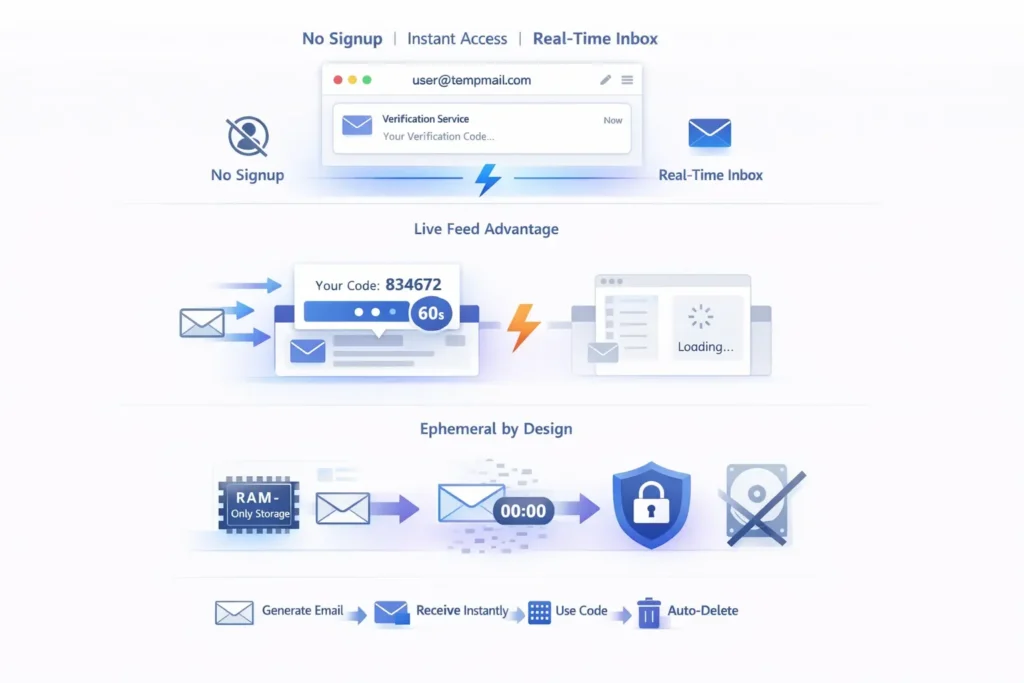
A temporary email inbox is a live, web-based dashboard that displays incoming messages sent to a disposable address in real-time. Unlike standard forwarding, it provides a self-contained environment to view verification codes and links without requiring a login, automatically self-destructing after a set period to ensure total privacy.
The “Live Feed” Advantage
Traditional email is built for storage; a temp gmail or temporary inbox is built for speed. When you use a “live” inbox service, you don’t have to refresh your browser manually or wait for a mail client to sync. These dashboards use webhooks to “push” the email to your screen the second it hits the server. This is vital for time-sensitive tasks like 6-digit verification codes that expire in 60 seconds.
Ephemeral by Design
The “temporary” part of the inbox refers to the storage. In 2026, high-quality providers run their inboxes on RAM-only servers. This means your emails are never written to a permanent hard drive. Once your session ends or the timer runs out, the data is physically wiped, making it impossible for hackers or third-party trackers to recover your information later.
How Temp Email Inbox Works?
A temp email inbox works by assigning a random string to a specialized mail server domain. When an email is sent to that address, the server catches the message and displays it on your unique browser session via a temporary database. No password or registration is required to access the content.
The Routing Process
When you visit a provider, they instantly generate an address like user_99@quick-inbox.com. The provider’s mail server is configured to accept any mail for that domain. Behind the scenes, a script parses the incoming data, strips out potential malware or tracking pixels, and renders the text or HTML directly in your browser window.
Security via Anonymity
Because there is no “Sign Up” process to get a 10 minute mail inbox, there is no link between the burner address and your real identity. The service doesn’t know who you are; it only knows that “User A” is looking at “Inbox B.” This layer of anonymity is the primary defense against the “Shadow Profiles” that advertising networks try to build.
Receiving Verification Emails
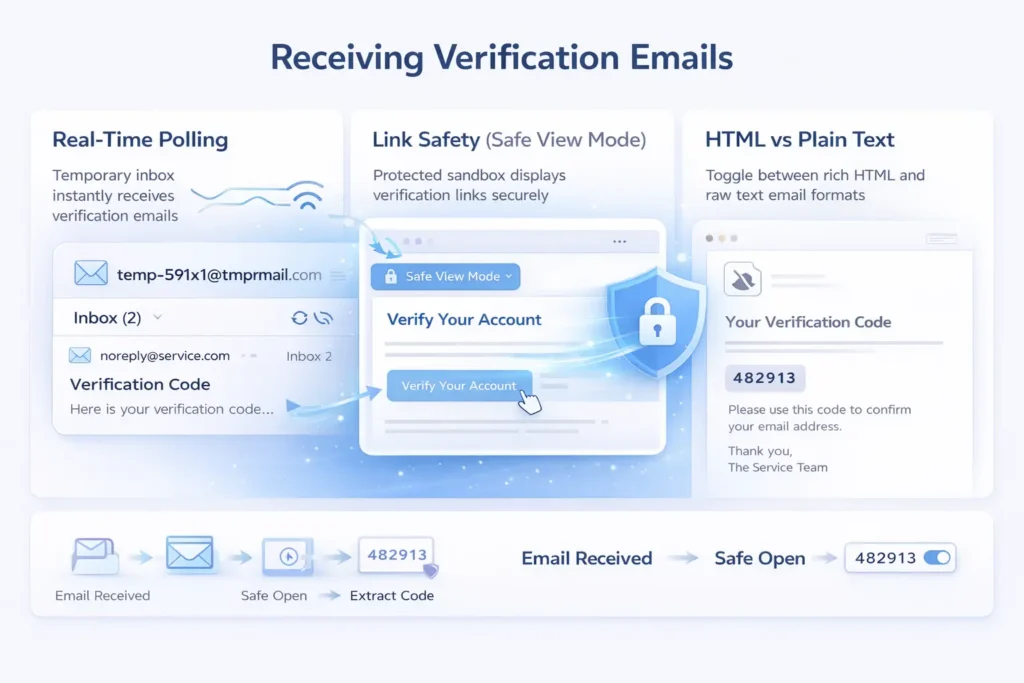
Receiving a verification email in a temporary inbox is the most common use case, but there are a few technical hurdles to watch out for in 2026.
- Real-Time Polling: The inbox uses “Long Polling” or WebSockets to show the email instantly. If your connection is unstable, you might need to hit the “Refresh” button once to re-sync the session.
- Link Safety: Many temp inboxes now include a “Safe View” mode. This allows you to click a verification link without the destination site being able to track your original IP address or browser metadata.
- HTML vs. Plain Text: Some verification emails are heavy on CSS and images. A good disposable mail inbox will offer a toggle to view the “Raw” text, ensuring you can find the verification code even if the images fail to load.
Benefits of Temp Email With Inbox
- Instant Access: No passwords, no security questions, and no “recovery” emails needed.
- Spam Prevention: The inbox disappears, and the “sender” can never reach you again.
- Malware Protection: Most temp inboxes act as a “sandbox,” stripping out dangerous attachments or scripts before you see them.
- Multi-Tasking: You can open five different tabs with five different inboxes to verify multiple accounts simultaneously—something that is nearly impossible with a standard Gmail account.
Use Cases for a Temporary Inbox
1. The “Single-Use” Software Trial
Many 2026 SaaS tools offer a “7-Day Trial” but require an email for access. A temp inbox lets you test the full features of the software. If you like it, you can sign up for real later; if not, you’ve avoided a lifetime of “We miss you” marketing emails.
2. Public Wi-Fi Portals
Airports and hotels often demand an email to “Verify” your Wi-Fi access. These portals are notorious for selling user data to local advertisers. Using a temporary inbox allows you to get the “Connect” button without handing over your personal identity to an unsecure network.
- I recently tried to download a specific technical whitepaper for a project. To get the PDF, the site required me to “verify” my business email.
- I knew if I used my real work address, I’d be hounded by their sales team for months.
- I used a temp inbox, grabbed the download link in 15 seconds, and closed the tab.
- Two days later, I checked a friend’s experience who used his real email, he had already received four “follow-up” calls. The temp inbox saved me from being a “lead” I never wanted to be.
FAQs
Can I send emails from a temporary inbox?
Most temporary inboxes are “receive-only.” This is a security measure to prevent the service from being used by spammers to send out mass mail. If you need to send a one-time email, you will need a specialized “anonymous mail” service rather than a standard temp inbox.
How long do the messages stay in the inbox?
This varies by provider. Some services wipe the inbox as soon as you close the browser tab. Others keep the messages alive for 10 minutes, 1 hour, or up to 24 hours. Always check the “Expiry Timer” on the dashboard before using the address for a multi-step verification process.
Is it safe to receive passwords in a temp inbox?
It is safe for temporary access, but you should never use it for a password you intend to keep. Since you don’t “own” the inbox with a password, you cannot go back and recover the mail if you lose it. If you’re setting up a permanent account, move it to a secure email once you’ve finished the initial setup.
What happens if I accidentally close the tab?
If the service uses “Cookies” or “Local Storage,” you might be able to recover the same inbox by reopening the site immediately. However, if you are in “Incognito” or “Private” mode, closing the tab usually kills the session forever. Tip: Copy the email address to your clipboard before you start the verification.