

In 2026, our digital lives are practically built on top of Google. From YouTube to Android and Google Drive, your Gmail address is the key that unlocks everything. But because this email is so central to your life, you can’t just throw it around. Every time you sign up for a random web tool or a “free” trial with your primary account, you are essentially letting a stranger into your digital house.
This has led many to search for a temp Google mail solution, a way to get the trust and reliability of a Google-backed address without the permanent commitment or the inevitable spam. While Google doesn’t offer a “self-destruct” button for your main account, there are ways to leverage their system to create ephemeral, high-authority aliases that protect your privacy.
In this guide, we’ll explore the reality of temporary Google mail, the technical workarounds that actually work for verification, and the best ways to keep your primary inbox as a “clean zone” while still accessing the gated parts of the web.
What Is Google Mail (Gmail)?
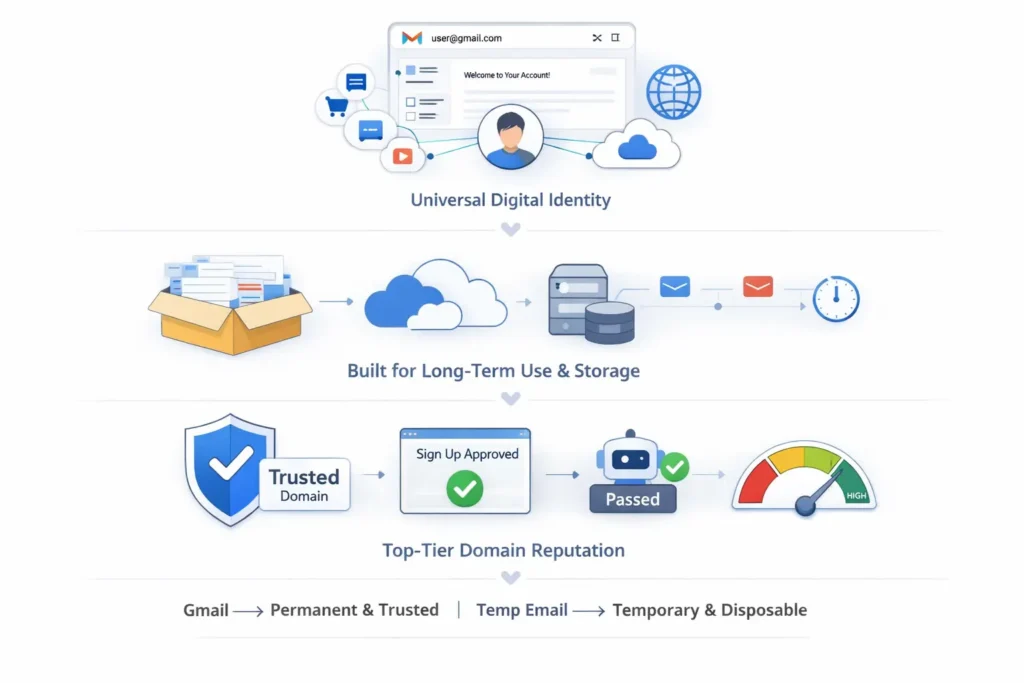
Google Mail, commonly known as Gmail, is a permanent email service that serves as a universal digital identity. Unlike temporary services, it is built for long-term storage and cross-platform integration. While it lacks native self-destructing addresses, its high domain reputation makes it the most trusted handle for website verifications and secure communications.
The Infrastructure of Trust
Gmail isn’t just an inbox; it’s a reputation engine. When a website sees a sign-up from a @gmail.com address, their security filters immediately mark that user as “low risk.” This is because Google has strict anti-bot measures in place. This high level of trust is exactly why users seek out a temp gmail strategy, they want the “VIP access” that a Google domain provides without the tracking that comes with a permanent account.
Why It’s the “Online Passport” of 2026
In 2026, your Gmail is likely tied to your physical location, your biometric data on your phone, and your financial history through Google Pay. This “Online Passport” is incredibly valuable to advertisers. When you use your real Gmail to sign up for a minor service, you are giving that service a direct link to your entire digital profile. Understanding this is the first step toward realizing why a temporary or “burner” alternative is no longer just for tech experts—it’s for everyone.
I remember the exact moment I realized my Gmail was “too public.” I had signed up for a simple conference registration three years ago. Within months, my “Important” folder was being hit with highly specific phishing emails that used my actual name and professional history.
That conference had leaked its database, and because I had used my primary Gmail, the hackers had a direct line to me. Since then, I’ve adopted a strict “Temp Google Mail” policy. If I’m not 100% sure I’ll be using a service in six months, I use a gmail generator or an alias. My primary inbox is now quieter and safer than it has been in a decade.
Can You Create Temporary Google Mail?
Google does not offer a native “self-destructing” email feature, but you can create temporary Google mail using technical workarounds. By utilizing “Plus-addressing,” “Dot-variants,” or third-party Gmail relays, you can generate disposable aliases that look like legitimate Gmail accounts while keeping your primary address hidden and your inbox spam-free.
The Reality of “Official” Temp Mail
If you go to Google’s settings looking for a “Create Burner Address” button, you won’t find one. Google’s business model thrives on permanent user data. However, the system is technically flexible. You can create an address like yourname+temp@gmail.com instantly. While this mail still arrives in your main inbox, it allows you to create a “kill switch” filter. If that specific alias starts getting spam, you can tell Google to automatically delete any mail sent to that tag, effectively “expiring” the address.
High-Reputation Verification
The reason users specifically want temp Google mail over a standard email generator is for the verification success rate. In 2026, many high-security platforms (like Discord or financial apps) automatically flag emails from .temp or .xyz domains. By using a Google-formatted alias, you bypass these “Anti-Bot” triggers because the receiving server sees a trusted @gmail.com handle.
Temp Gmail Alternatives
If you need a temporary solution that is truly “separate” from your main account, consider these three 2026-optimized alternatives:
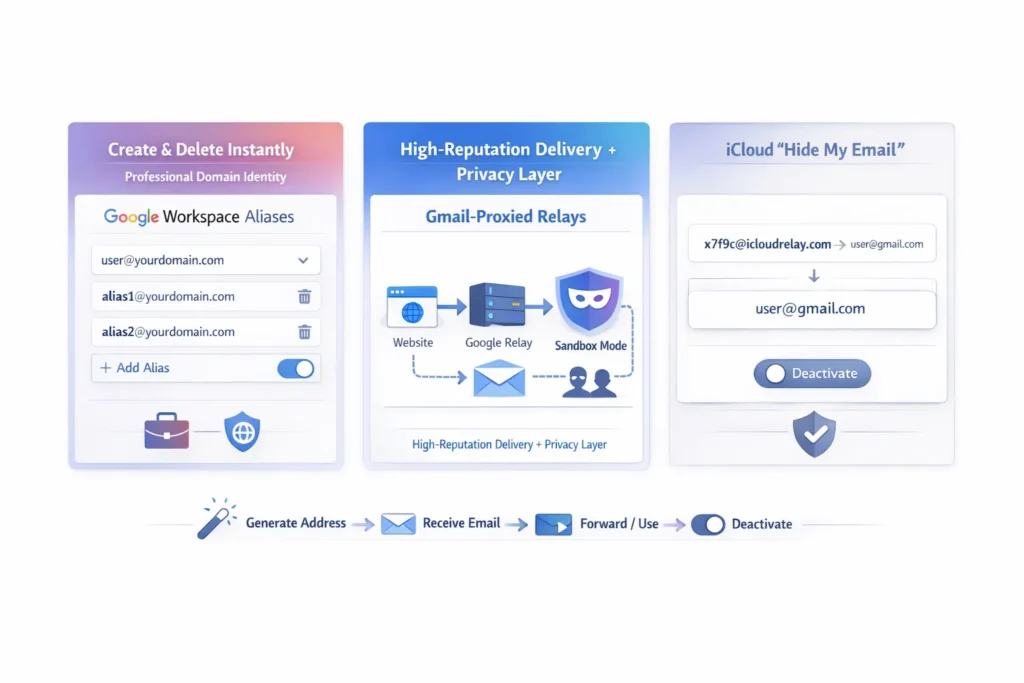
- Google Workspace Aliases: If you have a custom domain through Google, you can create and delete “Nickname” emails in seconds. This provides the professional look of a Google address with the ability to “burn” the address the moment a project is finished.
- Gmail-Proxied Relays: These are third-party services that provide a temporary web interface. They receive mail on your behalf using a high-reputation Google domain and show it to you in a “sandboxed” environment.
- iCloud “Hide My Email”: For those in the Apple ecosystem, this is the most seamless alternative. It generates a random address that forwards to your Gmail. You can “Deactivate” the address at any time with one tap, cutting off the sender forever.
Best Temporary Email Options
| Method | Best For | Privacy Level | Trust Score |
| Plus-Addressing | Quick filters & sorting | Low (Still your real ID) | 100% |
| Gmail Generator | Bypassing “Gmail-only” gates | High (Masks real ID) | 95% |
| Standard Burners | Low-level blog comments | Extremely High | 40-50% |
| Privacy Relays | High-security/Long-term stealth | Extremely High | 90% |
FAQs
Will Google ban me for using temporary aliases?
No. Google actually encourages the use of “plus” and “dot” variations for organization. However, if you use automated scripts to create hundreds of new Google accounts rapidly, their anti-abuse systems will flag your IP and likely phone-verify or block the accounts.
How do I delete a temporary Google alias?
If you used the “plus” trick, you don’t delete the address, but you “silence” it. Go to Gmail Settings > Filters and Blocked Addresses > Create a New Filter. Set the “To” field to your alias and select “Delete it.”
Does “Temp Google Mail” support attachments?
Yes, most Gmail-based workarounds support standard attachments. However, if you are using a third-party temp gmail relay, they may strip out large files or certain file types (like .exe or .zip) as a security measure to protect their servers.
Can I use these for social media recovery?
Warning: Never use a temporary address for an account you care about. If you get locked out of Instagram or Twitter and the “temp” address has expired, you will lose access to your social media profile permanently.