

An email verification code is one of the most common security tools used to protect online accounts today. From signing up for a new platform to resetting a forgotten password, these short one-time codes confirm that you actually own the email address connected to the account. Without this step, websites would struggle to stop spam registrations, bot accounts, and identity fraud.
In 2026, email verification codes play a critical role in account security, user authentication, and digital identity protection. When a platform sends a one-time password (OTP) or verification link to your inbox, it creates a secure checkpoint between you and unauthorized access.
This process helps companies maintain clean user databases while ensuring that real people, not automated bots, are creating accounts. Many users receive these codes using a temporary email for verification to complete signups without using their primary inbox.
What is an email verification code?
An email verification code is a temporary, single-use sequence of numbers or letters sent to a user’s inbox to confirm their identity. It serves as a second layer of security during account creation or login. Once entered into a website’s verification field, the code validates that the user owns the email address and is a real person rather than an automated bot.
These codes are also known as One-Time Passwords (OTPs). They usually consist of six digits, though some high-security platforms use alphanumeric strings for better protection. The core goal is to link a physical person to a digital account. Without this step, anyone could sign up for services using your email address, leading to identity theft and massive amounts of spam.
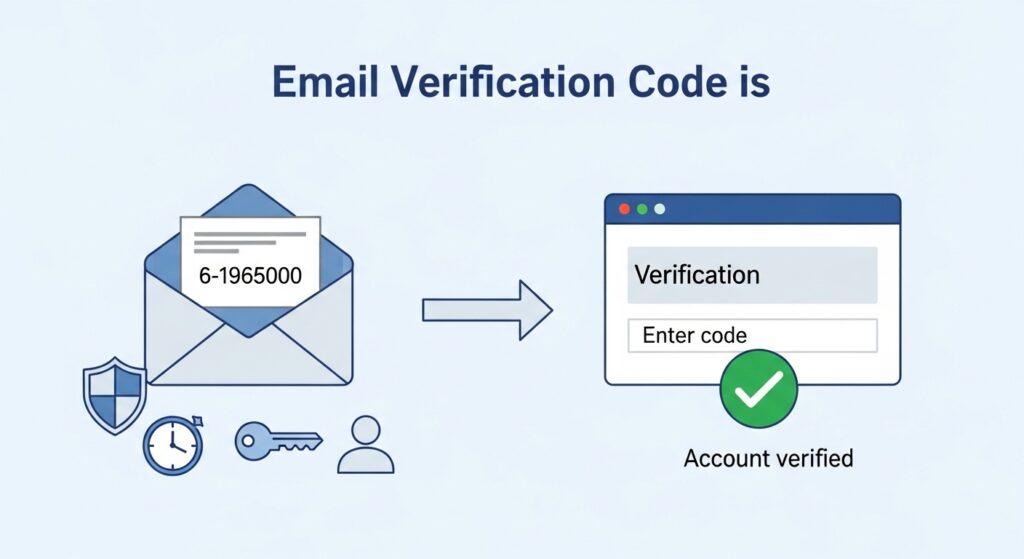
In 2026, verification codes have become more intelligent. They now use background data to detect if a request is coming from a risky IP address or a known bot network. If the system suspects foul play, it might demand a longer code or a different form of verification. This constant evolution keeps your personal data safe in an increasingly complex online world.
| Feature | Standard Verification Code | Multi-Factor Authentication (MFA) |
| Length | Usually 6 digits | Can be 8+ digits or biometrics |
| Lifespan | 5 to 15 minutes | Often under 2 minutes |
| Delivery | Primary Email | App, SMS, or Email |
| Usage | Account setup | Sensitive logins |
| Security | Basic | Advanced |
Some users generate addresses using a temporary email generator or tools like a fake Gmail generator to receive verification codes instantly.
Why do websites use email verification codes?
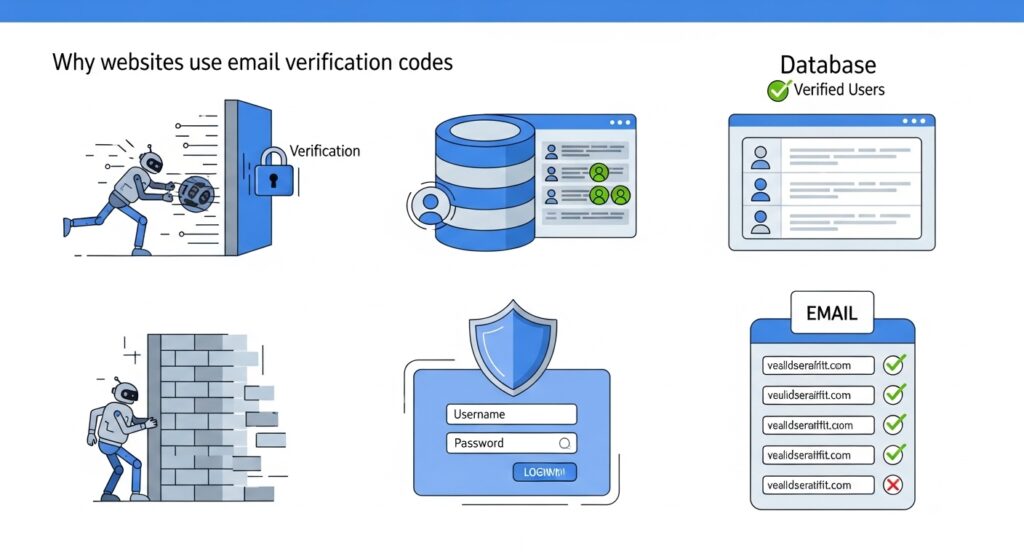
Websites use email verification codes to prevent bot registrations and ensure that every account is tied to a real, reachable human being. This process builds a clean database for the company and protects users from unauthorized access. It is a critical defense against “credential stuffing” and other common hacking methods used to take over accounts.
For a business, a verified email list is a valuable asset. If they don’t verify emails, their database fills up with fake users. This ruins their marketing data and costs money in server storage. Verification systems also help prevent fake accounts and protect against spam networks that harvest emails, similar to how spam bots collect email addresses across the internet.
How do codes stop automated bots?
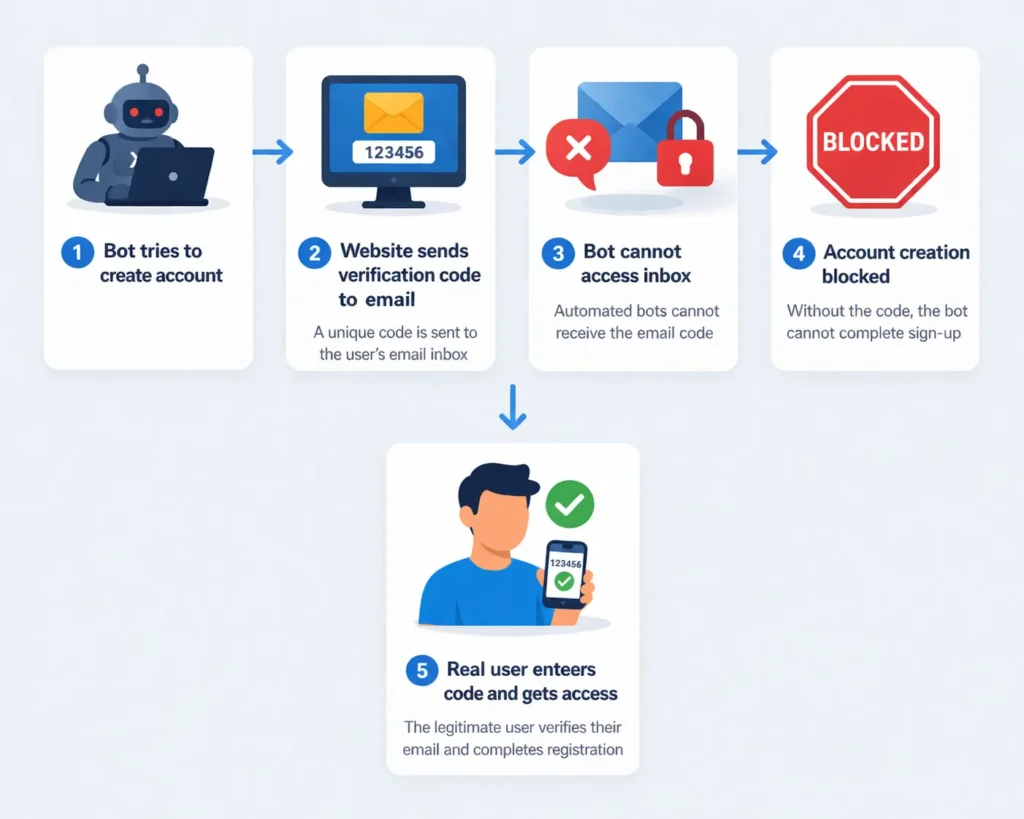
Bots are programmed to create thousands of accounts in seconds. They cannot easily navigate to an external email inbox, find a specific code, and type it back into a form. By adding this one human step, websites can filter out 99% of automated attacks. This keeps the platform fast and secure for actual users like you.
Why is account security a priority?
When you use the same password across multiple sites, you are at risk. If one site gets hacked, your login for every other site is exposed. An email code acts as a “safety net.” Even if a hacker has your password, they cannot get into your account because they do not have access to your private email inbox to retrieve the verification code.
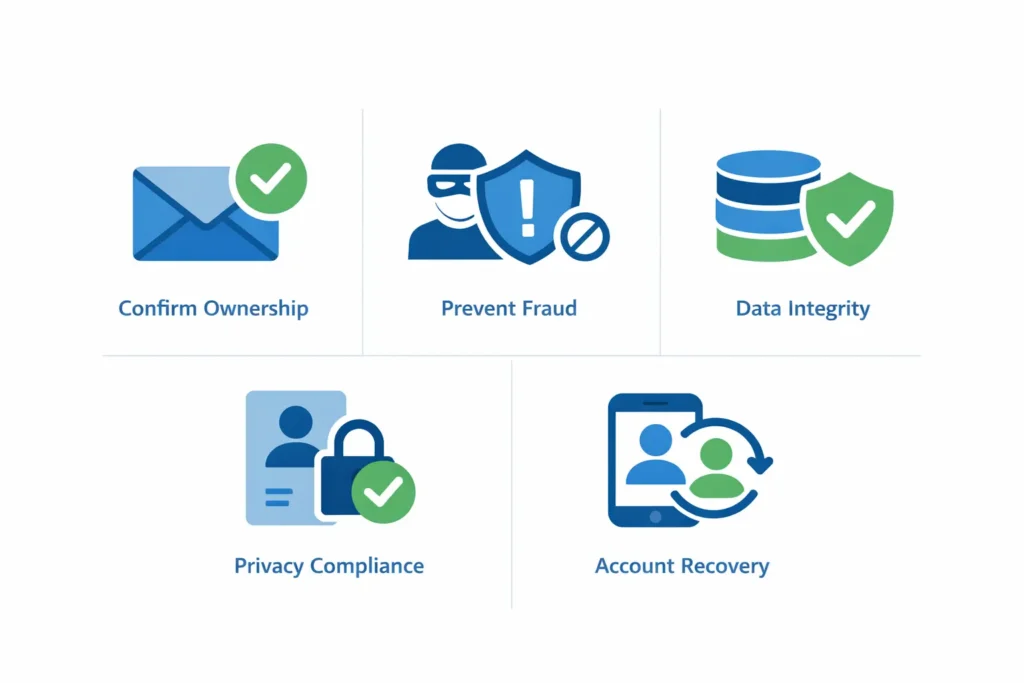
- Confirming Ownership: Ensures the user didn’t mistype their address.
- Preventing Fraud: Stops bad actors from using your name for scams.
- Data Integrity: Keeps the website’s user list accurate.
- Compliance: Meets global standards for data protection and user privacy.
- Recovery: Provides a way to regain access if you lose your password.
How does the email verification process work?
The email verification process works through a coordinated effort between a website’s server and an email delivery system. When you hit “Sign Up,” the server generates a unique code and stores it in a temporary database. It then sends this code via an SMTP server to your inbox. Once you enter the code back into the site, the server compares the two values to grant access.
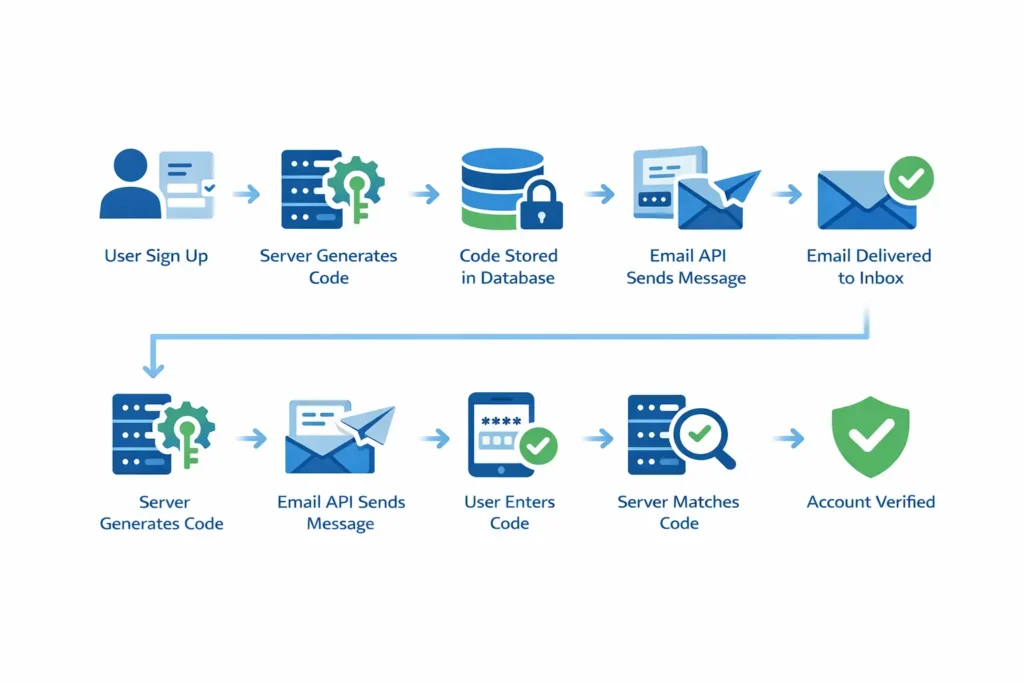
This happens in the blink of an eye. The technical steps behind the scenes are precise. The server must ensure that the code it sends is not easily guessable. It uses a “random number generator” to create a string that has millions of possible combinations. This makes it impossible for a hacker to simply “guess” their way into your account.
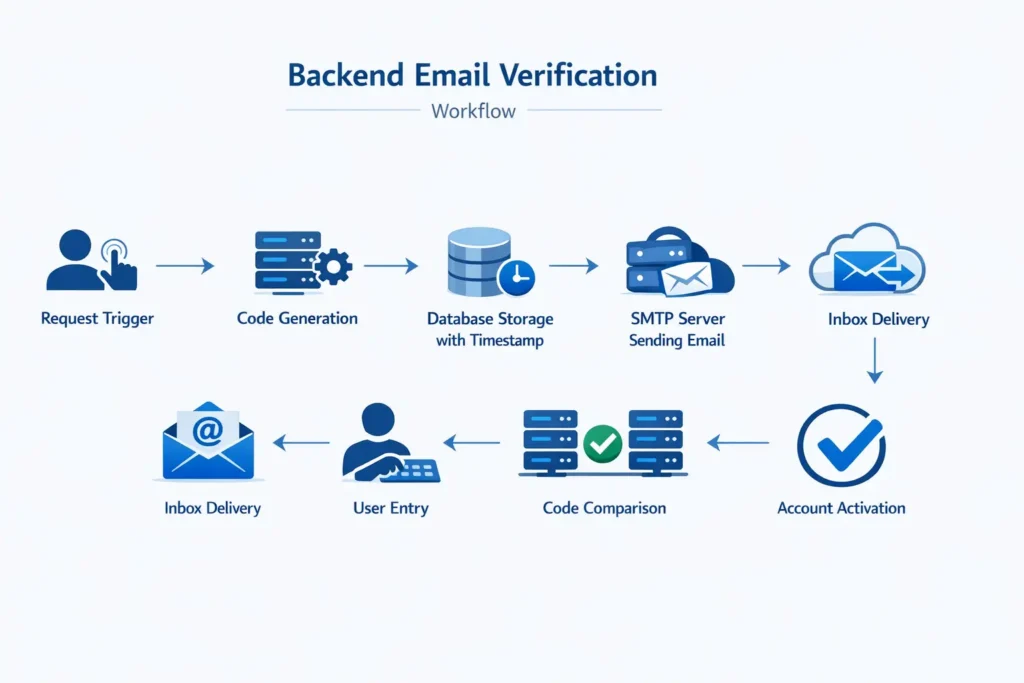
Step-by-Step Backend Flow
- Request Trigger: The user submits their email address on a form.
- Code Generation: The server creates a unique 6-digit number.
- Database Storage: The code is saved with a “timestamp” and the user’s ID.
- SMTP Handoff: The server tells an email API to send the message.
- Inbox Delivery: The email lands in your inbox within seconds.
- User Entry: You copy and paste the code into the verification box.
- Comparison: The server checks if your entry matches the stored code.
- Activation: The account is marked as “Verified” in the database.
Many testers use a temporary email with inbox to receive verification links instantly without creating a permanent account.
What is the role of an email API?
Most websites do not send emails themselves. They use a specialized Email API. These services are built to handle millions of messages without getting flagged as spam. They maintain a high “sender reputation.” This ensures that your verification code doesn’t get lost in the junk folder, which is the most common reason for signup failures.
What are the different types of verification?
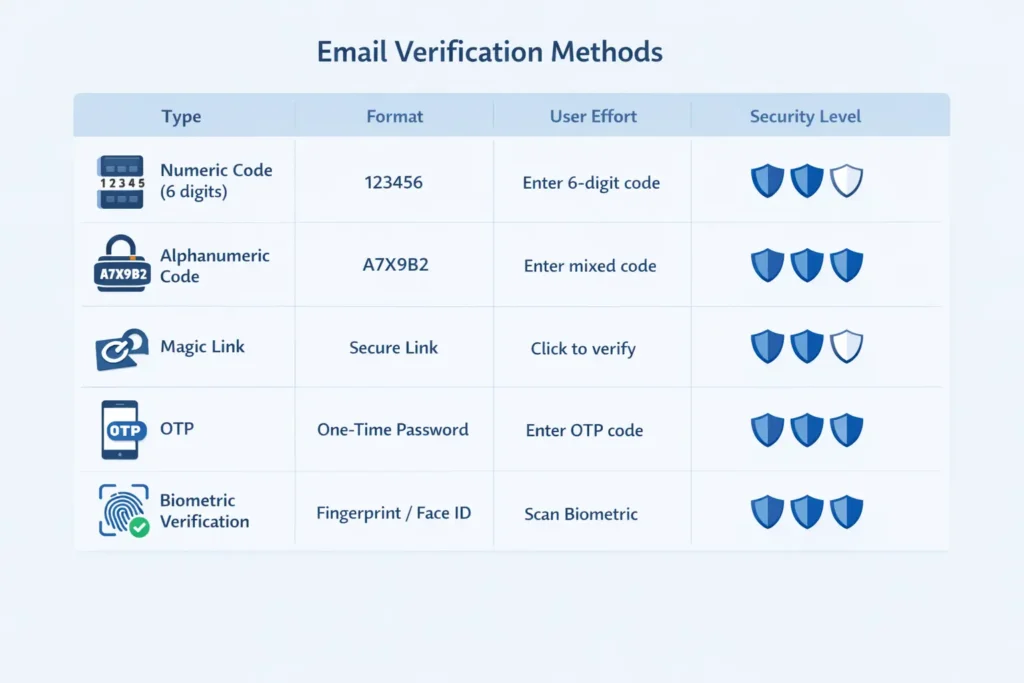
The most common types of email verification include numeric codes, magic links, and one-time passwords (OTP). Each method offers a different balance of security and user experience. While numeric codes are the most familiar, magic links are gaining popularity because they allow you to verify your account with a single click without typing anything.
In 2026, we see a shift toward “passwordless” systems. Instead of a password, you just use your email to log in every time. The site sends a code, you enter it, and you are in. This removes the risk of someone stealing your password. It also means you never have to hit the “Forgot Password” button again.
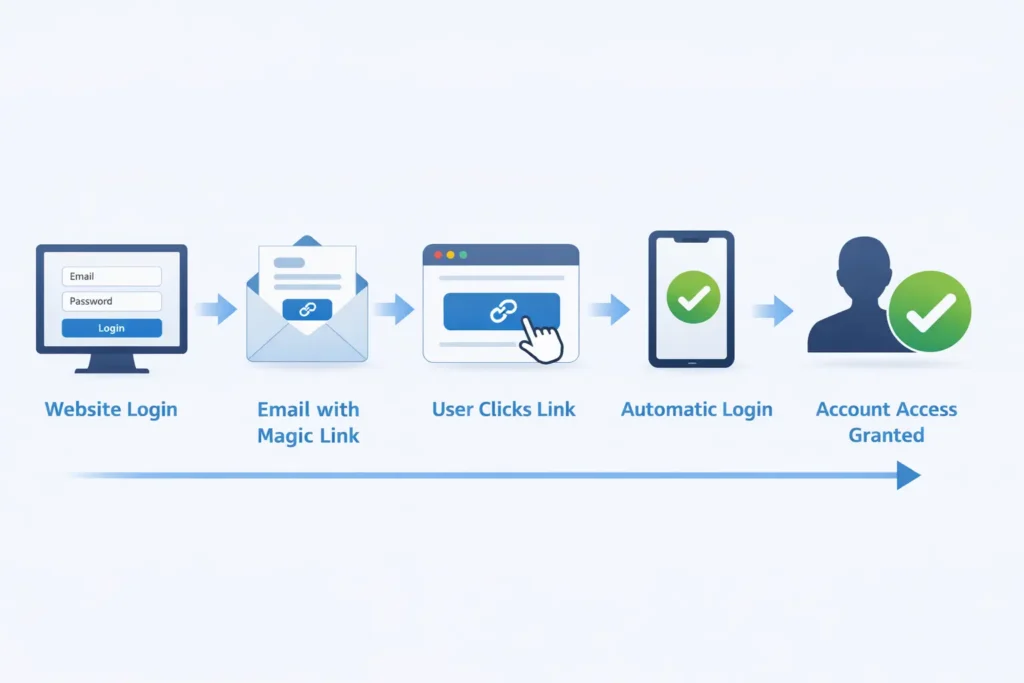
What is a Magic Link?
A magic link is a special URL that contains your unique verification code as a “parameter” at the end. When you click it, the website automatically extracts that code and verifies you. It is the fastest way to log in. However, it can be risky if your email is open on a public computer, as anyone who sees the link can log in as you.
Some users manage multiple accounts using techniques like the Gmail dot trick or creating a Gmail burner email.
What is Multi-Factor Authentication (MFA)?
MFA uses an email code as a second step after you enter your password. This is standard for banking and work accounts. It means that even if a hacker gets your password, they still can’t get in. They would also need to hack your email, which is much harder to do if you have strong security on your primary inbox.
| Type | Format | User Effort | Security Level |
| Numeric Code | 6-Digit Number | Moderate (Typing) | High |
| Alphanumeric | Letters + Numbers | Moderate (Typing) | Very High |
| Magic Link | Clickable URL | Low (One click) | High |
| OTP | Short-lived string | High (Context switch) | Very High |
| Biometric Link | Link + FaceID | Low | Extreme |
Why do verification codes expire so quickly?
Verification codes expire quickly to prevent “replay attacks” and limit the time a hacker has to intercept the message. Most codes are valid for only 5 to 15 minutes. This short window ensures that if a code is stolen or seen by an unauthorized person, it becomes useless before they can use it to gain access.
Security is about closing doors. A code that lasts forever is like leaving your front door wide open. If a code expires, the “door” is locked again. If you miss the window, you just have to request a new one. This might be a minor annoyance, but it is a necessary part of keeping your account safe from modern cyber threats.
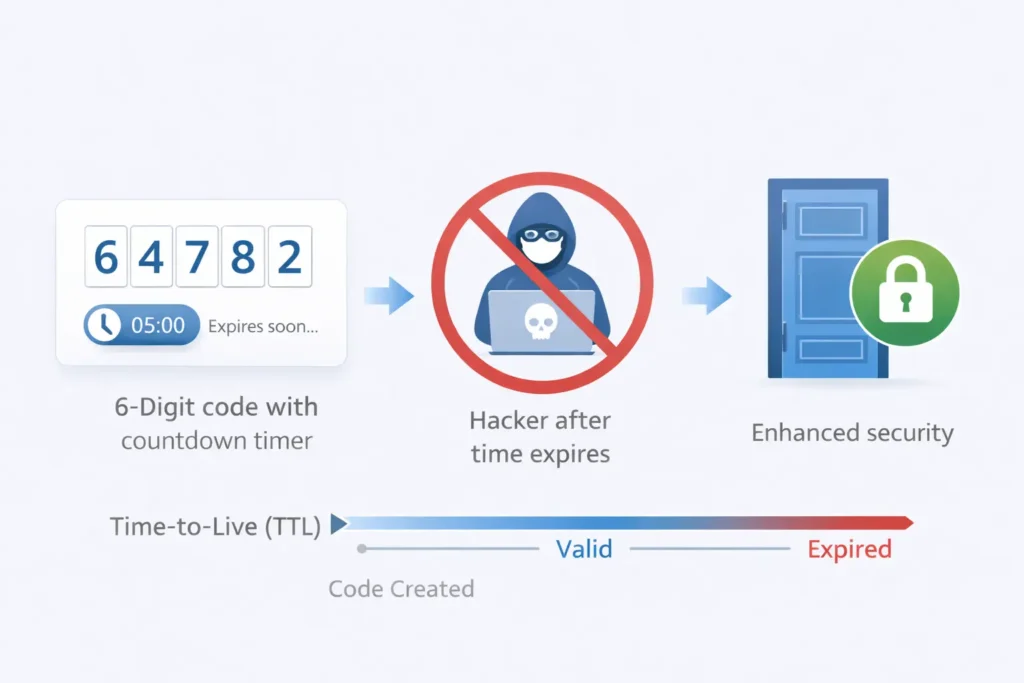
How does “Time-to-Live” (TTL) work?
When the server saves your code in the database, it also saves the exact second it was created. This is the TTL. When you enter the code, the server does a quick math problem: Current Time - Creation Time. If the result is greater than 10 minutes, the server rejects the code and tells you it has expired.
Can an expired code be used by a hacker?
No, an expired code is completely dead. Once the TTL passes, the server often deletes the code from its memory. This is why you cannot just “try again” with the same code after a half-hour delay. The system no longer recognizes those digits as valid. This is one of the strongest defenses in the email verification toolkit.
How to troubleshoot missing verification codes?
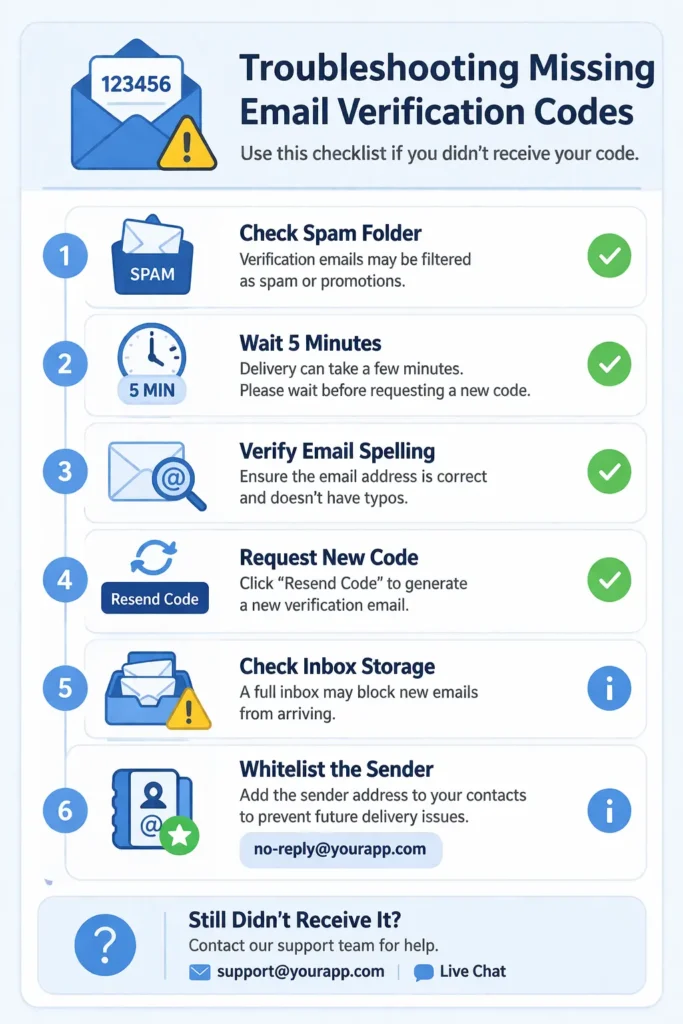
If you are not receiving your email verification code, check your spam or junk folder first. Many automated emails are mistakenly caught by filters because they contain links or look like templates. You should also ensure that your primary inbox is not full and that you have a stable internet connection to receive new mail.
Sometimes the issue is on the website’s end. If they are sending too many emails at once, their server might be overwhelmed. In 2026, strict email authentication rules like DMARC and SPF mean that if a website hasn’t set up its email correctly, big providers like Gmail will block it entirely. This is called the “Deliverability Crisis,” and it affects millions of legitimate messages every day.
- Check the Spam Folder: This is where 50% of missing codes go.
- Wait 5 Minutes: Sometimes servers are slow during peak hours.
- Verify Your Email: Did you misspell
gmail.comasgmal.com? - Request a New Code: The first one might have timed out or failed.
- Check Your Storage: If your Google Drive is full, you can’t receive mail.
- Whitelist the Sender: Add the site’s email to your “Safe Senders” list.
Why do some sites block disposable emails?
Many sites use “burner detection” to stop people from using temporary inboxes like FreeMail.ai. They want a real email so they can contact you later for marketing. If the site gives you an error like “Please use a valid email,” they have likely identified your provider as a disposable service. In this case, you may need a different temporary provider with fresher domains.
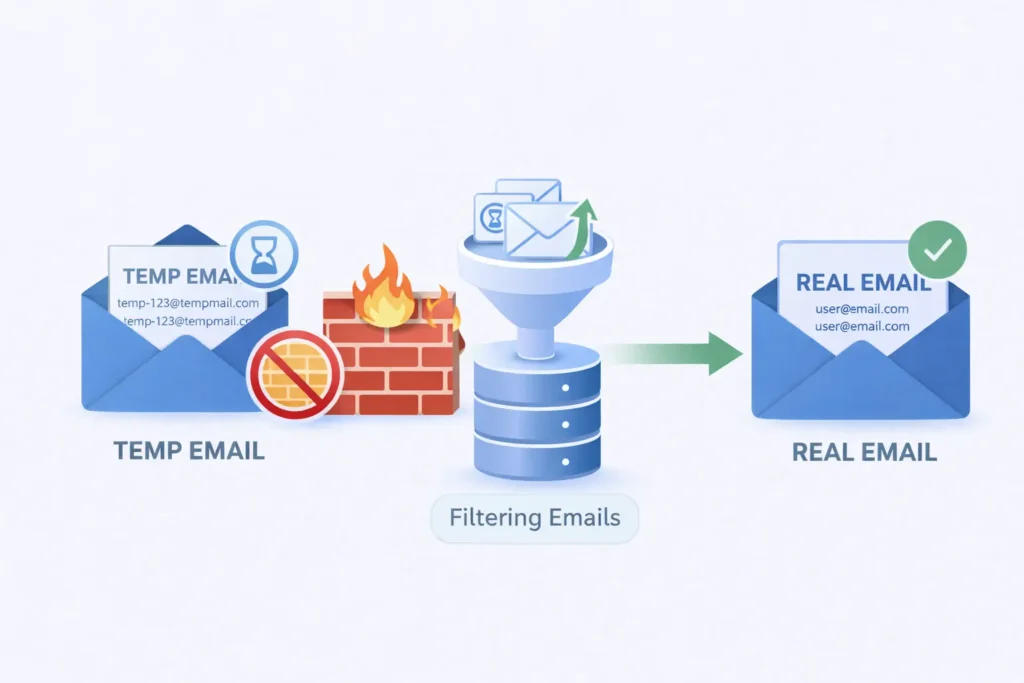
Some platforms block disposable addresses, especially when users try to sign up for AI services using temporary email for AI tools.
How do AI filters affect delivery?
Modern AI filters look at the “behavior” of a sender. If a site sends 10,000 codes in one minute and only 10% are opened, the AI assumes it is a bot attack and blocks the rest. This is a common problem for new websites that haven’t built a strong “sender reputation” yet.
What is the future of email verification in 2026?
The future of email verification in 2026 involves a move toward “Passkeys” and biometric integration. While email codes are still the standard, we are seeing more systems that use your phone’s fingerprint or face scan to verify your identity. This is even more secure than an email code because it requires your physical presence.
We also expect to see “Verified Mark Certificates” (BIMI) become mandatory. This is the little logo you see next to an email in your inbox. It proves the email is really from the brand it claims to be. This helps users spot “phishing” emails where a hacker tries to send a fake verification code to steal your login info.
Will email codes eventually disappear?
Email codes will likely stay as a “fallback” method for years. Even if you use a passkey, you still need a way to recover your account if you lose your phone. An email address is the most permanent digital ID we have. As long as we use email, we will use verification codes to keep our accounts safe.
How does blockchain help verification?
Some advanced systems now use blockchain to verify identity. Instead of a central server, your “identity” is a decentralized token. When you sign up, you “sign” the request with a private key. This is the ultimate level of security, but it is still too complex for the average user. For now, the simple 6-digit email code remains the king of the web.
Conclusion
Email verification codes remain one of the simplest yet most effective ways to secure online accounts. By confirming that a user actually controls the email address connected to an account, websites can prevent bot registrations, reduce fraud, and protect personal data. Although new technologies like passkeys and biometric authentication are emerging, email-based verification continues to serve as a reliable first layer of digital security. As long as email remains a core part of online identity, verification codes will continue to play a key role in keeping accounts safe and trustworthy.